

Table of Contents
Key takeaways
- A focused four-week roadmap can help you build a customer education academy that delivers results even if you are a lean team.
- Identify your most urgent cases, choose an LMS, build your academy and content, test, and launch to a small group.
- Monitor results, build feedback loops, feature success stories, add live sessions, and update your content regularly to keep the momentum going.
Your customer success team is running the same onboarding call for the fifteenth time this month. Support agents are not doing any better, replying to tickets they have answered before. Customers churn not because your product isn’t good, but because they never learned to use it properly.
You know a customer academy would solve this. You also know building one sounds like a six-month project requiring instructional designers, developers, and a budget you don’t have.
What if it didn’t have to be?
The gap between “we should build an academy” and “we have a live academy” isn’t as wide as most CS teams think. A simple but focused roadmap can help you do exactly that, with resources you already have, in just one month:
Week 1: Set the foundations
Week 2: Build the program structure
Week 3: Create the content
Week 4: Test and launch
This strategy is a “crawl, walk, run” approach for getting something useful into customers’ hands, then making it better.
Week 1: Set the foundations
The first week is about sorting out your priorities before you map an effective strategy. Choose three to five core problems that, if solved, would fundamentally change how your CS team operates and how customers experience your product.
Step one: Prioritize training needs
Start with your product analytics and support data:
- What features have low adoption rates?
- Which support tickets repeat endlessly?
- Where do customers get stuck in onboarding?
Look for patterns. If your support team has logged 200 tickets about setting up integrations in the last quarter, that’s your first course right there. If analytics show 40% of new users never configure their first workflow, you’ve got another contender.
Next, define what success looks like with actual numbers. “Better onboarding” means nothing. Instead, “Reduce onboarding calls by 10% in the first 90 days” or “Increase feature adoption from 40% to 45% over the next quarter” gives you something concrete to aim for and measure.
Step two: Audit what you already have
Look through recorded customer calls, internal onboarding playbooks, help documentation, FAQ responses, webinar recordings, demo decks. You will realize that you already have most of the material you need. It’s just not packaged for self-service, always-on customer training, yet.
Take stock of your tech stack too. What tools do you have for screen recording? Video editing? Do you already have an LMS for your internal training needs that you can use for customer education programs too?
A tip drawn from our own experience:
When we rebuilt the LearnWorlds Academy, we pulled it all together, analyzed competitor patterns, mapped common Intercom ticket tags, and tracked feature drop-offs in our funnels. This is how it became clear what to keep, reshape, and update.
Want the full playbook? Watch the webinar on how LearnWorlds built a smarter academy 10x faster.
Week 2: Build the program structure
If you don’t have an LMS, your priority this week is to find one, then you can start giving shape to your customer academy.
Why an LMS and not just hosting videos on YouTube or embedding content in your help center?
Because an LMS, like LearnWorlds, gives you what scattered content can’t: the infrastructure to create structured learning paths, automated enrollments, progress tracking, and the analytics to prove your academy is working.
Step one: Choose your platform
Your priority this week is to find a customer success LMS that allows you to build quickly without compromising on the learning experience. Platforms built for corporate training understand this balance better than LMS tools designed for academic settings.
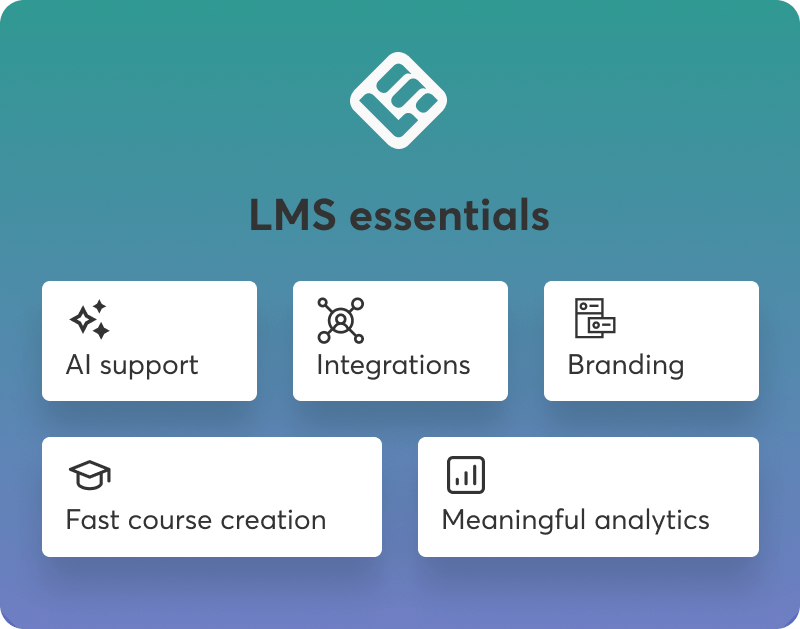
Some things your LMS should be able to do:
- build engaging, interactive content fast
- offer AI-powered course creation
- provide reports and learner insights that actually matter
- integrate with your existing tools
- provide a seamless mobile experience
- offer easy user management
- support multiple learning environments
- allow deep customization and branding
💡Download our ebook The 5 non-negotiables when choosing your LMS to better understand must-have features and their importance.
Step two: Set up the basics in your academy
Start building the foundation that will house your content: your academy. A few things you need to be mindful of:
- Branding matters. A branded, professional-looking academy signals to customers that you’re serious about their success. Choose a name, and set up your logo and colors.
- Navigation should be intuitive. Organize courses by user journey or by topic area. Whatever structure you choose, make it easy for customers to find what they need.
- Create user roles. Control who can access what in your customer academy by setting up user roles.
- Don’t mix internal and external audiences in the same space. If you already use an LMS for internal training, create a dedicated learning environment for customers. Platforms like LearnWorlds allow you to have multiple schools for different audiences within the same account.
- Before moving on, walk through the entire experience as a customer would. Can you find courses easily? Does the branding feel cohesive? Are instructions clear? Test everything as if you’re the learner, not the administrator.
Step three: Create a storyboard
Create a storyboard for your first course (and the ones that will follow). A storyboard maps out the lessons and activities and helps you build a structured learning experience:
Start with the course outline, which can look like this:
- Course title: Setting up your first integration
- Learning objectives: Configure a working integration between [X] and [your product] in under 20 minutes
- Lessons:
1. Understanding integration requirements
2. Connecting your accounts
3. Mapping fields and testing sync
4. Troubleshooting common issues
Then, think about which learning activities will best fit each lesson. For example:
- A checklist for the integration requirements overview
- Videos to demonstrate the troubleshooting and testing processes
- Knowledge checks in every module
No Instructional Designer on the team?
Let LearnWorlds’ AI Assistant create a course outline for you. Our Assistant features built-in prompts based on proven Instructional Design methodologies.
Week 3: Create the content
During week three, you are knee deep into content production.
Step one: Repurpose existing content
Start by transforming what you already have:
- That recorded onboarding call? Trim it to the essential 12 minutes, add captions, and upload it as a lesson.
- Help article about feature setup? That’s your video script.
- Screenshot workflow from your internal knowledge base? That’s visual support for your lesson.
- Existing FAQs? Generate quiz questions from them.
Keep each piece of content short and to the point to keep learners engaged.
Step two: Create new content
When you need to build new content, use your LMS’s built-in authoring tools wherever possible. This speeds up creation and keeps production costs under control. AI can be very helpful with content creation and repurposing. Use it to edit and proofread new content, generate quizzes, and turn transcripts into lesson outlines or help documentation into video scripts.
💡Learn more about how other teams use AI in customer education in our report featuring exclusive insights and real-life tips from 270+ professionals.
Step three: Create your communication plan
Your customer academy will work only if customers know it exists and understand when to use it, so it’s time to think about how you will let people know about it.
- Will you announce it via email to your entire customer base?
- Add in-app notifications pointing to relevant courses?
- Reference it during onboarding calls?
Prepare talking points for your customer success team as well, so they know when to recommend the academy and how to position it.
Week 4: Test and launch
Week four is all about putting the finishing touches before launch.
Step one: Internal testing
A good chef tries their own dish before serving it. Similarly, have each person on your CS team and a couple from other teams as well complete at least one full course, noting anything confusing, missing, or broken, like videos that don’t play or misdirected links.
Step two: Soft launch to a small group
Choose 20 to 30 customers who would benefit most from the academy. Ideally, select recently onboarded customers who are still in the learning phase, or customers you know are underutilizing key features.
- Send personalized invitations explaining what the customer academy offers and why you’re inviting them specifically. Make it feel like early access, not a mass email.
- Monitor their behavior. Which courses do they complete? Where do they drop off? What questions do they still bring to support after going through relevant courses?
- After a week, reach out for feedback. A simple survey works: What was most helpful? What was confusing? What’s missing? Their answers will guide your post-launch improvements.
Post launch: How to maintain a successful customer academy
The launch is just the beginning. A successful customer academy requires ongoing attention to both the learning experience and the business impact.
Track the metrics that matter
Track learning engagement first, as these will tell you if the academy is being used and if the content engages learners, both of which are important. The real indicators of success though are shown in your business.
| Learning analytics | Business impact | |
|---|---|---|
| Course enrolments | Support ticket volume | |
| Completion rates | Time-to-value and activation | |
| Time spent on activities | Feature usage | |
| Drop-off points | CSAT and NPS scores | |
| Monthly active users | CSM time savings | |
Business metrics prove your academy drives tangible business results and will help you make a case for further investment in customer education programs.
What to do next:
Compare all your metrics against the goals you set in week one. If you aimed for a 20% reduction in onboarding calls and you’re seeing 10%, that’s progress worth celebrating and building on. If completion rates for a specific course are under 40%, investigate why: is it too long, too complex, or solving the wrong problem?
LearnWorlds with HubSpot
LearnWorlds’s Report Center and integration with HubSpot help you connect learning with business impact so you can get meaningful insights and answer questions like “Did this course reduce churn?” not just “How many people watched this video?”
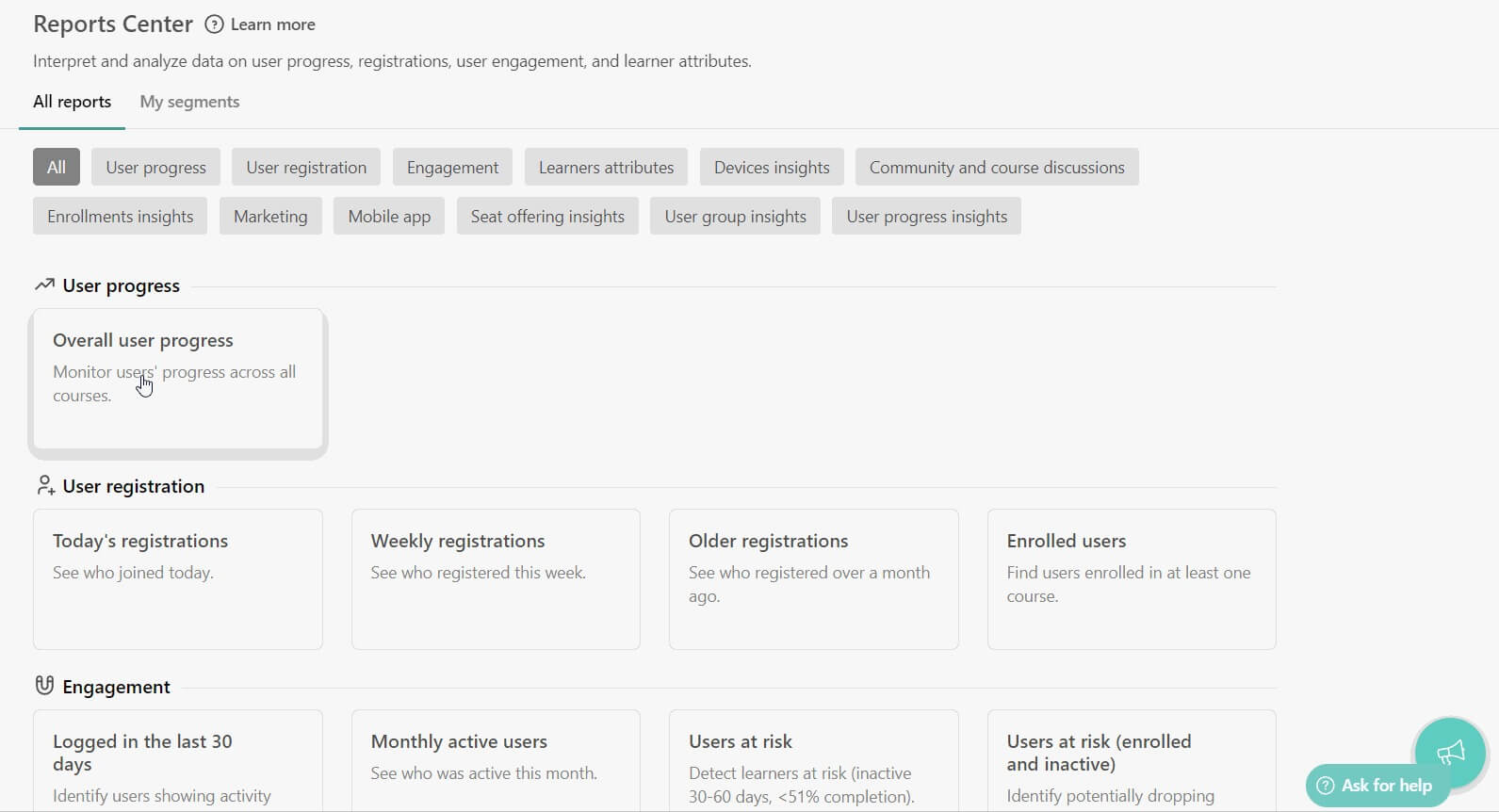
Watch our webinar to learn more about how the LearnWorlds-HubSpot integration can help you attract, retain, and grow your customer base.
Keep momentum
Do not let your academy become static and lose its value. Keep it alive, relevant, and visible with this checklist:
- Refresh content quarterly based on product updates
- Feature customer success stories to increase trust through social proof
- Build a feedback loop by periodically asking customers what they want to learn next
- Keep promoting the academy through emails, in-app messages, and during support interactions
- Add live sessions to complement self-paced courses to deepen engagement without overwhelming your team’s schedule
Start as soon as possible
Thirty days from now, you could have a live customer academy reducing your support load and improving customer outcomes. Or you could still be planning, waiting for the perfect moment or the perfect resources.
The academy that exists, even if it’s three solid courses and basic branding, beats the perfect academy that lives only in a planning document. Start small, monitor what happens, and improve as you go.
Sign up for a 30-day free trial with LearnWorlds and start building.

Androniki Koumadoraki
Androniki is a Content Writer at LearnWorlds sharing Instructional Design and marketing tips. With solid experience in B2B writing and technical translation, she is passionate about learning and spreading knowledge. She is also an aspiring yogi, a book nerd, and a talented transponster.
 Back to blog
 Scroll to top