 RATED “USERS MOST LIKELY TO RECOMMEND” WINTER 2026
LearnWorlds vs. LearnDash: One platform or endless plugins—which fits your business?
Build, sell, and manage training from one platform instead of maintaining a growing and costful stack of WordPress plugins.

 Run your LMS without WordPress maintenance
Build more of the learning experience natively
Manage sales, users, and reporting in one place

 Juggle WordPress hosting, themes, plugins, and updates on top of your LMS
Patch together add-ons and plugins to extend the experience
Stitch together separate WordPress tools for sales, users, and reporting
Built for training teams that want fewer moving parts
LearnWorlds isn’t the right fit for everyone. Here’s where it makes the clearest difference.

You want a hosted LMS
You want one provider to handle the learning platform, hosting, updates, backups, and platform security.

You deliver structured training
You need assessments, completion rules, certificates, SCORM content, and reports without building the workflow from separate plugins.

You sell training to companies
You need client groups, delegated administration, bulk access, and reports you can schedule and share.

Your team doesn’t want to maintain WordPress
You want course managers focused on learners and programs, with less time spent testing updates or resolving plugin conflicts.
LearnWorlds vs. LearnDash
Both LearnWorlds and LearnDash help you create, sell, and manage online courses. The difference is how much you build yourself versus how much comes ready to go. Here’s how they compare.
Feature
LearnWorlds
LearnDash
Comprehensive Course Creation
AI Course Builder

(only course outline)
AI-enhanced interactive video
Requires add-on
Learning programs
(without add-on)
SCORM & HTML5
Requires add-on
LTI 1.3
Course player customization
AI-powered ebook builder
AI-powered assessments
(requires OpenAI API)
Question types
16
8
AI feedback generator
Content clone & sync
(covers basic course duplication)
Social learning tools
Requires add-on
Automatic video transcription
Key Takeaways
- LearnDash covers the essentials for building and delivering courses, including an AI course outline and quiz builder, structured course tracking, and a distraction-free focus player. However, you need paid add-ons and complex integrations to access advanced capabilities.
- LearnWorlds gives you more control over the learning experience, with native interactive video, an AI-powered ebook builder, automated AI feedback tools, native SCORM and LTI 1.3 support, and advanced cross-site content syncing.
- Choose LearnDash if you want data ownership on WordPress and its simple AI tools cover your needs. Choose LearnWorlds if you want interactive learning, enterprise compliance, and all-in-one platform convenience, without the extra costs.
Website & Branding

White-labeling
AI Site Builder
Page Templates
50 industry-specific
via WordPress ecosystem (requires manual styling to look like an LMS)
Different site versions
Complex
(requires a multi-site network setup)
Multiple After-Login Pages
Requires add-on
Learners pages (My Pages)
Advanced device-specific authoring
Smart Blocks (synced sections)
Multilingual Support
Requires add-on
Key Takeaways
- LearnDash gives you the design freedom of WordPress, with access to themes, page builders, custom code, and plugins.
- LearnWorlds combines its LMS website builder with AI-assisted page creation, letting you generate a page structure, refine individual sections, and edit copy without leaving the platform.
- Choose LearnDash if WordPress design freedom is a priority. Choose LearnWorlds if you want your website, learning experience, and AI-assisted content workflow managed in the same platform.
User Management
Custom user roles
Sign-up approval
Requires add-on
Custom user fields
Requires add-on
Self-registration
Advanced tag management
Requires add-on
Built-in Student automations
Bulk user upload
Requires add-on
HubSpot 2-way integration
Key Takeaways
- LearnWorlds offers advanced user management with features like sign-up approval, advanced tag management, dynamic rules for automation, and bulk user upload.
- LearnDash supports basic user management, including custom user roles and self-registration, but lacks native tools like sign-up approval and automation features, requiring additional plugins or workarounds for similar functionality.
Marketing engine
Payment Gateways
4 (more with Add-on)
Built-in Marketing automations
AI Automations
SEO-ready pages
Mass emails
Requires add-on
NPS
Requires add-on
Affiliate program
Requires add-on
Blog
Qualification forms
Requires add-on
Pop-ups
Requires add-on
Integrations
50+ native and industry-specific integrations
Leverages WordPress ecosystem
Key Takeaways
- LearnDash can connect to a broad WordPress marketing stack for SEO, forms, email, affiliates, WooCommerce, and other specialist tools.
- LearnWorlds keeps more of that work inside the platform, with forms, popups, affiliate management, email, and automations available natively or by plan. AI is built into several of these workflows, including page content, forms, emails, and automation creation, so teams can create and refine campaign assets without moving between separate tools.
- Choose LearnDash if you prefer to assemble your marketing setup through WordPress. Choose LearnWorlds if you want marketing and AI-assisted creation closer to the LMS itself.
Analytics

Sales Analytics
(advanced requires add-on)
User Engagement
(advanced requires add-on)
AI Course Insights
Yes (Ask questions about your academy in plain language — and get instant, actionable answers)
Video Analytics
User Progress
Training Matrix
Assessments & Grades Reports
Add-on
Affiliates Reports
Requires add-on
Scheduled Reports
License Reporter
Requires add-on
Key Takeaways
- LearnDash covers the essentials for gathering student data, relying on basic completion metrics, quiz grade tracking, and external e-commerce engines like WooCommerce to monitor your baseline business sales and student pass rates.
- LearnWorlds gives you more control over your platform metrics, featuring visual Training and Activity matrices, video engagement heatmaps, built-in affiliate reporting, automated report scheduling, and AI-driven data summaries.
- Choose LearnDash if you want your course statistics tied into a broader WordPress reporting workflow. Choose LearnWorlds if you need visual compliance matrices, advanced media engagement metrics, and scheduled reporting pipelines out of the box.
Branded Mobile App – iOS and Android
(add-on)
(add-on)
No-Code App Builder
Yes (configured through WordPress)
App publishing assistance
Included
Add-on
Full parity with web content
Customizable push notifications
Requires Firebase setup
In-app purchases
Offline mode
2FA
Requires add-on
Multiple Login Methods
Not native (typically handled through WordPress)
Email Verification
Not native (typically handled through WordPress)
Native Community
App Analytics
(native)
(via Firebase / Google Analytics)
Key Takeaways
- Both LearnWorlds and LearnDash offer branded iOS and Android mobile apps. LearnWorlds keeps more of the mobile experience inside the platform, with built-in community, multiple login options, 2FA, email verification, targeted push notifications, and app analytics.
- LearnDash covers the core mobile learning experience, but several capabilities depend on WordPress, Firebase, or additional plugins.
- Choose LearnDash if you want a mobile extension of your WordPress setup. Choose LearnWorlds if you want to manage learning, engagement, access, and app performance from one platform.
LearnDash is highly flexible, so customers can choose different plugins, bundles, or custom solutions depending on their requirements. The problem is that many of the add-ons generate additional costs. See an illustrative scenario based on publicly advertised prices:
What you need
LearnWorlds Pro Plan
Example LearnDash setup
Additional LearnDash cost/year*
Core LMS
Pro Trainer plan, starting from $79/month billed annually
LearnDash LMS, starting from $199/year
n/a
Advanced analytics & reporting
Included
ProPanel add-on
+$99
SCORM
Native SCORM support
Tin Canny Reporting add-on
+$199
Sales funnels, order bumps & upsells
Built in
CartFlows Suite add-on
+$199
Affiliate management
Built in
AffiliateWP Personal add-on
+$149.50
Community
Built in
e.g. BuddyBoss Pro add-on
+$299
Advanced automations
Built-in on Learning Center+
e.g. OttoKit Pro add-on
+$108
Organizations / advanced group management
Built-in on Learning Center+
Groups Management add-on
+$99
Advanced gradebook
Built in
LearnDash Gradebook add-on
+$49
Estimated annual software cost
Pro Trainer: $948/year | Learning Center: $2,988/year
Example expanded LearnDash stack:
~$1,400/year
n/a
*Illustrative stack based on publicly advertised prices. LearnDash is highly flexible, so customers can choose different plugins, free alternatives, bundles, or custom solutions depending on their requirements. Hosting, domain, premium themes/page builders, developer costs, maintenance, and payment-processing fees are not included.
Key Takeaways
- LearnDash starts at a lower price, but the base LMS is only part of the cost. As your training business needs more advanced reporting, SCORM support, sales tools, community features, automations, or organizational management, you may need additional LearnDash and WordPress plugins.
- LearnWorlds costs more upfront than the basic LearnDash plugin, but bundles the LMS, website, commerce, community, marketing, reporting, and automation infrastructure into one managed platform.
- Choose LearnDash if a low starting price matters most and you’re comfortable managing a plugin stack yourself. Choose LearnWorlds if you’d rather pay one predictable price for what’s already built in.
Final Takeaway
- LearnDash is a strong choice if you want a WordPress LMS and prefer to shape your setup through themes, plugins, hosting, and external tools.
- LearnWorlds takes a more integrated approach, with built-in AI-powered features available across course creation, learning activities, website content, marketing, automations, and reporting.
- Choose LearnWorlds if you want fewer separate systems to manage, and a platform that grows with your business without increasing the costs.
Hear from real people who switched from LearnDash to LearnWorlds
Migration without the headache
Platform migration is a pain. That’s why LearnWorlds team does it for you.
On request, we migrate:

Complete course content
All course activities, assessments, videos, files, and certificates transferred accurately.

Bundles & subscriptions
Your course bundles and subscription plans recreated to maintain your offerings.

User accounts & enrollments
All user accounts established with their course, bundle, and subscription enrollments intact.
User progress
Transfer learning progress so clients continue from where they left off, without interruption.
Get a free consultation with the LearnWorlds migration team to discuss your specific needs and receive a personalized migration plan.
Why LearnWorlds?

Innovative & future-proof
LearnWorlds is built for the future. With 30+ new features released every year, you’ll always have access to the latest innovations, keeping your online academy ahead of the curve.
Customer-centric
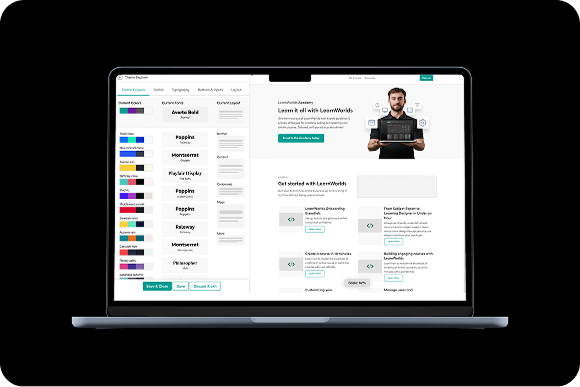
We listen to you. LearnWorlds evolves with regular feature updates based on customer feedback, ensuring the platform adapts to your needs every step of the way.

Feature-rich
With the largest selection of interactive learning tools, from live sessions to advanced ebook authoring and SCORM imports, LearnWorlds empowers you to turn your knowledge into engaging, dynamic lessons.
Versatile & flexible
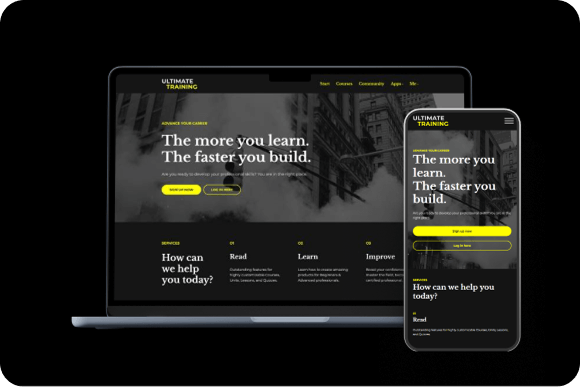
Serving 17+ business models, LearnWorlds’ AI-first approach allows you to adapt to any teaching style or business strategy. Monetize your academy in multiple ways, from subscriptions and one-time payments to tiered pricing, reselling, and corporate training.
You’re in good company
$1b+
Customer revenue
13k+
Customers served worldwide
900k
Courses created
2m
active monthly learners