
 RATED “USERS MOST LIKELY TO RECOMMEND” WINTER 2026
LearnWorlds vs. Moodle: An in-depth comparison for 2026
- Manage your academy without server administration
- Integrated checkout, subscriptions, and promotion tools
- Hosting and platform updates managed by LearnWorlds

- Self-hosted, so your team or host runs servers and updates
- Paid enrollment is possible, but broader commerce requires plugins or external tools
- MoodleCloud hosts it for you but doesn’t allow plugins
Moodle gives you an LMS to manage. LearnWorlds gives you a learning business to grow.
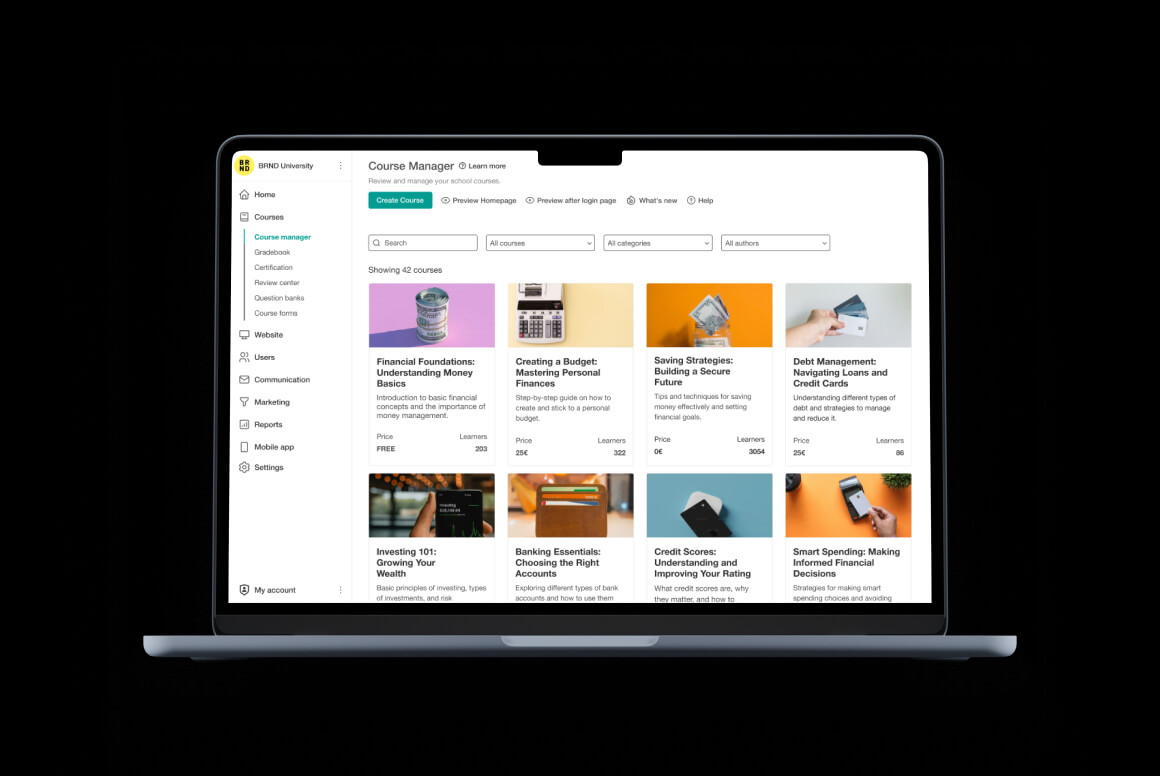
Running your academy shouldn’t mean managing an LMS, a separate website, and a growing list of plugins. LearnWorlds brings your course delivery, branded website, checkout, and reporting into one hosted platform. That leaves your team free to focus on launching programs and serving learners.
For training businesses choosing between LearnWorlds and Moodle, the difference is how much work sits around the learning.
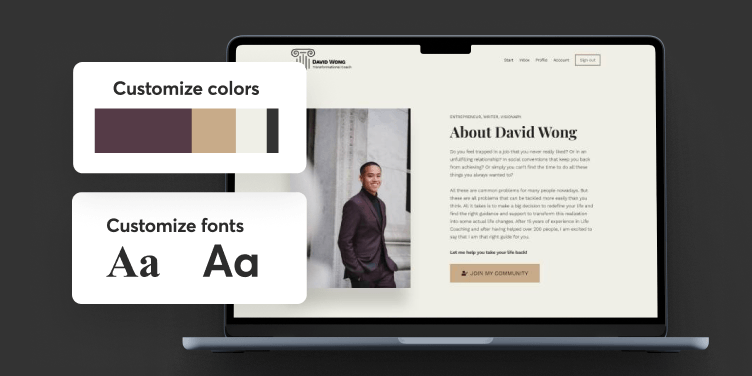
Build more than a training portal.
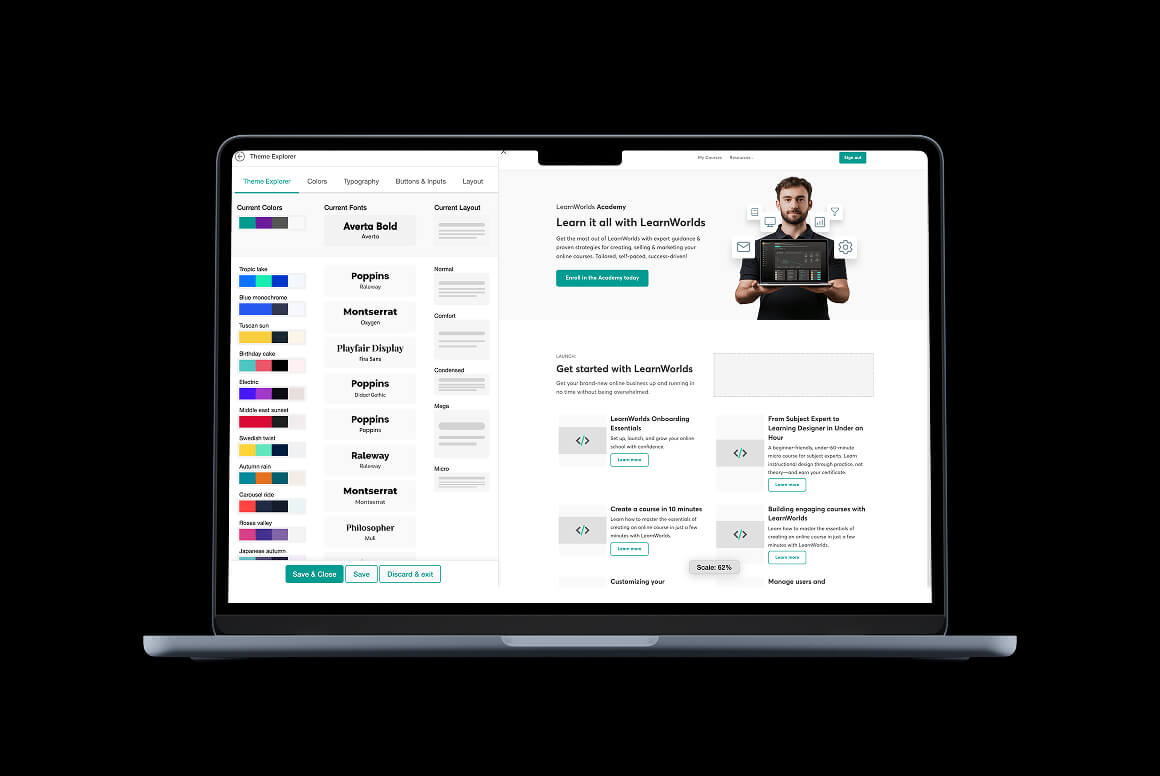
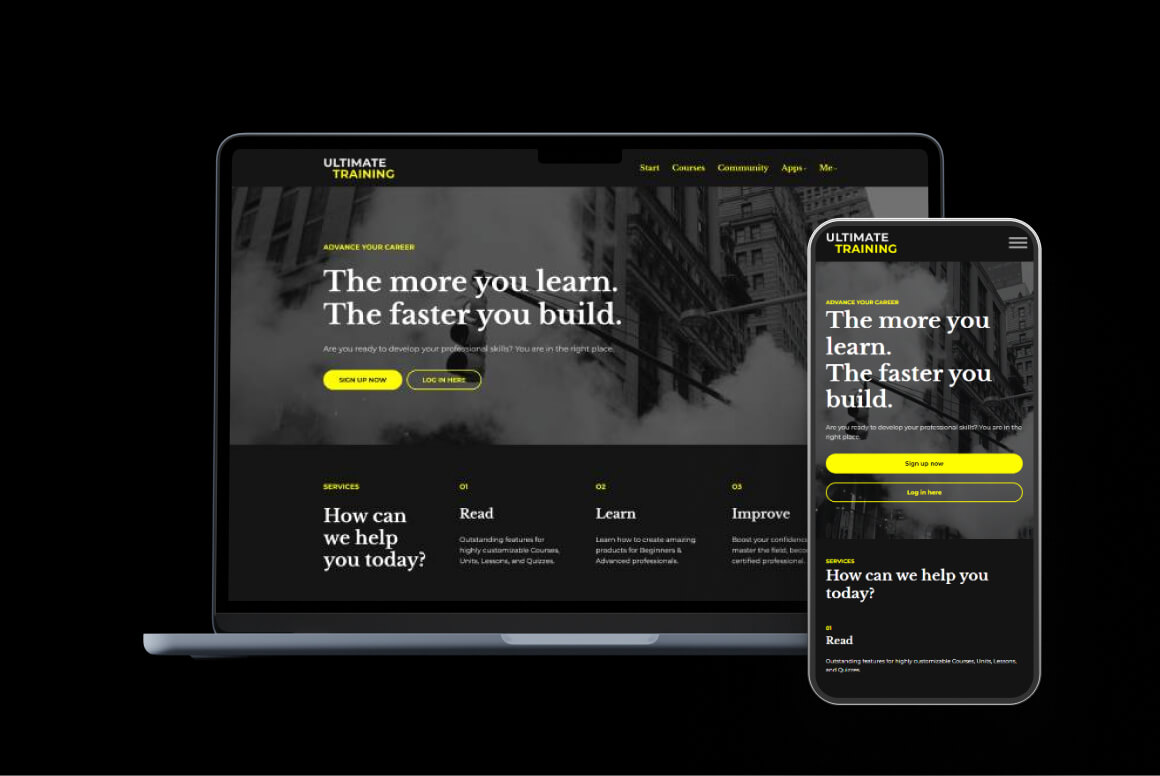
LearnWorlds includes a full website builder for landing pages, lead generation, and course discovery. Moodle offers a customizable LMS and learning experiences, but not a full marketing site.

Sell more than a training course.
LearnWorlds builds in subscriptions, payment plans, affiliates, and order bumps. Moodle supports paid course enrollment, but comparable sales tools require plugins or external platforms.
Grow without managing the tech stack.
LearnWorlds handles hosting, platform updates, and native business tools. MoodleCloud manages hosting but restricts custom plugins. More extensible Moodle setups require self-hosting or a hosting service.
About this comparison: This comparison covers LearnWorlds and Moodle LMS as reviewed on 9 October 2026. MoodleCloud, Moodle Workplace, and partner services are identified where relevant. Features, usage allowances, add-ons, and pricing vary by plan, deployment, provider, and region. Check current availability before choosing your setup.
Built for training businesses and learning outcomes
LearnWorlds is not the right fit for everyone. Here’s who it’s built for.

B2B training businesses
You deliver training to client companies, each with its own learners. You need private client environments, bulk enrollment, seat management, and reporting you can share with every client.

Customer and partner academies
Training is part of the customer or partner experience. You need a branded academy, interactive learning, flexible access, and a mobile experience that feels like your own product.

Certification and training providers
You sell structured programs where completion matters. You need assessments, certificates, SCORM, live learning, and commerce tools to sell courses, subscriptions, and training packages.

Moodle users ready to grow their training business
You’re ready to attract learners and sell training under your own brand. LearnWorlds brings your website, checkout, and marketing together with fewer plugins and less developer help.
LearnWorlds vs. Moodle feature-by-feature comparison
Both platforms can deliver structured online learning. The real question is how you want to run the business around it. LearnWorlds keeps your website, courses, checkout, marketing tools, and reporting in one managed environment. Moodle gives you an extensible LMS you can self-host or obtain through MoodleCloud or a service provider.
Feature
LearnWorlds
Moodle
Multimedia course authoring

Structured learning paths
Dedicated interactive video editor
Built-in video authoring connected to learner engagement data

Through integrated H5P only
Video transcription and subtitles
Captions only, automated transcription requires an external extension
Interactive ebooks
Interactivity requires H5P
Assessments and question banks
Custom certificates
Plugins or Moodle Workplace required
Public certificate validation
Requires an extension or Moodle Workplace
SCORM
Live sessions
Key Takeaways
- Both platforms support multimedia courses, assessments, and interactive learning.
- LearnWorlds brings AI-assisted authoring, interactive video, ebooks, and certificate management into one connected workflow, helping you create engaging, market-ready training with less setup.
- Moodle covers the learning fundamentals, but comparable certificate and advanced AI workflows require plugins, integrations, or Moodle Workplace.
Sell individual courses
Native product pages and checkout.
Paid enrollment is available, but not a complete e-commerce setup
Payment gateways
Stripe, PayPal, Shopify, and local methods
PayPal in core, Stripe is available on MoodleCloud
Course bundles
Not native. Requires an extension.
Recurring subscriptions and memberships
Not native. Requires an extension.
Installment payment plans
Not native. Requires an extension.
Multiple pricing options for a product
Offer alternative purchase options for the same product.
Not native. Requires an extension.
Multi-product shopping cart
Not native. Requires an extension.
Manual payment workflow
Key Takeaway:
Choose LearnWorlds when selling and packaging training are ongoing business operations, rather than a payment step attached to an LMS.
Built-in AI capabilities
AI course outlines and source-based content
Not native
Additional plugins or tools required
AI assessment creation
Inside the course builder
Question creation needs additional tooling
AI ebook creation and refinement
No comparable ebook-generation workflow
AI content summaries and explanations
AI Canvas
Build calculators, mini-games, and simulations
AI learner memory
Optional memory to personalize interactions
AI website and marketing assets
AI academy-wide content guidelines
Set tone, vocabulary, and instructional guidance
AI-generated automations
AI reporting insights
Key Takeaway
Choose LearnWorlds for AI assistance within the workflows used to build and operate your academy. Choose Moodle if basic AI text generation and external connections fit your needs.
Custom domain
Basic on MoodleCloud
Remove platform branding
Available with configuration
Depends on theme, deployment, and service.
Full no-code website builder
Website templates
50+ website templates
Landing and sales pages
Built-in SEO controls
Key Takeaway
Choose LearnWorlds when your website is part of the training product and sales journey, and you want to manage it alongside the LMS.
Lead-capture forms and pop-ups
Marketing landing pages and funnels
Affiliate management
Coupons and promotions
Order bumps
Automatic product recommendations
Cart-based discounts
Behavior-triggered communications
Standard notifications only
CRM and email-platform integrations
Available through plugins or APIs
Key Takeaway
LearnWorlds gives you built-in tools to attract leads, convert buyers, and increase order value. On Moodle, comparable tools need plugins or external platforms, which add setup and ongoing maintenance.
Learner progress and completion reports
Assessment and grade reporting
Training and activity matrices
Partial
Through custom reports or Workplace
Custom reports
Scheduled reports
Video engagement analytics
Limited to activity and H5P results
Sales and revenue analytics
Refund and affiliate commission reporting
Key Takeaways
Both platforms cover progress, completion, grades, and scheduled reporting. LearnWorlds goes further with detailed video engagement analytics, dedicated sales reporting, and AI Insights, so you see where learners struggle and how your business performs in one place.
Bulk user management and enrollment
Custom roles and permissions
Groups and audience segmentation
Client-level managers
Dedicated tenant admin through Workplace
SSO and API access
Multistep visual automations
From Learning Center
Only available via Workplace
Separate client environments
Available in Workplace
Multiple academies and shared content
Requires separate deployments or specialist architecture
B2B seat sales and management
Course licensing and distribution
Recurring training deadlines
Available via Workplace or extensions
Key Takeaways
- Both platforms support bulk enrollment, groups, and configurable permissions.
- LearnWorlds connects these essentials with client management, B2B seat sales, and visual automations, making it easier to operate a training business serving multiple customers.
- Moodle offers extensive configuration, but comparable client separation and commercial workflows require Moodle Workplace, extensions, or additional development.
Branded iOS and Android app
Paid add-on
Paid add-on
No-code app customization
Visual app builder for design and navigation
Branded app service, no visual app builder.
AI app design and editing
Build and edit screens with prompts
Offline learning
Push notifications
In-app purchases
Sell courses and subscriptions in the branded app
Not native
Requires additional implementation
Mobile learner messaging
Key Takeaway
Choose LearnWorlds when you need a mobile app that’s a branded extension of your learning business, with customization and commerce managed close to the academy.
Free software or permanent free plan
No permanent free plan
Moodle LMS software is free
MoodleCloud is paid
Free trial
30 days
28 days on MoodleCloud
Entry paid option
Starter: $288/year – unlimited enrolled users / 1000 monthly active users
MoodleCloud Starter: $160/year—50 active users
Notes:
- Many of the features used for this comparison need plug-ins and external setups to work on Moodle. However, it’s important to note that MoodleCloud does not allow installing custom third-party plugins or themes because it runs on a shared, managed cloud environment. In order to achieve this level of complexity, you would need to host the LMS on your own servers.
- MoodleCloud’s active users mean any non-suspended account sitting in your database that has login privileges. In LearnWorlds, these users will only count as active if they log in during a specific month. You can register unlimited users in your database.
Final Takeaways
- Choose LearnWorlds if you’d rather spend your time running training and less time maintaining the systems behind it. You can manage your academy website, paid offers, learning experience, and reporting in one hosted platform, with advanced operations available as your requirements grow.
- Moodle is highly configurable, but building the same commercial workflow can involve extra plugins, services, or partner work.
- LearnWorlds plans include hosting and updates, while Moodle is free to download, but hosting and plugins add cost.
So, who wins, LearnWorlds or Moodle?
The better choice depends on how much of the platform you want to run yourself. Choose Moodle if you want open-source control, full customization, and a team to run it. Choose LearnWorlds if you sell training to clients under your own brand and would rather run the business than the platform.
Hear from real LearnWorlds customers
Migration without the headache
Platform migration is a pain. That’s why LearnWorlds team does it for you.
On request, we migrate:
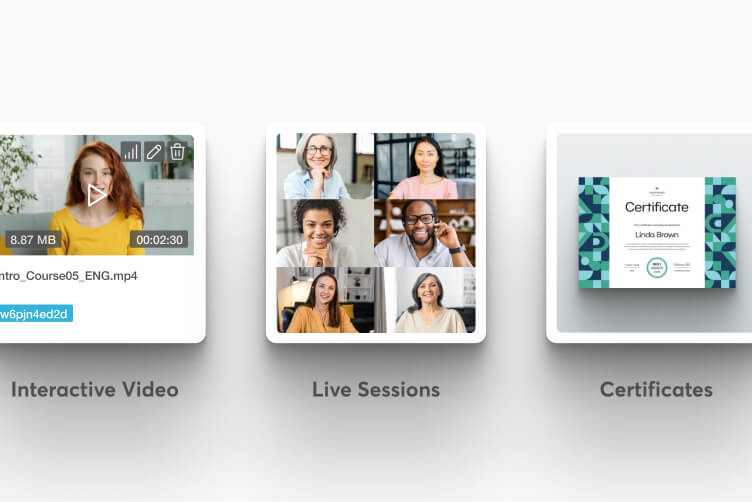
Complete course content
All course activities, assessments, videos, files, and certificates transferred accurately.

Bundles & subscriptions
Your course bundles and subscription plans recreated to maintain your offerings.

User accounts & enrollments
All user accounts established with their course, bundle, and subscription enrollments intact.
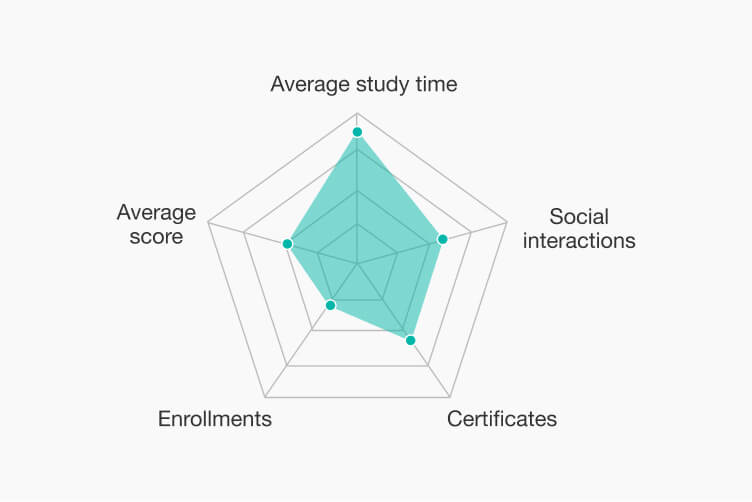
User progress
Transfer learning progress so clients continue from where they left off, without interruption.
Get a free consultation with the LearnWorlds migration team to discuss your specific needs and receive a personalized migration plan.
Why LearnWorlds?
Innovative & future-proof
LearnWorlds is built for the future. With 30+ new features released every year, you’ll always have access to the latest innovations, keeping your online academy ahead of the curve.
Customer-centric
We listen to you. LearnWorlds evolves with regular feature updates based on customer feedback, ensuring the platform adapts to your needs every step of the way.

Feature-rich
With the largest selection of interactive learning tools, from live sessions to advanced ebook authoring and SCORM imports, LearnWorlds empowers you to turn your knowledge into engaging, dynamic lessons.
Versatile & flexible
Serving 17+ business models, LearnWorlds’ AI-first approach allows you to adapt to any teaching style or business strategy. Monetize your academy in multiple ways, from subscriptions and one-time payments to tiered pricing, reselling, and corporate training.
You’re in good company
$1b+
customer revenue
13k+
customers served worldwide
900k
courses created
2m
active monthly learners








































FAQs LearnWorlds vs. Moodle
LearnWorlds combines course delivery with a website builder, checkout, marketing tools, and reporting in a hosted platform. Moodle LMS focuses on configurable learning management. You can self-host Moodle or use a managed option such as MoodleCloud. Your choice depends on how much customization you need and how you plan to sell training.
Unlike the core Moodle LMS, Moodle Workplace adds corporate learning features such as formal multi-tenancy, recurring certifications, organizational structures, and rules-based automation for enrollments, certification assignments, and messages.
LearnWorlds takes a different approach, managing multiple client organizations from one school through user groups, roles, licenses, seat management, and client reporting. It also combines retraining, recertification, user automations, and built-in commerce, allowing businesses to sell bulk licenses, delegate seat distribution, and track learners.
Moodle Workplace is better suited to formal tenant separation and compliance, while LearnWorlds combines B2B training with client-facing commerce, delegated seat management, and revenue workflows.
Yes, for most training businesses. LearnWorlds handles platform hosting and updates, so your team can focus on courses and learners. MoodleCloud also handles hosting and updates. A self-hosted Moodle installation gives you more control, but your team or hosting provider is responsible for maintenance.
Yes. Moodle supports paid course enrollment, including PayPal in Moodle LMS and Stripe options in eligible MoodleCloud setups. MoodleCloud also supports subscription payments on eligible plans. For broader sales workflows, such as affiliate programs and order bumps, you may need additional tools. LearnWorlds includes dedicated commerce features, with availability depending on your plan and payment setup.
Yes. Moodle LMS supports AI features such as text and image generation through configured providers. LearnWorlds also offers AI tools for course authoring and supported academy workflows. Compare the specific tasks you want AI to handle, along with provider setup, credits, and plan requirements.
Yes. Both platforms support assessments, multimedia lessons, and SCORM content. Moodle uses tools such as H5P for interactive activities. LearnWorlds offers an interactive video editor and ebook authoring tools within its course creation workflow.
Partly. Moodle supports themes and branding, with options depending on how it’s hosted. LearnWorlds includes a no-code website builder for academy pages, course discovery, and sales pages. If attracting and converting learners through your website is a priority, compare the publishing and marketing workflows alongside the LMS features.
Yes. Both support structured training and learner management. Moodle Workplace offers multi-tenancy, certifications, and automation through its rules-based tools. LearnWorlds supports B2B training workflows, including client organizations and seat management. Check how each platform handles client separation, reporting access, and commercial operations.
Yes. Moodle offers a learner app and a paid branded app service. LearnWorlds offers branded iOS and Android apps as a paid add-on from Pro Trainer. App publishing and in-app purchases may require developer accounts, store approval, and additional fees.
Moodle LMS is open-source software that you can download for free. Hosting, maintenance, and extensions can add costs. MoodleCloud is a paid managed service. LearnWorlds is a paid hosted platform with a free trial. Compare the total cost of the setup you need rather than software pricing alone.
You can discuss a Moodle migration with the LearnWorlds team. The transfer of courses, user accounts, enrollments, and progress depends on your existing setup and the data available for migration. Confirm the scope and supported content before planning your move.