
AUTOMATION ENGINE FOR ONLINE TRAINING
Design automated training workflows and scale your operations with ease
LearnWorlds Automations let you build multi-step workflows that trigger the right message, action, or reminder at the right moment. Use onboarding automation, re-engagement, compliance automation, and more, all natively inside your academy.
900k
Courses created
2m
active monthly learners
$1b+
Customer revenue
TL;DR
LearnWorlds Automations lets you set up step-by-step training workflows that run automatically, so learners get timely guidance, teams reduce routine follow-up, and training stays on track without stitching together extra tools.

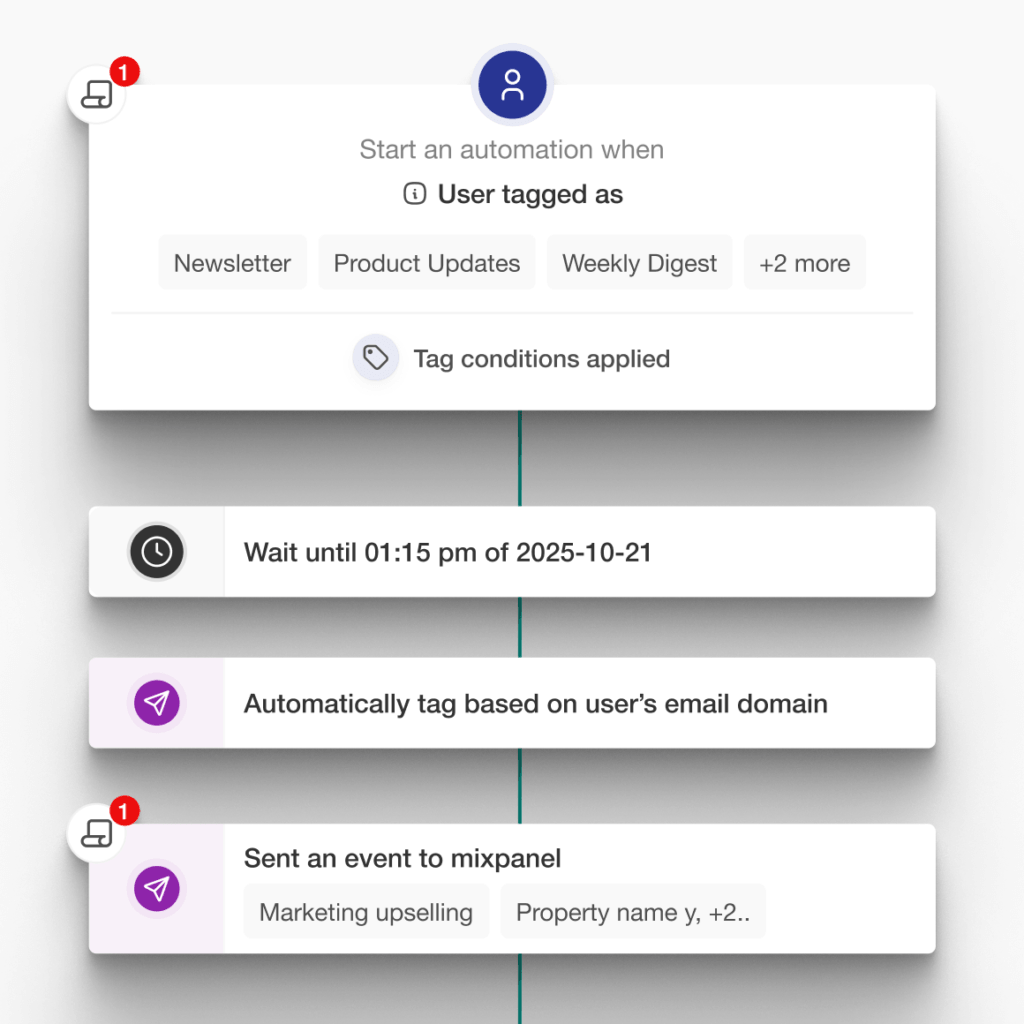
Automatically guide learners from signup to completion with multi-step automations
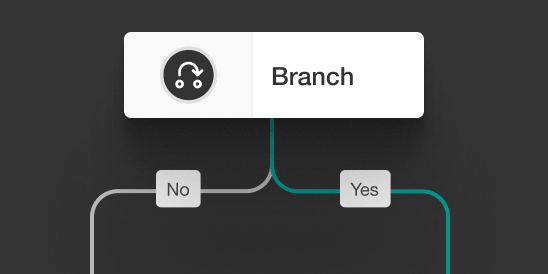
Trigger messages and actions based on what learners do (or don’t do)
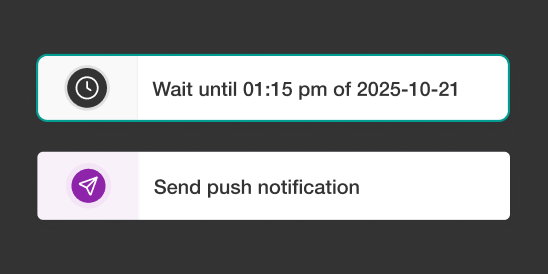
Keep training on track with timely reminders and compliance automation

Manage journey logic, emails, mobile reminders, and learner follow-ups in one place
Best for:
Teams that want to automate onboarding, train, and support learners at scale without spending hours chasing progress or managing every follow-up manually.
Equip your academy with intelligent automations
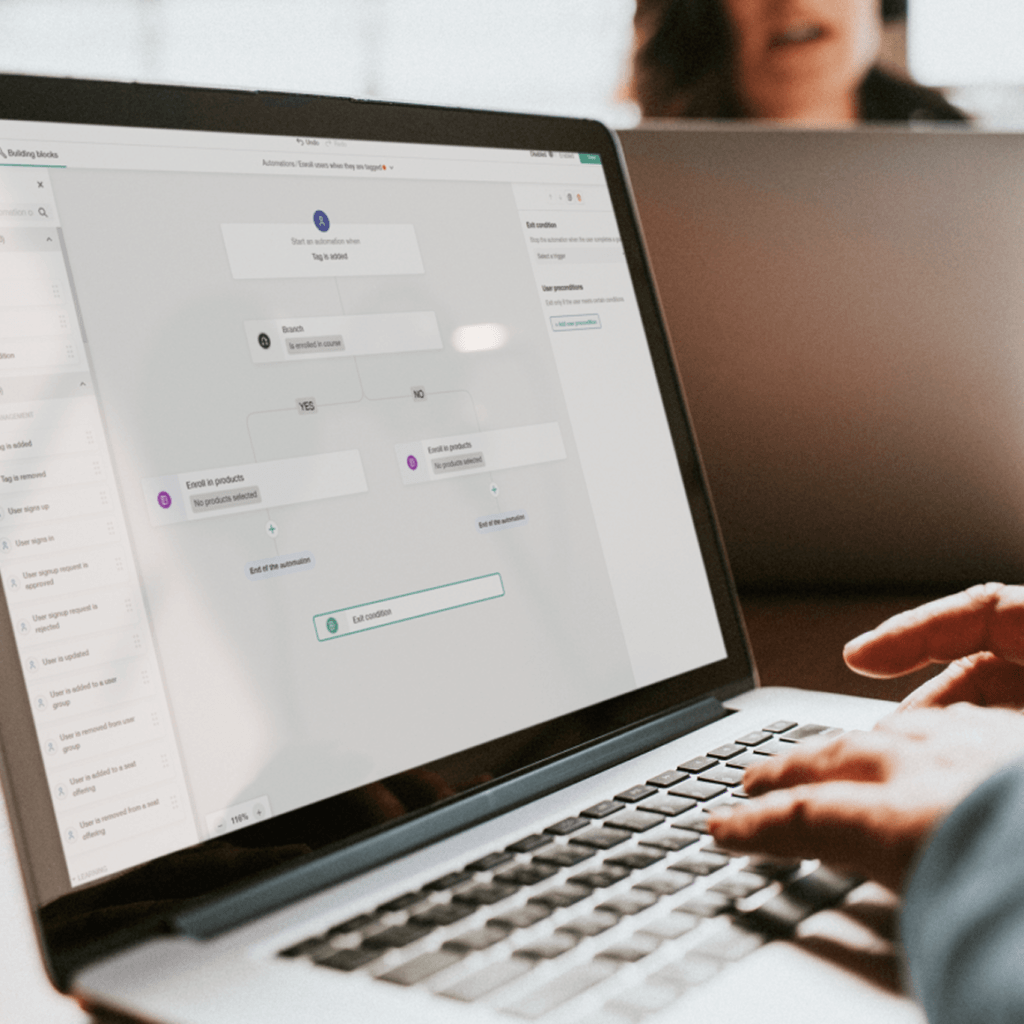
Free up your team’s bandwidth
Design user onboarding automation once, from signup to first success, and let it run. Workflow automations handle follow-ups, nudges, and next steps so customers and partners keep moving without manual chasing.
Guide every learner to value faster
Track where customers, partners, or client teams are in their training and trigger the right action based on their behavior with personalized automation. No one gets stuck, and you reach adoption milestones faster.
Stay relevant at every stage of adoption
Personalized automations adapt to learner behavior. Whether someone completes training early or goes quiet, the right response fires automatically, keeping onboarding, activation, and ongoing engagement on track.
AI automation that gives you a head start
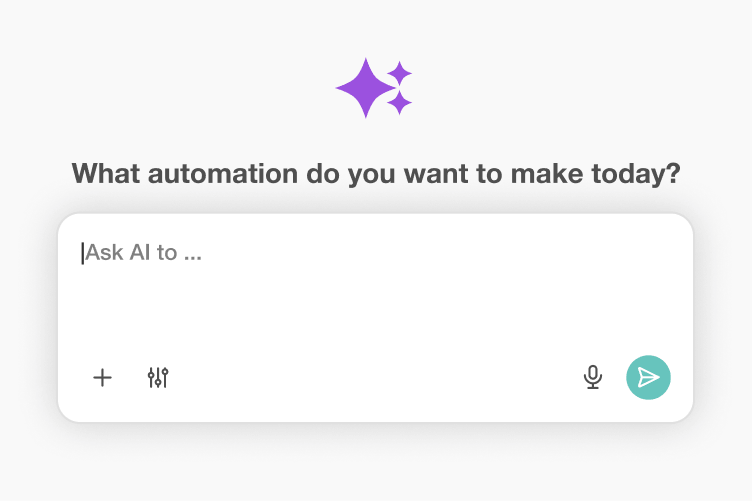
Let AI draft your first journey
Describe your goal in plain language—”re-engage learners who haven’t logged in for 2 weeks” or “onboard new B2B clients in 5 steps”—and AI automation creates a starting workflow for you. Then review it and make it yours.
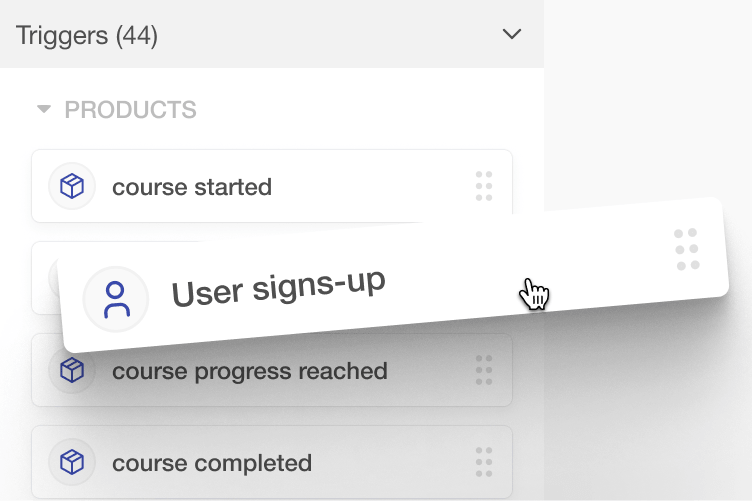
Make it yours with drag-and-drop
Once the draft is ready, take full control. Drag in new steps, reorder actions, adjust time delays, and fine-tune branch conditions in a visual builder your team can use.
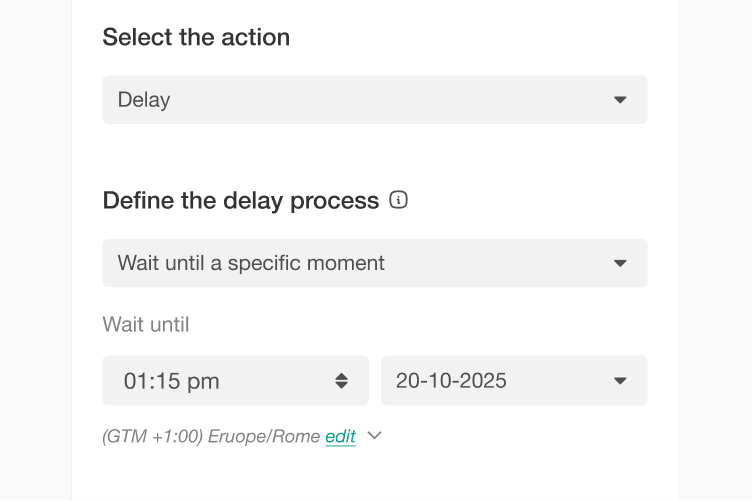
Personalize every detail
Tweak messaging, timing, and logic to match your audience, brand, and training goals. AI automation gives you the starting point, while personalized automation lets you adapt the workflow to learner behavior.
Automation Engine: built for modern training operations
Easily create automations for onboarding, re-engagement, upselling, or compliance, then branch workflows based on behavior, progress, or custom segments. All inside LearnWorlds, and all without external tools.
Make things happen with the Automation Engine
Internal employee training:
Use onboarding automation and compliance automation to handle reminders and re-engagement based on learner behavior.
Customer onboarding:
Build user onboarding automation that guides customers from sign-up to first value based on their progress.
Partner enablement:
Run structured partner journeys with progress-based nudges and built-in tracking.
Course sellers & B2B providers:
Use ecommerce automation for upsells and re-engagement based on learner behavior.
Create personalized automations for every learner
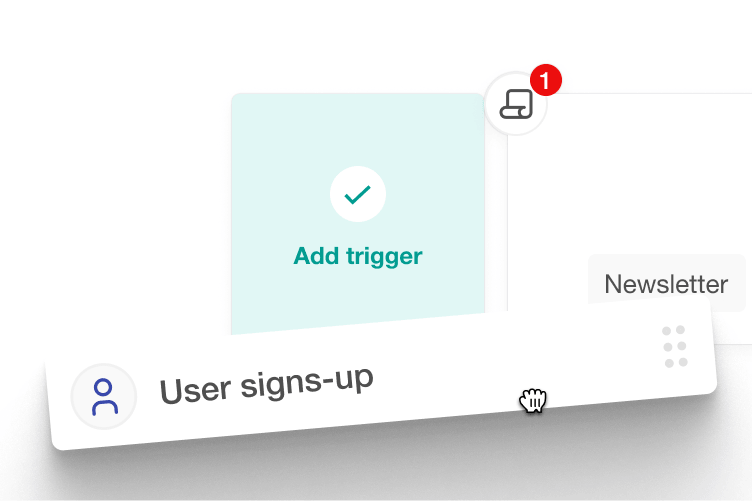
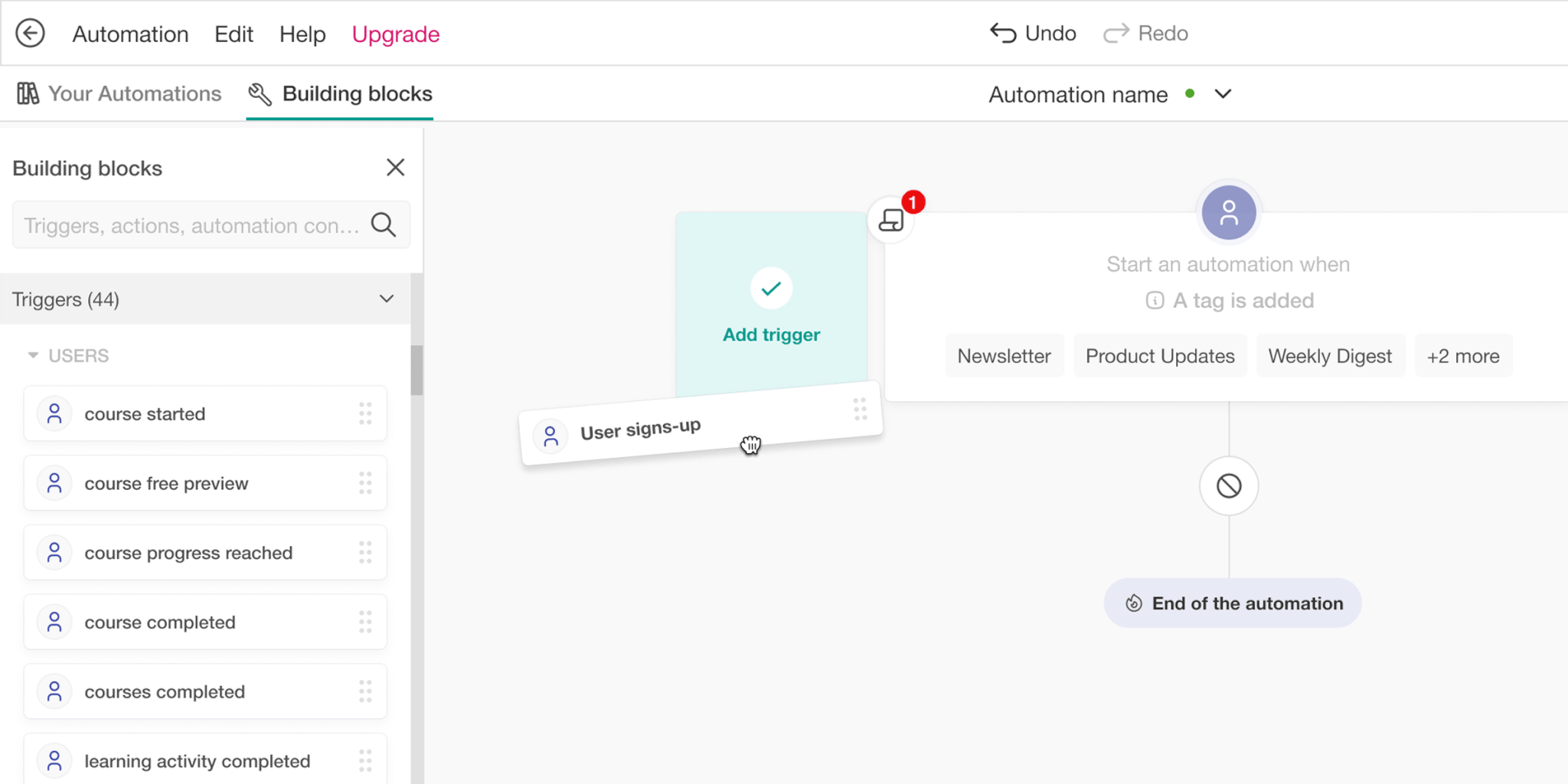
Use a visual drag-and-drop builder
Add triggers, delays, branches, and exit conditions in a clean visual interface.
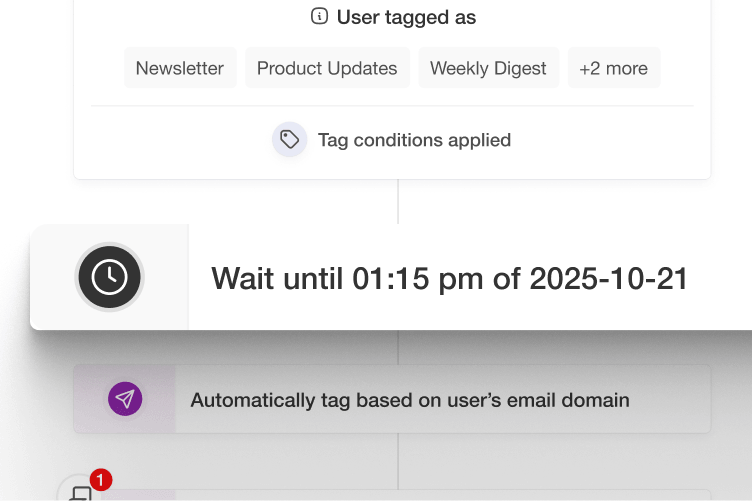
Choose from several delay types
Set delays between steps based on real time or learner behavior, so messages land when they’re most relevant.
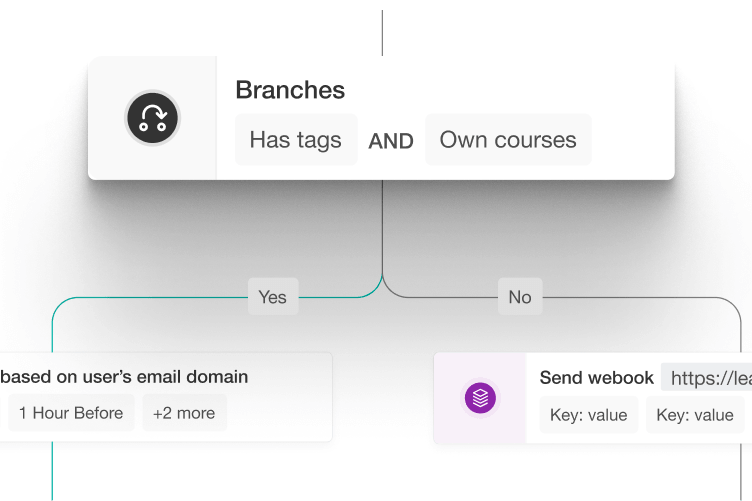
Get personalized automation
Use branching logic to make personalized automation respond to each learner’s progress, state, or behavior.
“I love their customer support, which is top tier. I always receive quick replies, and they always solve my issues. When I first joined LearnWorlds, the platform was very simple to understand and get by. We’ve been going strong and love it!”

“I like that LearnWorlds provides me with a fully functional website where I can offer my students self-study resources and a community chat. The team is responsive and professional, and they really care about what they are doing.”
“I find the AI bot helpful as it gives answers to my questions and even generates pictures for problem-solving. The platform is easy to use, and I love the different ways a course can be customized and has so much interaction.”
“We get email prompts about enrollments, which is a wonderful experience, allowing us to welcome new people with ease. The hands-off experience lets me focus on chemistry, removing the technical hassle of enrolling people.”
“The platform has been easy to set up and navigate. Plus, the onboarding calls have been helpful and tech support is extremely responsive! I am so pleased So far, the tech support has been worth every penny I’ve paid!”
“The platform integrates our website, funnels, marketing, and learning system all in one place, which is super convenient. I also appreciate their regular updates and the support team, which is extremely responsive.”
“I like the sleek, modern, easy to configure aspect of the platform. It is very easy as an admin to to set up pages without using code. I also like the modern features – like lesson markers, ai, and reporting”
“It’s amazing compared to our old learning platform. Every time I think of something I’d love to be able to do, a quick search shows that it’s available, and over a year in, in still finding even more features.”
“The wide range of features, responsive support, and regular platform updates. The value is good for the price, especially considering the range of features, regular updates, and responsive customer support.”
“It’s just amazing to find an all-in-one platform that delivers such high quality, they’ve really raised the bar and I love not having to compromise on the product we deliver because of software limitations.”
“The platform is really configurable, giving us a huge amount of flexibility about how to lay out our course. It’s allowed us to deploy our course in a drip feed format, which is fantastic for our learners.”
“I am using LearnWorlds for long time and it give us interactive video features, quizzes, buttons, notes inside videos and many more. LearnWorlds provide all in one online course and its creation tools.”
“What I like most about LearnWorlds is how easy and intuitive it is to use. I also really like the possibility to customize the school and make it fit your own style and brand.”
“The site is very user friendly and easy accessible. UI/UX is wonderful. The onboarding was also very easy”
“There are a lot of unique and user friendly features. The system is very customizeable.”
How the Automation Engine works inside LearnWorlds
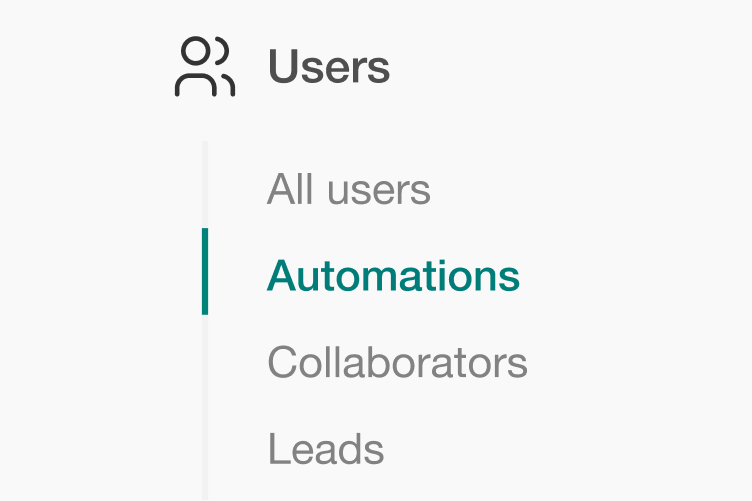
Navigate to Users → Automations
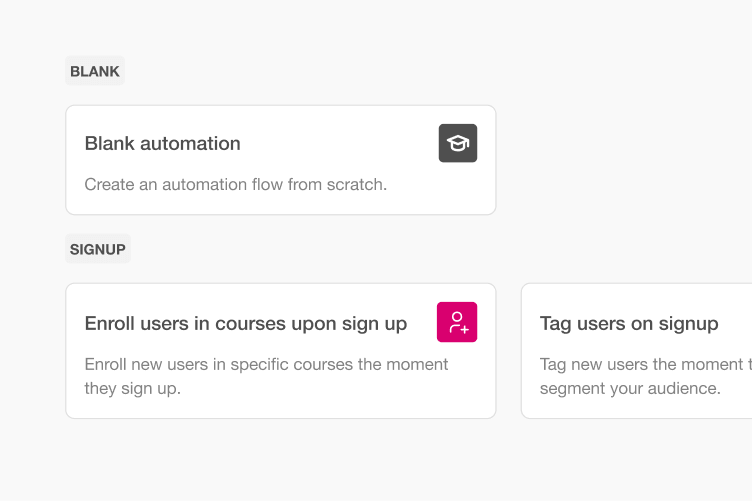
Click ‘Create new’ from scratch or choose an available template
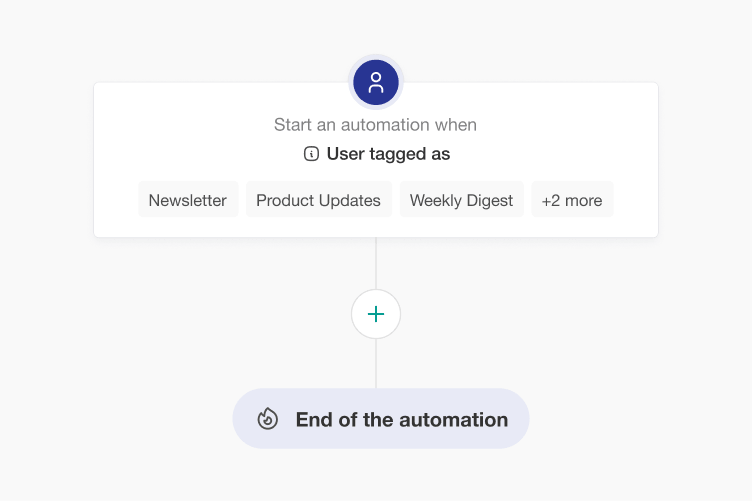
Build your workflow in the Automation Engine using triggers, delays, conditions, and actions
How LearnWorlds Automations compares to manual training operations
What you need | Manual approach | LearnWorlds Automation Engine |
|---|---|---|
| Onboarding sequences | Manually email or message learners at each step | Trigger multi-step journeys automatically from enrollment |
| Re-engagement | Monitor inactivity and reach out on a case-by-case basis | Trigger re-engagement when inactivity conditions are met |
| Upsell flows | Your team manually spots completion moments and sends next-step offers | Use ecommerce automation to trigger next-course or follow-up offers based on behavior |
| Compliance reminders | Send calendar-based reminders manually | Use compliance automation for deadline reminders based on progress and due dates |
| Branching by segment | Often requires separate tools or manual work | Create personalized automation based on progress, segment, or conditions |
| Mobile push notifications | Requires third-party tools | Send mobile push notifications from LearnWorlds where available |
| Execution visibility | Spreadsheets or no tracking | Built-in activity logs and learner journey history |
FAQs
Training automation uses predefined triggers, conditions, and actions to run repetitive training tasks automatically. It can help you onboard learners, send timely reminders, re-engage inactive users, manage compliance training, and follow up based on learner progress or behavior.
With the LearnWorlds Automation Engine, you can build these automations directly inside your academy and create personalized workflows that adapt to how learners engage with their training.
Our platform combines automation with powerful tools like the website builder, checkout and payments, integrations, and a mobile app builder to help you scale operations efficiently.
Find out more about LearnWorlds automations.
With LearnWorlds user onboarding automation, you can create step-by-step workflows that guide learners from signup to activation. Automatically assign courses, send welcome emails, trigger reminders, and respond to progress or learner behavior.
To see how onboarding fits into a broader training strategy and how an LMS can help, check out this guide on customer onboarding challenges.
Learn how to craft a scalable user adoption strategy.
LearnWorlds supports a wide range of workflow automation use cases, including onboarding automation, re-engagement campaigns, ecommerce automation (upsells and renewals), compliance automation, and partner or employee training workflows.
These workflows can be fully customized using triggers, delays, and branching logic. Combined with tools like analytics and reports, you can optimize performance as you go.
Yes. LearnWorlds lets you build personalized automation using branching logic and conditions. Automations can respond to actions such as course progress, inactivity, or purchase behavior, giving different learners the follow-up that matches what they’ve done.
Learn about the 17 elearning scenarios that can drive your learners’ success.
Yes. LearnWorlds includes AI automation that creates a starting workflow from a plain-language prompt. Describe what you want to automate, such as re-engaging inactive learners or onboarding new users, and AI drafts the workflow.
You can then review the draft and adjust its triggers, actions, timing, and logic in the visual Automation Engine. This makes it easier to implement advanced process automation without starting from scratch, especially when combined with LearnWorlds’ broader AI-powered tools.
Absolutely. LearnWorlds is designed as a no-code online academy and business management software, allowing anyone to create workflow automation using a visual drag-and-drop builder. You don’t need programming knowledge to set up triggers, conditions, or actions.
This makes it accessible for L&D teams, course creators, and business owners alike. You can explore all capabilities on the all features page and see how easy it is to launch and scale automation.
LearnWorlds allows you to automatically detect inactivity and trigger re-engagement workflows. For example, if a learner hasn’t logged in for a set period, the system can send reminders, offer incentives, or recommend new content. As a result, this helps you reduce churn and improve course completion rates.
Yes. Compliance automation lets you set up training deadlines and trigger reminders based on learner progress and due dates. This reduces manual follow-up for recurring or certification-based training.
Combined with analytics and reports, you gain full visibility into compliance training performance.
Yes, LearnWorlds supports ecommerce automation features that can trigger upsells, cross-sells, and subscription offers based on learner behavior. For example, you can follow course completion with an offer for another course or promote relevant learning products to engaged users.
Learn more about course monetization strategies.
LearnWorlds provides built-in analytics that allow you to track automation performance, including automation activity, learner progress, and broader training performance. You can monitor how workflows perform and optimize them over time.
Explore LearnWorlds pricing plans that include advanced reporting.
Yes, LearnWorlds supports multi-channel communication automation, including email notifications and mobile push messages. This ensures learners receive timely updates regardless of where they engage.
Learn more about email automation with LearnWorlds.Can I automate communication across email and mobile?
The LearnWorlds automation engine is highly flexible. It lets you combine triggers, delays, conditions, branching logic, and segmentation to create anything from a straightforward sequence to a multi-step workflow that adapts to learner behavior.
Common use cases include onboarding automation, learner re-engagement, ecommerce automation (upsells and renewals), compliance automation, partner enablement, and employee training. You can combine these use cases with personalized automation when different learners need different paths.
Learn how to use AI-powered onboarding to streamline the employee onboarding process.
Yes. Automations reduce repetitive follow-up and make repeatable training processes easier to run across larger audiences. The automation engine gives your team one place to manage the logic behind onboarding, engagement, compliance, and ecommerce workflows.
When you combine automation with powerful payment and integration tools, you can grow your online business efficiently and sustainably.
Glossary of terms
Automation engine: The system that powers workflow automation inside LearnWorlds, enabling triggers, actions, and logic.
Workflow automation: Automating sequences of actions based on user behavior or events.
Onboarding automation: Automating the process of guiding new users from signup to activation.
Personalized automation: Dynamic workflows tailored to user behavior, progress, or segmentation.
Ecommerce automation: Triggering next-course offers, subscription nudges, and post-completion follow-ups based on learner behavior.
Compliance automation: Automating training deadlines, reminders, and certifications.
Process automation: Streamlining repetitive tasks like communication and follow-ups.
AI automation: Using AI to create a starting flow that your team can review and refine.
Branching logic: Conditional paths within workflows that adapt to user behavior.
Triggers: Events that start an automation (eg signup, inactivity).
Support articles
Learn how to create workflow automations using triggers, delays, and actions to automate onboarding, engagement, and learner journeys inside your academy.
Support article: Set up user automations
Explore examples of onboarding automation, re-engagement flows, ecommerce automation, and compliance automation to help you build workflows around common training needs.
Support article: User automations use cases and examples
Learn how to trigger automated emails based on learner actions such as enrollments, inactivity, or course completion to improve engagement.
Support article: General overview: School emails
Discover how to organize learners into groups and segments that power personalized automation and targeted learning experiences.
Support article: Manage user groups
Learn how to monitor learner engagement and progress to trigger automations based on behavior, completion, or inactivity.
Support article: Track user progress and activity
Learn how to connect your academy with external tools and platforms to extend your workflow automation and business processes.
Support article: Integrations with third-party tools
Published:
Last Update: