
Table of Contents
Key takeaways
- Sell one course to every kind of buyer, without duplicating it.
- Offer a one-off price, a payment plan, and a subscription, schedule limited-time prices, and show special rates only to the audiences you choose.
- Meet each buyer’s budget and keep a single course up to date.
Your learners buy differently
Someone paying for professional training out of pocket may need to spread the cost. A returning learner may only need to renew a certification. They might want the same course, but they need a different offer.
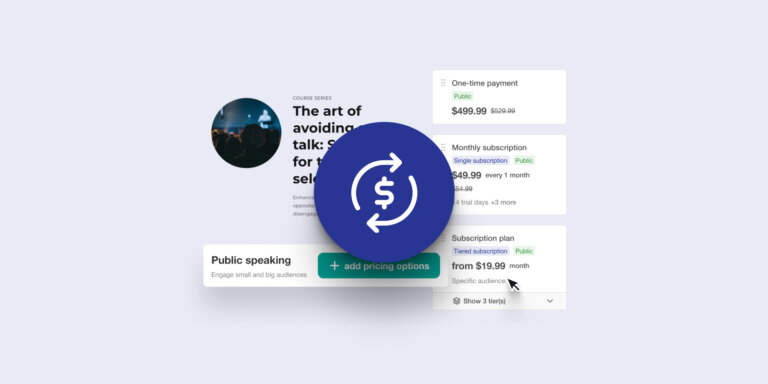
With Multi-Pricing, you can give them that choice. Create several pricing options for one course or learning program, then decide who each option is for and how long access lasts.
Keep one course to manage
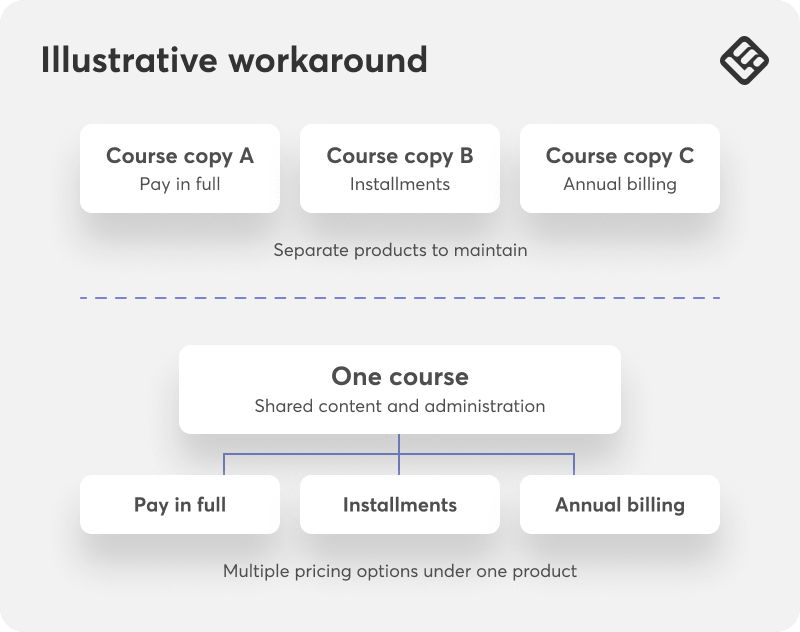
You have already put the work into your training. Now you can adapt how you sell it without maintaining another copy of the content.
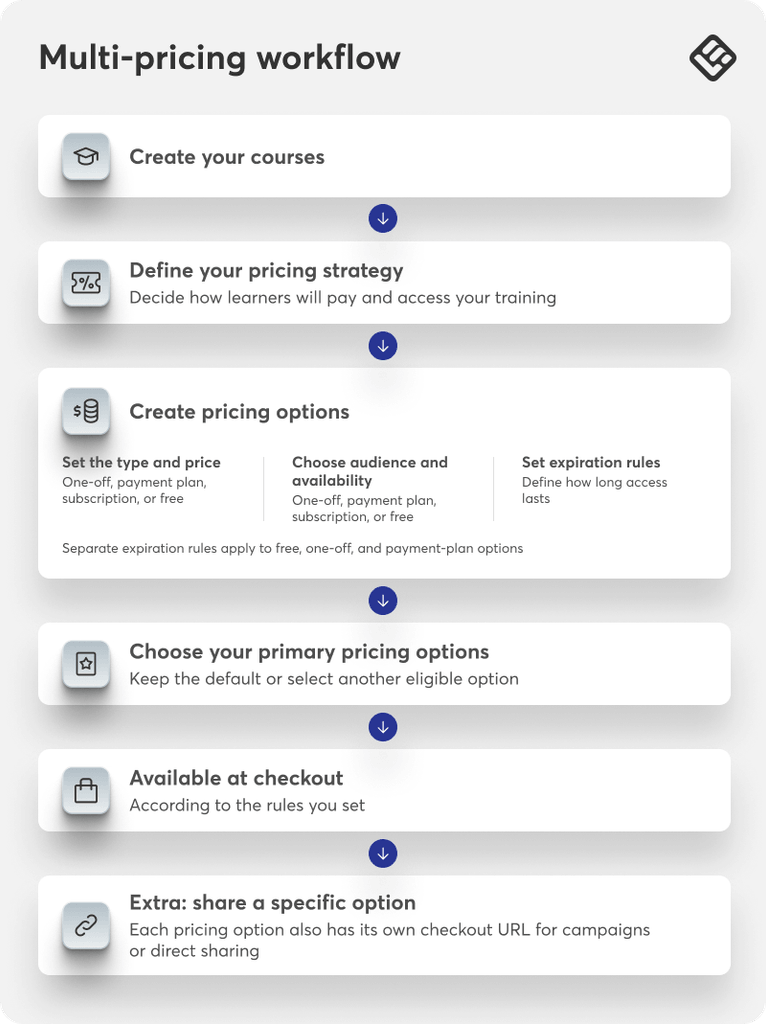
The workflow separates the course from its pricing options. Build your course, decide how you want to sell it, and add the choices your learners need. Each option stays connected to the same learning product, whether it is a one-off purchase, a payment plan, a subscription, or free access.
As your offers change, you can update prices for new buyers or archive an option while existing learners keep their access and payment arrangements.
Three levels of personalization
A pricing option is more than an amount on a button. It brings together three decisions: what someone pays, who the offer is for, and how long they can use the training.
Price
Choose how learners pay: once, in installments, through a subscription, or at no cost.
Availability
Choose who sees the option, like learners with a specific tag, course completion, and set start and end dates for limited-time offers. Learners can see all options, or only the choices that match the rules you set.
Access
Follow the course or program’s expiration settings, or give the option its own end date or duration.
→ Here is what those choices can look like in practice:
Scenario 1: Give buyers a payment schedule that fits
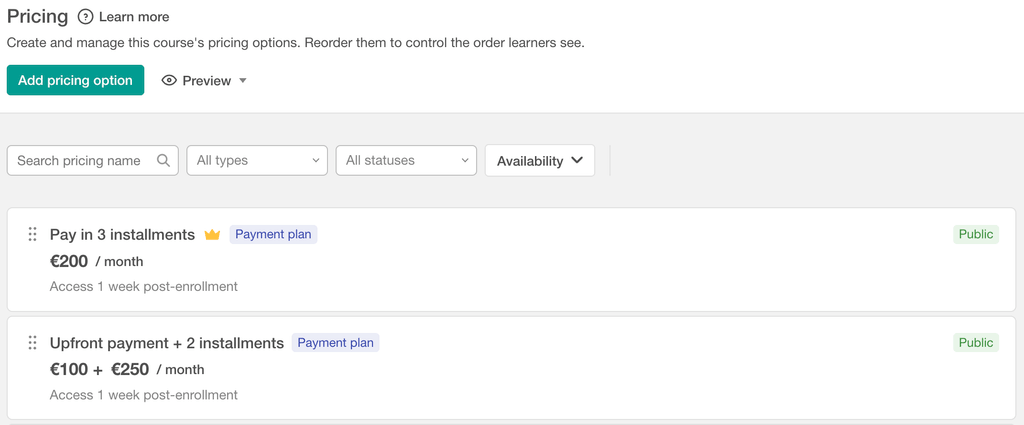
A buyer is ready for your €600 course, but the payment schedule matters. Give them a choice: three monthly payments of €200, starting at enrollment, or €100 upfront followed by two monthly payments of €250.
Both options total €600. You can meet different payment preferences without changing the training or discounting the course.
Scenario 2: Offer shorter or longer access to the same course or program
For an exam-preparation course, some learners need a few months of focused study. Others want more time to review. Offer six months of access for €99 alongside 12 months for €179, using separate one-off pricing options.
The same approach works for a learning program. Learners choose the access period that suits their plans, while you keep the content together.
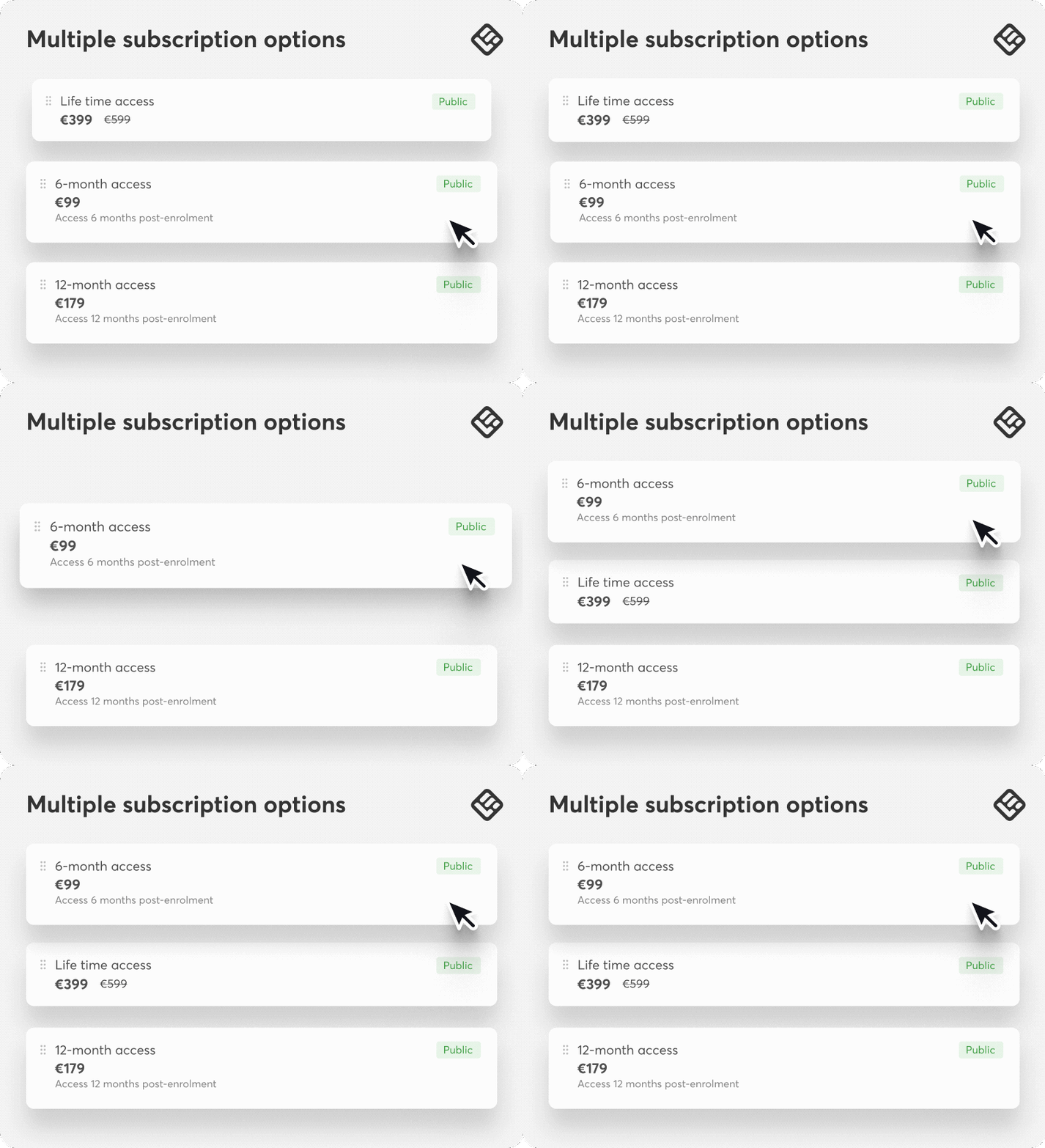
Note: Separate access-expiration settings are available for free, one-off, and payment-plan options; subscriptions follow their recurring billing settings.
Scenario 3: Offer an attractive price for retraining or recertification
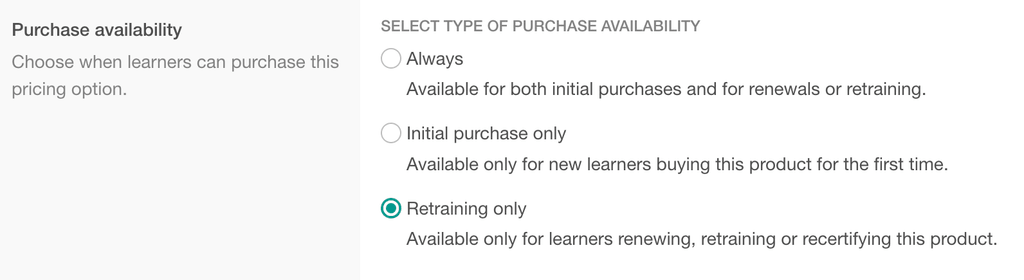
A learner returning to renew a certification has a different reason to buy from someone taking the course for the first time. Reflect that in the offer: €100 for an initial purchase and €50 for retraining.
If you run certification programs, create separate one-off or payment-plan options for initial purchases and retraining. With retraining enabled in the course’s training policy, eligible returning learners can choose the renewal price.
Scenario 4: Offer monthly or annual subscriptions
Some learners prefer to pay month by month. Others plan their professional development a year at a time. Offer monthly and annual subscriptions for the same course or learning program, so they can choose how often they pay.
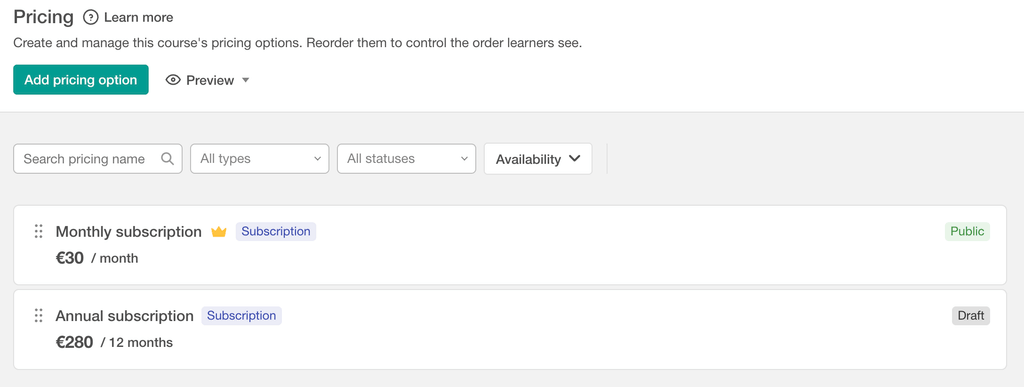
Also new: You can now sell individual courses by subscription, not only learning programs. Tiered subscriptions are still for learning programs only
Put the right option in front of the right learner
Combine audience filters, expiration rules, and types of offers to achieve the outcome that fits your business needs and meet your learners behaviour.
For example, you can create:
- A corporate pricing for learners from a particular organization
- A next-step offer for course graduates
- A campaign price for people who completed a funnel
- A loyalty option for existing customers
- A re-engagement offer based on the date of a learner’s last enrollment
Instead of showing every option to everyone, you can create a buying experience that reflects who the learner is and where they are in their journey.
See Multi-Pricing in action
Watch how to create an option, set its audience and availability, and arrange the choices learners see. Then try the setup with one of your own courses.
Build your next offer around your learners
Start with a buying need you already recognize: a different payment schedule, a longer access period, or a renewal price for returning learners. Add that choice to the training you already sell, then check the experience from the learner’s side.
You keep one course or learning program to manage. Your learners get an offer that fits why they are buying.
Multi-Pricing is available on Pro Trainer and above. Payment plans and subscriptions require Stripe.
To get started, open a course or learning program and go to Pricing.
→ For step-by-step guidance, read how to create and manage multiple pricing options.

Luiza Coimbra
Luiza is a Product Marketer with a passion for technology and entrepreneurship. With a background in content marketing, she helps LearnWorlds' message reach the world. As an avid traveler, she is always seeking inspiration from new places and experiences.
 Back to blog
 Scroll to top
FAQ
Everything you have ever wondered, but were too afraid to ask...
