Table of Contents
Key takeaways
- Reusable Sections solve the consistency problem that grows with your academy, helping you maintain design consistency, reduce rework, and keep all your training materials aligned as your content evolves.
- Templates let you reuse layouts with different content each time, while Linked Sections keep identical content synchronized across all pages.
- Linked Sections eliminate the need to track down and manually update duplicated content across your site or ebooks.
How LearnWorlds helps you build faster, stay aligned, and work at scale.
Keeping content consistent is easy at the start, and surprisingly hard at scale. More pages. More courses. More resources. Before long, you are updating the same sections, banners, and settings in multiple places, trying to remember where the last change actually stuck. Keeping everything consistent can start to take more effort than creating new content in the first place.
That problem is structural, not personal. Which is why, at LearnWorlds, we introduced “Reusable Sections”, a new feature that gives you a way to manage shared content once, keep it consistent everywhere, and still adapt it when you need to.
Your academy stays clear, flexible, and current, without the manual work that slows teams down.
What Reusable Sections allow you to do in LearnWorlds
Reusable Sections give you a faster, more reliable way to build consistent pages and ebooks without repeating the same work, while you guessed it right, using reusable components. What these web components can do is remove the need to copy and paste the same sections across multiple pages.
You can save reusable Templates for layouts you want to customize, or use Linked Sections to update identical content across pages and ebooks with a single edit.
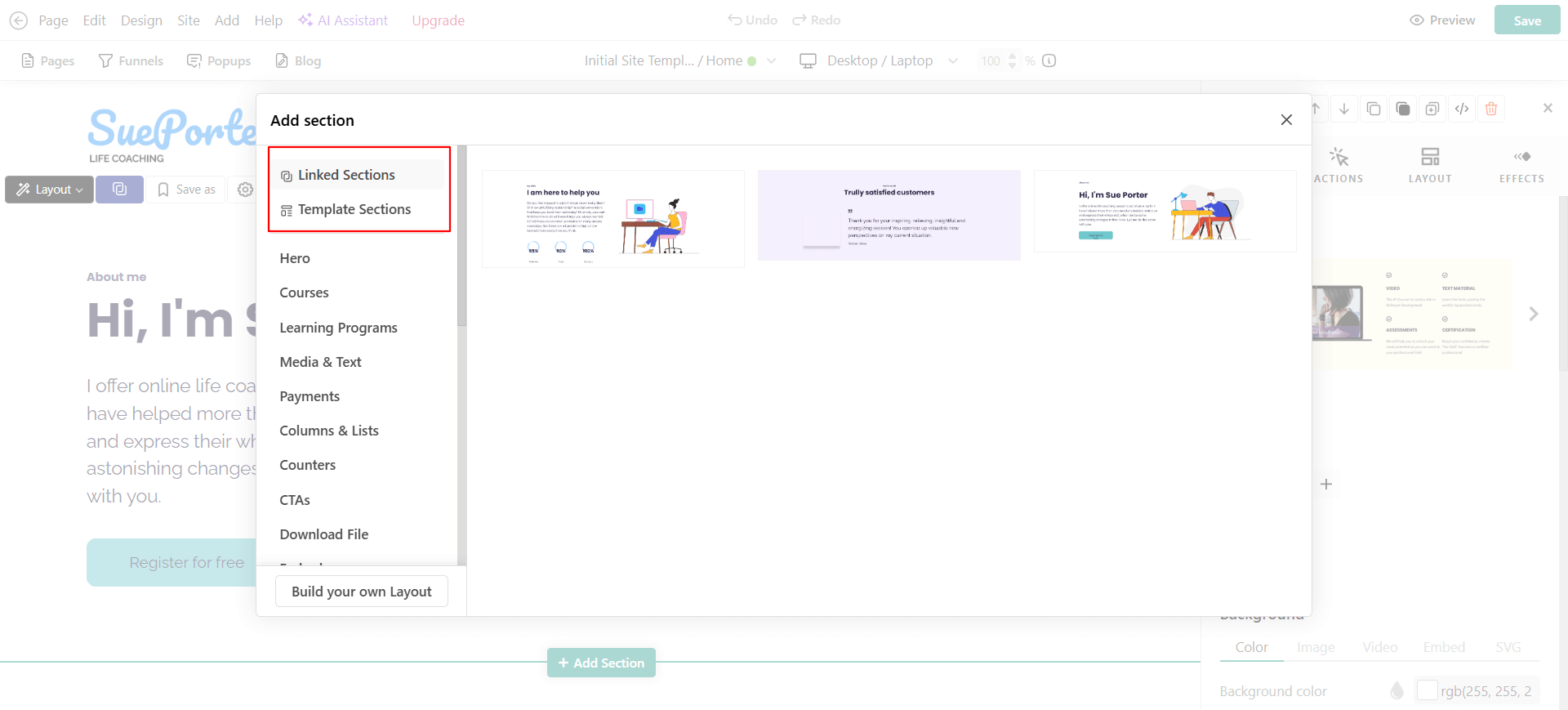
With Templates, you can reuse proven layouts such as instructor bios, testimonial designs, chapter summaries, or structural blocks, then adapt each one as needed.
With Linked Sections, you can maintain one source of truth for content that must stay identical everywhere, such as instructions, onboarding steps, policy reminders, promotional messages, and offer banners.
This helps creators, training teams, and customer education teams publish consistent content faster with fewer manual fixes. Instead of tracking down duplicated sections across your school, you can save a section once, insert it anywhere, and keep training materials consistent as they evolve.
Reusable Sections reduce rework, so updates do not slow down content production. You can use Reusable Sections in the Site Builder and Ebook Builder to standardize content as you create it.
Where Reusable Sections support your workflows
Reusable Sections support four core workflows for authors and training teams:
1. Creation
Save time by reusing proven layouts and content structures instead of rebuilding them manually. Templates reduce the time it takes to build pages, courses, and ebooks.
2. Consistency
Keep pages and lessons visually and structurally consistent. Avoid design drift as content evolves across pages or lessons.
3. Maintenance
Linked Sections let you add and update identical content everywhere with a single edit, including banners, instructions, and policy notes. This removes the need to track down duplicated sections across your site or books.
4. Governance
Reduce the risk of outdated information appearing in live content, so that your learners view what they need to view. Whether you are updating a disclaimer, a training instruction, or a small detail across multiple locations, Linked Sections keep those updates synchronized across every instance.
A more consistent way to build and why this matters now
As schools grow, so does the amount of duplicated content inside them. What begins as a simple page layout often turns into dozens of repeated versions, each slightly different and each requiring manual edits whenever something changes.
Reusable Sections solve this problem at the root. By saving a section once and reusing it everywhere, you eliminate unnecessary rebuilds and ensure your content stays clean, aligned, and accurate.
This is especially powerful for teams that:
- update promotions frequently
- maintain internal policies or compliance notes
- deliver structured learning materials
- manage multiple audiences inside one school
- collaborate across authors and instructors
Whether you are producing marketing pages, multi-chapter ebooks, onboarding materials, or customer-facing resources, Reusable Sections give you the speed and consistency needed to scale your content.
Template or linked section: How to pick the right one?
If you are wondering which one is the right one for you and why, here is a quick rule of thumb:
Same structure, different content
Use a Template.
Same content, everywhere
Use a Linked Section.
Choosing the right option upfront helps you scale content cleanly, reduce rework, and keep your school consistent as it grows.
When a Template is the right choice
Use a Template when you want to use the same layout or structure, but change the content each time.
Templates work best for:
- repeating designs such as testimonial sections or instructor bios
- page or lesson blocks that follow the same structure
- content that should look consistent but remain flexible
Once inserted, a Template Section becomes independent. You can edit it freely without affecting other pages.
When a Linked Section is the right choice
Use a Linked Section when the content must stay identical everywhere it appears.
Linked Sections are best for:
- instructions, onboarding steps, or reminders
- policies, disclaimers, or compliance notes
- promotional banners or shared messages
Edit it once, confirm the change, and every instance updates automatically.
To make it even clearer, and if your case needs more reasoning, think about the following:
- If you need to customize content per page, do not use a Linked Section.
- If content must stay in sync everywhere, do not use a Template.
This distinction helps you move faster while keeping your content accurate and aligned as your school grows.
Why Reusable Sections are key for sellers and creators
Creators and training providers benefit from reusable content that speeds up funnel building and keeps branding consistent.
1. Offer banners
- Save a promotional banner once, insert it on Homepage + Sales Page + Checkout.
- Edit it once and update every location instantly.
→ Save as Linked Section.
2. Testimonial layout
- Reuse the same structure for testimonials, but adapt the content per page.
- A polished, consistent design without repetitive work.
→ Save as Template.
3. Instructor bio block
- Keep design consistent across lessons while customizing content for each course.
- Faster page building with a shared visual identity.
→ Insert from Template Library.
Why Reusable Sections are key for internal training and customer education
Training teams rely on accuracy and consistency, not just speed. Linked Sections help ensure required content stays correct everywhere.
1. Policy or Compliance Notice
- Save a security disclaimer or HR requirement once and use it again across multiple internal trainings.
- Edit it centrally to eliminate the risk of outdated or inconsistent policy text.
→ Save as Linked Section.
2. Onboarding instructions
- Keep step-by-step onboarding guidance consistent across multiple courses.
- Learners get a uniform experience with clear expectations at every touchpoint.
→ Save as Linked Section.
3. Chapter structure for ebooks
- Reuse chapter introductions or summaries while adapting the content per module.
- Faster course creation with a consistent instructional structure.
→ Save as Template.
How to get started with Reusable Sections
Getting started with Reusable Sections takes just a few steps:
- Select a section on any page, whether it lives on your website or in an ebook.
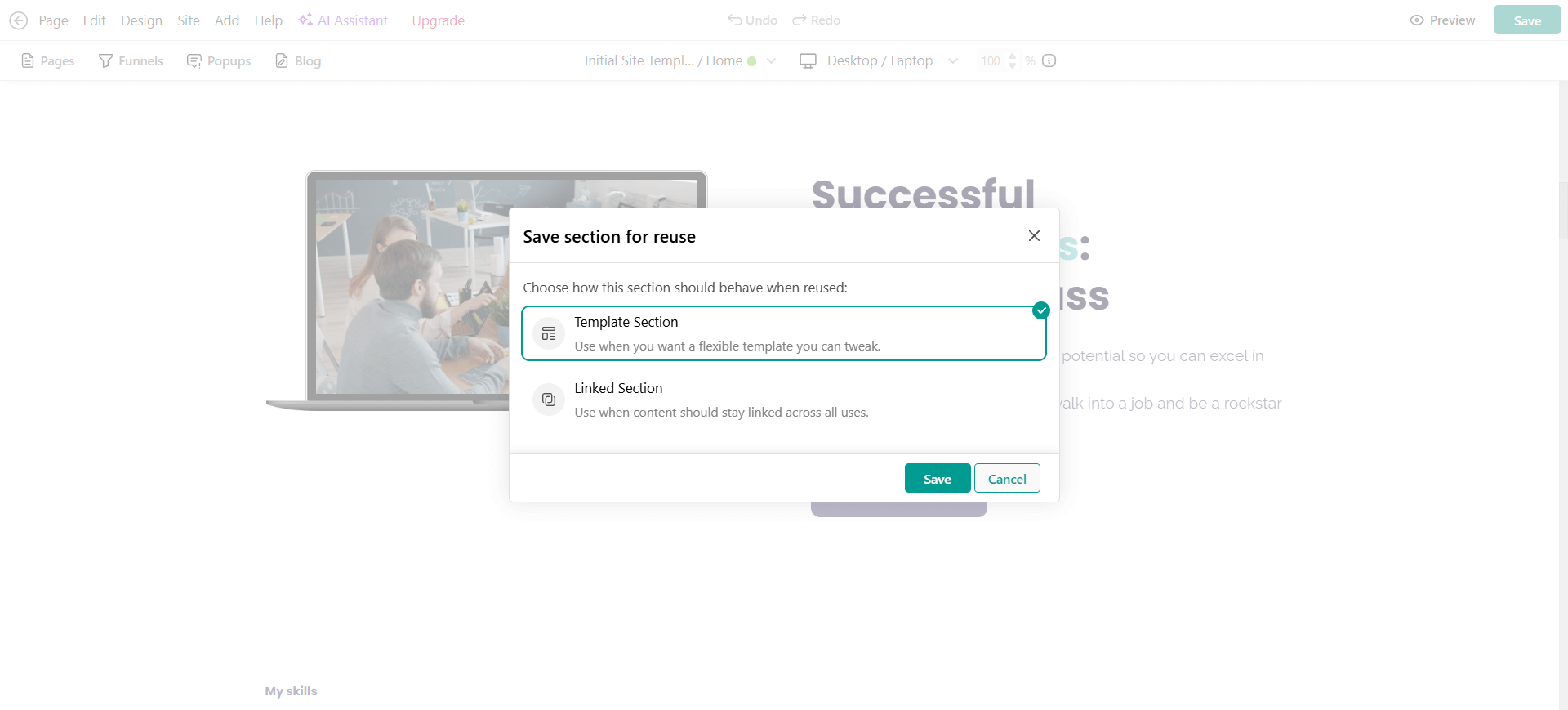
- Click the “Save as” bookmark icon in the right-side menu.
- Choose how you want to save it: as a Template or Save as Linked Section.
- Insert it from your Library into any page of your website or ebook.
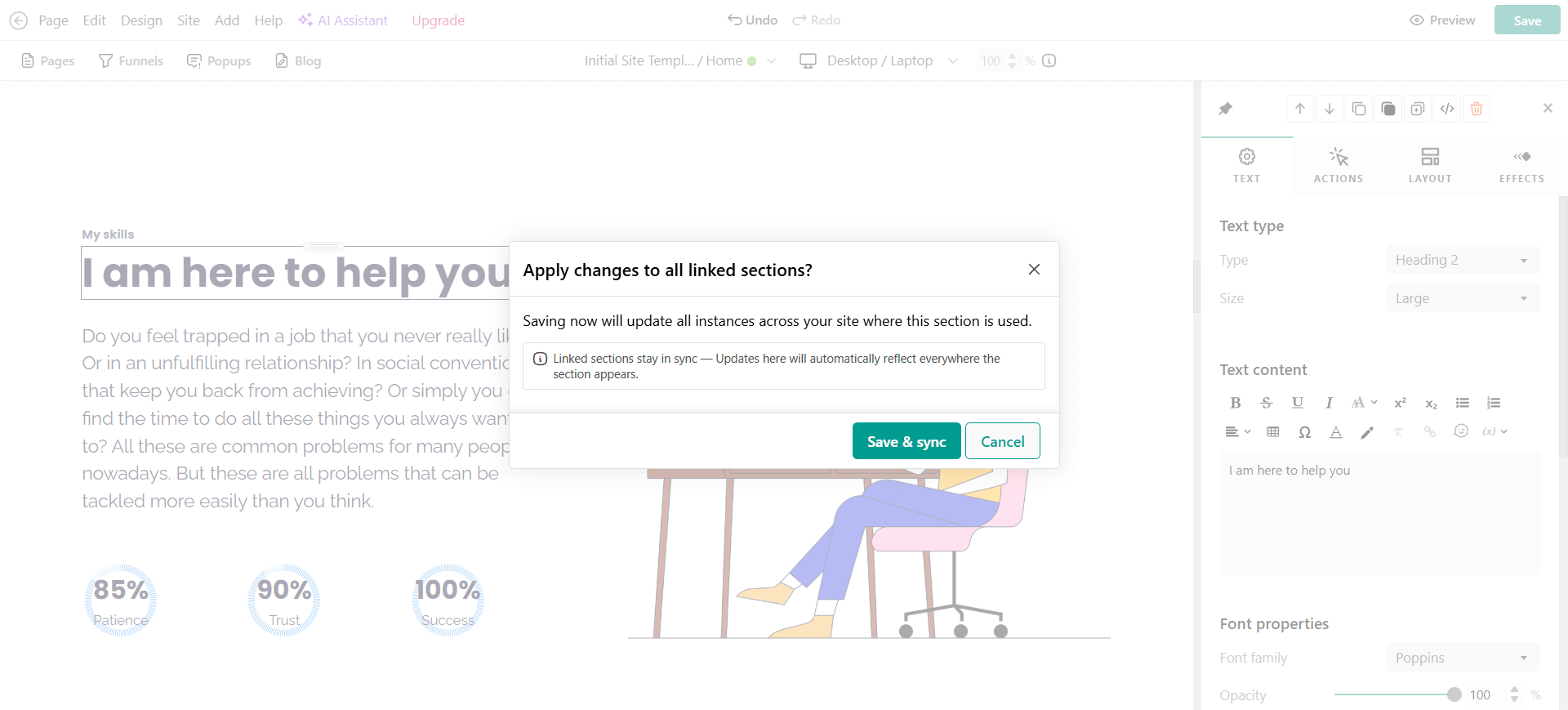
If you save it as a Linked Section, you can edit it once and confirm the change. The update will sync automatically across all locations where the specific section is used.
💡Check the full article: How to save and reuse sections in your LearnWorlds site and ebooks
Start building smarter today
Content development has just become way easier. With Reusable Sections, you can build any content block once and reuse it across multiple pages in your Site Builder or throughout your ebook chapters. There’s no need to recreate identical content repeatedly. Just design it, save it, and insert it wherever it’s needed.
This feature streamlines your workflow, ensures visual and structural alignment, and locks in the ideal section’s content and/or design for consistency. It helps with brand consistency across your academy too, and centralizes content management, so updates happen in one place instead of many.
If you’re launching new courses, updating promotional offers, or maintaining compliance materials across your academy, this feature gives you the control and flexibility to scale your content easily and quickly.
Ready to try it out? Open your Site Builder or Ebook Builder, save your first section, and experience how much faster content creation becomes when you build with reusable components.
Frequently Asked Questions (FAQs)
Templates create reusable layouts you can customize each time. Linked Sections stay synchronized across all pages where they’re used.
No. Linked Sections are updated everywhere automatically after you confirm the edit.
Reusable Sections do not sync across builders. Site Builder and Ebook Builder each have their own Section Library, and content stays linked only within the same builder.
If you copy a section from one builder and paste it into the other, it becomes a detached, standalone section, not a Linked Section.
Yes, learners will always see the latest version of a Linked Section once you confirm the change.

Carmelo Squillaci
Carmelo is a Product Marketing Manager driven by curiosity, strategic thinking, and a strong focus on product adoption. With a background in growth and B2B SaaS, he helps turn complex features into clear value for customers. After traveling across Europe, he found his home in Spain, where he has built his career in product marketing while cultivating his passion for coaching and teaching in master’s programs.
 Back to blog
 Scroll to top
Related Articles