Table of Contents
Key takeaways
- The best online learning platform isn’t the one with the most features. It’s the one that fits your specific use case.
- Compare pricing, engagement features, and integrations against your specific needs rather than a single “best overall” pick.
- Use free trials and independent review data before you commit.
Online learning platforms range from simple course-hosting tools to full enterprise systems. The right one depends on what you’re building: a course business, an internal training program, or a customer education academy. This guide breaks down 17 platforms by use case, current pricing, and what independent reviewers say about them.
Disclaimer: LearnWorlds is a vendor in this space. This comparison reflects publicly available information (vendor pricing pages and G2 listings) as of September 2026, and platforms are listed alphabetically rather than ranked.
What is an online learning platform?
An online learning platform is a set of digital tools that let individuals, educators, and businesses create, manage, and deliver educational content. These platforms serve a wide range of users, from course creators and corporate trainers to universities and enterprise organizations.
Unlike a traditional learning management system (LMS) that focuses on course delivery and learner management, many online learning platforms bundle in marketing, sales, and community tools. This is why they are more suitable for course creators and training providers who want to monetize their learning programs.
What are the main benefits of online learning platforms?
These platforms give businesses the infrastructure to create, manage, and deliver educational content at scale. Without one, training delivery gets time-consuming fast: you’re managing files by hand, sending updates manually, and losing track of who has completed what.
A dedicated platform brings course creation, delivery, learner tracking, and certification into one place. This saves time and makes the experience more consistent as you grow.
What are the various types of online learning platforms?
Platforms in this space come in a few distinct forms, each suited to different goals, audiences, and delivery methods. Here’s a breakdown of the main types.
1. Course marketplaces
Marketplaces let you upload and sell online courses without managing your own website. You get access to a large, built-in audience and, on some platforms, a route into remote tutoring or contract instructor work. The trade-off is revenue sharing, limited pricing control, and branding restrictions.
2. All-in-one course platforms
All-in-one platforms allow creators and educators to build, host, market, and sell your courses. They offer full control over branding, pricing, and course structure, along with a website builder, learner analytics, and marketing tools built in.
3. Open-source LMSs
Open-source platforms are free to use, customize, and distribute. They require technical expertise since hosting, security, and updates fall on you. These tools are common at universities and large organizations with an in-house IT team. Monetization and marketing capabilities are limited.
4. MOOC platforms
Massive open online course (MOOC) platforms host university-level courses for large numbers of learners. They’re built for academic or lifelong learning rather than commercial course sales and typically limit branding, pricing control, and access to learner data.
5. Enterprise and corporate LMSs
These platforms are built for internal workforce training at scale: compliance tracking, SSO, HR integrations, and reporting for admins rather than public course sales. Pricing is quote-based and scoped to organization size, not a fixed monthly plan, which sets them apart from creator-focused platforms even though both can technically host a course.
How to choose an online learning platform
I can’t give you a magic pill and tell you which online learning platform is best for you, but I can share my experience—gathered from numerous educators—on the important criteria to consider when choosing the right one for your needs:
- Customization and branding: Can you fully brand your elearning courses, pages, and the whole learning environment?
- Monetization options: Does it have the tools to monetize your content your way?
- Engagement features: Quizzes, live sessions, community features?
- Scalability and integrations: Does it integrate with CRM, email tools, or analytics?
- Pricing and value: Is the cost justified by the features, and does it make sense when you grow in terms of learners, courses, and markets?
- Security and support: Does the provider offer a learning platform that complies with data privacy and security regulations? Will you have access to the support team and resources that will help you along the way?
According to Valentin Radu, CEO & Founder of Omniconvert: “Choosing the right online learning platform is all about balancing efficiency, engagement, and scalability. First, prioritize platforms that offer robust analytics—insights into learner behavior can make or break the optimization process, just like understanding customer value in ecommerce. Look for customization options; a one-size-fits-all approach won’t cut it if you’re aiming for long-term loyalty, whether in learning or business.
Ensure the platform supports mobile-first experiences because convenience isn’t optional anymore—it’s expected. Seamless integration with other tools (like CRMs or marketing automation software) is a must to save time and centralize data. Consider the community aspect, too. Much like retaining a loyal customer base, active learner engagement often thrives on meaningful connections.
Lastly, security matters—your learners’ data needs to be as safeguarded as your customers’ data. With these factors in mind, choosing the right platform becomes less overwhelming and more about strategy, just as I approach Customer Value Optimization—always with clarity and purpose.”
💡 Ready to find the perfect platform for your online courses? Discover how to choose the right elearning solution in this FREE expert webinar.
Which online learning platform fits your situation?
There’s no one-size-fits-all when it comes to online learning platforms. It all depends on what you’re trying to achieve. Are you a solo creator launching your first course? A business that wants to train its employees by offering a mix of online or on-site training? A company educating its customers on how to use its products effectively?
Here’s a breakdown to help you find your best match.
Solo course creators and coaches
Best picks: LearnWorlds, Thinkific, Teachable, Kajabi, Graphy, EzyCourse, LearnDash
If you’re a creator, coach, or educator looking to build and sell online courses, these elearning platforms are designed with your needs in mind. Weighing LearnDash against LearnWorlds? See LearnDash vs LearnWorlds. They offer tools to upload content, customize your brand, accept payments, and grow your audience.
- LearnWorlds is a great choice if you want interactive features (like quizzes, certificates, and interactive videos) to keep learners engaged
- Kajabi offers strong marketing automation and is a good choice for coaches who want an all-in-one solution to grow their brand
- Thinkific and Teachable are good entry-level options with user-friendly course-building tools
Membership communities and digital entrepreneurs
Best picks: LearnWorlds, Kajabi, Thinkific, Teachable, Graphy, EzyCourse
If you’re building a membership-based business, these digital learning platforms help you create gated content, set up recurring revenue streams, and build a community.
- Kajabi is great for blending courses, memberships, and marketing automation
- LearnWorlds offers strong community features on both web and mobile, plus flexible monetization options
Small and medium businesses (SMBs) training employees
Best picks: LearnWorlds, Thinkific Plus, Docebo, Litmos, Moodle, LearnDash
If you’re an SMB that needs an easy way to offer workplace learning and train your employees, these platforms offer structured learning, analytics, and reporting to help you track progress.
- LearnWorlds and Thinkific Plus provide scalability and flexibility for businesses training employees or partners.
- Docebo and Litmos are feature-packed for larger teams and compliance-based training.
Less ideal: Udemy (you don’t control the experience), Kajabi (not designed for employee training).
Enterprises training employees
Best picks: Docebo, Litmos, Coursera for Business, edX for Business, Adobe Learning Manager, Moodle (with dev support)
If you’re a large enterprise with a serious need for custom learning paths, HR system integrations, and security compliance, these digital training platforms fit the bill.
- Coursera and edX work well for companies that don’t want to create their own content but instead provide employees with top-tier, off-the-shelf courses
- Docebo, Adobe Learning Manager, and Litmos are great for corporate training, offering AI-driven learning paths and in-depth reporting tools
Companies offering product training to clients and partners
Best picks: LearnWorlds, Docebo, Litmos, Thinkific Plus, Moodle, LearnDash
If your business sells software, hardware, or services, you may need a customer academy to help clients and partners use your products more effectively.
- LearnWorlds and Thinkific Plus make it easy to build a branded learning experience for customers
- Docebo and Litmos scale well if you’re training large partner networks or customers in multiple regions
Academic institutions and schools
Best picks: Moodle, edX, Coursera for Campus, LearnWorlds, Thinkific, LearnDash
For educational institutions like universities and schools, having a proper structure, collaborative learning tools, and the ability to offer blended learning is a must. These platforms support online communication tools, grading, assessments, and integrations with school systems.
- Moodle is open-source and customizable (great for IT-savvy institutions)
- Coursera and edX allow universities to offer accredited courses and degree programs
- LearnWorlds and Thinkific are flexible for smaller-scale academic programs
Training providers (selling B2B)
Best picks: LearnWorlds, Thinkific Plus, Teachable, Kajabi, LearnDash
If you run a training business that sells to individuals or other companies, these online learning platforms support white-labeling, bulk enrollments, and B2B seat-based pricing.
- LearnWorlds and Thinkific Plus have great tools for both individual and bulk B2B sales
- Teachable and LearnDash can support B2B sales too, but bulk enrollment relies on manual uploads or third-party tools
The 17 top online learning platforms in 2026
Below are all 17 platforms, listed by alphabetical order. SamCart and Passion.io, are built for one specific job (checkout conversion and a branded mobile app, respectively) rather than running a full course business, so treat them as complements to a course platform rather than a like-for-like comparison with the rest.
| Best for | Starting price | Free trial | G2 rating | |
|---|---|---|---|---|
| Adobe Learning Manager | Enterprise employee, partner, and customer training | Custom quote | n/a | 4.0/5 |
| Coursera | Universities and companies buying ready-made accredited courses | $399/user/year | 14-day money-back guarantee | 4.5/5 |
| Docebo | Large enterprises needing AI-driven learning paths | Custom quote | n/a | 4.3/5 |
| edX | Organizations wanting university-partner content, no content creation | $150/user/year | n/a | 4.5/5 |
| Ezycourse | Language instructors and community-driven educators | $79/month | 14 days | 5/5 |
| FreshLearn | Budget-conscious solo creators and small teams | $49/month | Limited free plan | 4.5/5 |
| Graphy | Creators wanting AI-assisted, affordable course tools | $49/month | 14 days | 4.3/5 |
| Kajabi | Creators who want marketing automation built into course delivery | $179/month | 14 days | 4.1/5 |
| LearnDash | WordPress users who want a self-hosted, customizable LMS | $259/year | 15-day money-back guarantee | 4.2/5 |
| LearnWorlds | Creators and businesses wanting an all-in-one platform with strong learning features and ecommerce capabilities | $29/month | 30 days | 4.7/5 |
| Litmos | Businesses needing straightforward compliance and workforce training | Custom quote | n/a | 4.3/5 |
| Moodle | Institutions needing a free, fully customizable open-source LMS | Free (self-hosted), MoodleCloud from $170/year | 28 days for MoodleCloud | 4.1/5 |
| Passion.io | Coaches and wellness creators wanting a branded mobile app | $149/month | 30-day money-back guarantee for the Expand Plan | 5/5 |
| SamCart | Creators who prioritize checkout conversion over course depth | $79/month | 7 days | 4.3/5 |
| Teachable | Beginners who want the simplest course setup | $39/month | 7 days | 3.8/5 |
| Thinkific | Small businesses wanting no-transaction-fee course hosting | $49/month | 30 days | 4.5/5 |
| Udemy | Instructors trading revenue share for a built-in student audience | Free to list, revenue share applies | n/a | 4.5/5 |
Now let’s take a deeper dive into each of the platforms.
Adobe Learning Manager
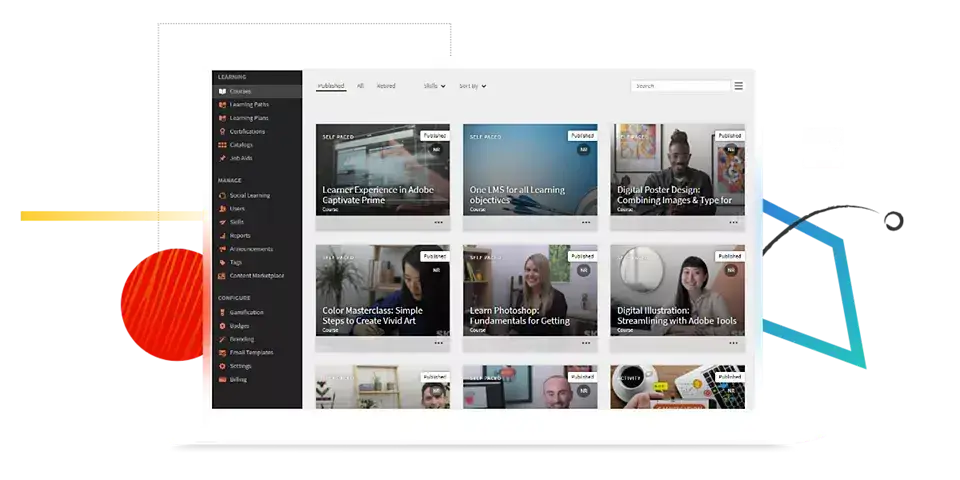
Adobe Learning Manager (formerly Adobe Captivate Prime) is an enterprise-grade online learning platform designed for employee training, customer education, partner enablement, and compliance programs. It supports blended learning and has strong learner engagement features like gamification and social learning, as well as enterprise integrations.
Pros
- Supports SCORM, AICC, xAPI, video, and PDF content
- Instructor-led and virtual instructor-led training management and reporting
- Integrates with Microsoft Teams, Salesforce, and other enterprise tools
- Headless LMS option for embedding learning into your own portals or apps
Cons
- No public pricing, every quote requires a sales conversation
- Setup and administration have a learning curve for teams wanting heavy customization
- Third-party cost estimates run higher than comparable enterprise LMS software (Docebo, Litmos)
- Overkill for teams under about 100 learners
Who it’s for: Mid-market to enterprise organizations running employee onboarding, customer education, or partner training at scale.
Pricing: Custom, based on registered users or monthly active users. No published tiers.
*Information retrieved from Adobe Learning Manager’s pricing page in September 2026.
Coursera
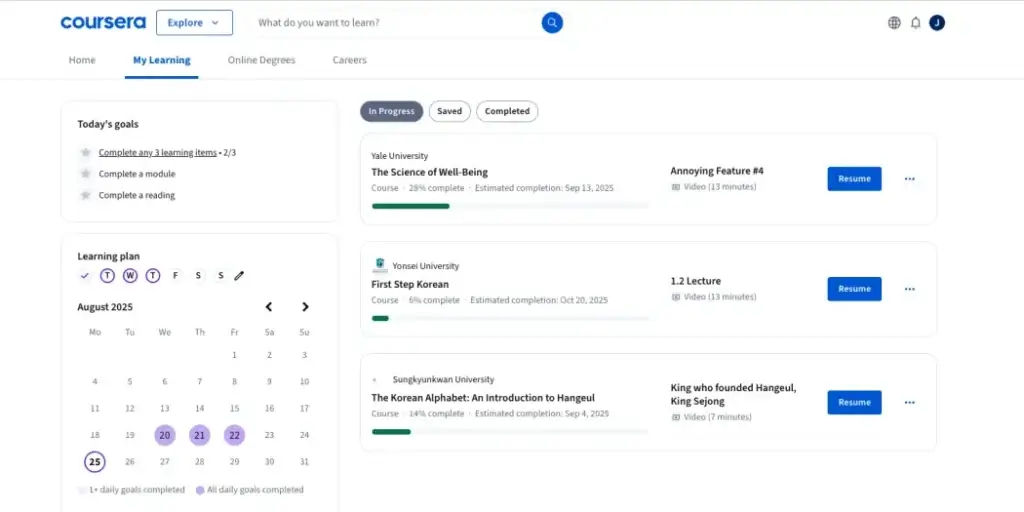
Coursera is a learning platform with over 100 million users, partnering with universities and companies to offer courses, certifications, specializations, and degree programs. Coursera for Business gives learners a subscription covering most of the catalog.
Pros
- Certifications from accredited institutions
- Strong production quality across courses
- Free audit option for many courses without a certificate
- Broad catalog spanning technology, business, and the humanities
Cons
- Limited to educators at partner institutions, not open to independent instructors
- Less flexible course creation than creator-focused platforms
- Feedback comes from peer review rather than instructors
- Licenses can only be reassigned in small increments annually on Enterprise contracts
Who it’s for: Learners seeking recognized certifications, and companies wanting to buy ready-made training rather than build it. Independent creators can’t publish here, so for this article’s audience Coursera is a platform you buy from, not sell on.
Pricing: Coursera for Teams starts at $399/user/year for 5 to 125 users. Enterprise pricing is custom, and third-party benchmarks put it around $300 to 500/user/year depending on volume.
Docebo
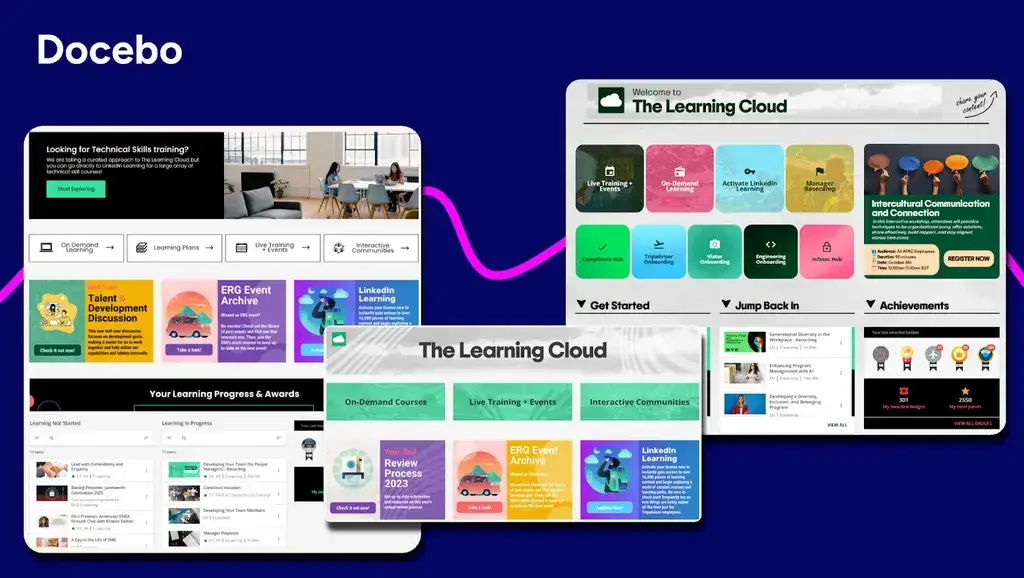
Docebo is a cloud-based LMS that meets most of every organization’s training needs and requirements. The platform is learner-centric and offers L&D capabilities using learning-specific Artificial Intelligence (AI) algorithms to personalize the learning experience.
Pros
- Supports SCORM, AICC, and Tin Can API
- Course gamification
- Strong analytics on program effectiveness
- Supports more than 40 languages
Pros
- No public pricing, priced per active user through a sales quote
- Expensive relative to creator-focused platforms
- Steeper onboarding curve (budget 3 to 4 weeks of admin ramp-up)
- Better suited to larger teams (250-plus learners) than small businesses
Who it’s for: Corporate and enterprise teams training employees and partners at scale.
Pricing: Custom quote. Third-party estimates place per-user cost around $3 to $6/month.
EdX
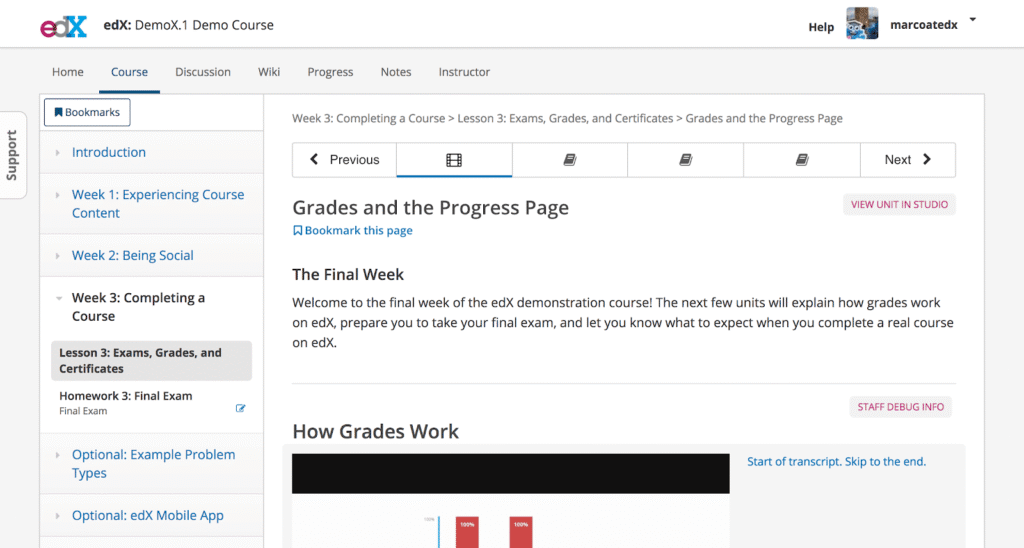
EdX.org and Open edX are two parts of the same project, built by Harvard and MIT to deliver university-level education online. EdX.org is the course marketplace, Open edX is the open-source platform behind it, and edX for Business is the subscription offering for companies training employees on that catalog.
Pros
- Free and open-source for instructors running their own instance
- Deep, university-level course content for learners
- Mobile apps on iOS and Android
- Interactive elements within courses
Cons
- Discussion forums feel dated and hard to navigate
- Running Open edX requires technical expertise or a developer
- Self-hosting adds server and maintenance costs
- Course library skews academic, less suited to business skills training
Who it’s for: Students wanting university-level courses, and organizations with the technical resources to run Open edX or buy into edX for Business.
Pricing: edX for Business costs $150/user/year.
Ezycourse
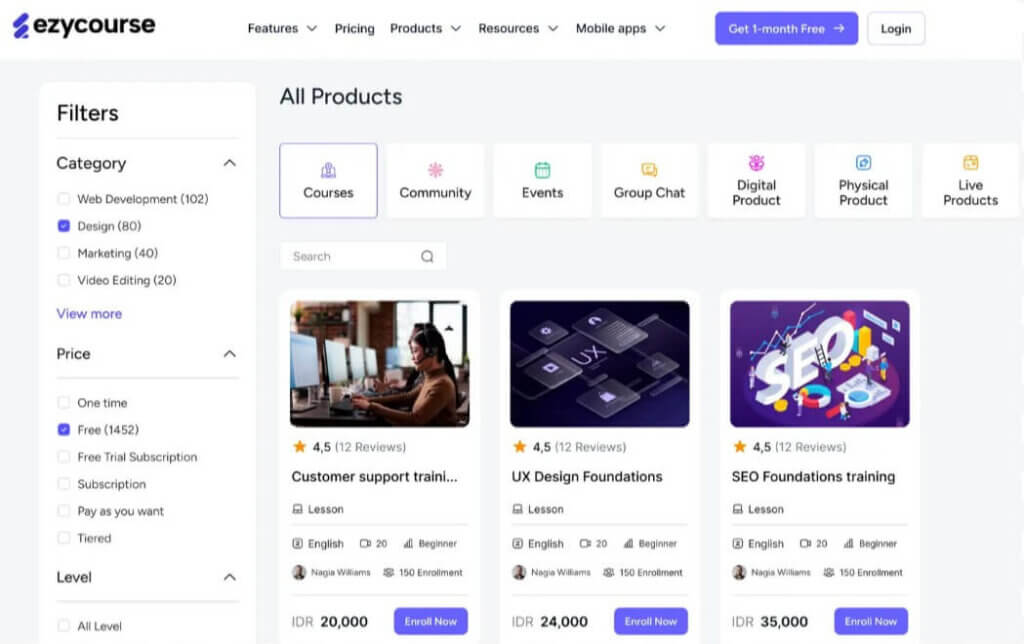
Ezycourse is an all-in-one online platform for learning designed to empower educators and businesses to create, market, and sell online courses, services, and products. With features like custom landing pages, email marketing, and the ability to build membership-style sites, Ezycourse aims to simplify the training process with its handy business management and course creation tools.
Pros
- Broad toolset spanning courses, community, and product sales
- Straightforward interface
- Responsive customer support, per reviewer feedback
Cons
- Steep learning curve for a platform positioned as beginner-friendly
- Users report difficulty building websites without prior experience
- Pricing tiers vary across sources, confirm current plans directly before quoting them
Who it’s for: Educators and small businesses wanting courses, communities, and product sales in one place.
Pricing: Starts from $79 per month.
FreshLearn
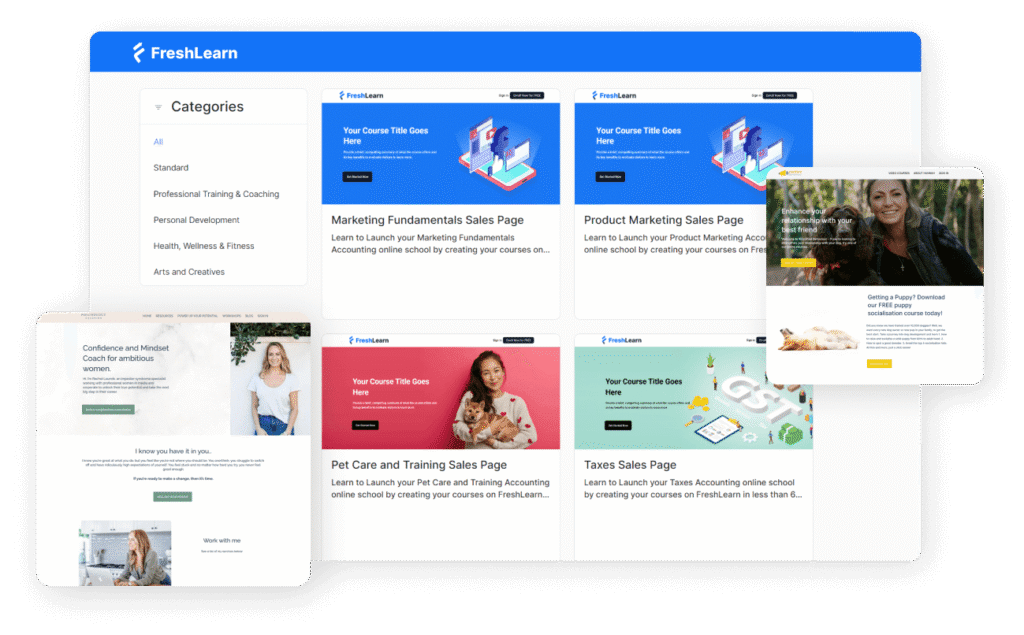
FreshLearn is an affordable course software tailored for creators and coaches who want to launch digital products, courses, and memberships without a complex setup. This digital platform includes white-labeling, community features, and multiple product types under one roof.
Pros
- Now offers a free plan (limited, with a 10 percent transaction fee)
- Affordable entry pricing for early-stage creators
- Supports multiple product types (courses, digital downloads, memberships) under one account
- Built-in email marketing and landing pages
Cons
- Free plan’s 10 percent transaction fee is steep once you’re selling consistently
- Fewer third-party integrations than larger competitors
- Limited assessment and learner-engagement tools
- Smaller user base means less independent review coverage to draw on
Who it’s for: Solo creators or small businesses wanting an affordable platform with essential tools and room to start free.
Pricing: Free plan available. Paid plans start from $49/month.
Graphy
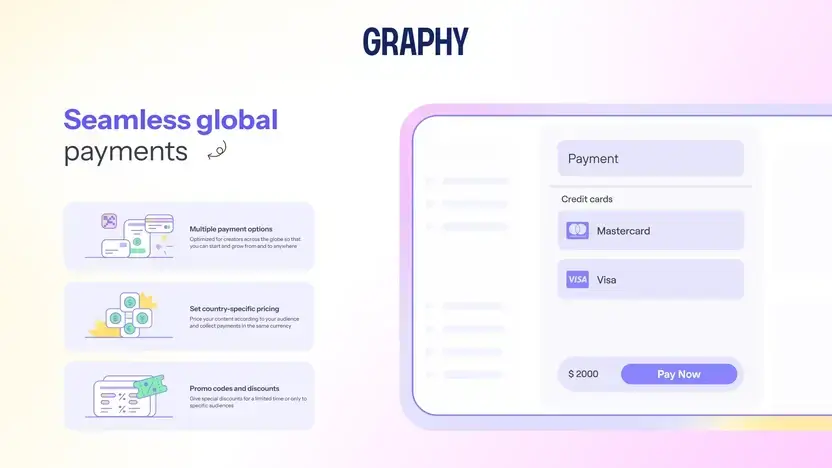
Graphy is an online teaching platform that helps creators and educators to build, market, and sell their courses and digital products. It offers multimedia tools, website and mobile app development, and integrated payment gateways.
Pros
- Unlimited courses and students on its plans
- Content dripping and AI-assisted course creation
Cons
- Limited language support
- Integration gaps with some email providers
- Pricing page uses dynamic loading, so third-party listings can lag behind actual current rates
Who it’s for: Creators and educators monetizing courses and digital products who want built-in AI tools.
Pricing: Starts from $49/montly.
Kajabi
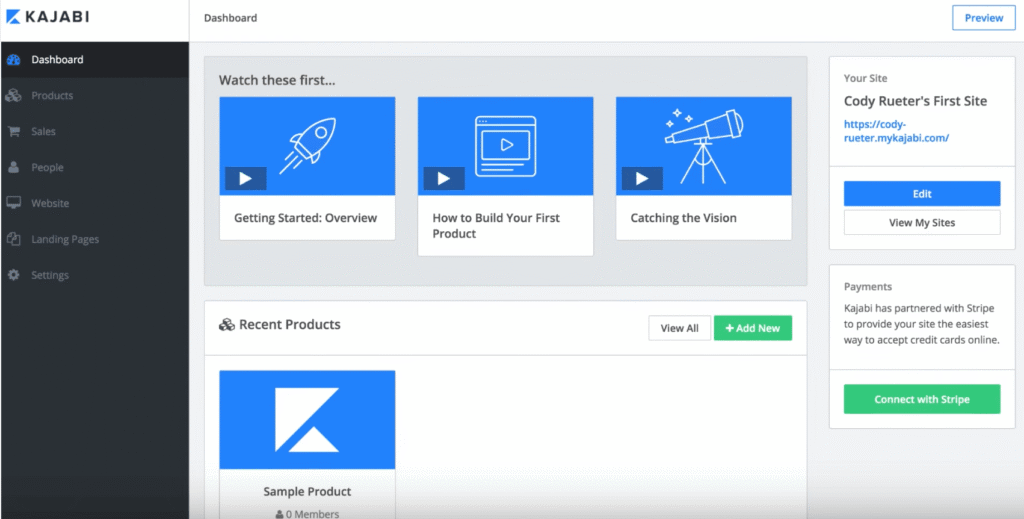
Kajabi is an all-in-one online platform that offers the tools to sell digital products, including online courses, coaching programs, and podcasts. Kajabi specializes in building high-converting sales pages, landing pages, and webinar pages for your online business and launching your advertising campaigns.
Pros
- Strong built-in marketing automation and funnels
- Supports a wide range of product types (courses, memberships, podcasts)
- Zero platform transaction fees on any plan
Cons
- No free plan
- Learning features are thinner than dedicated course platforms
- Setup takes longer than simpler competitors
- Costs climb quickly once you need advanced automations or the affiliate program (Growth tier and above)
Who it’s for: Non-technical creators, digital entrepreneurs, and small businesses selling video-based courses and other digital products who want marketing tools built in.
Pricing: Basic $179/month ($143/month annual), Growth $249/month ($199/month annual), Pro $499/month ($399/month annual). Payment processing fees (2.7 to 2.9 percent plus $0.30) apply on top through Kajabi Payments.
LearnDash
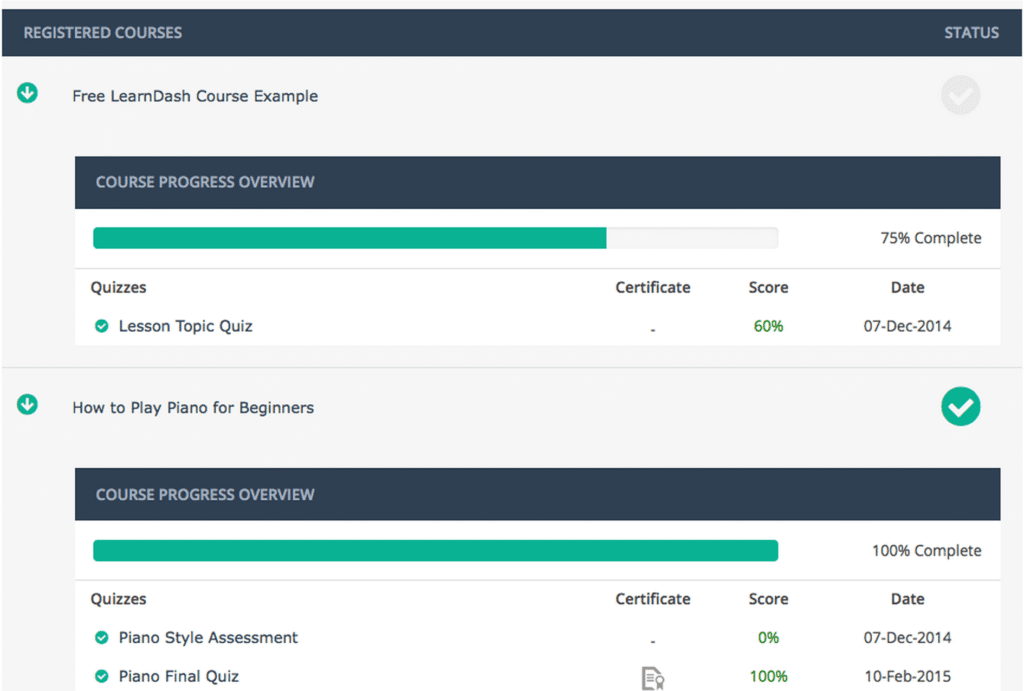
LearnDash is the most popular premium WordPress LMS plugin on the market. With it, you can design, promote, and sell online courses. Some of the best features it offers are its speed and its drag-and-drop course builder, which make the process of course creation both easy and enjoyable. LearnDash integrates seamlessly with your WordPress website, enhancing its functionality and user experience.
LearnDash has the flexibility of WordPress, allowing it to be very customizable. You can add many more functionalities that are not natively built-in. The downside is that adding too many plugins may be detrimental and break the website, requiring a developer to do the setup or keep maintaining the site and offering support.
Pros
- Cheaper than cloud-based LMS options at the entry tier
- Highly customizable through the WordPress ecosystem
- Zero transaction fees on any plan
- Large community of developers and add-ons
Cons
- Requires WordPress hosting, a domain, and technical setup most competitors handle for you
- Costs add up once you factor in hosting, themes, and premium add-ons
- Only 15-day money-back guarantee, no free trial
- LearnDash Cloud was recently rebranded (now StellarSites Learning), so pricing pages may show outdated names
Who it’s for: WordPress users and developers who want a self-hosted, highly customizable course platform.
Pricing: Plugin licenses: one-site $199/year, 10-site $399/year, unlimited $799/year. Hosted Cloud option (StellarSites Learning) starts around $29/month.
LearnWorlds
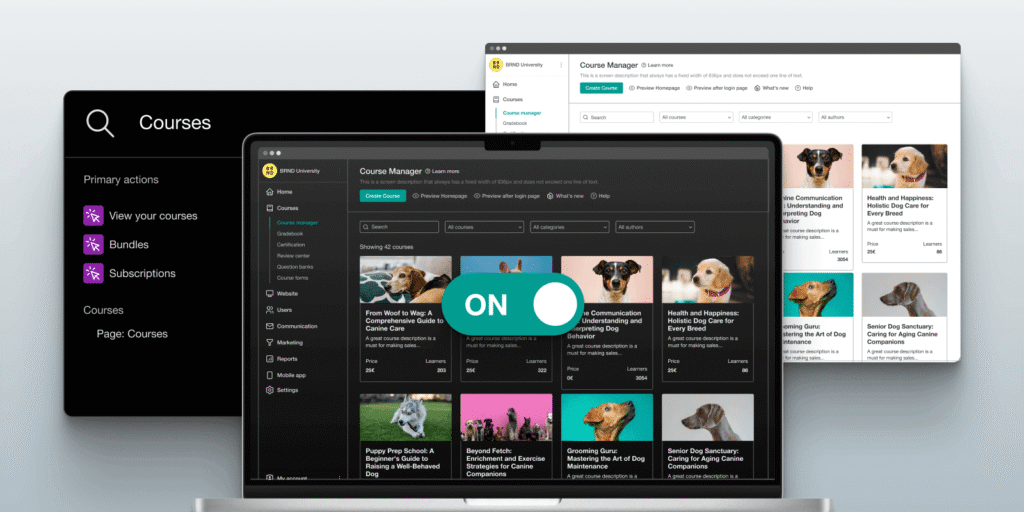
LearnWorlds is an AI-assisted course platform with built-in course authoring, ecommerce, community, and user management, aimed at both course creators and companies delivering internal or customer training.
Pros
- Interactive video tool: embed quizzes, hotspots, and calls to action directly inside video lessons, a feature reviewers consistently call out as a differentiator
- All-in-one toolkit: course authoring, website builder, ecommerce, and community in a single account
- SCORM 1.2, SCORM 2004, and xAPI support for accredited or compliance training (available on the Learning Center plan)
- AI assistant for drafting course content and course planning, learner feedback, and reports
- Consistently rated highly for responsive customer support
Cons
- The Starter plan charges a $5 fee per course enrollment
- No permanent free plan, only a 30-day trial
- The branded mobile app costs extra
- Interactive video, full SCORM, and white-labeling sit behind the Learning Center plan
- The AI assistant is capped at a set number of prompts per month on lower tiers
Who it’s for: Educators, trainers, and businesses wanting an all-in-one platform for interactive, branded online learning, particularly where video engagement and accredited training both matter.
Pricing: Starter $29/month ($24/month annual, plus $5 per enrollment), Pro Trainer $99/month ($79/month annual), Learning Center $299/month ($249/month annual), custom Enterprise tier for high-volume or corporate use. Thirty-day free trial on all paid plans.
Litmos
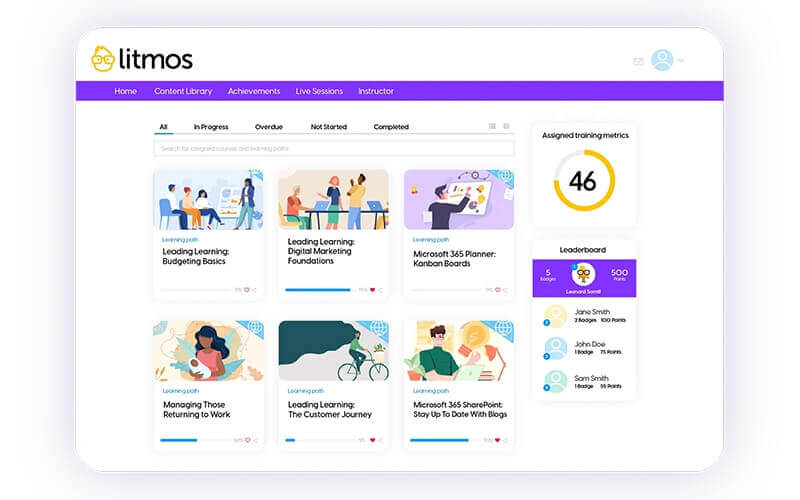
Litmos is a popular platform that offers a variety of eLearning solutions for businesses, including corporate, customer, partner, services, support training, and compliance training.
One of its biggest strengths is the ability to create customized learning paths for the needs and styles of every company and its employees.
Pros
- Intuitive course authoring
- Supports SCORM, AICC, and xAPI/Tin Can API
- Strong reporting and dashboards
- Content library with over 2,000 ready-made courses
Cons
- No public pricing, quote-based
- Third-party estimates put real cost around $6 to 10/user/month, higher than budget LMS options
- Limited customization compared to Docebo
- No dedicated payment gateway, so selling courses directly isn’t a fit
Who it’s for: Businesses of most sizes focused primarily on corporate and compliance training.
Pricing: Custom quote based on active users. Third-party estimates: roughly $6 to 10/user/month.
Moodle
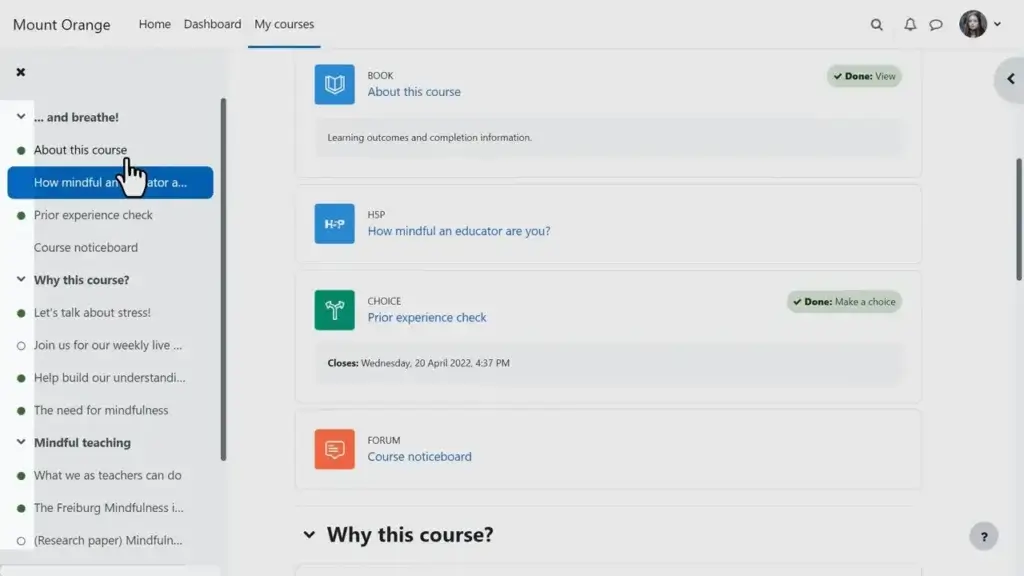
Unlike the majority of LMSs, Moodle is a free, open-source digital learning platform. You can also buy hosted versions of Moodle with technical support from many resellers.
Moodle is the usual LMS for higher education and is being used by many businesses as well. It requires a great deal of effort for setup, but it may be the most customizable solution for elearning out there.
A large community of developers is still supporting it, and you can find or develop almost any feature you might require.
Pros
- Free and open-source at its core
- Highly customizable, arguably the most flexible LMS on this list
- Compatible with SCORM, AICC, IMS LTI, and xAPI/Tin Can API
- Large community of developers and third-party support providers
Cons
- No vendor support unless you pay for it separately
- Dated user interface compared to newer platforms
- Self-hosting requires server management and an IT resource
- MoodleCloud plans limit plugin flexibility compared to self-hosting
Who it’s for: Colleges, universities, public-sector organizations, and businesses with in-house IT support.
Pricing: Free to self-host. MoodleCloud hosted tiers run from $170. Moodle Workplace (enterprise) is custom-quoted through certified partners.
Passion.io
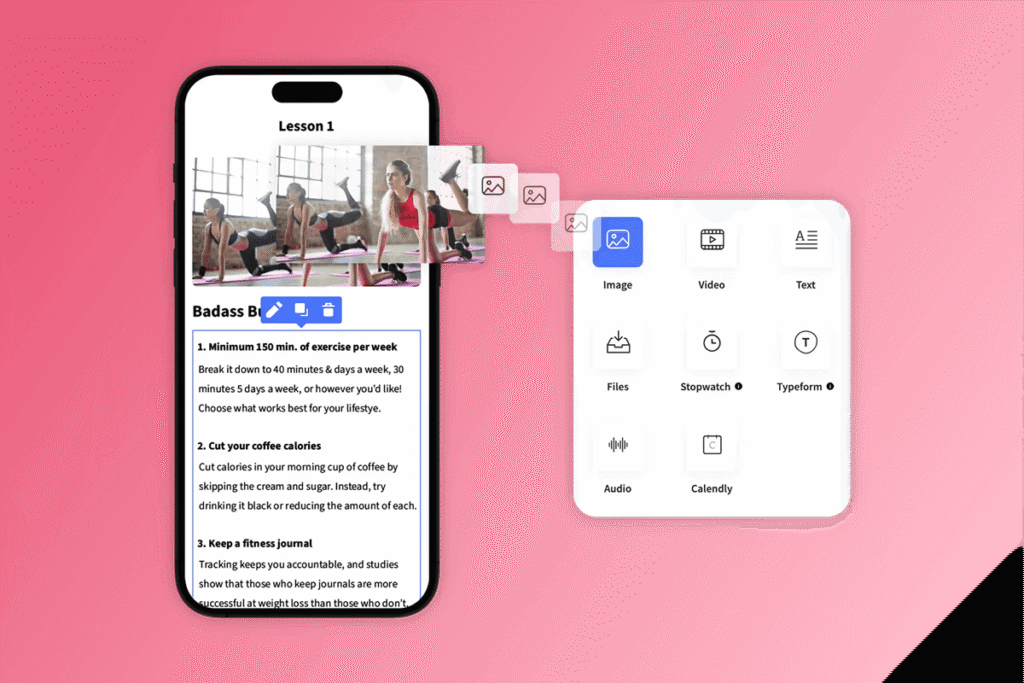
Passion.io allows you to create mobile apps for your courses without any coding. Its app-centric design supports course delivery through features like push notifications, interactive content, and built-in community tools. Among our list of elearning platforms, Passion.io stands out for its mobile user experience and rapid deployment—creators can launch an app with minimal setup.
Pros
- No-code branded mobile app for iOS and Android
- Fast time to launch compared to custom app development
- Drip content, challenges, and push notifications for engagement
Cons
- Limited desktop customization
- Basic learner analytics compared to dedicated LMS platforms
- Platform transaction fee (2.7 to 3.9 percent depending on plan) on top of standard payment processing
- App Store distribution (the platform’s core selling point) requires the $699/month Expand plan, not the entry tiers
Who it’s for: Coaches, fitness instructors, and wellness creators who want a mobile-first, branded delivery experience.
Pricing: Starts from $149/month. Annual billing runs lower per month on each tier.
SamCart
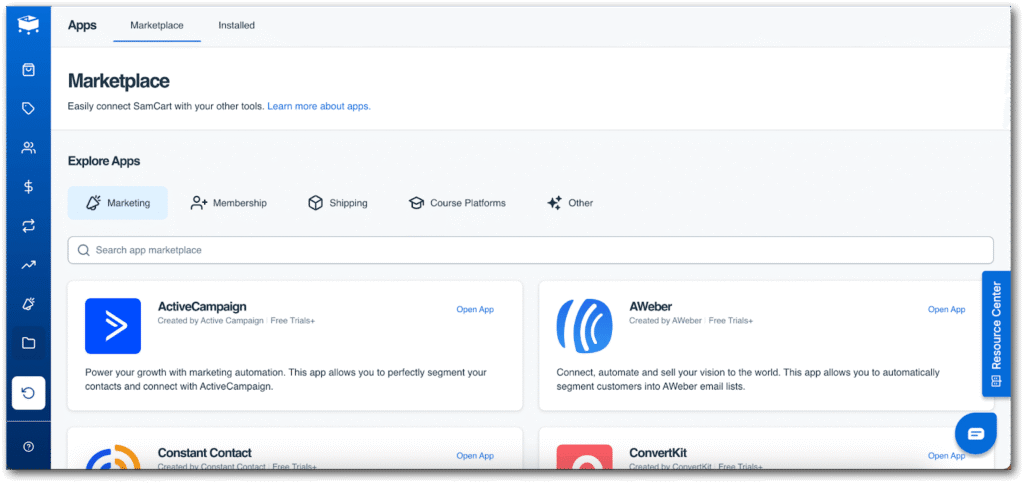
SamCart is a checkout-focused platform that provides ecommerce tools for course creators. While it’s not a full-featured online training platform, it’s a solid choice for instructors who prioritize sales funnels and conversions over detailed learning workflows.
Pros
- Sales-first design with A/B testing and performance tracking
- Built-in affiliate tools
- Zero percent platform transaction fees on any plan (standard payment processing fees still apply)
Cons
- Not a dedicated course platform: no community features, no SCORM, no branded mobile app
- Upsells, order bumps, and A/B testing sit on the Pro plan, not the entry Core plan
- SamCart restructured its pricing in 2026 (retired the revenue-scaling model for fixed tiers), so older reviews describing “pricing that scales with revenue” are now out of date
- Learning experience is basic relative to platforms built around course delivery
Who it’s for: Creators selling standalone courses or digital products who care more about checkout conversion than learning features.
Pricing: Core $79/month, Pro $199/month, Enterprise custom. Twenty-five percent discount for annual billing.
Teachable
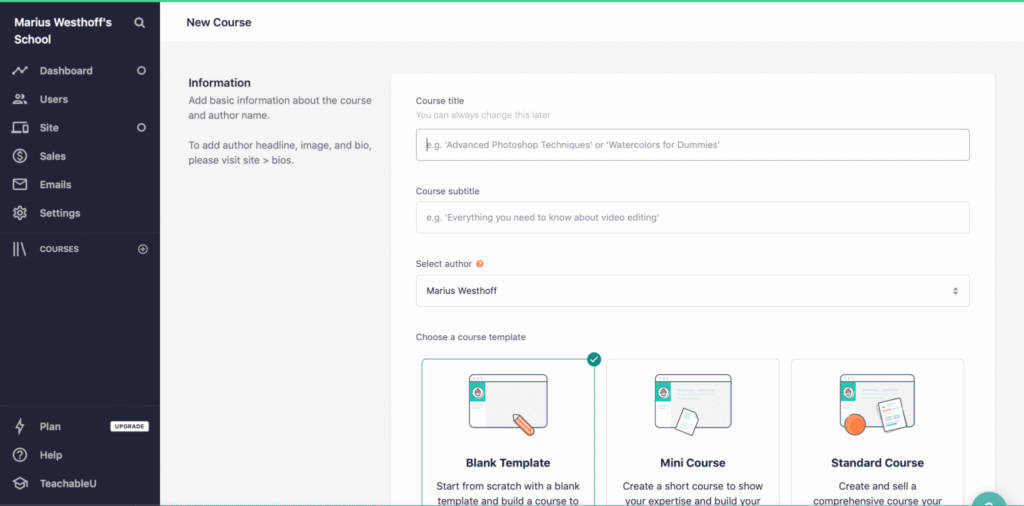
Teachable is an online teaching platform that serves the everyday instructor, helping them transform their knowledge into a business. Teachable provides an easy and simple solution for uploading your learning content, customizing your online school, and communicating effectively with your students.
Teachable embodies simplicity. It’s easy to use and ideal for beginner course creators wanting to sell video-based courses, tutorials, or coaching. It also comes with the digital marketing tools you need to promote your courses.
- Simple, easy-to-use course builder
- Solid ecommerce tools for selling courses
- Course certificates included even on the entry plan
Cons
- No free plan (retired in 2025), only a 7-day trial
- The Starter plan carries a 7.5 percent transaction fee, removed only on Builder and above
- Limited assessment tools and no community features
- Support gets mixed reviews for responsiveness
Who it’s for: New course creators and solopreneurs who want the simplest path to publishing a first course.
Pricing: Starter $39/month ($29/month annual, 7.5 percent transaction fee), Builder $89/month ($69/month annual, no fee), Growth $189/month ($139/month annual, no fee), Advanced $399/month ($309/month annual, no fee), custom Enterprise above that.
Thinkific
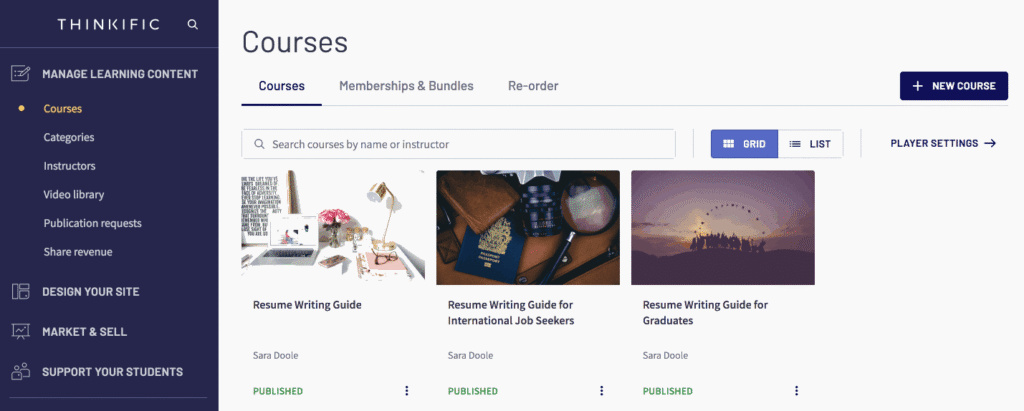
Thinkific is a course platform that helps you build and sell online courses. It provides everything you need to create your online education business, including an easy-to-use interface for building courses and rich multimedia to add to your course content right away.
Thinkific also offers features that enhance the experience for online teachers, such as flexible payment options, interactive tools, and assessment capabilities. The platform is a popular option for course creators launching their business, but customer support is lacking.
Pros
- No free plan anymore, but the trade-off is real improvements: no transaction fee surcharge in primary markets and no student cap on any plan (both new as of 2026)
- Full-featured course builder with strong assessment and completion tools
- Wide range of integrations
Cons
- No permanent free plan (retired in favor of a 30-day trial)
- Limited website design flexibility compared to platforms with a broader website builder
- Doesn’t support SCORM, TinCan, or AICC
- A roughly 10 percent price increase takes effect on renewals from August 13, 2026
Who it’s for: Small and medium businesses and solo creators who want dependable course hosting without transaction fees.
Pricing: Basic $49/month ($36 to 40/month annual), Start $99/month ($74/month annual), Grow $199/month ($149/month annual), Thinkific Plus custom. Note the scheduled August 2026 price increase above.
Udemy
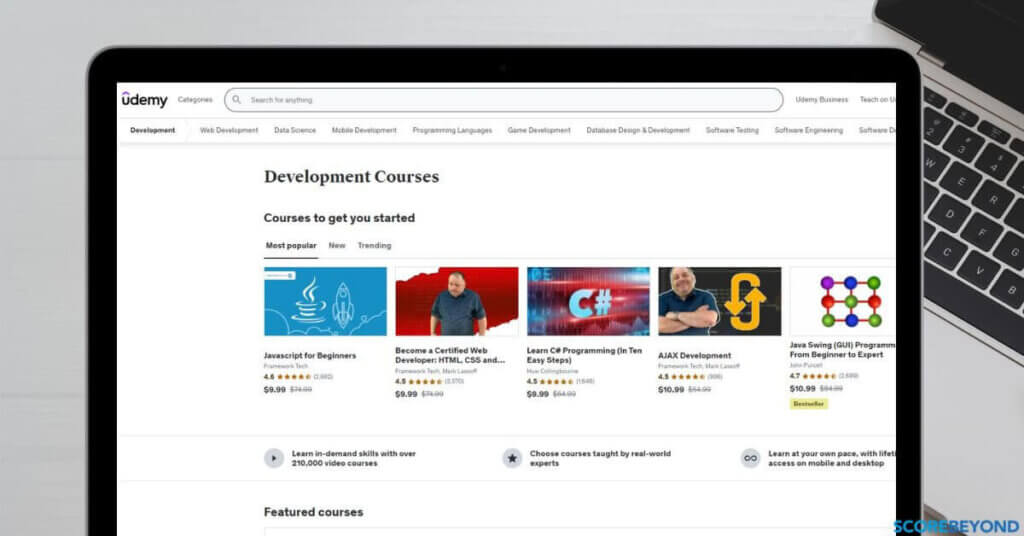
Udemy is one of the most popular online course marketplaces on the web, featuring more than 210,000 online video courses. It has over 60 million students, 65 thousand instructors, and subject matter experts creating online courses.
The platform offers learning to anyone who want to acquire new professional skills, and not only. For creators, the platform supports multiple online learning materials, including PDF documents, PowerPoint presentations, text, and video content. Additionally, it supports live video classes, providing flexibility and accessibility for students from various backgrounds.
Instructors can join Udemy and start teaching online, but the platform takes a huge piece of the revenue and has control over pricing and discounting the course.
Pros
- No setup cost for instructors
- Built-in audience and discovery, no need to drive your own traffic
- iOS and Android apps for learners
- Works well for reaching new students at low commitment
Cons
- Substantial revenue share: 63 percent on organic marketplace sales (instructors keep 37 percent), and instructors keep only 15 percent of Udemy Business subscription sales as of January 2026
- Instructor-referred sales (using your own coupon link) keep 97 percent, so payout depends heavily on how you drive sales
- No access to student emails or data
- Udemy runs frequent site-wide discounts you can’t opt out of, which can undercut your listed price
Who it’s for: For instructors: newcomers and freelancers who want a built-in audience and are comfortable trading revenue and control for reach. For companies: Udemy Business offers a subscription library of existing courses for upskilling employees, with the caveat that course quality varies across the catalog.
Pricing: Free to list courses. Revenue share: 37 percent (organic sale), 97 percent (your own coupon or referral link), 15 percent (Udemy Business subscription plays, as of January 2026).
Which online platform will you choose?
There’s no universal winner among these 17 platforms. The right fit depends on your budget and goals. Our advice: use this guide to shortlist two or three platforms and leverage the free trial period before you commit.
Want to try out LearnWorlds? You can get a 30-day free trial today and schedule your demo.
FAQs
It depends on your use case. Course creators wanting an all-in-one, interactive platform tend to look at LearnWorlds, Kajabi, or Thinkific. Businesses wanting a large built-in audience look at Udemy or Coursera, with the trade-off of revenue sharing. Enterprises running compliance-heavy corporate training tend to land on Docebo or Litmos.
Yes. Online education platforms have proven highly effective for delivering elearning solutions at scale. They offer interactive tools, self-paced learning, and accessibility, making online teaching platforms more flexible and engaging for learners worldwide.
- Accessibility: learn from anywhere, at any time
- Cost-effective: often cheaper than traditional education programs
- Scalability: reach a global audience without physical limits
- Engagement tools: quizzes, discussion forums, and interactive content
- Monetization options: freemium to premium models for course sellers
Maintaining learner engagement and retention. Without interactive content, live sessions, or a learning community, learners lose motivation quickly. Platforms with interactive features, quizzes, gamification, and built-in communities hold attention better than plain video hosting.
Coursera, edX, LearnWorlds, and Udemy all offer certification options that add credibility to course completions and professional development programs.
An online learning platform usually combines course delivery with a website builder, payments, marketing, and community tools, built for selling or scaling learning. A learning management system (LMS) typically focuses on admin and training operations: assigning learning, tracking completion, reporting, and compliance, aimed more at internal business training.
Look for role-based learning paths and automation, group or department cohorts, certifications and reminders, and integrations with your HR or CRM systems alongside single sign-on.
A simple course-building process and a branded site, flexible checkout (coupons, bundles, subscriptions), CRM and email integrations, and engagement features like quizzes, communities, and certificates.
Multimedia lessons (video, PDFs, SCORM or HTML5 where needed), quizzes and certificates, live session support, community and discussion tools, a mobile-friendly experience, and analytics on learner progress.
Yes, if they support completion tracking with timestamps, pass and fail rules on assessments, certificates with expiration and renewal reminders, and controlled access to content. For regulated industries, also check data retention and admin permission controls.
Roughly: creator plans run $30 to 150/month, growth or business plans run $200 to 500/month, and enterprise tiers are quote-based. Final cost depends on add-ons like a mobile app, advanced analytics, active users, and transaction fees.
Yes, as long as it supports separate portals or groups per audience, different branding and access rules per audience, and B2B features like bulk enrollments and seats for customer training.
Most support video-based training. SCORM support is less consistent, more common on business-focused LMS software than on entry-level creator platforms. If SCORM matters, check version compatibility, reporting depth, and upload limits.
For remote teams, choose digital learning platforms that deliver:
- mobile-friendly learning and reliable streaming
- asynchronous paths for learning and optional live sessions
- strong reporting for managers (progress, completion, skills)
- integrations (SSO, HRIS, Slack/Teams, CRM)
- engagement tools (quizzes, nudges, community)
Then shortlist 2–3 and run a pilot with one team to validate adoption.

Kyriaki is the Organic Content Strategist at LearnWorlds, where she writes and edits content about marketing and e-learning, helping course creators build, market, and sell successful online courses. With a degree in Career Guidance and a solid background in education management and career development, she combines strategic insight with a passion for lifelong learning. Outside of work, she enjoys expressing her creativity through music.

Androniki is a Content Writer at LearnWorlds sharing Instructional Design and marketing tips. With solid experience in B2B writing and technical translation, she is passionate about learning and spreading knowledge. She is also an aspiring yogi, a book nerd, and a talented transponster.
 Back to blog
 Scroll to top
Related Articles