

Table of Contents
Key takeaways
- Most of the funding you need to launch a customer education academy is already there. You just need to make leadership see it.
- Reframe the conversation by demonstrating money lost on inefficient processes, pinpoint business challenges, and reallocate existing budgets.
- Make it low-risk: start with a pilot program for your most urgent use case and leverage free and low-cost resources to launch.
You’re trying to build a business case for launching a customer academy and budget is naturally a part of the conversation. But once you ask for funds, it prolongs the conversation and quickly turns into a negotiation. Meanwhile, your team keeps spending hours going over the same tutorials and answering the same questions.
Here’s what most Customer Success Leaders miss: You don’t need a new budget to launch a customer education academy. Most of the funding you need is already being spent on inefficient processes.
This blog post shows you how to shift the conversation and get the green light for a customer academy from leadership without asking for a new budget.
Strategy #1: Reframe the conversation from spending money to saving money
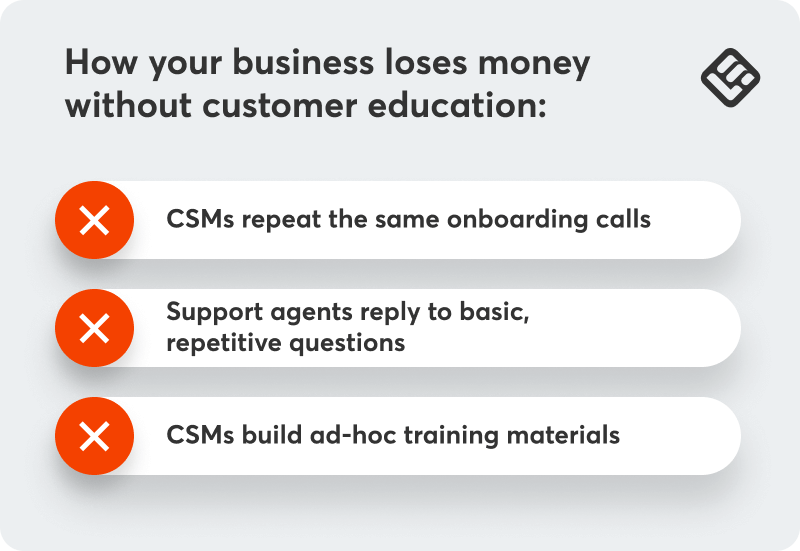
Stop thinking about a customer academy as another expense, and start positioning it as an investment that pays for itself by reducing existing costs:
CSM time spent on repetitive onboarding calls
Multiply your average CSM hourly rate by hours spent per week on repeatable demos and training sessions. A mid-market SaaS company with four CSMs spending 10 hours each per week on onboarding calls? That’s 40 hours weekly, or roughly 2,000 hours annually.
At a loaded cost of $50/hour, that’s $100,000 spent on manual, unscalable activities. If you use education to automate repeatable processes like these, the wins in CSM time (and cost) alone would be massive.
Support time spent on answering entry-level questions
What percentage of your support tickets are “How do I…” questions rather than genuine bugs or complex issues? Calculate the cost of handling those tickets manually versus creating training content that not only offers round-the-clock, self-serve support but is also easy to update.
The cost of producing ad-hoc training materials
How much time does your team spend creating Looms, decks, and documentation that become outdated within months? These one-off materials have to be recreated constantly, wasting valuable CSM time in the process.
The biggest issue with manual onboarding and support isn’t current costs, but the fact that these costs scale linearly with customer growth. Every new customer adds more CSM hours, more tickets, and more custom training work.
A customer academy breaks this pattern by turning linear effort into scalable infrastructure. The same content serves 10 customers or 10,000, without increasing headcount or workload.
💡 The reallocation argument is simple: When you can show that your team currently spends $X on manual, unscalable activities, suddenly a $Y academy investment looks like efficiency, not expense.
Strategy #2: Build your case using existing pain points
Connect the academy to metrics leadership already cares about. Instead of completion rates, talk about reduced support load, improved time-to-value, and lower churn in specific segments.
Reduce support load
Estimate what percentage of tickets could be deflected through always-on training. Look at your ticket data from the past quarter. How many are repetitive questions about basic functionality, common workflows, or feature usage?
If you handle 500 tickets monthly at an average resolution time of 30 minutes, and even 10% could be deflected, that’s 50 tickets or 25 hours of support time saved monthly. The projected savings over 12 months are significant.
Improve time-to-value
Use data from accounts that received more thorough training versus those that didn’t. Compare their time to first value milestones and activation rates, and look for correlations between faster activation and customer health indicators.
For example, these customers often report higher customer satisfaction, have increased NPS scores, sign up for higher plans, and renew their subscriptions at higher rates. This should be the case for your customers too.
Reduce operational risk and team dependency
Many CS teams rely on a small number of experienced CSMs to deliver high-quality onboarding and training. But what happens during rapid growth or when a team member leaves the company?
A customer academy standardizes customer education and safeguards quality. It creates a repeatable, resilient customer experience that doesn’t break every time your team composition changes.
Prevent churn in specific segments
Identify customer segments with your highest churn rates. Often, it’s smaller accounts who receive less hands-on attention. Or new customers who churned within their first year because they never truly understood how to use your product.
Calculate the lost ARR. Project retention improvements and translate them into revenue. If improving retention by just 5% among small businesses saves $15K in ARR annually, suddenly the academy investment looks modest.
💡 These problems are very real, as is the impact of a customer education academy. Our customer Blip was manually onboarding customers, running sessions three or four times a day. It took 73 days for new customers to get up and running.
This changed after they launched their customer academy with LearnWorlds. Onboarding time went down to 43 days, while support tickets dropped by 15%. Read their story in the link below.
Strategy #3: Reallocate existing budgets
Your customer success tech stack probably has more redundancy than you realize.
Audit for overlap and redundancy
List every tool your Customer Success, Support, and Sales teams use for internal training or customer communication. Are you paying for screen recording tools and video editors separately? Maintaining multiple knowledge bases?
Compare the cost of fragmented tools against an integrated, affordable LMS like LearnWorlds. Our platform consolidates different tools in one by combining built-in content authoring with AI assistant, video editing, Quiz, Ebook, Certificate, and Survey Builders, along with advanced reporting and integration with HubSpot for deeper insights and data sync.
Repurpose marketing or enablement budgets
Customer education also helps sales teams to show value and engage prospects and gives marketing ready-to-use content for customer communications. This overlap is an advantage.
Instead of funding the academy alone, propose shared ownership and shared funding. Position the academy as a shared asset that supports acquisition, onboarding, and retention, splitting the cost across teams that already benefit from it.
Strategy #4: Leverage free and low-cost resources
Take stock of available training resources you can use as they are or repurpose, package neatly, and organize them all under one academy.
Repurpose existing content: You already have solid customer education content you can repurpose and organize under one academy. That 45-minute webinar? Break it into micro lessons, add a quiz, and you have your first course.
Use AI tools: AI can help with content repurposing and also draft course outlines, generate quizzes, and edit content, significantly reducing content production costs and time.
See how customer education teams use AI in our 2026 State of AI in Customer Education report, featuring insights from 270+ leaders.
Start with asynchronous content: Self-serve content, like PDF guides and video tutorials, has lower production costs than live training and scales infinitely.
Use your LMS’s authoring tools wherever possible: Most platforms allow you to create PDF guides, ebooks, and quizzes natively, and edit video. As you’re starting out, this is all you need.
Leverage team resources: Identify internal subject matter experts, like your support and product teams, who can contribute 2-3 hours per week.
💡It’s ok to start small as long as you solve actual customer pain points. Each quarter, as you demonstrate ROI, you earn the right to invest more in customer education.
Strategy #5: Start with a pilot program
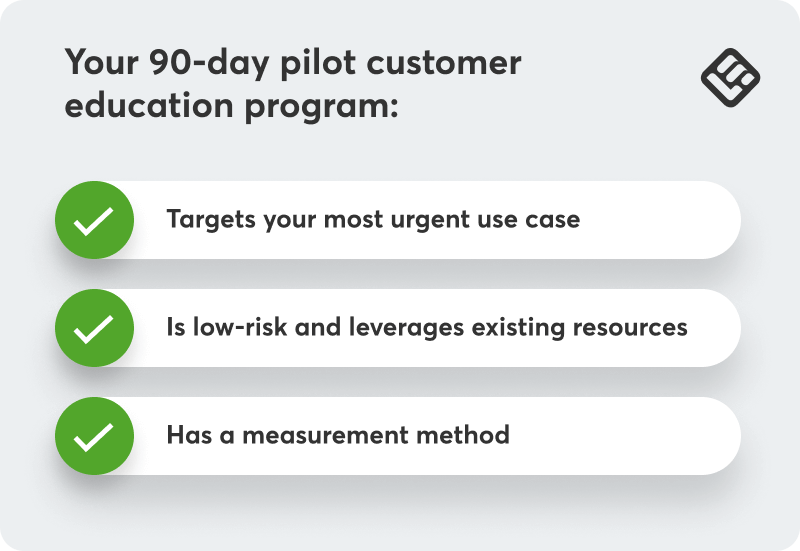
Rather than asking for full commitment upfront, propose a low-risk, 90-day pilot that requires minimal upfront investment and proves value before scaling.
How to go about it:
Identify your highest-ROI use case
Don’t try to solve everything in your pilot. Pick your most urgent case:
- Which onboarding step is most painful or repetitive?
- Which customer segment has the worst activation or retention rates?
- Which feature has the lowest adoption despite being core to your value proposition?
Build 3-5 essential courses addressing that specific pain point.
Make it low-risk
Emphasize you’re starting with existing content and resources: no new hires, no major technology purchases. Focus on one specific problem with clear before/after metrics.
Frame it as a learning opportunity, not a massive commitment. Leadership is more likely to approve something that feels like an experiment than something that feels like a strategy shift.
Have a measurement plan
Define success metrics upfront:
- Completion rates plus surveys on content usefulness
- Impact on support tickets related to training topics covered
- Activation or feature adoption changes
- Time saved by CS team (track hours spent on manual training before and after)
💡 A pilot provides concrete data rather than projection and demonstrates your ability to execute. Once you have 90 days of data showing impact, the conversation shifts from “Can we afford this?” to “Can we afford NOT to scale this?”
From there, you’re no longer just funding customer education. You’re expanding it. As your academy matures, you can layer in certification programs that validate product and industry expertise. These certifications strengthen your community and even become a revenue stream.
LearnWorlds makes this transition easy by supporting certificates, advanced reporting, and monetization out of the box, so what started as a low-risk pilot can evolve into a scalable, revenue-generating program.
The budget is already there, you just need to redirect it
The budget for a customer academy is often already there, spent on manual onboarding, redundant tools, or reactive support. And it’s funding a model that is neither scalable or effective.
Reframe the conversation around smarter allocation, expose the inefficiencies in the status quo, and start with a low-risk pilot that proves value quickly. Once results are visible, expansion conversations will follow.
For a practical guide on selecting the right platform to support your academy, download our ebook 5 non-negotiables when choosing an LMS.

Androniki Koumadoraki
Androniki is a Content Writer at LearnWorlds sharing Instructional Design and marketing tips. With solid experience in B2B writing and technical translation, she is passionate about learning and spreading knowledge. She is also an aspiring yogi, a book nerd, and a talented transponster.
 Back to blog
 Scroll to top