

Table of Contents
Key takeaways
- A lifecycle learning framework is a structured system that maps educational content to specific stages of the customer journey.
- It reduces support volume, saves CSM time, improves outcomes at every stage, and enables scalability without burnout.
- Lifecycle learning works when it’s timely, contextual, with automated delivery and a measurement method in place.
For most Customer Success teams, the official part of customer training looks like this: you run the kickoff, walk new users through setup, send a recap email, and call it done.
But customers don’t learn that way. They learn best at the point of need: when they get stuck and the right content comes to the rescue.
That’s why you end up spending months answering the same questions and chasing disengaged users before renewal conversations start.
The alternative isn’t to create more content, but to develop a lifecycle learning framework: a structured approach that delivers targeted education at every stage of the customer lifecycle.
This blog post explains what that looks like, why it matters more than another onboarding checklist, and how to build one that works.
What is a lifecycle learning framework?
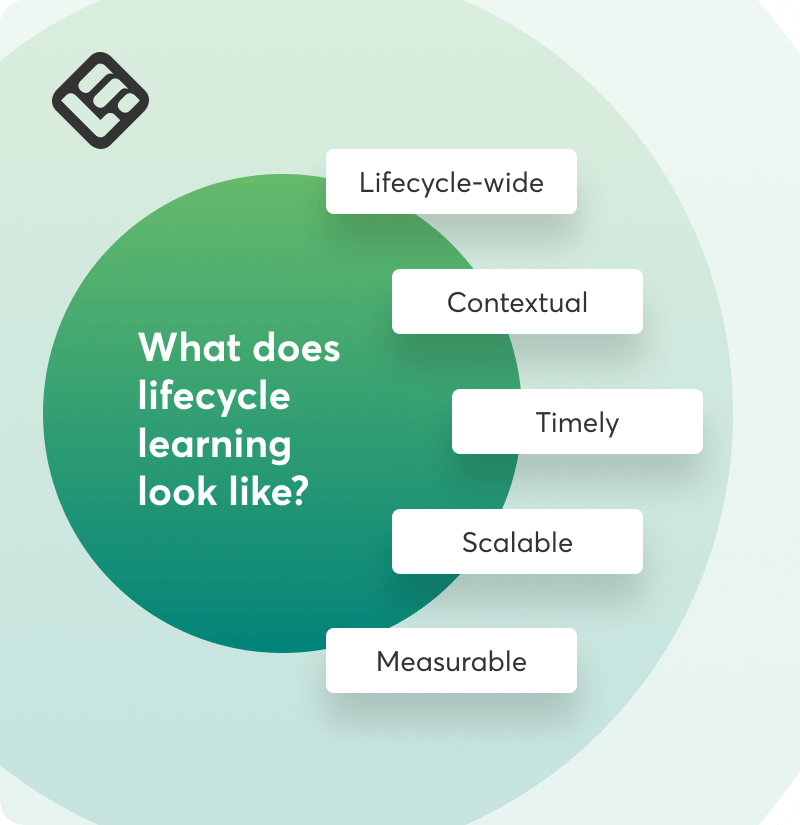
A lifecycle learning framework is a structured system that maps educational content to specific stages of the customer journey (activation, adoption, expansion, renewal, advocacy), delivering the content at the moments when it’s most likely to change the user’s behavior.
It’s designed to scale without requiring CSMs to manually repeat the same explanations, and it’s more effective than manual training because it’s contextual and timely.
Here’s what distinguishes it from traditional onboarding or support content:
- It’s lifecycle-wide: Traditional onboarding stops after initial setup. Lifecycle learning continues through the entire customer lifecycle.
- It’s contextual and timely: Content is delivered based on customer behaviors and actions, not arbitrary timelines.
- It’s built to scale: Less live repetition, more self-serve and automation.
- It connects learning to business outcomes: Every piece of content is intentional and mapped to a metric that matters and impacts growth.
For CS teams, a lifecycle learning model means fewer repetitive calls, fewer “How do I sign up” type of questions, faster time-to-value, and the ability to scale customer outcomes without scaling headcount.
Why CSMs need a lifecycle learning model
As a CSM, you’re expected to deliver personalized support at scale, often with a portfolio that’s grown 30% while your team hasn’t. You own onboarding, drive adoption, prevent churn, protect renewal rates, and keep satisfaction scores from sinking—all of which are heavily influenced by customer education.
And yet most CS teams operate without a structured approach to education. Training is ad hoc, created when someone asks, delivered when a CSM has time, and almost never optimized for the moment when customers are actually ready to absorb it.
Every new customer adds to the pile, but this model doesn’t scale.
A lifecycle learning framework changes the equation:
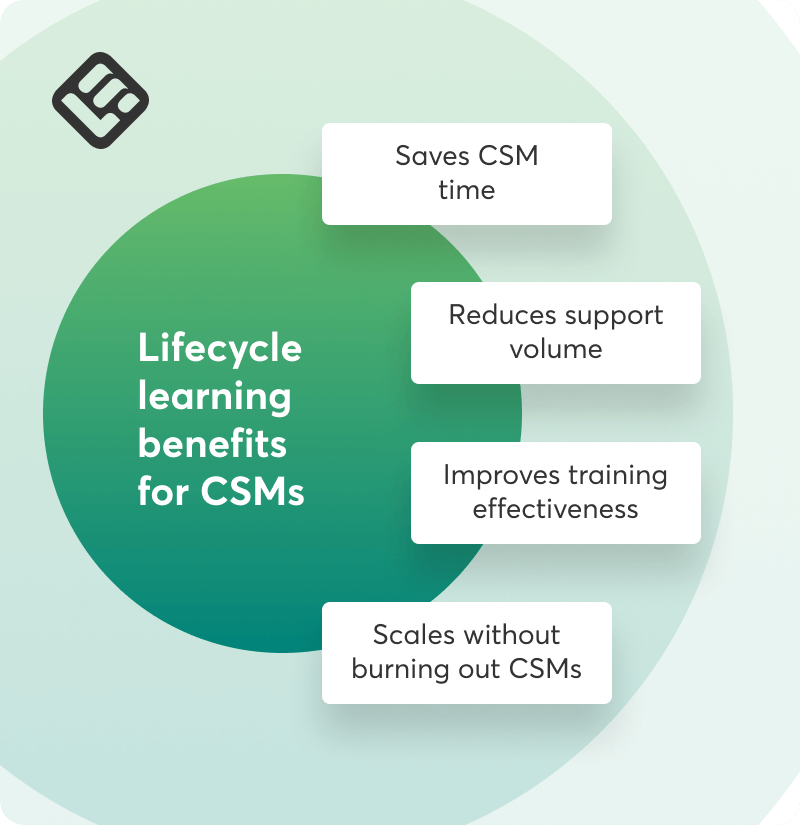
- Reduces support volume: Customers get instant answers because the learning is delivered when the question arises, not filed away in a static FAQ base
- Saves CSM time: Automation handles the repeatable teaching, while you handle the strategic work
- Improves outcomes at every stage: Learning is customized and delivered at the right moment
- Enables scalability without burnout: Lifecycle learning enables always-on customer training so your team’s capacity grows without adding headcount.
For customer success teams, a lifecycle-based customer education program can make all the difference between reacting to problems and preventing them. For the business, it’s what turns stagnation into growth.
A framework for building a lifecycle learning system that actually works
This section offers a step-by-step approach to designing a learning system that tracks customer milestones, triggers at the right moments, and scales effectively.
Step 1: Define what success looks like at each stage
For each stage of the customer lifecycle, define what it means for a customer to have successfully completed that stage. This will help you create targeted content that actually helps customers move forward and reach these goals.
Onboarding success criteria
These markers indicate the customer has moved from figuring out the basics to actively using the product. They’re also early indicators of engagement and account health:
- Customer has completed account setup and invited at least 3 team members
- Product usage begins within 7 days of kickoff
- Time-to-value is within expected range
Adoption success criteria
These metrics tell you whether the product is becoming embedded in their workflows:
- Core feature usage meets baseline thresholds (eg, 3–5 key features used weekly)
- Active users per account growing or stable
- Reduced support ticket volume over time
- Health score improving over 30-day period
Expansion success criteria
Expansion happens when customers are ready for more. Key indicators include:
- New roles or departments using the product
- Account engages with premium features
- Conversations about new use cases or integration requests
Renewal success criteria
These criteria tell you whether you’ve earned the renewal:
- ROI metrics or business outcomes documented
- No critical support issues open
- Account scoring high on engagement metrics
Advocacy success criteria
Advocacy is the highest form of customer success. This is usually what happens when customers reach that stage:
- Participation in case studies
- Positive reviews
- NPS or CSAT scores high and consistent
- Engagement in the community/forum
Step 2: Identify the learning gaps and offer the right type of content
This step is about identifying the specific knowledge gaps that prevent customers from progressing, and offering well-timed and suitable educational content to unblock them.
Onboarding learning opportunities
New users need help to set up the product correctly, configure key settings, and get their first meaningful win, like inviting a team member to join.
When:
- Right after kickoff call when context is fresh and motivation high
- Post-setup checklist completion when they’ve done the basics and need next steps
- Before first login
At this stage, learning must be structured and comprehensive. Longer-form content works, but only if it’s well structured and easy to consume.
- Structured onboarding course broken into digestible modules
- Interactive checklists
- Welcome videos to set the tone and expectations
- Quick quizzes to reinforce core concepts
Example: Create a three-part onboarding course with videos, checklists, and a quiz at the end of each module:
- Part One: Account setup and configuration
- Part Two: Your first workflow
- Part Three: Inviting your team and setting permissions
Adoption learning opportunities
During the adoption stage, users must use underutilized features and deepen product usage, moving from surface-level clicks to complete workflows.
When:
- When usage data shows inactivity or feature underutilization (eg, they signed up three weeks ago but still using only two of seven core features)
- Post-onboarding milestone, like a 30-day check-in
- When support tickets indicate they’re trying to figure out a feature
Bite-sized and contextual content is the best way to offer timely support to customers.
- Brief feature tutorials focusing on one task
- Use case walkthroughs
- In-app guides and tooltips
- Searchable micro-courses
Example: If usage data shows a customer isn’t using your reporting feature, trigger an email with a five-minute video titled “How the X company uses custom reports to save 10 hours a week.”
Expansion learning opportunities
Advanced users need to be convinced of why expansion makes sense for them. Talk to them about available integrations connecting your product to their tech stack and demonstrate the potential ROI of premium features or higher-tier plans.
When:
- They’ve maxed out current features or hit plan limits
- New stakeholders or departments enter the conversation
- QBRs reveal new pain points that the product can solve
The learning here must be strategic and focused on business impact:
- Scenario-based learning
- ROI-focused case studies
- Product comparison explainers
- Integration showcases
Example: Create a “What [X company] did when they scaled to 250 users” case study sharing the success story of a similar company experiencing rapid growth. Focusing on how signing up for a premium plan contributed to their success and the ROI gains.
Renewal learning opportunities
To get a customer to renew, they must be able to realize the value your product has delivered and how to get more out of the product moving forward.
When:
- 60–90 days before renewal (early enough to address concerns)
- Right before QBRs
- When renewal risk factors emerge: declining usage, budget concerns, leadership changes
At this point, the content needs to also address and appeal to people who weren’t involved in the day-to-day:
- Value recap videos
- Success summary infographics
- “What’s new” product update slides
Example: Create and send a personalized video that shows key metrics from their account, product updates launched since they joined, and underutilized features they should explore before renewal.
Advocacy learning opportunities
Your work is not done quite yet. Happy customers need guidance on how to share feedback and participate in case studies, refer others, or get certified.
When:
- After high NPS survey results while sentiment is warm
- Post-renewal
- When a champion is identified
- After they complete a certification course
Learning for advocates must be low-friction and rewarding. Make it easy to say yes. Think:
- Advocacy onboarding, like a short guide on how to create a software review video
- A playbook on ways they can contribute to the community
Example: Trigger an automated email after a customer submits NPS of 9 or 10: “We noticed you’re a fan—would you be open to participate in our upcoming webinar to share your story?” Offer a small incentive, like early access to beta features, to make your case more compelling.
Content and user segmentation
LearnWorlds supports all of these formats natively—video, PDFs, slides, ebooks, quizzes, exams, self-assessments, live sessions—with extensive built-in authoring tools. There’s also an AI Assistant with pre-built prompts for faster content creation. A white-label mobile app builder is available for higher-tier plans. Additionally, the LearnWorlds Tag Manager allows you to segment your audience based on criteria you can set and deliver learners custom content.
Step 3: Automate content delivery
A lifecycle learning framework only works if the learning is delivered when it’s needed, otherwise it won’t have the desirable impact.
To automate delivery per stage, identify the trigger (the event or behavior that signals a learning need) and the delivery mechanism (how the content reaches the customer automatically). Your customer success LMS should be able to talk to other tools you’re using like your CRM, product analytics, and email marketing platform. When a direct integration is not available, you can use Zapier.
Examples of trigger-based automation across the customer lifecycle:
- Onboarding: Day 0 (signup) → Automated welcome email with link to onboarding course: “Welcome to [product]: Here’s how to get started in 20 minutes”
- Adoption: Usage shows inactivity (no login in 10 days) → Email: “Getting more out of [feature]” + link to three-minute tutorial
- Expansion: Team growth detected (new users added to account) → Email: “Your team is growing: Here’s how [product] scales with you” + link to ROI calculator
- Renewal: 60 days before renewal date → Pre-renewal content package: “What’s new in [product]” + case studies
- Advocacy: High NPS score submitted (9 or 10) → Within 24 hours: “Thank you! Would you be open to sharing your experience in a case study?”
LearnWorlds integrations
Connect HubSpot to trigger course enrollment, content delivery, and automated emails based on CRM data. For example: “If renewal date is 90 days away AND health score > 70, send [X] course.”
Read our blog post Start here: three repeatable customer success processes to automate for impact to learn more about the role and use of automations in customer success.
Step 4: Measure and iterate
Completion rates feel satisfying (“Look, 80% finished the course”), but they don’t tell you if the learning actually changed behavior. To get the full picture, track three types of metrics: business metrics, learning engagement, and internal impact.
Business metrics
These show whether learning is driving real customer success and business impact.
What to track:
- Time-to-value (TTV): How long from signup to first meaningful outcome? Compare customers who completed onboarding training vs. those who didn’t.
- Product usage before and after training: Did feature adoption increase after customers completed the adoption course? Track usage 7 days before and 30 days after.
- Support ticket volume by topic: Are you still getting tickets about something covered in training? If yes, either the content isn’t landing or customers can’t find it.
- Renewal rates for trained vs untrained customers: Do customers who complete training content renew at higher rates?
- Expansion conversion: Are customers who engage with expansion content more likely to upgrade?
- Health score changes: Does learning engagement correlate with improvements in overall account health?
Example: You notice that customers who complete your “Advanced Workflows” course during adoption have 35% higher feature usage and renew at 92% vs 78% for those who don’t. This tells you two things: the content works, and you should trigger it earlier or more aggressively.
Learning engagement
These help you understand how customers interact with learning content, which is useful for optimization, but are not the ultimate goal.
What to track:
- Course or lesson completions: What percentage of enrolled customers finish the content?
- Drop-off points: Where do customers abandon courses?
- Repeat views or re-engagement: Are customers coming back to content multiple times? This suggests it’s useful as a reference
- Time spent per module: Are customers racing through or taking their time?
Example: You see 60% drop-off in your onboarding course at module three. You dig in and realize module three is 20 minutes long while modules one and two are each seven minutes. This signals that learners prefer shorter-form content, so you decide to split module three into several separate modules to match the learners’ preferences.
Internal impact
Integrating learning into your customer lifecycle strategy should help your CS team scale without burning out.
What to track:
- CSM hours saved from automating repeat training: How much time did CSMs spend on repetitive onboarding calls before vs. after implementing the framework?
- Reduced onboarding time: How long does it take to get a customer to first value now vs before?
- Increased capacity per CSM: Can CSMs handle more accounts without sacrificing quality because education is systematized?
Example: Before lifecycle learning, each CSM spent ~3 hours per week on repetitive onboarding calls. After automation, that’s down to ~30 minutes. Across a team of six CSMs, that’s 15 hours saved per week: a solid 780 hours per year. And right there you’ve made your case for more budget to invest in better tools and more content.
LearnWorlds allows you to measure learning engagement and tie it to customer milestones
- Data tracked includes completion rates, number of certificates issued, assessment scores, time spent on activities, drop-off points
- Customizable reporting; some reports can be scheduled for automated delivery
- Integration with HubSpot CRM for data sync to see learning engagement alongside customer status, renewal rates, health scores, and support tickets
Find out how to grow your funnel using LearnWorlds and HubSpot in our on-demand webinar:
Make lifecycle learning a core part of your customer success strategy
A lifecycle learning framework helps CSMs deliver value consistently without repeating the same calls or documents. It aligns customer education with real business outcomes, and it’s how CS teams scale impact without scaling headcount.
You don’t need to build this all at once. Start small: map one journey, create one course or playbook, set up one trigger-based automation. Then expand from there.
Introducing a lifecycle learning framework means creating a system that frees your team to focus on strategy and relationship building.
LearnWorlds gives customer success teams the tools to bring this framework to life without relying on multiple platforms or needing instructional design expertise. Start a free trial and see what happens when education scales as fast as your customer base does.

Androniki Koumadoraki
Androniki is a Content Writer at LearnWorlds sharing Instructional Design and marketing tips. With solid experience in B2B writing and technical translation, she is passionate about learning and spreading knowledge. She is also an aspiring yogi, a book nerd, and a talented transponster.
 Back to blog
 Scroll to top