
LEARNWORLDS LTI INTEGRATION
Bring external learning tools into one consistent training experience with the LTI 1.3 standard
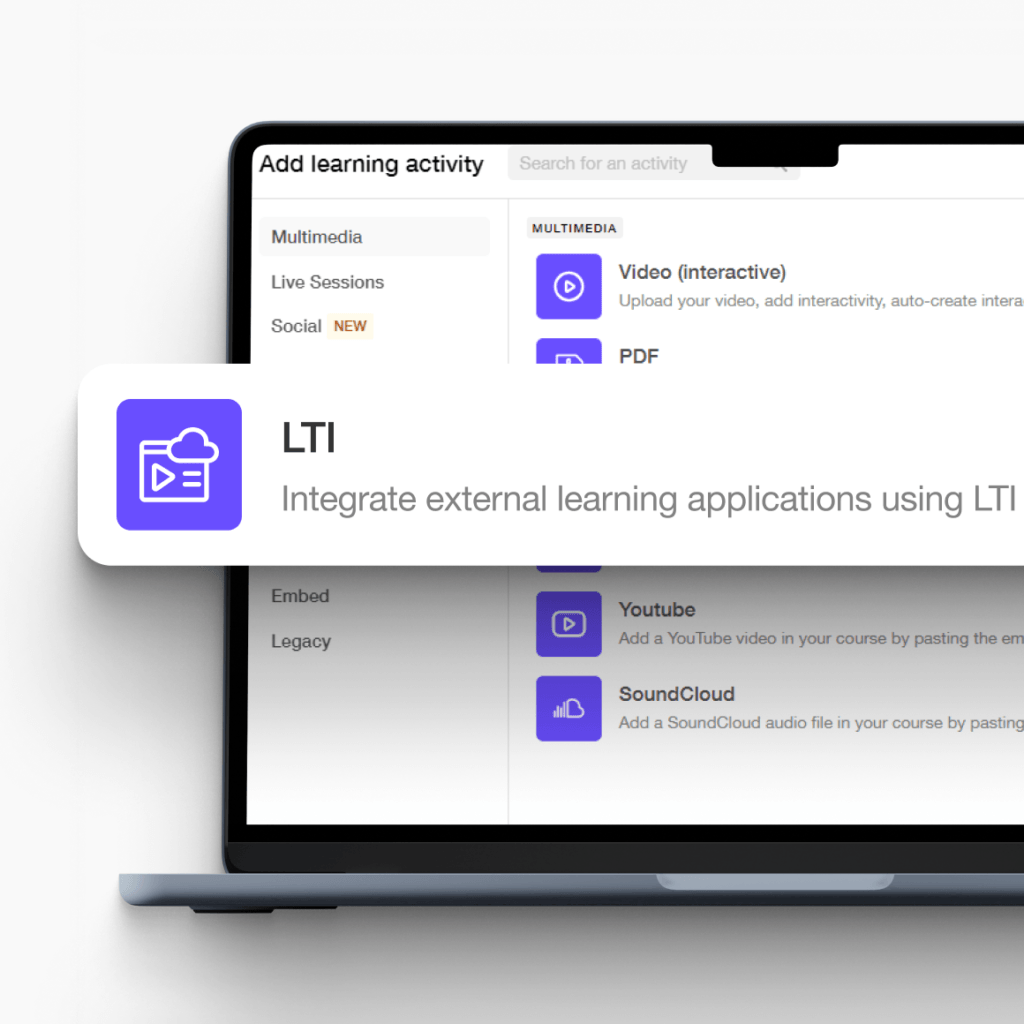
Combine the best learning tools into a single learning experience. With Learning Tools Interoperability (LTI 1.3) support, LearnWorlds lets you embed external learning platforms directly inside your courses, complete with progress and grade tracking.
Labs and simulations
Interactive assessments
Content libraries
Specialized training platforms
800k
Courses created
2m
Active learners/month
$1b+
Customer revenue
TL;DR
LearnWorlds LTI is how you turn your academy into the hub of your training stack—while still using the best specialized tools for hands-on learning.
Embed external learning tools inside your courses (as LTI activities)
Keep learner access, progress, and grades centralized in one place inside LearnWorlds

Use LTI 1.3 with score passback via Assignment & Grade Services (AGS)
Best for:
Internal training teams and L&D leaders who need to add specialized tools fast (without rebuilding content), standardize reporting, and reduce friction for learners.
LTI 1.3 integration: built for modern learning journeys
Easily integrate external learning activities from top providers into your courses, just like any other learning activities. All delivered as part of a single, uninterrupted learning experience.
Offer a flexible learner experience
Collect materials from different learning platforms or tools as part of your courses. Learners access everything from one place, no redirects, no extra logins.
Get centralized reports for instructors
Collect learner progress, time spent, and grades from LTI tools and keep everything tracked inside LearnWorlds.
Stay up to date by design at all times
LTI activities are dynamically connected to the external provider. Any updates made to the tool are instantly reflected inside your LearnWorlds courses.
Make things happen and achieve more with the LTI 1.3 integration
You can embed all types of learning activities, giving you the flexibility to design complete learning journeys that combine proprietary content with live, evolving learning tools.

Internal employee training
Embed labs and assessments directly into training courses and keep progress and updates managed in one place.
Customer onboarding
Deliver interactive onboarding experiences inside your courses while tracking engagement without extra tools.
Partner enablement
Combine external tools with core training content to deliver consistent, trackable partner programs.
Advanced professional education
Integrate specialized platforms into your courses to deliver advanced, structured, and measurable learning.
Create impactful training experiences your learners will love
Embed external learning activities inside your courses, just like any other content. Keep external and native content together in one place and deliver a unified learning experience.
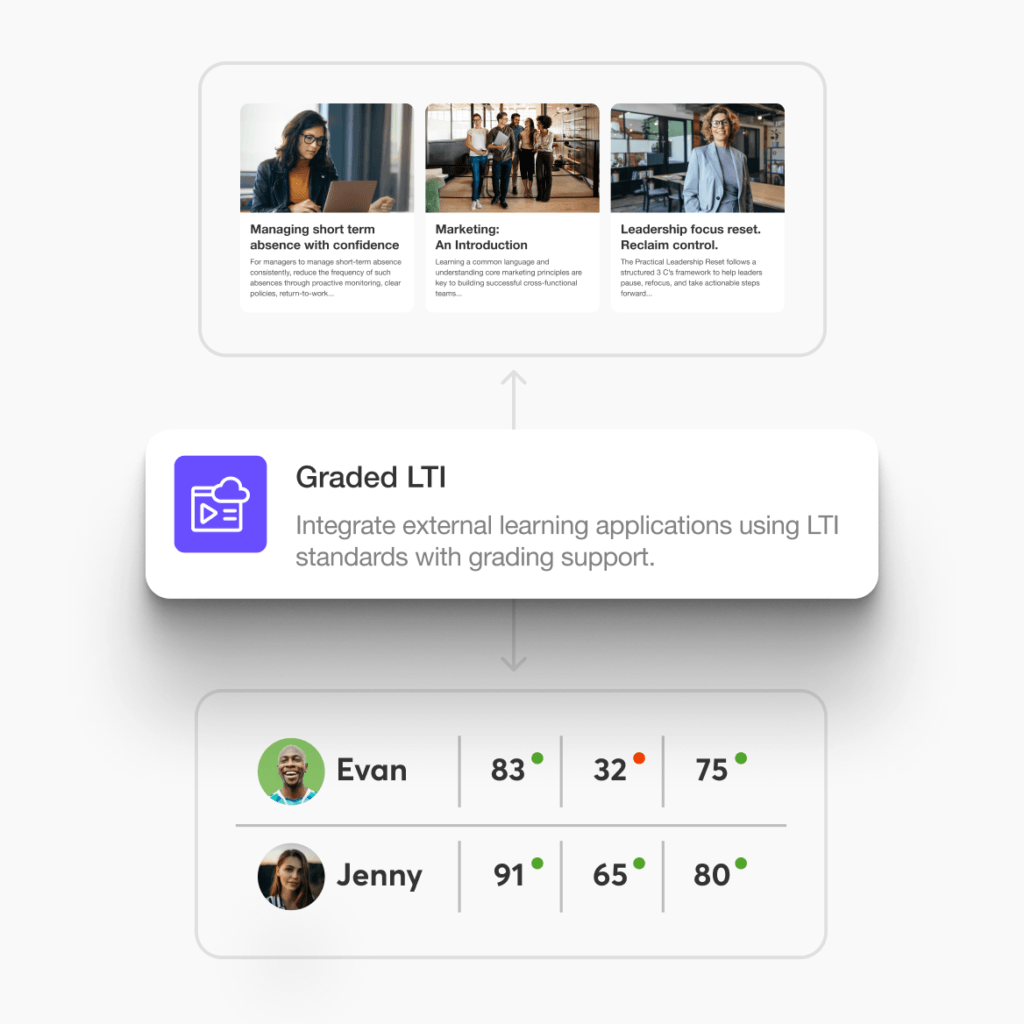
Embed external content directly in LearnWorlds courses
Add interactive activities, labs, simulations, or assessments from LTI support providers as native learning activities inside your course flow.
Keep grades and outcomes in one place
LearnWorlds supports LTI 1.3 as a Consumer, including score passback via AGS, so you can consolidate outcomes without forcing admins into multiple dashboards.
Standardize tool access across programs
Create an LTI integration once, then reuse it across courses as needed—especially useful for recurring compliance programs, onboarding, and role-based academies.
How the LTI integration works inside LearnWorlds
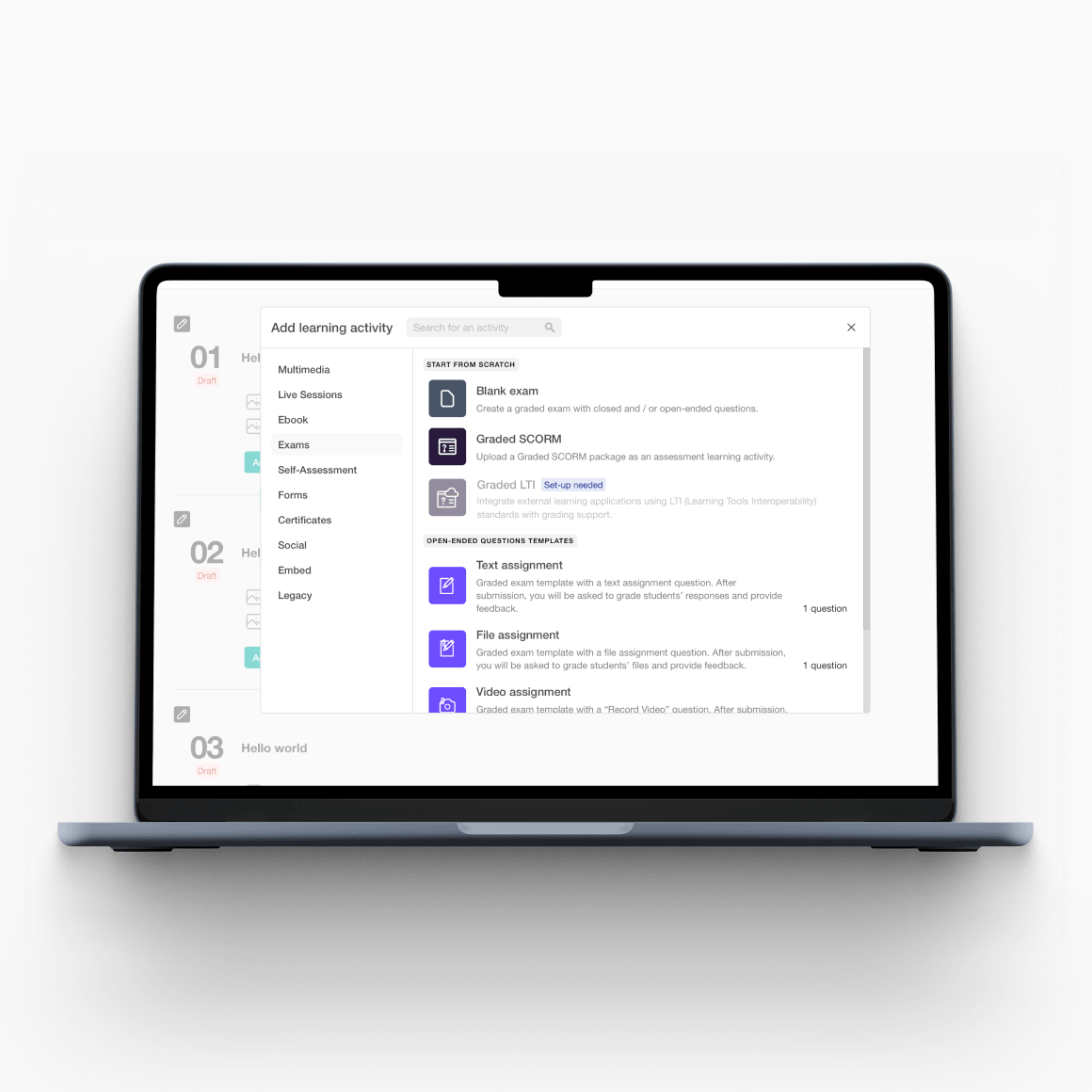
1) Add your tool in LearnWorlds
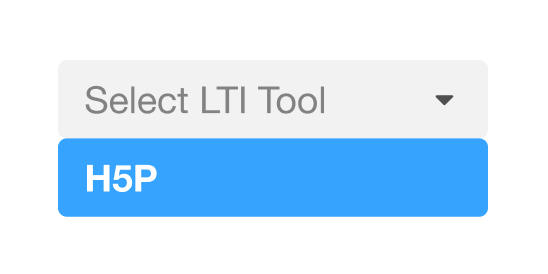
From your LearnWorlds admin dashboard: Settings → Integrations → LTI Tools → Add LTI Tool.
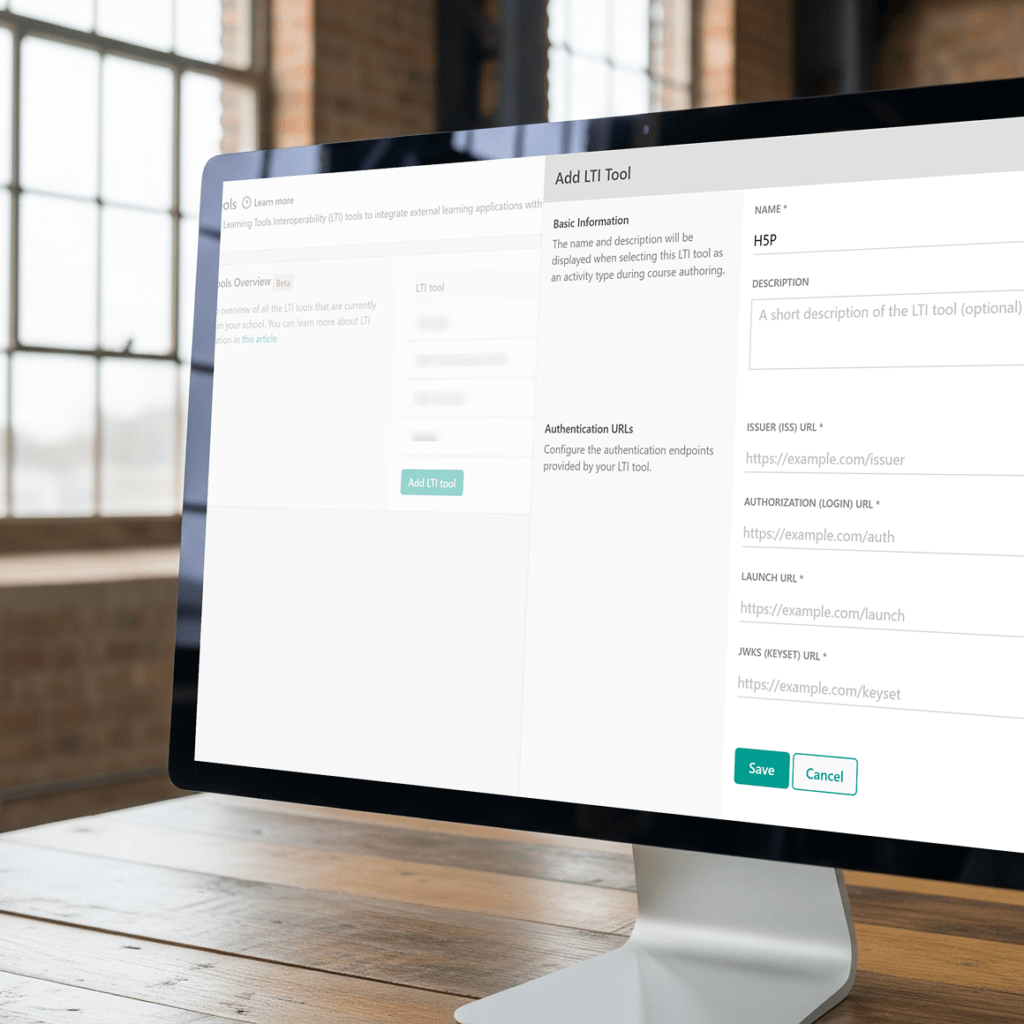
2) Insert the tool’s LTI 1.3 details
You’ll add the key endpoints provided by the external platform (eg Issuer, Login URL, JWKS, Launch URL).
3) Copy LearnWorlds-generated credentials back to the tool
LearnWorlds generates the platform values and a Client ID you’ll paste into the tool to complete setup.
How does LearnWorlds LTI compare with a traditional LMS
LTI is all about interoperability: launching external learning tools (labs, simulations, assessments, interactive content) inside your LMS with secure SSO and grade/score passback. This way, you can have one single learning hub while plugging in the best tools. LearnWorlds supports LTI 1.3 as a Consumer, including Assignment & Grade Services (AGS) for score passback. Here’s how an LTI LMS compares with a basic LMS without an LTI LMS integration.
| What do you need | Basic LMS (no LTI) | LearnWorlds with LTI 1.3 |
|---|---|---|
| Add external tools (labs, simulations, proctoring, interactive assessments) into courses | Usually requires links, embeds, or custom dev; tool lives “outside” the course experience | Add LTI tools as part of the learning flow inside LearnWorlds courses |
| Learner access & logins | Learners often need a second login or a separate account in the tool | LTI launch provides a secure handoff (learners access the tool from LearnWorlds) |
| Centralized tracking of outcomes | Results may be split across systems; manual exports or reconciliation | Keep learning experience centralized, with score passback via AGS (where supported) |
| Security standard for tool connections | Varies by tool; sometimes “shared passwords” or brittle setups | LTI 1.3 uses modern security (OAuth2/OIDC + signed JWTs) |
| Speed to deploy new tool-based training | Longer (procure + integrate + build workarounds) | Faster, connect an LTI tool and reuse it across courses as needed |
| Better: LMS becomes the hub that orchestrates multiple specialized tools | Harder: LMS becomes a content silo | Fit for “tool stack” training programs |
| LTI version support | N/A | Only LTI 1.3 (per LearnWorlds guidance) |
| Platform role | N/A | LearnWorlds acts as an LTI Consumer |
| Multi-tenant / multi-school rollouts | Depends on LMS | LTI connections are set at the school level in LearnWorlds (practically: configure per school) |
Beyond LMS user roles: A world full of market-leading features
Experience the power of LearnWorlds’ full suite of features. The most advanced on the market to build, market, and analyze your school, while keeping your students on point with live, flexible, and interactive courses.
Flexible Courses
Design impactful learning journeys that motivate and inspire.
Interactive Video
Use video-based learning to boost engagement and retention.
Pop-up Builder
Use popups strategically to guide users and highlight key actions.
Affiliate Programs
Grow through referrals—set up and manage your affiliate network.
AI Assistant
Bring your knowledge to life: AI supports you with tailored insights and content suggestions.
Mobile App Builder
Create a branded mobile experience that fits your learners’ lifestyles.
Bundles & Subscriptions
Increase revenue with flexible bundling and recurring payment models.
Survey Builder
Collect feedback that helps you refine your courses and strategy.
Website Builder
Launch a polished elearning site effortlessly—no technical skills needed.
Checkout & Payment
Offer smooth, secure transactions with full control over pricing.
Assessment Builder
Create reliable, user-friendly quizzes and self-assessments with ease.
Analytics & Reports
Monitor performance across your school with built-in LMS reporting and analytics.
Marketing Tools
Promote your academy with powerful tools built for conversions.
Live Sessions
Connect in real time to strengthen learner engagement and community.
Custom User Roles
Assign permissions confidently with tailored access controls.
Integrations
Extend your school’s reach with seamless connections to your favorite tools.
SCORM
Upload and manage SCORM/HTML5 content for interactive course delivery.
White-label Website
Deliver a completely branded experience—your school, your way.
LTI
Bring external learning tools into one consistent training experience.
Support articles
Connect external learning tools via LTI 1.3, configure credentials, and understand key requirements like AGS grade passback and single-school scope. You’ll walk through the process of creating a subscription as a product, defining pricing models (monthly/annual), adding free trials, and ensuring Stripe is connected so recurring payments are processed.
Support article: Integrate external learning tools with LearnWorlds LTI
See which learning activities LearnWorlds supports and how to use LTI as a course activity alongside videos, quizzes, and other lesson types.’
Support article: Supported learning activities | How to create and use LTI activities
Browse the integrations hub to quickly locate setup instructions and troubleshooting resources for all supported integrations.
Support article: Integrate with LearnWorlds
As an alternative to LTI, you can also upload SCORM/HTML5 packages to deliver and track third-party content inside LearnWorlds.
Support article: Upload SCORM files and HTML5 packages
Automate enrollments, sync users and training data, and connect LearnWorlds with internal systems using the LearnWorlds API.
Support article: LearnWorlds API documentation
Glossary of terms
Learning Tools Interoperability (LTI): A standard that lets one learning platform securely launch and connect to another learning tool (like a lab, simulation, assessment, or proctoring system) from inside a course.
LTI 1.3: It is the latest major version of LTI, designed with modern security (OAuth2/OpenID Connect + JWT).
Tool / LTI Tool: The external provider you’re connecting to LearnWorlds (e.g., an assessment, interactive module, lab environment).
Platform / Consumer (LTI Consumer): The system that hosts the course and launches the tool.
Tool Provider (TP): The external system that receives the launch and delivers the learning experience inside LearnWorlds.
LTI Launch: The “handshake” where LearnWorlds opens the tool for the learner and sends secure context (who the learner is, which course/activity they’re launching, etc.).
Deep Linking (Content Selection): An LTI capability that lets an instructor/admin select specific content from the tool and add it as an activity in the platform. (Some tools support this; setup depends on the provider.)
Assignment & Grade Services (AGS): An LTI 1.3 service that enables score/grade passback from the tool to LearnWorlds (e.g., quiz scores, lab grades).
Score Passback / Grade Passback: When the tool sends grades/results back to LearnWorlds, progress and reporting stay centralized.
OpenID Connect (OIDC) Login URL: A URL used at the start of the LTI 1.3 flow to authenticate and initiate the secure connection.
Issuer (iss): A unique identifier (usually a URL) that tells the tool who is making the LTI request (the platform identity).
Client ID: A unique identifier created during registration that ties LearnWorlds and the tool together (used in the OAuth/OIDC flow).
Deployment ID: An identifier that represents a specific installation/deployment of the tool in a platform (often required by the tool provider during configuration).
Launch URL (Target Link URI): The destination URL that LearnWorlds uses to open the tool content for a learner.
JWKS URL (JSON Web Key Set URL): A URL where public keys are published so the tool can verify that tokens (JWTs) were signed by LearnWorlds (and vice versa, depending on the flow).
JWT (JSON Web Token): A secure token format used in LTI 1.3 to pass verified claims (like user identity and context) between LearnWorlds and the tool.
Scopes: Permissions granted for services like AGS (e.g., permission to post scores). These are agreed upon during setup between LearnWorlds and the tool.
Single-school scope (LearnWorlds “School”): In LearnWorlds, an LTI integration is configured per school (your LearnWorlds instance). It can’t be shared across multiple schools.
FAQs
LTI is a standard that lets a learning management system (LMS) securely launch external learning tools (like labs, simulations, assessments, and proctoring) inside a course, often with single sign-on (SSO) and grade/score passback.
It’s built for “best-of-breed” learning stacks where you want one LMS hub, plus specialized tools.
LearnWorlds LTI is used to connect LTI-enabled external tools to your LearnWorlds school and deliver them as part of the learning experience. This is ideal for hands-on training, certification courses, compliance testing, interactive content, and tool-based learning journeys.
Links/iframes can display content, but they usually don’t solve the hard parts: secure authentication, context-aware launches, and structured outcomes. LTI is designed to reliably handle the launch handshake (SSO-style) and, when supported, send scores back to the LMS.
LearnWorlds supports LTI 1.3 only. If your provider is still on LTI 1.1, you’ll typically need them to offer LTI 1.3—or use an alternative delivery method like SCORM/HTML5.
Explore LearnWorlds’ SCORM/HTML5 capabilities.
LearnWorlds acts as an LTI Consumer (eg the platform that launches tools). That means you connect external tools into LearnWorlds, rather than exporting LearnWorlds content out to other systems via LTI.
Yes. LearnWorlds supports Assignment & Grade Services (AGS). If your LTI tool supports AGS, it can send scores/results back to LearnWorlds so that reporting and learner progress stay centralized.
Explore all LearnWorlds features.
Common LTI tool categories include:
- Assessments & question banks
- Virtual labs & sandbox environments
- Simulations and interactive training tools
- Proctoring and secure testing
- Specialized content platforms (industry-specific learning apps)
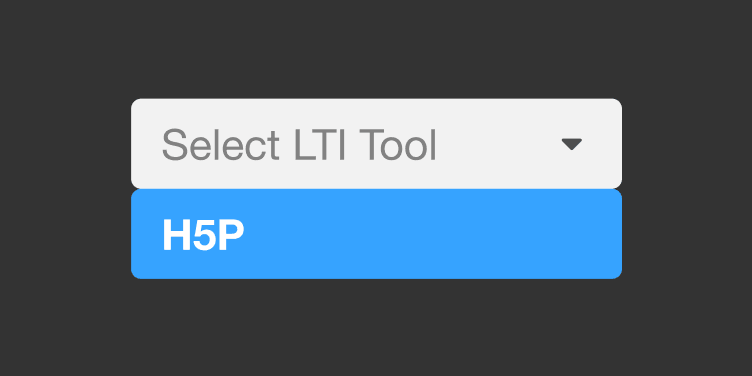
With LearnWorlds, you can connect with H5P, LinkedIn Learning, and Adobe Captivate.
There’s no need to manually update the LTI activity. Any changes made by the LTI tool provider will automatically be reflected in the LTI activity linked to your academy.
No, LTI integrations and LTI activities are scoped to a single LearnWorlds school. If you run multiple schools, you’ll configure the tool separately in each one.
One of the key LTI benefits is reducing friction with a secure launch flow that behaves like SSO. This way, your learners can access the tool from within LearnWorlds without managing extra credentials (depending on how the tool provider is configured).
You’ll need the tool’s LTI 1.3 registration details (like login/launch URLs and key endpoints). After you add the tool in LearnWorlds, you’ll also copy LearnWorlds-generated values back into the provider to complete the connection.
Use SCORM/HTML5 when:
- Your vendor doesn’t support LTI 1.3
- You’re uploading packaged courseware content (zip) rather than launching a live tool
- You need a straightforward “upload and deliver” approach without external tool configuration
The most common issues when setting up your LTI are:
- The provider isn’t truly LTI 1.3 (or has incomplete LTI 1.3 support)
- Missing/incorrect registration values (URLs, IDs, keys)
- Expecting capabilities beyond what’s supported (eg non-AGS grading, cross-school reuse)
- Confusing “tool provider vs consumer” roles
LearnWorlds pricing depends on the plan you choose and your academy or business needs. LTI tools are available in the Learning Center (LC) plans and above.
Our platform offers the following pricing plans:
- Starter – $29/mo
- Pro Trainer – $99/mo
- Learning Center – $299/mo
For the up-to-date details on what’s included in each plan, check the LearnWorlds pricing page. You can also talk to our sales team to discuss your exact requirements.
One LMS. Many tools. Zero friction—powered by LTI 1.3.
LearnWorlds LTI 1.3 integration lets you bring the learning tools you need directly into your courses. No need to send your learners to separate systems or juggle different logins.
Whether you’re running global compliance programs, scaling onboarding across regions, or delivering partner or customer training, LTI helps you connect your academy with the tools your org already trusts—while keeping learning experiences, progress, and outcomes centralized in one secure platform.
Ready to power up your learning stack and make training delivery simple?
Explore more industries



Corporate
Visualize employee training and onboarding, leadership development, and cross-department training metrics.


Education
Measure student engagement, course completion, and participation in live sessions.

Creators
Use learner analytics to refine content, grow engagement, and engage students in course completion across self-paced learning or community-led programs.



Non profit (NGO)
Track volunteer training, project-specific learning goals, and certification across teams.
Published:
Last Update: