
LMS FOR EMPLOYEE TRAINING
An AI-powered LMS for employee training to share knowledge with your teams
LearnWorlds is the revolutionary, cloud-based employee training platform used by market leaders to onboard, engage, and keep team members happy.

Trusted by 12,000+ organizations in 150+ countries
Up to 50% faster onboarding, 10x course completions
89.6% content conversion from real use cases
99.95% uptime, SSO, GDPR, and built-in compliance
Stellar businesses and professionals, like you, trust LearnWorlds




TL;DR
LearnWorlds is a powerful employee training LMS that helps you:
Launch a branded, role-based academy with AI-powered course creation
Automate certifications, track compliance, and measure real-time progress

Train teams at scale with multilingual, mobile-ready, SSO-secured access, and email domain sign-up rules
Best for:
HR, L&D, compliance teams, and business leaders looking to streamline onboarding, upskilling, and internal training across global teams.
The staff training LMS made for a new way of learning
AI-enhanced and flexible course creation
Create engaging courses faster with LearnWorlds AI and Course Hub, a curated catalog of ready-made courses that are easy to license and add to your training program.
Personalized training paths
Establish unique training paths, tailored and delivered depending on each employee’s role and skill level, and each department’s particular needs.
Robust analytics and reporting tools
Empower HR and L&D teams to track employee progress, measure training program impact, and make data-driven decisions for continuous improvement with a staff training LMS.
The solution to all your online employee training needs

Understand and address your learners’ pains
Identify specific training requirements with assessments and quizzes for training comprehension. Give exams and deliver certifications within your organization.

Measure educational impact and cost efficiency
Advanced reporting and analytics provide actionable and readily shareable insights into online employee training effectiveness, learner progress, and ROI.
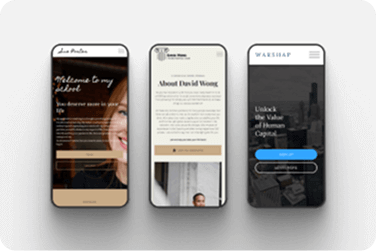
Reach your audience wherever, whenever
Train your employees on the go. Provide them with time-effective and engaging continuous learning—no matter how busy they are.
How Wagamama used LearnWorlds to reduce
training costs and scale onboarding
After the UK restaurant chain Wagamama launched its LearnWorlds-powered academy for internal training, it easily onboarded employees in multiple locations and job roles:
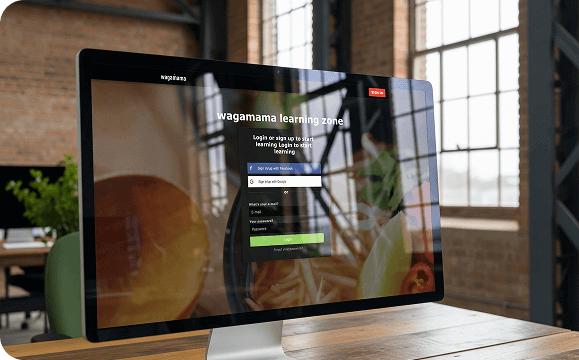
“We transferred 50 courses onto the platform, standardized training for every role, and significantly minimized training expenses.”

Marzena Moczydlowska,
Operations Executive & former Training Manager, Wagamama Cyprus
Migrated 50 role-specific courses to the platform
Achieved an impressive 89.6 % conversion on the migrated content
Registered 350 employees during the pilot launch alone
Standardised training across all levels – from waiters and cooks to delivery drivers
The best employee training platform for
developing your workforce
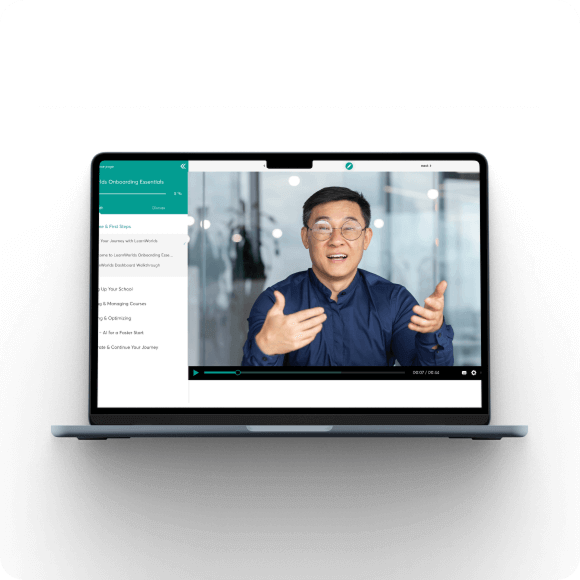
Courses that do more than teach, they excite
We don’t do snooze-worthy training. Our employee training platform serves interactive, engaging content, keeping your team hungry for knowledge.
An academy easy to use and navigate
LearnWorlds provides an intuitive interface for both trainers and employees, reducing learning curves and increasing employee engagement.
A branded, no-code, cost-effective solution
A cloud-based employee training LMS, adjusted to your brand, no coding needed. Transparent pricing structures with no setup fees, scalability options, and always up-to-date.
Everything you need from a learning management system for employee training
Keep using the tech you already
know and love
Continue using your favorite tools and make them work for you, not against you.
Internal training course creation
made easy
Bring SCORM and HTML5 packages from any source into LearnWorlds, or connect external learning tools through LTI 1.3.
The most trusted platform on
the market
5-star rated support, GDPR compliance, advanced SSO capabilities, and 99.95% uptime.
LearnWorlds employee training features comparison
| Feature | Basic LMS | LearnWorlds |
|---|---|---|
| Pre-built website templates | Limited or none | 20+ ready-to-use coaching site templates |
| Learning paths by role/department | Manual setup | Automated group-based paths |
| Certification management | Basic completion logs | Auto-issue and track certificates |
| Internal-only academy setup | Often missing | Fully branded & private |
| Multilingual course support | Partial | Full localization & UI support |
| Mobile & offline access | Limited | Full mobile + offline mode |
| Compliance-ready reports | Manual export | Audit logs & tracking built-in |
| AI course creation | Limited | Yes (AI Assistant built-in) |
| HR/SSO integration | Add-on or none | Native SSO & HR sync |
| Multi-academy management | Not supported | Navigate between multiple academies |
How can different industries use LearnWorlds for
employee training?
Each industry faces unique workforce training demands. LearnWorlds adapts to these needs with powerful employee training features and tools to onboard new hires, deliver compliance training, develop leadership, and upskill their workforce across departments, locations, and languages.
Whether you’re training 10 or 10,000 employees, LearnWorlds gives you the flexibility to customize learning journeys while maintaining control, consistency, and scalability.

Finance
Manage regulatory certification (eg AML, KYC), monitor audit trails, and automate recertification reminders for risk compliance.

Healthcare
Monitor mandatory compliance training (eg HIPAA), track preboarding across care sites, and assess learner progress across clinical modules.

Corporate
Visualize leadership development, cross-departmental upskilling, and policy adherence.

Technology & SaaS
Standardize tool onboarding, track internal enablement KPIs, and assess team proficiency across tech stacks.

Education
Train internal staff on tools, pedagogy, and digital compliance policies. Track engagement across faculty development programs.

Retail
Track onboarding progress for store employees, measure training impact across locations, and standardize role-based learning.

Manufacturing
Ensure safety training compliance, monitor site-specific training modules, and assess incident response readiness.

Non profit (NGO)
Onboard global teams and volunteers, localize training content, and ensure mission-critical certifications are completed.
“I like that LearnWorlds provides me with a fully functional website where I can offer my students self-study resources and a community chat. The team is responsive and professional, and they really care about what they are doing.”

“I find the AI bot helpful as it gives answers to my questions and even generates pictures for problem-solving. The platform is easy to use, and I love the different ways a course can be customized and has so much interaction.”
“We get email prompts about enrollments, which is a wonderful experience, allowing us to welcome new people with ease. The hands-off experience lets me focus on chemistry, removing the technical hassle of enrolling people.”
“The platform has been easy to set up and navigate. Plus, the onboarding calls have been helpful and tech support is extremely responsive! I am so pleased So far, the tech support has been worth every penny I’ve paid!”
“The platform integrates our website, funnels, marketing, and learning system all in one place, which is super convenient. I also appreciate their regular updates and the support team, which is extremely responsive.”
“I like the sleek, modern, easy to configure aspect of the platform. It is very easy as an admin to to set up pages without using code. I also like the modern features – like lesson markers, ai, and reporting”
“It’s amazing compared to our old learning platform. Every time I think of something I’d love to be able to do, a quick search shows that it’s available, and over a year in, in still finding even more features.”
“The wide range of features, responsive support, and regular platform updates. The value is good for the price, especially considering the range of features, regular updates, and responsive customer support.”
“It’s just amazing to find an all-in-one platform that delivers such high quality, they’ve really raised the bar and I love not having to compromise on the product we deliver because of software limitations.”
“The platform is really configurable, giving us a huge amount of flexibility about how to lay out our course. It’s allowed us to deploy our course in a drip feed format, which is fantastic for our learners.”
“I am using LearnWorlds for long time and it give us interactive video features, quizzes, buttons, notes inside videos and many more. LearnWorlds provide all in one online course and its creation tools.”
“I am not an L&D professional, but have familiarity with HR and training more broadly. The platform is very intuitive and does not feel too “niche”.”
“The site is very user friendly and easy accessible. UI/UX is wonderful. The onboarding was also very easy”
“There are a lot of unique and user friendly features. The system is very customizeable.”
“The best Part is the support team. They are really quick.”
Employee training resources
A healthcare provider with 1,600+ staff across 31 sites uses LearnWorlds to deliver health & safety, onboarding, and compliance training. Bulk enrollments, audit exports, and real-time tracking streamlined operations and boosted course completion to 97%.
Key metrics tracked:
- Completion rates of onboarding and compliance courses
- Progress by department, location, or job role
- Certification validity and upcoming expiration alerts
- Time spent on clinical modules and knowledge checks
- Mobile engagement rates across care sites
A multinational finance firm uses LearnWorlds to train 5,000 employees across risk, compliance, and operations. Training managers automate certification renewal cycles and export reports directly for regulatory audits.
Key metrics tracked:
- Certification completion rates for AML, KYC, and data privacy
- Audit trail logs with timestamped completions
- Role-based training progression
- Recertification deadlines and status alerts
- Knowledge check performance by team or department
A retail chain with 200+ locations uses LearnWorlds to onboard new hires and train seasonal staff. Course templates are reused and customized by location, while live sessions are scheduled for manager coaching.
Key metrics tracked:
- Onboarding completion across stores or regions
- Attendance and engagement with product training
- Mobile learning participation rates
- Course completion by job role or employment status
- Seasonal training participation trends
A global manufacturer uses LearnWorlds to deliver safety training to 2,000+ operators. Courses are customized by equipment type and translated for international teams, with training completion tracked centrally.
Key metrics tracked:
- Safety training completion rates by site or shift
- Progress in equipment-specific learning modules
- Course engagement across multilingual content
- Certificate issuance and renewal timelines
- Incident prevention training participation rates
A B2B consultancy uses LearnWorlds to manage onboarding and L&D for its 300 employees across three continents. Managers assign specific training paths by function, and track team progress via dashboards.
Key metrics tracked:
- Role-based course completion by department
- Leadership development course participation
- Live session attendance and recording views
- Assessment results and pass rates
- Employee feedback and satisfaction survey results
A European university uses LearnWorlds to train 450 faculty on digital learning tools and teaching strategies. Course completion and participation in live workshops are tracked to meet accreditation requirements.
Key metrics tracked:
- Completion rates for digital tools and policy training
- Participation in live workshops and webinars
- Time spent in self-paced courses
- Certification and continuing education tracking
- Faculty satisfaction and feedback scores
An international NGO uses LearnWorlds to onboard and certify 1,200 field workers across Africa and Asia. Each regional hub delivers localized training while HQ tracks global compliance from a central dashboard.
Key metrics tracked:
- Volunteer training completion across regions
- Certification compliance and recertification needs
- Engagement with multilingual or localized content
- Training adoption over time by project or program
- Access frequency from offline and mobile users
A SaaS company uses LearnWorlds to onboard new hires in product, customer success, and sales. Role-based learning paths and integrations with their CRM streamline enablement across global teams.
Key metrics tracked:
- Time-to-completion for onboarding by department
- Assessment scores and learning progression by team
- Participation in product enablement modules
- Internal tool adoption via training interaction
- Team-specific training completion gaps
A franchisor uses LearnWorlds to deliver training to both corporate staff and franchisees across 12 countries. Each franchise receives a branded portal, and the head office tracks training usage centrally.
Key metrics tracked:
- Training engagement per academy or client brand
- Completion rates segmented by partner or client cohort
- Course participation across internal vs. external audiences
- Certificate delivery by content type (eg toolkits, guides)
- Login frequency and active usage per training portal
Glossary of terms
SCORM: A widely used elearning standard for packaging, importing, and tracking online training content across LMSs (eg completions, time spent, scores).
SSO (Single Sign-On): A secure login method that lets users access LearnWorlds using your company’s identity provider (so they don’t need a separate password).
LMS: Stands for Learning Management System. It’s a software used to create, deliver, manage, and track online training for employees, customers, partners, or community members.
White-labeling: A feature that allows you to brand your academy as your own. For example, you can remove LearnWorlds branding and apply your own logo, colors, domain, and design so the academy looks fully yours.
Learning paths: Structured sequences of courses and activities that guide learners through a role- or skill-based progression (eg onboarding → certification → advanced).
Multi-academy: Managing multiple separate academies/portals (eg by brand, region, or customer segment) from a single organization setup.
Compliance training: Mandatory training required to meet legal, regulatory, or internal policy standards, often needing proof of completion and audit-ready records.
Group segmentation: Organizing learners by attributes like department, region, job role, or customer account to personalize enrollment, content access, messaging, and reporting.
FAQs Employee training LMS
Employee training is a strategic process that equips employees with the knowledge, skills, and competencies they need to perform their roles effectively and support business goals.
This process covers everything from employee onboarding and compliance to leadership development and technical or soft skills courses. Modern businesses embed learning and development into daily operations, using an employee training LMS to deliver a personalized, engaging learning experience that supports continuous growth.
Online employee training programs come in various forms, tailored to the specific needs of an industry, company, department, or even individual.
Some common examples of employee training programs include the following:
- Onboarding: Orientation and onboarding programs introduce new hires to the organization’s culture, policies, procedures, and role responsibilities.
- Skills training: Training programs that enhance specific job-related skills, such as software proficiency, technical skills, or industry-specific competencies.
- Leadership development: Programs designed to groom employees for leadership roles, covering topics like leadership principles, communication, and decision-making.
- Sales and customer service training: For sales teams and customer service representatives, training focuses on sales techniques, customer interactions, and product knowledge.
- Leadership development: Programs designed to groom employees for leadership roles, covering topics like leadership principles, communication, and decision-making.
- Compliance training: Ensures employees understand and adhere to legal and regulatory requirements relevant to their roles.
- Soft skills training: Enhance interpersonal skills like communication, teamwork, time management, and problem-solving to improve overall job performance.
- Diversity and inclusion training: Promotes understanding and inclusivity within the workplace, addressing topics like unconscious bias, cultural sensitivity, and diversity-related issues.
- Cybersecurity training: Educates employees on cybersecurity best practices to protect sensitive data and prevent security breaches.
- Safety and emergency response training: Teaches employees how to respond to workplace emergencies, including fire drills, first aid, and evacuation procedures.
- Technical and IT training: Covers the use of specific software, hardware, or IT systems essential for job roles, such as programming languages or database management.
- Health and wellness programs: Promote employee well-being through programs on stress management, nutrition, fitness, and mental health.
- Change management training: Helps employees adapt to organizational changes, such as process reengineering or technology implementations.
- Project management training: Equips employees with project management skills, tools, and methodologies to effectively plan and execute projects.
- Conflict resolution training: Teaches conflict resolution strategies and communication techniques to manage and resolve workplace conflicts.
- Ethical decision-making training: Helps employees make ethical decisions in challenging situations, fostering a culture of integrity.
The scope of online employee training varies widely between organizations; it most commonly includes the following key objectives:
- Skill development: Enhancing the skills and competencies of employees within an organization, allowing them to perform their jobs more effectively and efficiently.
- Knowledge transfer: Facilitating the transfer of knowledge, expertise, and best practices from experienced employees or experts to newer or less-experienced staff members.
- Performance improvement: Improving individual and collective performance, leading to increased productivity, higher quality work, and better overall results.
- Adaptation to change: Helping employees adapt to changes in technology, processes, or industry standards, ensuring the organization remains competitive and compliant.
- Retention and talent development: Boosting employee retention rates while identifying and nurturing high-potential talent for future leadership roles.
- Compliance and risk mitigation: Ensuring that employees understand and adhere to regulatory requirements and compliance standards, reducing legal and operational risks.
- Innovation and creativity: Fostering a culture of innovation by encouraging employees to think critically, solve problems, and generate new ideas.
The most effective employee training methods depend on the specific learning objectives, the target audience, and an organization’s unique context. Some effective training methods and principles include:
- Customization: Tailoring training programs to the specific needs and goals of the organization and its employees is often more effective than generic, one-size-fits-all approaches.
- Interactive and engaging content: Training that incorporates interactive elements, such as simulations, quizzes, and hands-on activities, tends to be more engaging and memorable.
- Blended learning: Combining various training methods, such as e-learning, instructor-led training, and on-the-job training, into a cohesive program often yields good results.
- Continuous learning: Emphasizing a continuous learning and development culture encourages employees to seek ongoing opportunities for improvement.
- Microlearning: Breaking training content into bite-sized, easily digestible modules can improve retention and accommodate busy schedules.
- Peer learning: Encouraging employees to learn from their peers through knowledge sharing, discussion forums, and collaborative projects.
- Feedback and assessment: Regular feedback and assessments help employees track their progress and identify areas for improvement.
- Mentoring and coaching: Pairing employees with experienced mentors or coaches can provide personalized guidance and skill development.
An employee training software is a platform that facilitates the creation, delivery, management, and tracking of employee training, onboarding, and development programs. It serves as a centralized hub for organizing and delivering various types of learning content, including courses, assessments, quizzes, certificates, videos, and other educational materials.
Key features and functions of an employee training LMS include:
- Content creation and management: The ability to create, upload, and organize training content, such as courses and learning materials.
- User management: Tools for adding, removing, and managing user accounts, assigning roles, and organizing users into groups or departments.
- Course delivery: The capability to deliver training courses and materials to employees, including options for self-paced learning or drip-fed sessions.
- Progress tracking: Tracking and reporting on employee progress, including completion rates, assessment scores, and time spent on courses.
- Assessment and quizzes: The ability to create and administer quizzes, assessments, and exams to evaluate employee knowledge retention and comprehension.
- Certifications: Support for certification training, including the issuance of certificates upon course completion and tracking of regulatory compliance.
- Mobile accessibility: Support for mobile devices, allowing employees to access training materials on smartphones and tablets.
Learn more about LearnWorlds’s features.
When selecting an employee training system, it’s important to focus on features that support both your business goals and the needs of your learners. Here are key capabilities to look for:
- Support for multiple types of learning: Look for flexibility to deliver a variety of learning methods — from online training and self-paced modules, to blended programs that include instructor-led training (ILT), webinars, and social learning components.
- Robust reporting and analytics: Advanced reporting tools are essential for HR and L&D teams to track learner progress, training effectiveness, and business impact. Look for software that provides actionable, data-driven insights—such as engagement trends and user progress.
- Integration capabilities: Your employee training software should integrate seamlessly with existing HRIS, CRM, performance management, and content creation tools to streamline processes and ensure training is embedded into everyday workflows.
The choice of the best LMS for employee training depends on many specifications, such as budget, workforce size, the nature of the training content, and organizational requirements.
To choose the best LMS for your specific needs, consider the following steps to an informed decision:
- Define training objectives: Clearly define your training goals and objectives. What skills or knowledge do you want your employees to acquire or improve? What are your key performance indicators for success?
- Assess your audience: Consider the characteristics of your employee base, including their technological proficiency, preferred learning styles and devices, and the size of your workforce.
- Determine your budget: Start with standard costs such as initial setup and ongoing subscription fees. Then, be sure to account for potential customization, integration, and support costs.
- Content and course requirements: Assess the type of training content you plan to deliver. Is it multimedia-rich or mainly text-based? Do you plan to deliver tests and assignments? Is a certificate granted upon successful completion?
- Ease of use and user experience: An intuitive interface and easy navigation are critical to encourage user adoption and engagement as well as minimize course abandonment.
- Scalability: Consider whether the solution will accommodate your organization’s projected growth in users, courses, and content. Ensure it can scale along with your needs.
- Reporting and analytics: Look for robust reporting and analytics capabilities. Insights into learner progress, completion rates, and performance enable you to make data-driven decisions.
- Customization and branding: Assess the level of customization options available. Can you tailor the academy to match your organization’s brand?
- Integration capabilities: Determine if the solution can integrate with other systems and tools your organization uses, such as HR software, CRM, or content authoring tools. Seamless integration streamlines processes.
- Support and training: Investigate the level of customer support provided. Consider the availability of training resources, user guides, and customer success channels.
- Security and compliance: Ensure the solution meets industry security standards and data privacy regulations and guarantees the safe handling of sensitive employee data.
- Vendor reputation and reliability: Research the vendor’s reputation, history, and recommendations on third-party platforms. A track record of delivering quality support and regular updates is essential.
The time needed to implement employee training software depends on the size of your organization, the complexity of your existing systems, and the scope of your training programs. For cloud-based training software and learning platforms, implementation can often take just a few weeks.
To streamline implementation, it’s helpful to take a phased approach, starting with priority training initiatives and scaling gradually.
The cost of an LMS for employee training can vary widely depending on features, number of users, and the level of customization you need. Most LMS platforms offer subscription pricing, typically structured by active users or license tiers.
For example, LearnWorlds offers three flexible pricing plans:
- Starter – $29/month
- Pro – $99/month
- Learning Center – $299/month
Each plan is designed to meet different business needs. Get started with LearnWorlds’ employee training LMS today.
While often used interchangeably, employee training is usually role-specific and short-term (eg onboarding, compliance), whereas corporate learning is broader and ongoing, encompassing leadership development, soft skills, and cross-functional education.
LearnWorlds supports both through structured paths, templates, and flexible course delivery.
Yes. LearnWorlds offers real-time dashboards, progress tracking, assessment analytics, and certification insights. You can track KPIs like completion rates, pass/fail data, and course engagement to measure impact and improve your programs.
Engagement starts with interactive design. With LearnWorlds, you can use interactive videos, quizzes, gamification, certificates, and AI-powered content personalization to boost completion rates and learner satisfaction.
Absolutely. LearnWorlds is cloud-based, mobile-ready, and supports offline learning—making it ideal for remote, field-based, or globally distributed teams. SSO and access control also ensure secure deployment across regions.
Yes. LearnWorlds supports SCORM, HTML5, video uploads, and PDF materials. You can bulk upload existing content or clone templates for a faster transition.
Yes. LearnWorlds offers onboarding guidance, a rich Help Center, live chat support, and premium onboarding services for enterprise customers.
Support articles
Learn how to set up a secure, branded, invite-only training academy tailored for internal use.
Support article: How to create learning programs
Segment learners by department, role, or team to deliver personalized learning paths.
Support article: How to create & manage user groups
Automate certification delivery, track course completions, and monitor user progress for audits.
Support article: Manage exams & certifications
Learn how to manage and deliver multilingual course content to a global workforce.
Support article: Multiple languages
Check the available SSO options that LearnWorlds supports, and get detailed setup instructions on how to enable secure login and HR system integrations.
Support article: LearnWorlds Help Center (SSO solutions) | LearnWorlds Integrations
Get the best employee training software for your company.
LearnWorlds delivers everything your HR and L&D teams need to launch, manage, and scale internal training, all in one powerful, AI-enabled LMS.
Whether you’re onboarding new hires, delivering compliance training, or developing leadership skills, LearnWorlds offers the flexibility, control, and insights to make it happen.
Want to make internal training simple? Let’s get started.
Explore more industries
Customer training
Use customer education as a powerful strategy to improve your KPIs across your funnel. An educated customer is a better customer, that’s why the elearning platform matters.
Employee training
The top AI-powered LMS to share knowledge with your teams. LearnWorlds is a cloud-based training platform used to onboard, engage and keep employees happy.
Non profit (NGO)
Align members, donors, and volunteers with your mission and provide the training they need to be truly valuable to your organization.
Coaching
Boost your coaching business using LearnWorlds, the powerful online learning platform you need to ensure transformational results for your clients.
Creators
You could be a chef, an interior designer, or even just tired of your 9-5 and make money in ways you never thought of before!
Enterprise LMS
LearnWorlds is an intuitive cloud-based LMS to educate customers, train employees, and empower your audience with ease.
Health
Educate, train and certify medical professionals. Create engaging, interactive, personalized online continuous education programs and elevate your patient care.
Finance
The ultimate online learning management platform packed with all the tools you need to train, motivate, and accredit finance professionals today.
Fitness
Share your passion for fitness with the world using LearnWorlds, the top all-in-one elearning platform, to create and sell engaging, interactive online training programs.
Published:
Last Update: