

Elearning courses payment gateway
Enjoy end-to-end and hassle-free payments
Give your learners a smooth buying experience through the LearnWorlds elearning courses payment gateway. Say goodbye to clunky checkouts and hello to a faster path to revenue growth.
0% commission fees on the Pro & Learning Center plans
One checkout, multiple ways to pay
Tax and invoices handled for you
800k
Courses created
2m
Active learners/month
$1b+
Customer revenue
TL;DR
LearnWorlds’ checkout and payment options give you an end-to-end elearning courses payment gateway to manage revenue in one place, and stay confident in security and tax compliance. Build frictionless checkouts with payment sections, accept flexible payment options, and keep more of what you earn with 0% commission fees on the right plan.
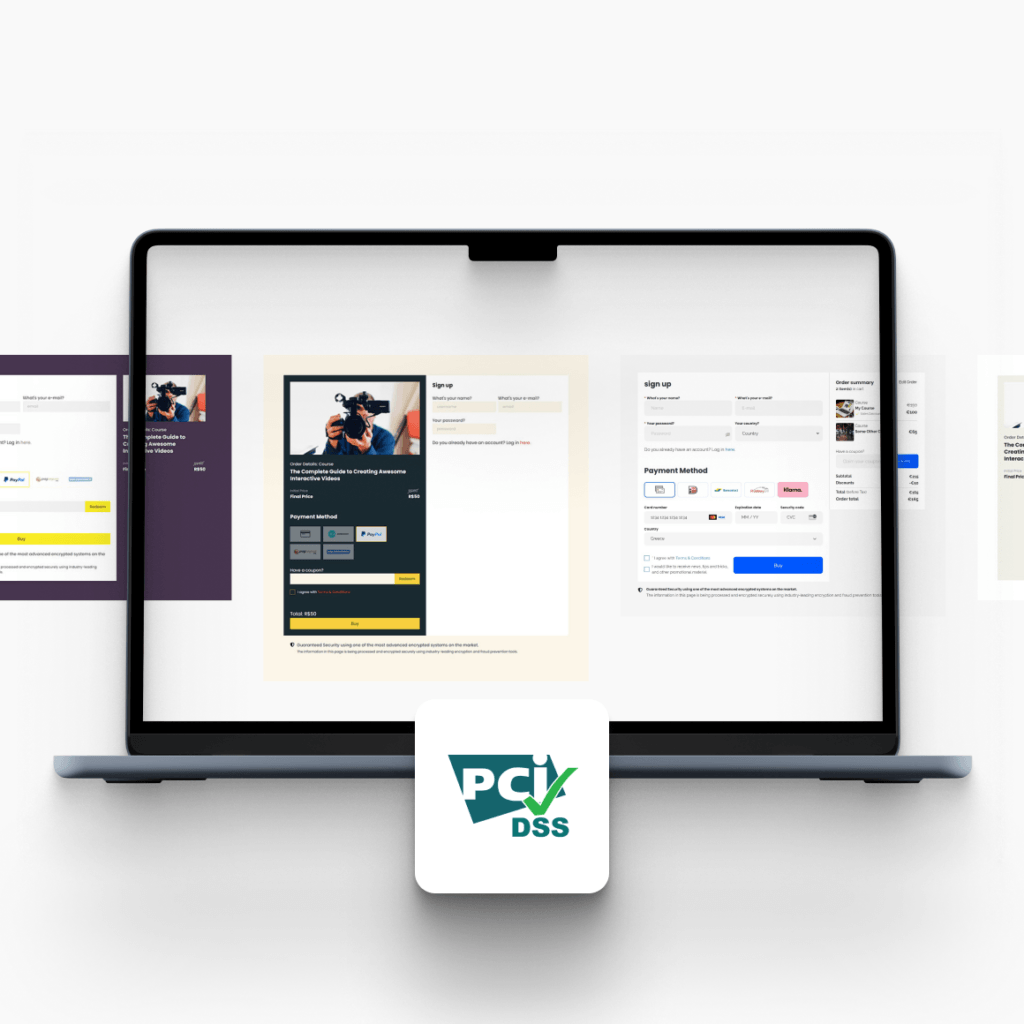
PCI-compliant-ready checkout experience
Apple Pay and Google Pay supported via Stripe-powered checkout
Tax automation via Quaderno (thresholds, reports, invoicing)
Best for: Course businesses and training teams who want faster checkouts, flexible pricing (one-time, subscriptions, installments), clean tax and invoice workflows.
Your cash flow covered from start to finish
0% commission fees
Sign up for our Pro Trainer or Learning Center plan, and forget all about commission fees. Receive your payments instantly and be in total control of your digital academy’s revenue.
Payment funnels tailored to your needs
Choose from a rich selection of pre-built and easily customizable payment sections to create high-converting checkout pages for each one of your online courses.
Secure payments every step of the way
Enjoy the security of a PCI-compliant-ready elearning platform.
Is your current LMS platform leaking revenue?
Your elearning courses payment gateway impacts conversion rate, admin workload, and how much revenue you keep. Below is a quick comparison of common platform fees and checkout capabilities across popular LMS options.
| LMS platform feature | LearnWorlds | Thinkific | Teachable |
|---|---|---|---|
| Basic plan fee | $29/mo (monthly) or $24/mo (annual) + $5 per course enrollment (Starter) | $49/mo (Basic) or $36/mo (annual) | $39/mo (Starter) or $29/mo (annual) + 7.5% transaction fee |
| Payout speed | Timing ultimately depends on gateway policy; Stripe notes first payout can take 7–14 days | Payout schedule managed in Thinkific Payments. | Teachable:pay first payouts usually 7–14 days, then based on selected frequency |
| Order bumps | Coming soon. You can build high-converting checkout experiences with payment sections + funnels, and upsells available | Basic includes order bumps | Includes upsells & cart recovery; Teachable:pay mentions order bumps |
| Tax compliance | Quaderno integration (reports, thresholds, invoices) | Tax-related tooling referenced via Thinkific commerce tooling (details vary by setup) | Includes “Global payments & taxes” |
LearnWorlds payment options: Faster, flexible, safer. Online payments for all
Multiple types of payment options
Make it easy for your learners to buy your online courses by accepting one-time payments, offering subscriptions with Stripe, and creating payment plans to sell courses or bundles with installments.
Faster sales with speedy checkouts
Offer frictionless checkout payment transactions. Enable learners to buy your digital products right from their mobiles with Google Pay or Apple Pay, and let them skip multi-step authentication processes.
Enable outbound payments
You can even add external payment links to give even more payment options to your customers. Just create a button on your checkout page, link it with the external payment URL, and you are all set to sell in every way that you want.
What customers say about LearnWorlds
“The only platform that fully supports RTL, custom payment gateways, and marketing tools like coupons and affiliate links.”

“All my website is done on LearnWorlds… my paid customers access the courses with all kind of payment solutions.”

“Compared to the old tools, my team’s velocity has increased by at least 50%.”
Implement smart tax management
Integrate with Quaderno
Still asking yourself ‘do I have to pay taxes or not?’ Connect your school with Quaderno, and it will automate your tax compliance, generate sales reports, and calculate tax thresholds.
Optimize your B2B sales
Choose whether the prices at your school are exclusive of tax when selling to another business, according to local tax laws.
Customize your invoices
Send localized and branded invoices with your logos, colors, and tone of voice. An easy way to engage with your customers after they purchase your online course.
Beyond the LearnWorlds payment gateway: A world full of market-leading features
Experience the power of LearnWorlds’ full suite of features. The most advanced on the market to build, market, and analyze your school, while keeping your students on point with live, flexible, and interactive courses.
Flexible Courses
Design impactful learning journeys that motivate and inspire.
Interactive Video
Use video-based learning to boost engagement and retention.
Pop-up Builder
Use popups strategically to guide users and highlight key actions.
Affiliate Programs
Grow through referrals—set up and manage your affiliate network.
AI Assistant
Bring your knowledge to life: AI supports you with tailored insights and content suggestions.
Mobile App Builder
Create a branded mobile experience that fits your learners’ lifestyles.
Bundles & Subscriptions
Increase revenue with flexible bundling and recurring payment models.
Survey Builder
Collect feedback that helps you refine your courses and strategy.
Website Builder
Launch a polished elearning site effortlessly—no technical skills needed.
Checkout & Payment
Offer smooth, secure transactions with full control over pricing.
Assessment Builder
Create reliable, user-friendly quizzes and self-assessments with ease.
Analytics & Reports
Monitor performance across your school with built-in LMS reporting and analytics.
Marketing Tools
Promote your academy with powerful tools built for conversions.
Live Sessions
Connect in real time to strengthen learner engagement and community.
Custom User Roles
Assign permissions confidently with tailored access controls.
Integrations
Extend your school’s reach with seamless connections to your favorite tools.
SCORM
Upload and manage SCORM/HTML5 content for interactive course delivery.
White-label Website
Deliver a completely branded experience—your school, your way.
LTI
Bring external learning tools into one consistent training experience.
Support articles
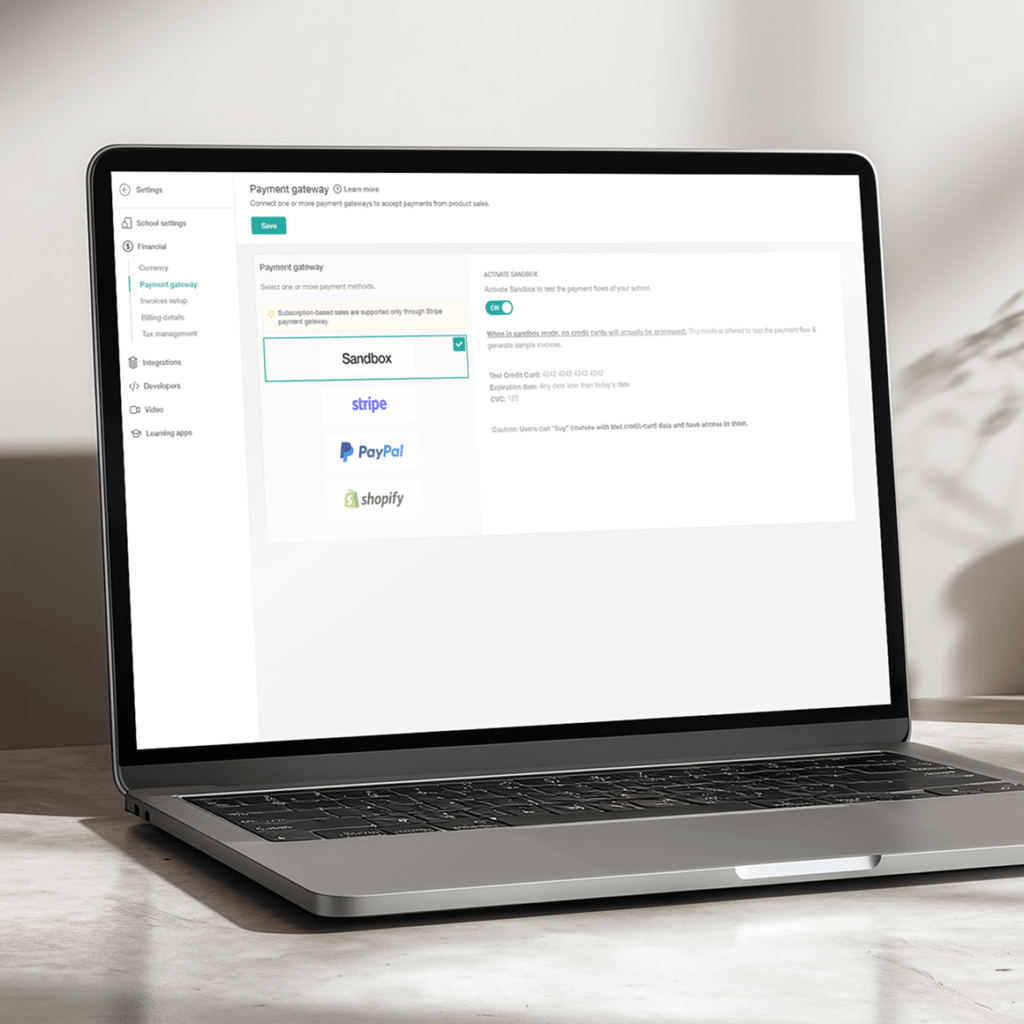
Connect a supported gateway in minutes—LearnWorlds supports Stripe, PayPal, and Shopify. Once connected, your checkout becomes ready to accept payments and enroll learners automatically.
Support article: Payment gateways
Use Stripe as your gateway—Stripe enables Apple Pay and Google Pay, plus additional local methods depending on region, to allow learners to check out faster on mobile.
Support article: Stripe payment gateway
Use Payment Sections to embed a direct checkout block on landing pages, funnels, or any eligible page—ideal for simplifying the purchase flow and increasing conversions.
Support article: How to add, customize, and optimize payment sections
Add an external checkout URL as a button so learners can pay through your preferred provider while still using LearnWorlds for delivery and enrollment workflows.
Support article: External payment methods
Use the Payments area in your admin to review purchases/subscriptions, manage refunds, troubleshoot failed transactions, and export records (CSV/XLS).
Support article: How to track and review your users’ payments
Connect Quaderno to automate tax compliance steps, generate sales reports, and calculate tax thresholds—plus send branded, localized invoices.
Support article: Tax management with Quaderno
Glossary of terms
Apple Pay: A digital wallet that lets learners pay faster on mobile and desktop during checkout.
Billing fields: The buyer information fields collected at checkout (and optionally customized depending on the gateway).
Cart abandonment: When a learner starts checkout but doesn’t complete the purchase—often reduced by faster, simpler checkout flows.
Checkout page: The payment step where a learner confirms details and completes a transaction.
Custom invoices: Branded, localized invoices/receipts generated for buyers after purchase.
Elearning courses payment gateway: The system that securely processes online course payments (eg via Stripe/PayPal/Shopify).
External payment method: A non-native gateway you can still use by adding HTML/custom buttons or external payment links.
Installments: A payment plan where the learner pays the course fee in scheduled parts rather than all at once.
LMS fee: The costs tied to running your LMS (subscription + any platform transaction/commission fees, excluding processor fees).
PCI compliance: A security standard for handling card payments; LearnWorlds positions checkout as PCI-compliant-ready.
Payment gateway: The provider you connect to process payments—LearnWorlds supports Stripe, PayPal, and Shopify.
Payment sections: Pre-built checkout sections you can embed anywhere (pages, landing pages) to simplify purchasing.
Payout: The transfer of funds from your payment processor to your bank account (timing depends on gateway policies).
Quaderno: A tax automation tool that can generate reports, calculate thresholds, and support tax compliance workflows.
Subscriptions: Recurring billing (monthly/yearly) for memberships or ongoing access—supported through Stripe in LearnWorlds.
VAT: Value Added Tax (EU/UK and other regions) that may apply to digital course sales; can be managed via Quaderno workflows.
FAQs
To accept payments, connect a gateway, and use LearnWorlds’ elearning courses payment gateway features—cart, checkout, and payment sections. This will allow you to give learners a smooth buying experience and instantly enroll them after purchase.
With such frictionless payment options, you can sell with one-time payments, subscriptions, or installments, depending on your setup.
Learn how to sell and monetize your knowledge.
An LMS fee is the cost of using your learning platform—typically your monthly/annual subscription plus any platform transaction/commission charges (separate from Stripe/PayPal processing fees).
For example, some plans charge a per-sale percentage, while others charge a flat per-enrollment fee or no platform fee at all on higher tiers.
When it comes to online course fees, the lowest platform transaction fee is usually 0%—but it depends on the plan tier.
LearnWorlds has no transaction fees on Pro Trainer and above, while Teachable lists 0% transaction fee on plans above Starter (Starter is 7.5%). Always compare subscription prices and platform fees together before you invest in an LMS.
LearnWorlds’ Starter plan takes $5 per course enrollment, while higher plans (eg Pro Trainer, Learning Center) have no transaction fees / 0% commission. Payment processor fees (Stripe/PayPal) are separate from LearnWorlds fees.
Keep learning: Where to sell online courses: The top 6 platforms compared
LearnWorlds payment gateway options are Stripe, PayPal, and Shopify as built-in gateways. If you need a different provider, you can still route payments using external payment buttons/links. The platform also offers these local payment methods that you can use.
Learn more about payment plans to sell your courses.
With LearnWorlds payment options, you can connect a payment gateway (Stripe, PayPal, or Shopify) to power native checkout. Shopify, in particular, requires other gateways to be disabled.
If you want to offer an additional option beyond your connected gateway, you can add an external payment link button on checkout/landing pages as a workaround.
To handle EU VAT, connect LearnWorlds with Quaderno to automate tax compliance steps, generate sales reports, and calculate tax thresholds. You can also issue branded, localized invoices so buyers get the documentation they expect.
Learn more about tax management for course creators.
Most creators don’t—because LearnWorlds includes cart and checkout, plus payment sections you can embed on landing pages and funnels as your built-in elearning courses payment gateway experience. If you still want an external checkout, explore LearnWorlds integrations to find the external payment links that suit your workflow.
Checkout & Payments are built into LearnWorlds plans, but your platform fees depend on the tier you choose.
LearnWorlds offers the following pricing plans:
- Starter is $29/month (or $24/month billed yearly) and includes a $5 per course enrollment fee.
- Pro Trainer is $99/month (or $79/month billed yearly) and removes platform transaction fees (no transaction fees).
- Learning Center is $299/month (or $249/month billed yearly) and also has no transaction fees.
- High Volume & Corporate is custom pricing (talk to our sales team).
Keep in mind: payment processors (eg Stripe/PayPal) may still charge their own processing fees—separate from LearnWorlds’ plan pricing.
Ready to test the multiple LearnWorlds payment options? Sign up today.
LearnWorlds brings cart, checkout, payment sections, and tax-ready workflows into one elearning commerce system. Accept one-time payments, subscriptions, and installments, enable Apple Pay/Google Pay for mobile buyers, and track everything from conversions to revenue—right inside your academy.
How can different industries use LearnWorlds’ checkouts and payments?
Every business sells differently. LearnWorlds’ flexible checkout, pricing options, and payment integrations help you collect payments globally, reduce drop-off, and grow recurring revenue—whether you sell subscriptions, bundles, seats, or one-off programs.

Finance
Sell compliance and professional training with trusted payment processing. Use coupons and bundles to drive enrollments during campaign periods.

Healthcare
Charge for continuing education and certifications with secure checkout. Support renewals and repeat purchases through subscriptions and saved payment options.

Corporate
Sell training in bulk with multi-seat purchases for teams. Centralize invoicing workflows and make it easy for organizations to enroll employees.

Fitness
Sell memberships, programs, and challenges with one-click checkout. Offer subscriptions, bundles, and promo codes to boost conversions and recurring revenue.

Education
Monetize courses and certificates with tiered pricing (monthly/yearly), discounts, and bundles. Make it easy for students to buy and start instantly.

Creators
Launch paid drops with limited-time offers, coupons, and subscriptions. Turn followers into customers with streamlined checkout and flexible pricing.

Coaching
Package 1:1 and group programs into paid offers. Use upsells and order bumps to increase average order value—without adding checkout friction.

Customer Training
Offer paid onboarding, add-on certifications, or premium support tracks. Use bundles and upgrades so customers can expand their training over time.

Non profit (NGO)
Collect payments for workshops, fundraising trainings, or memberships. Offer flexible pricing and discount codes for volunteers, partners, or cohorts.
Published:
Last Update: