

Table of Contents
Key takeaways
- One-size-fits-all onboarding emails fail because they ignore differences in customer maturity, use case, role, industry, and learning preferences.
- Replace linear email sequences with self-directed learning pathways that let customers choose their own path based on their actual needs and context.
- Use email as a navigation tool, not a teaching tool, sending short, milestone-based nudges that point customers to the right resources at the right time.
Are your onboarding emails getting ignored?
More often than not, the cause isn’t a dull subject line or poor timing.
Onboarding emails often assume that all customers need the same guidance, at the same pace, in the same format.
Assuming that a single narrative suits everyone is fundamentally wrong. Your customers differ in experience, role, company size, use case, and how they prefer to learn.
Once you send a few emails that aren’t aligned with your customers’ needs, chances are they won’t open the ones that follow.
This blog post shows customer success teams:
- why one-size-fits-all onboarding emails fail
- which customer differences actually matter
- how to replace linear email sequences with personalized learning paths
- how to measure success
Why one-size-fits-all onboarding fails: Five factors that demand personalization
Standardized email sequences might work when your customer base is small and homogeneous.
But the enterprise customer with complex integration needs receiving the same “Welcome to Day 3” email is far from good practice.
Not every variable matters equally, but these five factors mean you should start personalizing your onboarding emails:
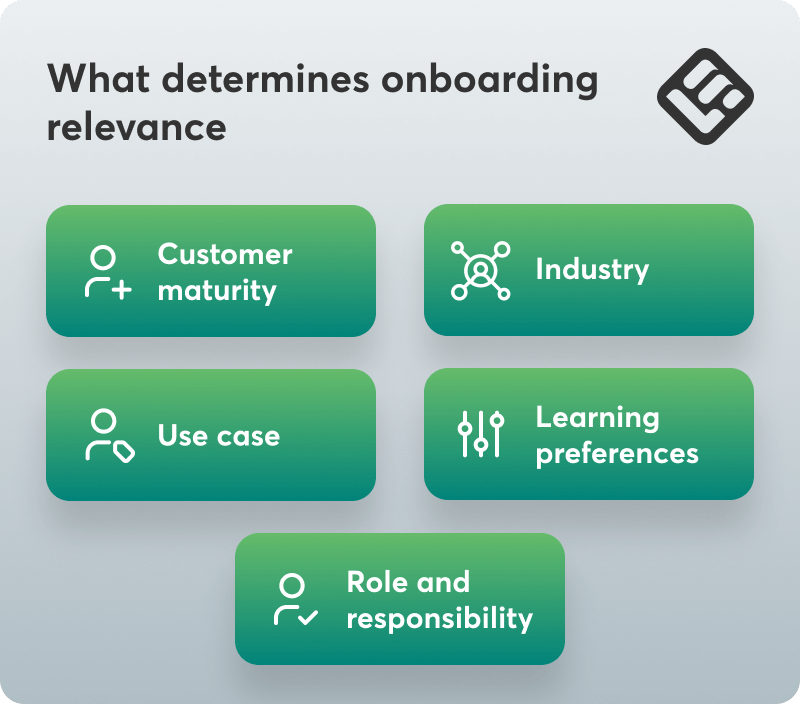
1. Customer maturity
A customer in their first week needs foundational concepts and quick wins: where things are, how basic functions work, what they should do first. A customer six months in needs something entirely different: advanced features, optimization techniques, integration possibilities.
Sending “How to create your first project” to someone who’s already created seven projects using your work management platform isn’t just wasteful, but signals that you don’t know who they are. Meanwhile, the brand-new customer receiving “Advanced automation strategies” feels overwhelmed before they’ve begun.
2. Use case
Consider the difference between a single user testing your project management platform for personal productivity and an enterprise team rolling out the platform to streamline collaboration among 200 employees across six departments.
The solo user needs task-based, outcome-focused guidance: “Do this, achieve that.” The enterprise customer needs administrator training and phased rollout plans.
3. Role and responsibility
An end user simply wants to accomplish their specific tasks efficiently. An administrator needs to understand configuration, permissions, user management, and system health. A product champion needs business case templates and executive summaries.
These three people might work for the same company, using the same product, but they perform different tasks. Therefore, they need different onboarding content to achieve their unique goals.
4. Industry
If your product serves different industries, you need to account for industry-specific friction. When your onboarding content speaks in generalities, customers in specialized verticals assume you don’t understand their world.
For example, a healthcare SaaS company has compliance requirements, audit trails, and privacy considerations that retail doesn’t. The workflows are different. The concerns are different. To engage and educate these customers effectively, your onboarding should emphasize what matters to them.
5. Learning preferences
Email assumes everyone learns by reading messages at predetermined intervals. But some customers want comprehensive online courses they can complete at their own pace. Others prefer quick how-to guides or videos precisely when they’re doing a task.
This means that the well-intended email with tips that you sent at a random moment will most likely remain forgotten and will not be useful to people that don’t learn this way.
Every time you send the same email to different customer segments, you’re choosing efficiency over effectiveness. That choice has a cost, and it shows up in your activation rates.
Beyond the email sequence: A practical onboarding framework for CS teams
Moving away from a linear email sequence requires an architecture that allows customers to follow their own path, based on what they need, not where they fall in your schedule.
Tip #1: Start with the segments that matter most
You don’t need a dozen customer segments to get started, just two or three that will have the highest impact or are the most problematic.
For most companies, this is either customer maturity (new vs established), company size (SMB vs enterprise), or role (end-user vs administrator). If you’re uncertain, look at your support tickets. Where do you see the most friction? That’s often where segmentation matters most.
Say you start with maturity.
You have two segments: new customers (0-30 days) get foundational onboarding focused on quick wins and core workflows. Established customers (31+ days) get advanced features, optimization tips, and integration guides. This one simple segmentation is enough to dramatically improve relevance, and open rates.
Tip #2: Build pathways, not sequences
This conceptual shift will transform your approach to onboarding: instead of designing a single linear path everyone walks, design multiple pathways customers can self-select into based on their role, goals, or use case.
Create a self-directed learning hub as your foundation
Instead of pushing content through email on your timeline, build a centralized academy where customers access what they need when they need it. The difference is agency: customers choose their path based on their actual context, not your guess about what day fourteen might require.
Structure matters here. “Features A-Z” is not helpful. Instead, organize content by role, use case, or goal. Think more in terms of “Getting Started,” “For Administrators,” “Building Your First Campaign.” Let customers find themselves in your structure, and they’ll trust that the content is for them.
💡This is why it’s important to invest in a customer success LMS like LearnWorlds that will allow you to build learning programs and courses easily, even copying content sections across different courses.
Ask customers to self-identify early in the process
“Which best describes you: Marketing team, Sales team, or Operations team?” This single question routes them to entirely different learning paths and takes guesswork out of the picture.
Make learning paths flexible to navigate, not just sequential. Allow customers to jump to the section they need when they need it, instead of waiting for you to drip it to them on your timeline.
Deliver contextual, in-app guidance
Email shows customers how to use a feature they ran into three days ago and skipped because they couldn’t figure out what to do with it. In-app guidance shows them exactly what to do while they’re attempting to do it. Tooltips, guided walkthroughs, contextual links to specific lessons that not only don’t interrupt flow but actually enable it.
Tip #3: Establish milestone-based check-ins
Milestone-based communication respects where customers actually are in their journey. “Day 5 of onboarding” is an arbitrary marker that doesn’t correspond to anything meaningful. It assumes that the customer has completed some steps that they may or may not have.
Instead, when your communications follow specific milestones, like setting up a simple project, they allow you to help customers build on what they have already achieved and naturally move on to the next step in their journey.
💡Learn how to set up automations based on behavioral triggers to optimize the onboarding experience.
Tip #4: Use email as a pointer, not teacher
Email still plays a role, but its job changes. Instead of trying to teach everything in the inbox, think of email as a navigation system: short, contextual nudges that direct to the right resource at the right time.
Something like, “We noticed you haven’t set up [ X feature]. Here’s a 3-minute guide when you’re ready: [direct link].”
You don’t need to send a wall of text explaining why the feature matters, how it works, and what to do. Just a pointer. The teaching happens elsewhere, in an environment designed for learning, where customers can pause, rewind, take notes, and revisit when needed.
How to measure whether your onboarding system is working
High open rates look nice, but they don’t tell you whether your onboarding is actually helping customers reach value. Email is a delivery mechanism, not the outcome. To understand whether your onboarding system is working, you need to look at what customers do next.
Here’s what to track instead:
Time-to-value
Are segmented customers activating faster? Are they reaching their first meaningful outcome in fewer days? That’s the signal your product has become valuable to them.
Feature adoption rates
If customers who receive targeted guidance adopt more features than those who received generic onboarding, you’ve found a signal. Compare customers who self-selected into specific pathways against those who didn’t to understand whether personalization is changing behavior or just adding complexity.
Support ticket volume
One of the clearest benefits of better onboarding is fewer support escalations. If customers are finding answers in your structured content instead of opening tickets, that’s a measurable impact. Track ticket volume by cohort to understand whether proactive education is reducing support load.
Completion rates
Email open rates tell you who saw your subject line. Completion rates tell you whether the content customers were directed to was relevant enough to finish. In learning paths, completion is a proxy for usefulness, not obligation. While it’s not a perfect metric, it’s a solid place to start.
Net Revenue Retention
Better onboarding should reduce churn and drive expansion. If customers who receive personalized, relevant onboarding have higher NRR than those who don’t, you’ve proven business impact. This is the metric leadership ultimately cares about.
Keep measurement accessible. Basic tracking in your CRM or learning platform is enough. Segmenting customers is also important to make meaningful comparisons. The goal is to see whether customers who get relevant content behave differently than those who don’t.
💡LearnWorlds not only offers deep reporting but also integrates with Zapier, enabling you to connect learning with business impact.
Moving forward without starting over
The path forward isn’t sending more emails. It’s smarter segmentation and structured learning that meets customers where they are. Start by identifying which customers are being poorly served by your current onboarding. Choose one customer segment, and test whether targeted content performs better.
Email platforms were built for messaging, not education. Customer training platforms like LearnWorlds let you build flexible learning paths, track progress, and deliver contextual content that engages and educates.
Try LearnWorlds now with a 30-day free trial.

Androniki Koumadoraki
Androniki is a Content Writer at LearnWorlds sharing Instructional Design and marketing tips. With solid experience in B2B writing and technical translation, she is passionate about learning and spreading knowledge. She is also an aspiring yogi, a book nerd, and a talented transponster.
 Back to blog
 Scroll to top