
Email Marketing
Tag learners by course activity with the ActiveCampaign LMS integration
Sync your school’s users and leads to ActiveCampaign lists and tag real learner actions with the ActiveCampaign LMS integration.

TL;DR
The ActiveCampaign integration replaces list exports and manual tagging. LearnWorlds pushes users, leads, and action tags to ActiveCampaign. Your campaigns then follow what learners actually do.
Skip the list exports. New users and leads land in your chosen ActiveCampaign lists
Stop tagging by hand. With auto-tagging on, completions and certificates tag contacts for you
Keep contacts current. Changes to user data reach ActiveCampaign in real time
ActiveCampaign is one part of a wider LMS with marketing automation, which also helps you capture leads and run automated campaigns.
Best for: course creators and marketing teams who run email campaigns on learner activity.
Available on all paid plans. Tags assigned before auto-tagging is turned on won’t sync.
What you can do with ActiveCampaign and LearnWorlds
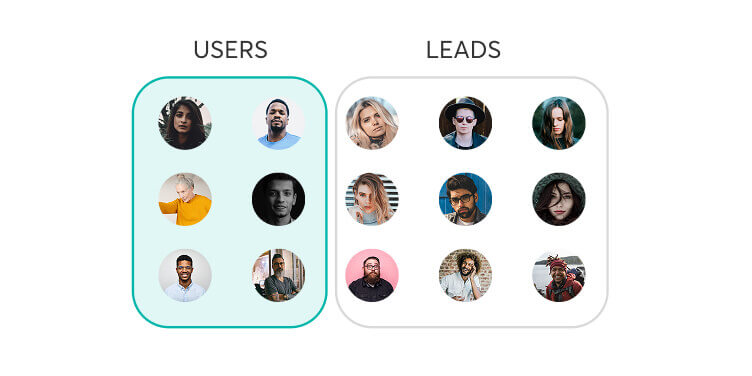
Split users and leads
Send registered users and email grabber leads to different ActiveCampaign lists.
Pass custom and UTM fields
Sync registration fields, activity fields, and UTM parameters into matching text fields you create in ActiveCampaign.
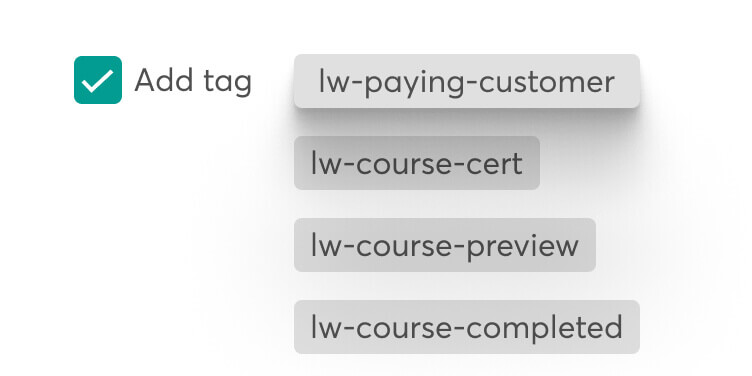
Tag paying customers
Apply the lw-paying-customer tag to anyone who has bought at least one course.
Refresh your list options
Click Update Lists to make your latest ActiveCampaign list changes available in LearnWorlds.
How LearnWorlds and ActiveCampaign integrate
See what LearnWorlds sends to ActiveCampaign and when. Automatic rows run once you connect, and Conditional rows need auto-tagging or custom fields set up first.
| LearnWorlds | ActiveCampaign | Type of trigger |
|---|---|---|
| New registered user | Contact added to your users list, LearnWorlds to ActiveCampaign only | Automatic |
| Change to a user’s data | Contact updated in real time, LearnWorlds to ActiveCampaign only | Automatic |
| Lead captured by an email grabber | Contact added to your leads list, LearnWorlds to ActiveCampaign only | Conditional |
| Course activity such as enrollment, completion, or a certificate | Action-specific tag applied to the contact, LearnWorlds to ActiveCampaign only | Conditional |
| First course purchase | lw-paying-customer tag applied, LearnWorlds to ActiveCampaign only | Conditional |
What teams ask before connecting
Does this sync both ways, or does data only flow from LearnWorlds to ActiveCampaign?
Data flows from LearnWorlds to ActiveCampaign. LearnWorlds sends users and leads to your lists, along with changes to user data and action tags. The setup guide doesn’t describe contact data moving back into LearnWorlds. The Update Lists button only refreshes the ActiveCampaign lists you can pick.
Which user actions trigger automations: enrollment, completion, or both?
Both. With auto-tagging on, LearnWorlds tags a contact on enrollment and on course completion. It also tags certificate awards and previews of a free section in a paid course. Manual enrollments count as enrollments too.
Do we need Zapier or Make to set this up, or is it a native connection?
It’s a native connection. You activate ActiveCampaign under Settings > Integrations > Email integrations in LearnWorlds and paste in your ActiveCampaign API key and API URL. The setup doesn’t use Zapier or Make.
How to set up the LearnWorlds and ActiveCampaign integration
You need an ActiveCampaign account with your lists created. At the end, your contacts are synced and your auto-tagging choices are saved.
1. Prepare ActiveCampaign
Log in to ActiveCampaign or sign up, then create lists for users and for leads. Add text custom fields for any LearnWorlds fields you plan to sync. Requires: an ActiveCampaign account.
2. Activate ActiveCampaign
In LearnWorlds, open Settings > Integrations > Email integrations. Click Active Campaign and check the Activate box.
3. Copy your API credentials
In ActiveCampaign, open Settings > Developer and copy your API key and API URL.
4. Connect the accounts
Paste the key and URL into the matching fields in LearnWorlds and click Save.
5. Pick lists and auto-tagging
Select your lists for users and for leads, choose your auto-tagging options, and click Save.
6. Sync your contacts
Click Sync your contacts with Active Campaign. For the full setup guide, see the ActiveCampaign help article.
What the ActiveCampaign integration handles automatically
Sync new users
LearnWorlds automatically syncs new registered users to your selected ActiveCampaign list when they sign up.
Update contact data
LearnWorlds automatically updates ActiveCampaign contacts when a user’s data changes in your school.
| What LearnWorlds handles automatically | What your team configures |
|---|---|
| Syncs new users to your users list | Chooses the lists for users and for leads |
| Updates contact data in real time | Creates matching text custom fields in ActiveCampaign |
| Tags contacts as tracked actions happen | Chooses which actions get auto-tagged |
| Syncs tags added after auto-tagging is on | Syncs contacts again after adding custom fields |
Who uses the ActiveCampaign integration and how
Course creators nurturing email grabber leads
Visitors subscribe through an email grabber on your pages, land in a dedicated ActiveCampaign leads list, and stay separate from registered learners.
Marketing teams following up after completion
A learner finishes a course and LearnWorlds tags them in ActiveCampaign, so your follow-up campaign can target completers without a manual export.
Course sellers separating buyers from free learners
Anyone who buys at least one course gets the lw-paying-customer tag, so buyers and free learners can get different campaigns.
What our customers are saying

“If in a week our team could onboard five companies, now they can onboard ten companies in one training session, in one day.”

Lara Oliveira, Community Learning Experience Specialist, Blip
“I love their customer support, which is top tier. I always receive quick replies, and they always solve my issues. When I first joined LearnWorlds, the platform was very simple to understand and get by. We’ve been going strong and love it!”
“I like that LearnWorlds provides me with a fully functional website where I can offer my students self-study resources and a community chat. The team is responsive and professional, and they really care about what they are doing.”
“I find the AI bot helpful as it gives answers to my questions and even generates pictures for problem-solving. The platform is easy to use, and I love the different ways a course can be customized and has so much interaction.”
“We get email prompts about enrollments, which is a wonderful experience, allowing us to welcome new people with ease. The hands-off experience lets me focus on chemistry, removing the technical hassle of enrolling people.”
“The platform has been easy to set up and navigate. Plus, the onboarding calls have been helpful and tech support is extremely responsive! I am so pleased So far, the tech support has been worth every penny I’ve paid!”
“The platform integrates our website, funnels, marketing, and learning system all in one place, which is super convenient. I also appreciate their regular updates and the support team, which is extremely responsive.”
“I like the sleek, modern, easy to configure aspect of the platform. It is very easy as an admin to to set up pages without using code. I also like the modern features – like lesson markers, ai, and reporting”
“It’s amazing compared to our old learning platform. Every time I think of something I’d love to be able to do, a quick search shows that it’s available, and over a year in, in still finding even more features.”
“The wide range of features, responsive support, and regular platform updates. The value is good for the price, especially considering the range of features, regular updates, and responsive customer support.”
“It’s just amazing to find an all-in-one platform that delivers such high quality, they’ve really raised the bar and I love not having to compromise on the product we deliver because of software limitations.”
“The platform is really configurable, giving us a huge amount of flexibility about how to lay out our course. It’s allowed us to deploy our course in a drip feed format, which is fantastic for our learners.”
“I am using LearnWorlds for long time and it give us interactive video features, quizzes, buttons, notes inside videos and many more. LearnWorlds provide all in one online course and its creation tools.”
“What I like most about LearnWorlds is how easy and intuitive it is to use. I also really like the possibility to customize the school and make it fit your own style and brand.”
“The site is very user friendly and easy accessible. UI/UX is wonderful. The onboarding was also very easy”
“There are a lot of unique and user friendly features. The system is very customizeable.”
FAQs
It’s available on all paid plans. The help article lists every plan from Starter through High Volume and Corporate.
No. Tags assigned before auto-tagging is turned on don’t sync. Tags added through an Excel import or after a mass user import also stay in LearnWorlds, as do tags users had before the first sync.
Yes, if you want those fields to sync. Create matching custom fields in the lists you’ve selected and keep them in text format. If you add custom fields later, run the contact sync again.
Yes. LearnWorlds treats registered users and leads as two separate groups, so you can pick a different list for each. Leads come from email grabber sections on your pages.
Yes, if you run email campaigns on learner activity. After the first sync, user data updates in real time. Auto-tagging then marks enrollments, completions, and certificates for you.
Yes. You can connect several email marketing platforms, each with its own forms and campaigns. Browse them on the LearnWorlds integrations page.
Published:
Last Update: