
Certification management software
Manage certification from first completion to renewal
Deliver certification training with records your business clients can verify, and keep them coming back every renewal cycle. Issue branded certificates and offer paid or included recertification, with each cycle’s history on record.

TL;DR
LearnWorlds certification management software brings course requirements, certificates, and retraining into one connected process for training providers. Give learners clear deadlines and renewal steps, keep certificate history available, and offer free or paid recertification with less manual follow-up.

Issue branded certificates linked to course completion or a graded assessment
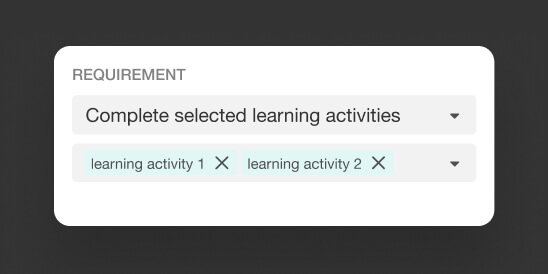
Set award requirements and give learners one place to download and share certificates

Keep training on track with reminders for due dates and certificate expiry

Offer free or paid retraining and recertification, with past cycles on record
Best for:
Training providers and teams that need to keep learner qualifications current, show clients evidence of achievement, or generate repeat revenue through paid renewals.
See the full certification management lifecycle in your academy
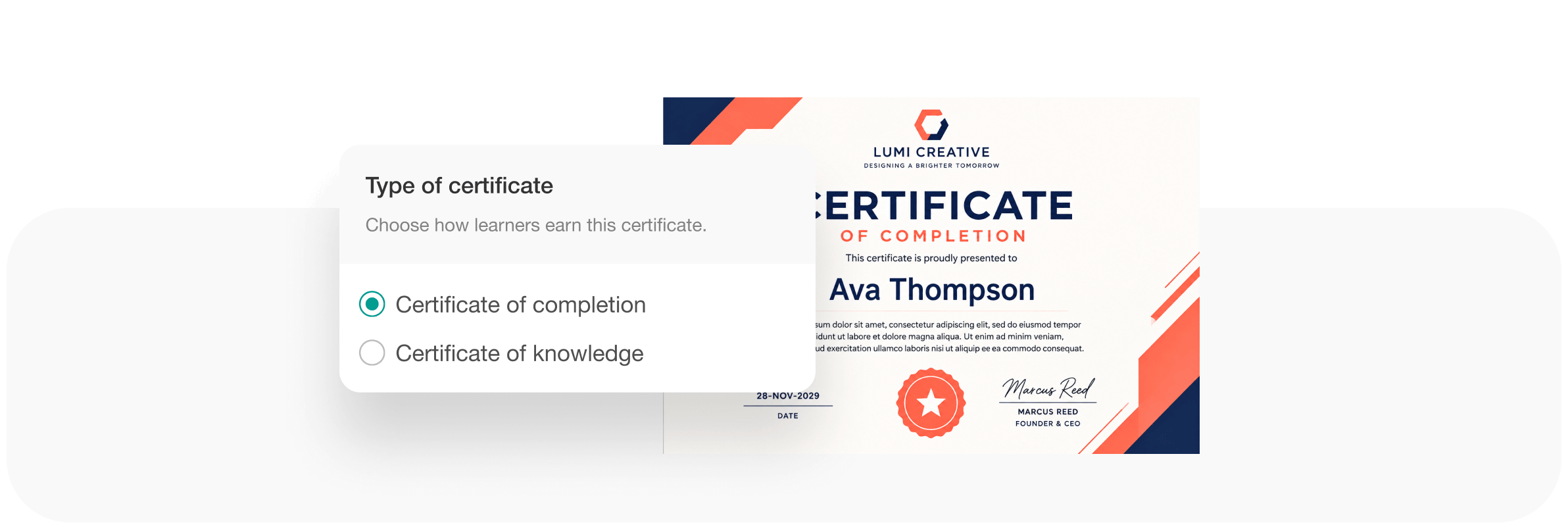
Create Completion or Knowledge certificates for your courses
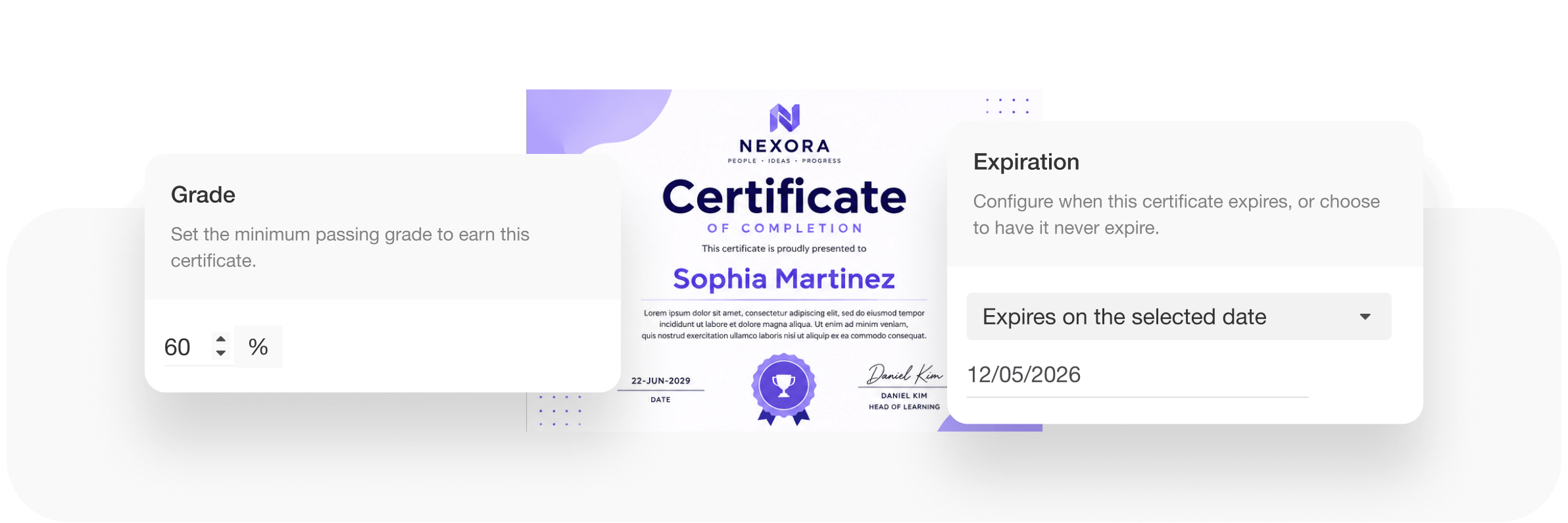
Pick the completion and certificate requirements, deadlines, expiration, and pass grade.

Establish pricing across your courses and different cycles, or leave those free.
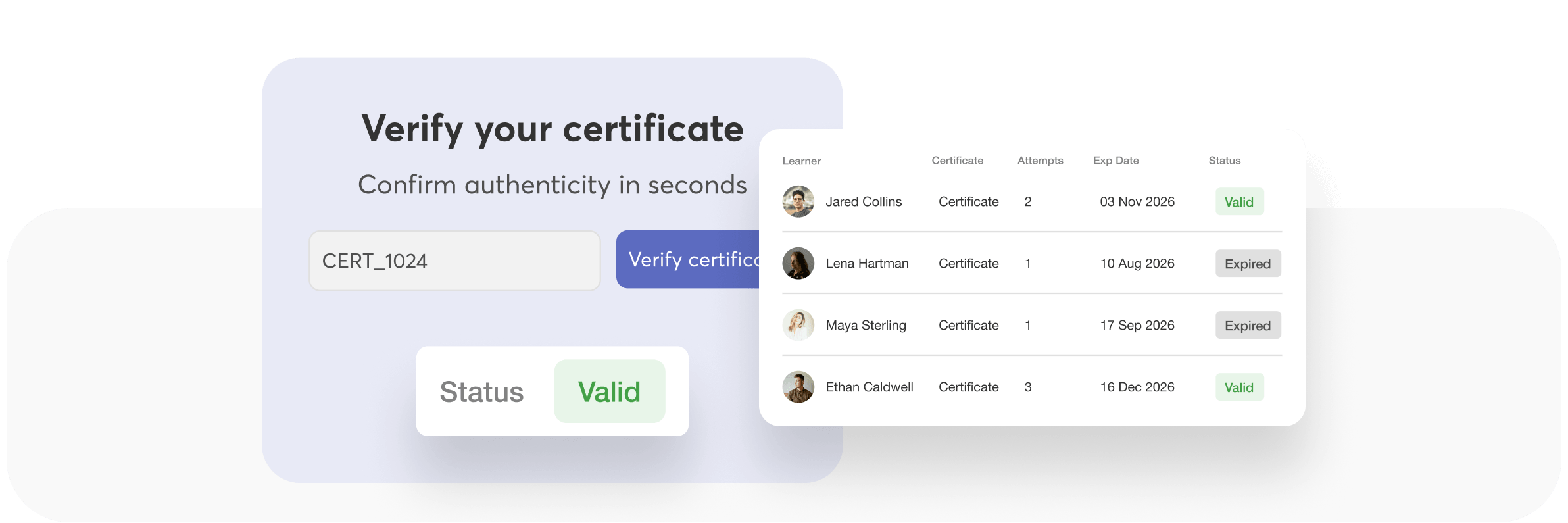
Open the verification page and highlight the certificate status. Switch to the admin registry and highlight the same learner’s record
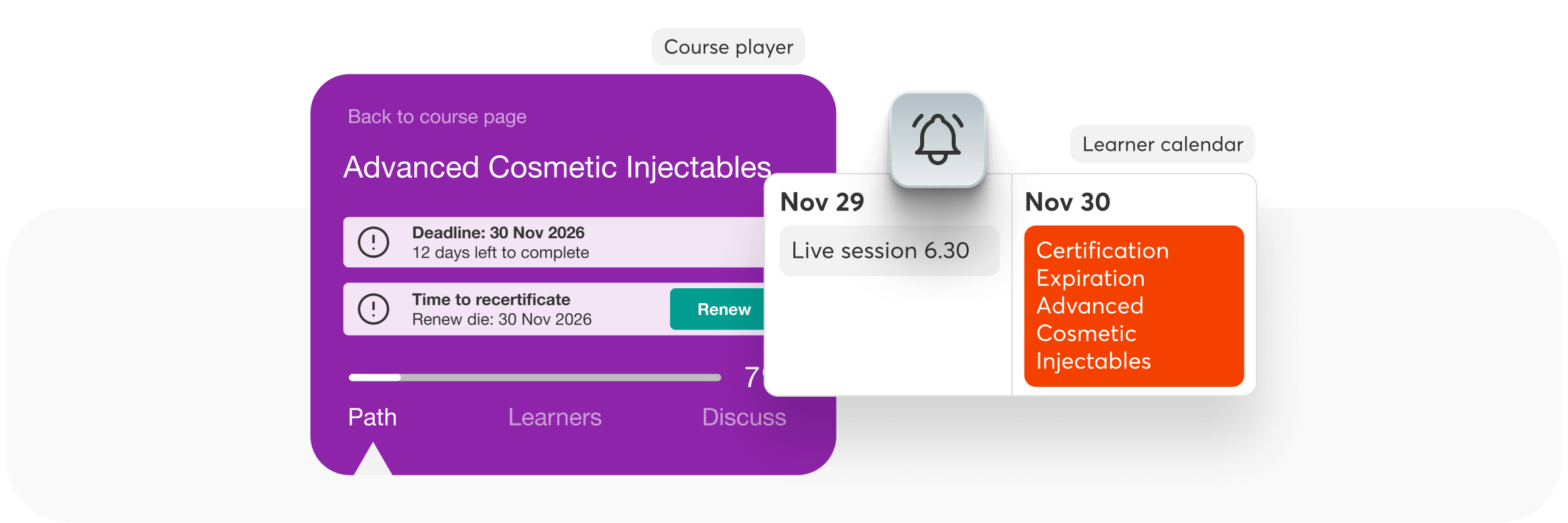
Give your learners a clear view of what is due and when
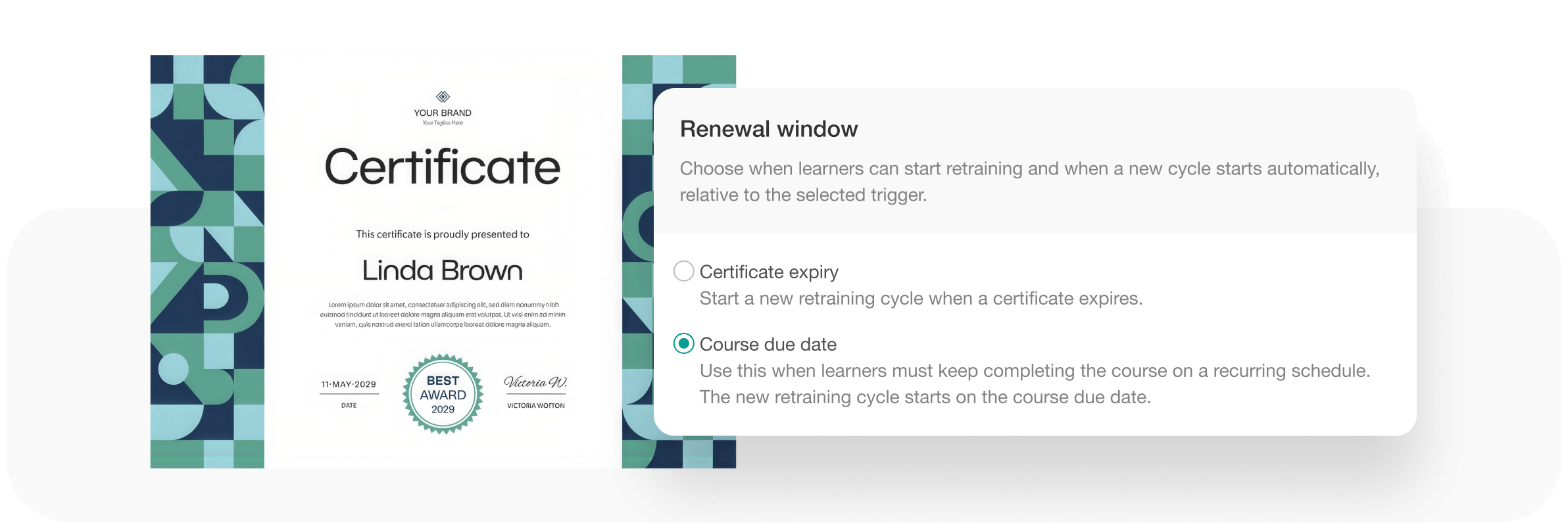
Manage certification renewals with its own rules without duplicating the original course
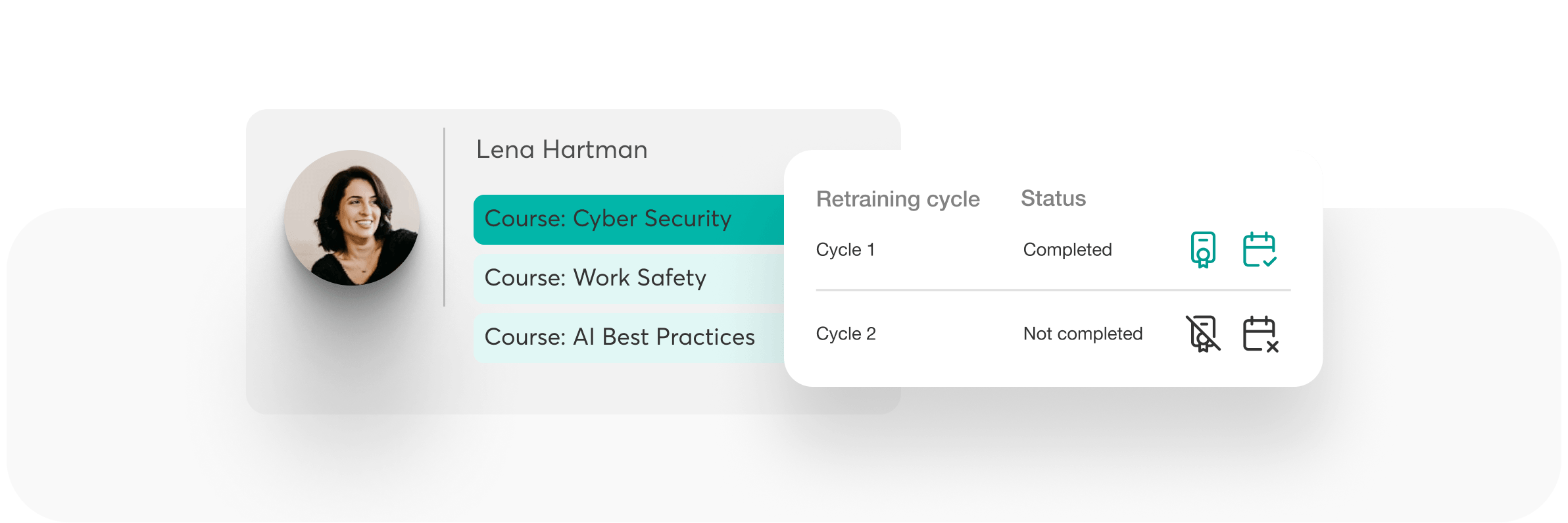
Manage certification history and renewal cycles in a simple way, keeping all the history under control.
Run renewal cycles that keep certificates current without rebuilding the course
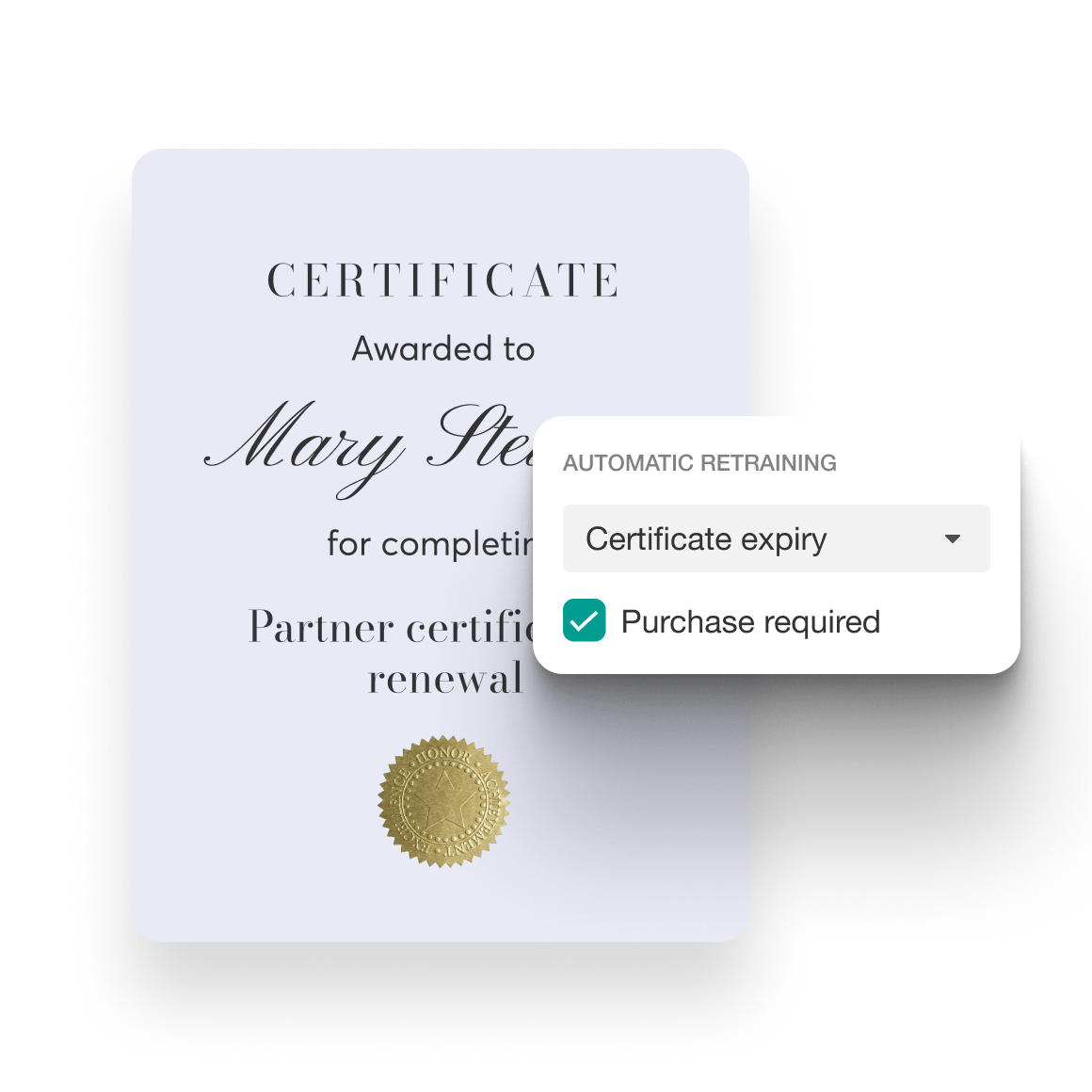
Define what learners repeat to recertify
Start a cycle on a recurring due date, at certificate expiry, or on re-enrollment. Choose what learners repeat and what progress they keep. Past cycles stay on record.
Make paid renewal part of the process
Require payment before each new cycle, at the original or a renewal price, or include it at no extra cost.
Give learners a clear renewal path
Show certificate validity and renewal eligibility. Set a renewal window and reminders so learners know when to start and what to complete.
Define what learners must complete and when
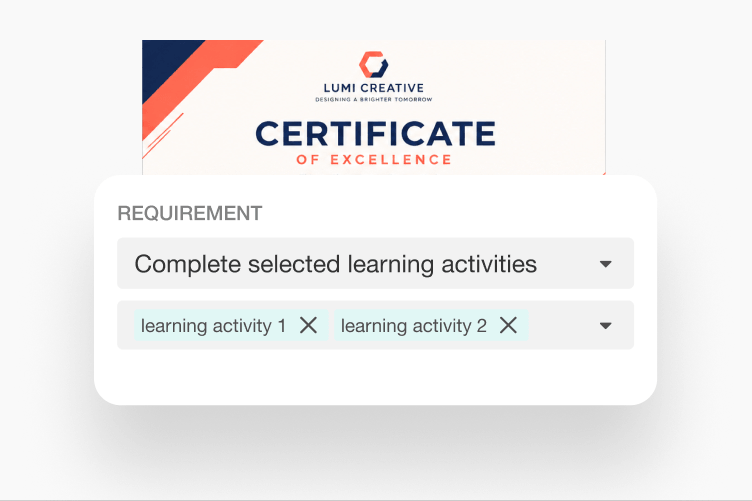
Set certificate requirements that match your training
Choose required activities, completion percentages, and time-spent requirements. Certificates then reflect exactly what learners completed.
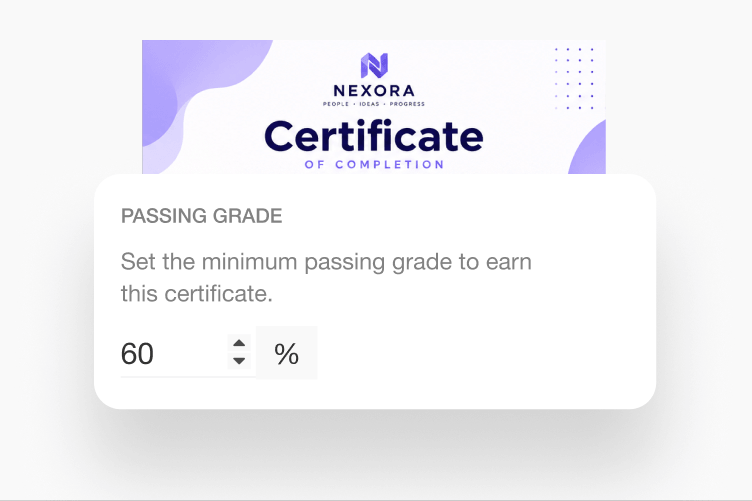
Apply a consistent grade policy
Choose whether the first, latest, or highest passing grade determines certificate eligibility and reporting. Give your team one policy for learners who retake.
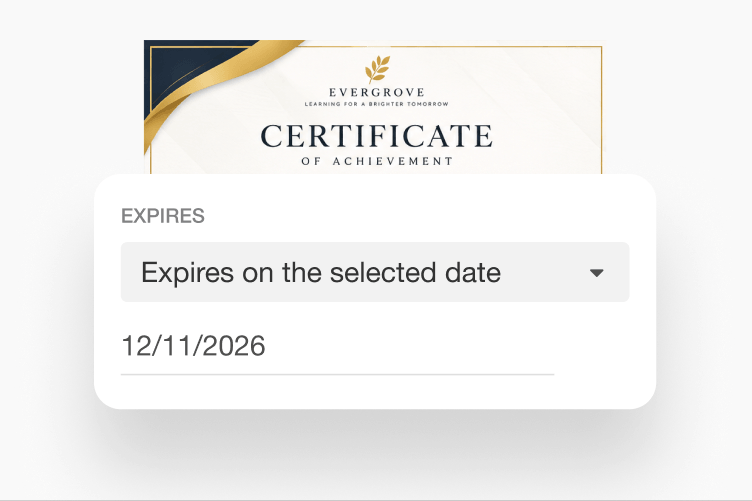
Keep deadlines separate from access
Set relative, fixed, or recurring due dates with exceptions for learners or groups. Identify overdue learners while managing access expiration separately.
Issue certificates learners can share and clients can verify
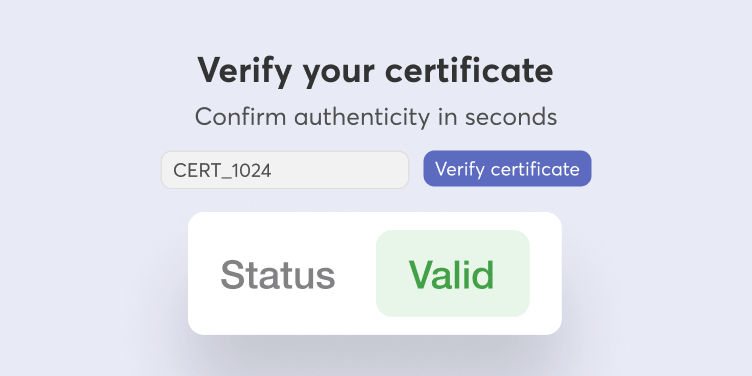
Make certificate status verifiable
Issue certificates with a public verification link and certificate ID. Employers and clients can check whether a certificate is valid, expired, or revoked.
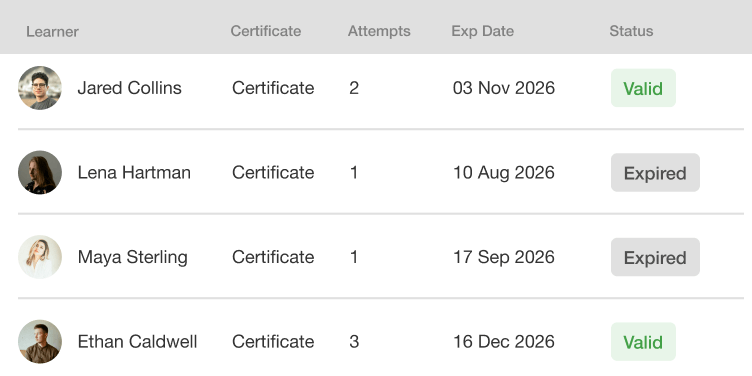
Track certificate status in one registry
See Valid, Expired, and Revoked certificates in one place. Correct dates or issue certificates manually, and keep records ready for audits.
Keep external credentials aligned
Keep Credly and Accredible credentials aligned with certificate updates and revocation. Support new credentials across retraining cycles.
Reduce the manual work around recurring certification
See where recurring certification work is manual today, and how LearnWorlds handles each step for you.
| What your team needs | Manual workflow | With LearnWorlds certification management |
|---|---|---|
| Repeat training | Coordinate re-enrollment and progress resets for each cycle | Configure retraining rules and retain cycle history |
| Paid recertification | Coordinate renewal payments with the next training cycle | Require repurchase before a new cycle begins |
| Deadline follow-up | Track due dates and chase overdue learners | Set course due dates, identify overdue status, and send reminders |
| Certificate verification | Respond to requests to confirm an issued document | Provide a public verification link with current status |
| Certificate tracking and administration | Reconcile records and corrections individually | Use a central registry with filters, exports, and bulk actions |
Match certification to the training you provide

B2B commercial training
A client buys certification training for its employees. Define the required learning and provide certificate records alongside agreed learner reporting. Make the next training cycle free or paid according to your renewal terms.

Internal training
Employees need to repeat required training by an agreed deadline. Set recurring due dates and send reminders. Keep previous-cycle evidence available as employees complete their next round of training.

Professional certification and continuing education
A learner’s credential is approaching expiration. Set its validity and renewal window, then define what the learner must repeat. Offer paid recertification where it fits your certification model.

Customer and partner certification
Customers or partners need to maintain the qualifications your training establishes. Give them consistent requirements and verifiable certificates, with a defined route back to training when renewal is due.
FAQs
Yes. You can offer retraining without another payment or require repurchase before a new training cycle begins. Choose the approach that matches your training offer or client agreement. Keep an access extension separate from a new training or certification cycle so the next step matches your offer.
Yes. LearnWorlds tracks every certificate in a central registry with Valid, Expired, and Revoked statuses. You can filter and export records, correct dates, and manage certificates in bulk. Learners can check their certificate validity and renewal eligibility, while automated reminders help them stay on top of upcoming deadlines and renewals.
Certification management software (also called a certification management system) helps training providers set certificate requirements, issue certificates, track validity, and run recertification. In LearnWorlds, it covers course certificates for learners, not SSL/PKI certificate management or accreditation-body audits. Learners complete training, receive verifiable certificates, and retrain when certificates expire, with every cycle’s history kept.
A certificate of completion recognizes completion of required training. A certificate of knowledge is tied to a graded assessment and recognizes the knowledge the learner has demonstrated. Both certificate types can be branded. Scores and assessment points appear only on certificates of knowledge.
Yes. You can use the LearnWorlds certificate template or upload a branded PDF from an external design tool. Each certificate can show learner and course details, award dates, and credits. Update the global template once to change the design everywhere you issue certificates.
Learners can find and download their credentials through My Certificates. When sharing is enabled, LinkedIn can receive credential details, including the ID and URL. Sharing does not automatically upload the certificate PDF. Learners can also see certificate validity and renewal eligibility.
A public verification link and certificate ID let employers check the certificate’s current status, including whether it has expired or been revoked. This can replace manual requests to confirm an issued document. The verification page reflects the current record in your certificate registry.
Yes. Manage supported corrections, manual issuing, and revocation from the certificate registry. Track certificate status and retain historical records across training cycles. Deletion is a separate administrative action. Filters, exports, and bulk actions help you manage records across all learners.
Yes. You can configure what learners retain and what they repeat in a new training cycle. Cycle history preserves evidence from previous training. Start a new cycle based on certificate expiry, a course due date, or re-enrollment, without rebuilding or duplicating the original course.
Yes. You can connect Credly or Accredible to issue external credentials. LearnWorlds’ certification capabilities might be limited by the supported provider actions, but you still get to record history, progress, and new certifications across retraining cycles.
A course due date sets when training should be completed. Access expiration controls when course access ends. Certificate expiration determines when an issued certificate is no longer valid. Set relative, fixed, or recurring due dates with learner or group exceptions, while managing access and certificate validity separately.
Email notifications cover upcoming deadlines, overdue training, certificate expiration, renewal, and retraining. Learners get notifications before deadlines, when training is overdue, and when a certificate is about to expire. For custom follow-ups, you can use automation triggers for expiring, expired, or revoked certificates.
Use learner analytics, assessment records, and certificate records to provide the agreed evidence. Define the reporting fields and give client managers the appropriate reporting permissions for their assigned learners. Certificate records also keep current status and history from previous training cycles.
External recognition depends on the relevant awarding body and its requirements. Keep any external approval or official award process separate from the certificate you issue through your academy. The certificates you issue recognize training completed in your academy, with the requirements and validity you define.
Not automatically. LearnWorlds issues certificates to individual learners, not to companies. You can use employee achievement records as evidence when you decide whether a company meets your requirements. Company-level certification requires your own defined approval process or a separately validated integration.
Certification, covering knowledge and completion (issuance, validity, and expiration), is included in Pro Trainer plans, while retraining, related automations, and bulk certificate actions are included in Learning Center plans and above. Check which plan is right for your academy.
Glossary of terms
Certification management: Managing course certificates for learners across their lifecycle: requirements, issuing, validity, verification, and renewal through retraining
Certificate of completion: A certificate that recognizes completion of required training
Certificate of knowledge: A certificate tied to a graded assessment that recognizes the knowledge a learner has demonstrated
Completion requirements: The learning activities and conditions required to complete a course
Certificate eligibility: The requirements a learner must meet to receive a certificate
Course due date: The deadline for completing training
Course-access expiration: The point at which access to course content ends
Certificate validity: The period during which an issued certificate remains valid
Certificate ID and verification page: A unique certificate ID and public page where employers and clients can check a certificate’s current status
Renewal window: The period when a learner can begin renewing a certificate before it expires
Revocation: Withdrawing a certificate’s validity while keeping its record, separate from deletion
Retraining: Repeating the configured learning requirements in a new cycle
Recertification: Completing the requirements to renew certification
Repurchase: A payment requirement before a new training cycle begins
Cycle history: Records retained from previous training cycles
Support articles
Set completion requirements and define your course’s deadlines and renewal rules.
Find guidance on issuing certificates, managing their status, and providing verification links.
Configure the next cycle’s requirements and choose whether repurchase is required.
Configure the communications learners receive around training deadlines and certificate renewal.
Plan your next certification cycle
See how LearnWorlds can support your client requirements and renewal model.