Thinkific has some strong suits all around: the course builder is friendly, the checkout works smoothly, and students can enroll without drama. But if you’re reading up on Thinkific alternatives, you must be missing something.
For some creators, it’s lack of engagement mechanisms. Students finish a course, log off, and don’t come back, and Thinkific gives you few tools to pull them back in. For others, it’s lack of scalability. Coaching programs, corporate training, and paid communities all ask for things Thinkific wasn’t built to lead on, and reviewers say the gap widens as you scale.
We put the eight strongest alternatives to Thinkific side by side. You’ll find a top pick for each type of business, plus a step-by-step migration path so nothing gets left behind.
Quick comparison: Thinkific alternatives at a glance
Here is a quick overview of eight alternatives to Thinkific before we get into the details.
| Platform | G2 rating | Starting price | Free trial | Known for | Best for | |
|---|---|---|---|---|---|---|
| Thinkific | 4.5 | $54/mo | 30 days | Course delivery and commerce | Self-paced course selling | |
| LearnWorlds | 4.7 | $29/mo | 30 days | Interactive video and assessments | Training businesses and course-led academies | |
| Kajabi | 4.1 | $179/mo | 14 days | Marketing and funnels | Marketing-driven course businesses | |
| Teachable | 3.8 | $39/mo | 7 days | Simple setup, smooth checkout | First-time creators | |
| Podia | 4.4 | $49/mo | 30 days | All-in-one simplicity | Solo creators selling a few products | |
| Circle | 4.5 | $89/mo billed annually | 14 days | Community-first design | Creators building paid communities | |
| Skool | n/a | $9/mo | 14 days | Gamified classrooms | Coaches running group programs | |
| Mighty Networks | 4.5 | $79/mo | 14 days | Social-style engagement | Membership and community businesses | |
| LearnDash | 4.2 | $259/year | 48-hour demo | WordPress, self-hosted | Creators already running WordPress | |
Why creators are looking for Thinkific alternatives in 2026
Thinkific handles the fundamentals of selling online courses well, which is why most creators who leave aren’t unhappy with what it does. They’ve hit something it doesn’t do. Here’s what Thinkific gets right and where reviewers say the gaps show.
What Thinkific still gets right
Thinkific remains one of the strongest platforms for delivering and selling self-paced courses:
- 0% transaction fees on every plan, which few competitors match
- A dependable course builder with SCORM, video, and slide import, quizzes, certificates, and learning paths
- Serious commerce tools, including automated sales tax and VAT, B2B invoicing, and multi-currency checkout
- A 4.5 rating on G2 across 400+ reviews, with support quality a recurring highlight
If your only job is hosting and selling self-paced courses, Thinkific does that job well. The trouble starts when your business asks for more.
Where reviewers say the gaps show
Three complaints come up again and again in verified reviews and creator forums, often leaving users looking for platforms like Thinkific, but better.
Engagement ends when the course does
Thinkific has added communities, live events, and direct messages, but reviewers describe the community layer as functional rather than compelling. There’s no gamification, so nothing brings students back between lessons on its own. Creators watching completion rates fall usually notice this first.
The mobile experience draws criticism
Reviews of the student apps mention lagging video, a dated interface, and fewer features than the web version.
Can’t meet advanced learning needs
Trainers who want interactive video, richer assessment types, or structured academies find themselves working around the platform rather than with it. Thinkific was built for course creators, and that shows when you’re running something closer to a school.
How we evaluated Thinkific alternatives
Every platform in this guide was measured against the same seven criteria, so the comparisons hold up whether you’re a solo creator or a training team.
- Course and learning tools: how far the platform goes beyond video hosting, including assessments, certificates, SCORM support, and learning paths
- Community and engagement: whether students have a reason to come back between lessons, from discussions to live events to gamification
- Sales and marketing capability: built-in checkout, funnels, email, affiliates, and how much you’d still need to bolt on
- Pricing and plan value: not just the sticker price, but what each tier actually includes before add-ons
- Transaction fees: what the platform takes from every sale, on top of standard payment processing
- Ease of use and support: setup speed, learning curve, and what reviewers say about getting help when things break
- Room to grow: whether the platform scales from a first course to a full academy without forcing a migration
Prices were verified on each vendor’s own pricing page in August 2026, and pros and cons draw on verified G2 and Capterra reviews rather than marketing pages.
Best Thinkific alternatives for course creators in 2026
1. LearnWorlds: best for interactive courses and training businesses
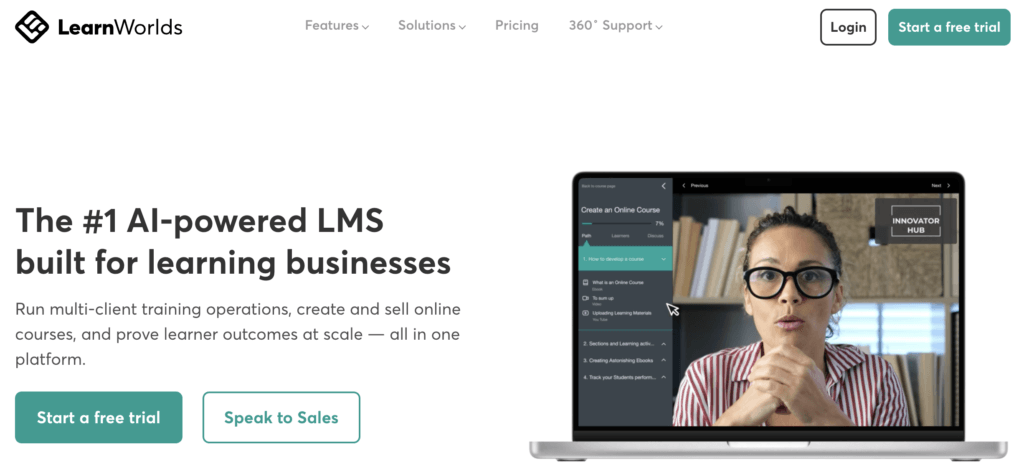
LearnWorlds is a course-first platform with strong commerce tools, built around the learning experience itself. It includes an interactive video editor, an assessment builder with question banks and multiple test types, SCORM and HTML5 support, and learning paths for structuring longer programs.
The platform suits training businesses, coaches, and educators running structured programs rather than standalone courses. Students get interactive transcripts, in-video questions, and certificates. You get analytics on where learners engage and where they drop off, a no-code website builder for your school and landing pages, and an advanced AI assistant that helps you build course outlines and content, generate quizzes and feedback, and explore data.
How much does LearnWorlds cost?
LearnWorlds offers a 30-day free trial and the following paid plans:
- Starter: $29/month, with a $5 fee per course enrollment
- Pro Trainer: $99/month, no transaction fees
- Learning Center: $299/month
- Corporate: custom pricing
A 20% discount on annual billing applies. See detailed pricing and plans.
Pros
- Interactive video editor and advanced assessment builder
- SCORM and HTML5 support
- AI Assistant available on all plans
- Highly customizable no-code website builder
- Built-in community with spaces, direct messages, and a member directory
Cons
- The feature depth means a steeper learning curve than Thinkific
- $5 per enrollment fee on the Starter plan
- Full white-label and automations only available on Learning Center
- Branded mobile app costs extra
Compare LearnWorlds vs. Thinkific side by side.
If LearnWorlds sounds like a good fit, start your 30-day free trial now.
2. Kajabi: best all-in-one for marketing-driven course businesses
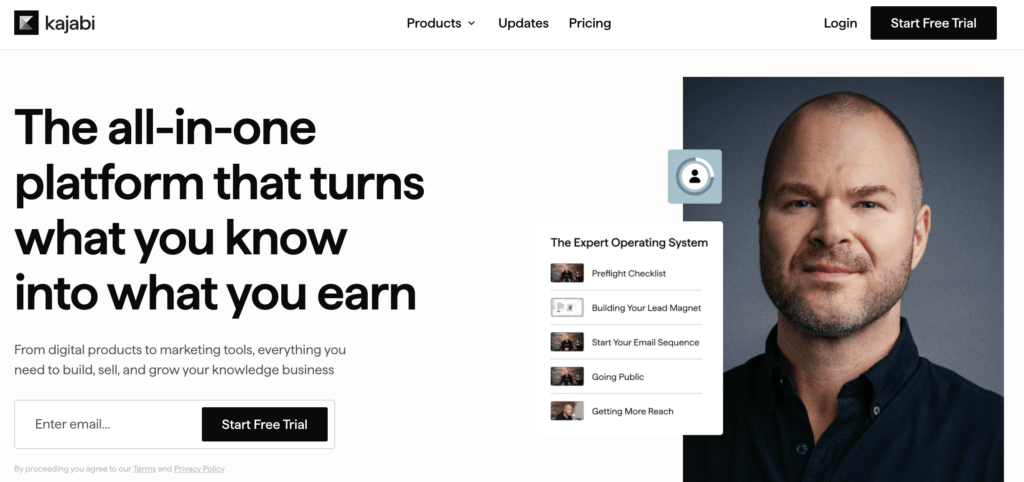
One of the most common Thinkific competitors, Kajabi approaches the problem from the opposite end to Thinkific. It’s a marketing platform with courses inside it, not a course platform with marketing attached. If you’re running email sequences, sales funnels, and a website alongside your courses, Kajabi replaces a stack of separate tools, and the bill starts to make sense in that light.
The trade-off is depth of learning tools and the entry price. Kajabi’s course builder handles drip content, quizzes, and coaching products competently, but it isn’t trying to be an LMS, and trainers who need SCORM or advanced assessments will feel that quickly. Product limits are also a real constraint: courses, communities, coaching, and podcasts all count toward your plan cap, which is five on Basic.
How much does Kajabi cost?
Kajabi offers a 14-day free trial and the following paid plans:
- Basic: $179/month (5% transaction fee)
- Growth: $249/month (2% transaction fee)
- Pro: $499/month (0.5% transaction fee)
Zero transaction fees with Kajabi payments. A 20% discount on annual billing applies.
Pricing information retrieved from Kajabi in August 2026.
Pros
- Native email marketing, funnels, and website builder, all included
- Branded mobile app included on Pro
- No transaction fees when using Kajabi Payments
- Strong automation and CRM tools for selling at scale
- Coaching, memberships, and podcasts supported alongside courses
Cons
- The most expensive entry point in this guide
- Product limits count courses, communities, coaching, and podcasts together
- No SCORM support
- Learning and assessment tools are basic next to a dedicated LMS
Compare Kajabi and LearnWorlds.
3. Teachable: best for first-time creators who want simplicity
A common Thinkific alternative, Teachable is the platform most often weighed against Thinkific and for good reason. Both are course-first, both are quick to learn, and both handle the basics of selling a course without fuss. Teachable’s edge is simplicity: the interface is intuitive and clean, and your first course can be live in an afternoon.
That simplicity has a ceiling. There’s no SCORM support, assessments stay basic, and the community is forum-style rather than a place students actively return to. Teachable’s 2025 pricing restructure also reshaped the entry tier, and the transaction fee on the cheapest plan is considerable. Reviewers rate it 3.8 on G2, the lowest score in this guide, with support quality the most frequent complaint.
How much does Teachable cost?
Teachable offers a 7-day free trial and the following paid plans:
- Starter: $39/month (7.5% transaction fee)
- Builder: $89/month (no transaction fee)
- Growth: $189/month (no transaction fee)
- Custom: contact sales
Annual billing brings Starter to $29/month, Builder to $69/month, and Growth to $139/month.
Pricing information retrieved from Teachable in August 2026.
Pros
- One of the fastest platforms to learn and launch on
- Drip content, quizzes, and certificates on all paid plans
- Custom domain included on every paid plan
- Student mobile app for course consumption
- Strong fit for coaching products alongside courses
Cons
- 7.5% transaction fee on the Starter plan
- No SCORM or xAPI support
- The community is forum-only and not available in the mobile app
- Assessment tools stay basic as your courses get more ambitious
- Support quality is the most common complaint in reviews
Compare Teachable with LearnWorlds.
4. Podia: best affordable all-in-one for solo creators

Podia is the platform for creators who want one clean tool rather than the best tool in each category. Courses, digital downloads, memberships, coaching, and email marketing all live under one roof, and the interface stays approachable throughout. For a solo creator selling a handful of products, that consolidation is worth more than any single advanced feature.
What you give up is depth almost everywhere. There’s no mobile app, only a mobile browser experience. The community is a discussion forum without gamification or a member directory, and reporting is thin. Podia is honest about being modest, and priced accordingly, which is exactly why it works for the audience it serves.
How much does Podia cost?
Podia offers a 30-day free trial and the following paid plans:
- Mover: $49/month (5% transaction fee)
- Shaker: $99/month (no transaction fee)
- Earthquaker: $179/month (no transaction fee)
Annual billing brings Mover to $42/month, Shaker to $84/month, and Earthquaker to $150/month.
Pricing information retrieved from Podia in August 2026.
Pros
- Unlimited products on every plan
- Built-in email marketing with broadcasts and automations
- Podia branding removable on all plans
- 30-day trial with full feature access
- Free migration help included
Cons
- No mobile app of any kind
- 5% transaction fee on the Mover plan
- Live sessions depend on Zoom or YouTube Live
- Community is more of a forum
- Reporting and analytics are limited
Compare Podia and LearnWorlds.
5. Circle: best for course creators building a paid community
Circle inverts the usual arrangement. Instead of a course platform with a community, it’s a community platform where courses live inside the social experience. Content sits in Spaces alongside discussions, live events, and the members working through it, so there’s always something happening between lessons.
The course builder covers what most creators need, including drip content, cohorts, and quizzes, but it isn’t an LMS and doesn’t pretend to be. There’s no SCORM, and assessments stay simple. The other consideration is fees: Thinkific charges nothing on sales, while Circle takes a percentage on every plan.
How much does Circle cost?
Circle offers a 14-day free trial and the following paid plans, billed annually:
- Professional: $89/month (2% transaction fee)
- Business: $199/month (1% transaction fee)
- Plus: custom pricing (0.5% transaction fee)
Transaction fees apply on top of standard Stripe processing.
Pricing information retrieved from Circle in August 2026.
Pros
- Native gamification with points, leaderboards, and rewards
- Live events, chat, and discussions built into the core product
- iOS and Android apps included on all plans
- Strong analytics covering revenue, engagement, and event participation
- Website builder and native payments included
Cons
- Transaction fees on every plan
- No SCORM support and only basic assessments
- Course tools are lighter than any dedicated LMS in this guide
- Annual billing only
6. Skool: best for coaches running group programs
Skool takes a deliberately narrow approach. One community, one classroom, one calendar, and a gamification system where points and levels unlock course content. There are no themes to configure and no funnel builder to learn. For coaches running group programs or masterminds, that constraint is the appeal: members show up, participate, and progress without anyone needing a tutorial.
The limits are just as clear. Course tools are minimal, with no SCORM, no quizzes, no certificates, and no drip scheduling, so anyone moving from Thinkific will notice the drop immediately. There’s no white-labeling at any price, no custom domain on the entry plan, and no branded app, meaning your community lives inside Skool’s brand rather than yours.
How much does Skool cost?
Skool offers a 14-day free trial and the following paid plans:
- Hobby: $9/month (10% transaction fee)
- Pro: $99/month (2.9% transaction fee)
Monthly billing only, with no annual discount available. Worth doing the math: above roughly $1,000/month in sales, the 10% fee on Hobby costs more than upgrading to Pro.
Pricing information retrieved from Skool in August 2026.
Pros
- Gamification tied directly to course access, which drives participation
- Native live calls for group coaching sessions
- Simple to set up and run
- A public marketplace gives your community organic discovery
- Cheapest entry point in this guide
Cons
- No white-label or custom domain on Hobby
- No branded mobile app
- Course tools lack SCORM, quizzes, certificates, and drip content
- 10% transaction fee on the Hobby plan
7. LearnDash: best for creators already running WordPress
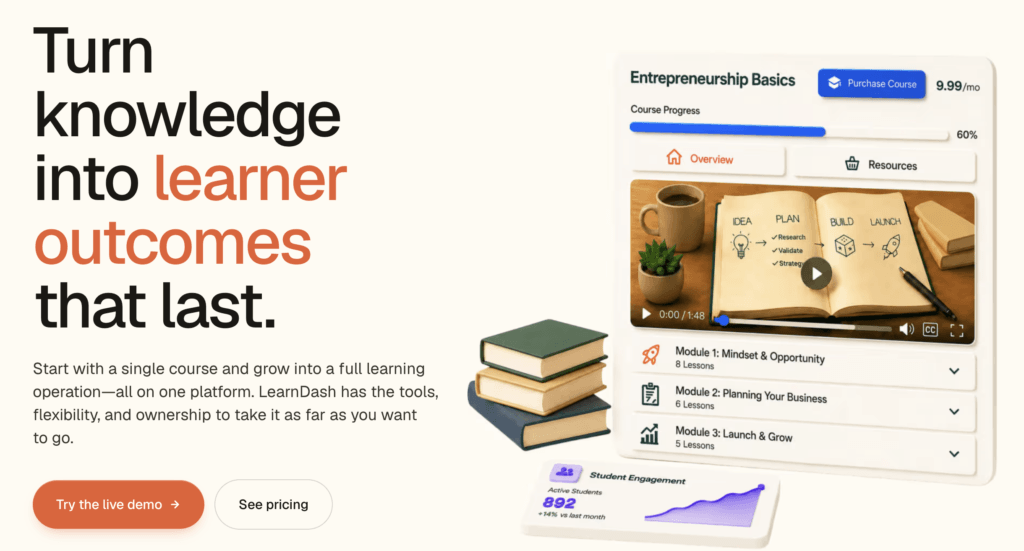
LearnDash is a WordPress plugin rather than a hosted platform, which changes the calculation entirely. If you already run a WordPress site and are comfortable maintaining it, LearnDash gives you serious course functionality on top of infrastructure you control, with no per-sale cut and no platform dictating what your site can look like.
There are costs that don’t appear on the pricing page, though. You supply the hosting, the security, the backups, and the updates. Payments need WooCommerce or a similar plugin. Communities, gamification, and many other features arrive as separate add-ons or plugins, each with its own price and its own compatibility risk.
How much does LearnDash cost?
Learndash offers a 48-hour free trial of a demo site and the following options (one site, unlimited learners):
- Essentials: $259/year
- Pro: $399/year
- Elite: $599/year
Pricing information retrieved from LearnDash in August 2026.
Pros
- No transaction fees or revenue share
- Complete control over design, data, and hosting
- Solid course tools including quizzes, certificates, and drip content
- Works with the wider WordPress plugin ecosystem
- Cheapest option at scale if you can maintain it yourself
Pros
- You are responsible for hosting, security, backups, and updates
- Requires a payment plugin to sell anything
- Add-ons and plugins accumulate cost and complexity
- No real free trial, only a 48-hour hosted demo
- Steepest technical requirement in this guide
Compare LearnWorlds vs. LearnDash.
8. Mighty Networks: best for social-style learning communities
Mighty Networks is built around members engaging with each other, not just with your content. Spaces hold courses, events, chat, and discussions together, and the gamification runs deeper than most: streaks, points, peer recognition, and leaderboards layer on top of one another. If you want something closer to a private social network than a course catalog, this is the closest fit in the guide.
Course tools are more capable than Circle’s or Skool’s. You get quizzes, certificates, cohort-based and live courses, drip scheduling, and the ability to embed SCORM-compliant content. The constraints: integrations and API access start on Scale, migration help is Scale and above, and transaction fees apply on every plan.
How much does Mighty Networks cost?
Mighty Networks offers a 14-day free trial and the following paid plans:
- Launch: $79/month (2% transaction fee)
- Scale: $179/month (1% transaction fee)
- Mighty Pro: custom pricing (0.5% transaction fee)
Annual billing gives two months free. Branded mobile apps are available on Mighty Pro only.
Pricing information retrieved from Mighty Networks in August 2026.
Pros
- Gamification with streaks, points, peer recognition, and leaderboards
- Native livestreaming on all plans, up to 3,000 viewers on Pro
- SCORM-compliant content can be embedded on every plan
- Courses include quizzes, certificates, cohorts, and drip scheduling
- iOS and Android apps included on all plans
Cons
- Transaction fees on every plan
- Integrations, API access, and migration support start on Scale
- A steep learning curve is the most common complaint among reviewers
- Storage and landing page limits
How to migrate from Thinkific
You can migrate gradually from Thinkific instead of leaving the platform altogether. Most creators rebuild one course at a time and keep both accounts running until the new setup is ready, so students never lose access during the switch.
1. Export what you can. Thinkific lets you download your student list, order history, and course content. Video files usually need to be pulled individually, so start there if your library is large. Quiz and assessment data typically doesn’t transfer between platforms, so plan to rebuild those.
2. Rebuild your best course first. Pick one course, ideally your flagship, and set it up completely on the new platform. It’s the fastest way to learn the builder, and it tells you what the remaining migration will actually involve before you commit to all of it.
3. Move your students in batches. Import your learner list, then enroll students in the rebuilt course and give them access to both platforms during the transition. Tell them what’s happening and why before they get an unexpected login email.
4. Redirect your links. Sales pages, email sequences, social bios, and any paid ads all point at Thinkific URLs. Map them to the new equivalents and set up redirects so existing traffic and search rankings survive the move.
5. Cancel once, not early. Keep Thinkific active until every course is rebuilt, every student has access, and payments are running cleanly on the new platform. Cancel only after a full billing cycle has passed without issues.
Considering migrating to LearnWorlds?
Try your shortlist before you commit
Reading about Thinkific competitors might give you a hint about which platform could be a good fit, but the best way to find out is to try a couple of them yourself. Pick the two platforms that fit your business, start a trial on both, and build one real lesson in each. You’ll learn more in an afternoon than in a week of reviews.
LearnWorlds gives you 30 days to test everything, with no credit card required. Start your free trial and see how your course feels on it.
FAQ
What is the best Thinkific alternative?
It depends on why you’re leaving. For deeper learning tools, interactive video, and assessments, LearnWorlds is the strongest fit. For an all-in-one marketing operation, Kajabi. For community-led businesses, Circle or Mighty Networks. For simplicity on a budget, Podia or Teachable.
How much does Thinkific cost?
Thinkific plans start at $54/month for Basic, $109/month for Start, and $219/month for Grow, with Plus priced on request. Annual billing brings those to $40, $82, and $164 respectively. Thinkific charges no transaction fees on any plan.
What is the cheapest Thinkific alternative?
Skool at $9/month is the lowest entry price, though its 10% transaction fee makes it expensive once you’re selling regularly. On annual billing, LearnWorlds Starter at $24/month and Teachable Starter at $29/month are the cheapest platforms with full course tools.
Does Thinkific support SCORM?
Yes. Thinkific supports SCORM import alongside video and slide import. Older comparison articles claiming otherwise are out of date. LearnWorlds, Mighty Networks, and LearnDash also handle SCORM content.
Which platforms charge no transaction fees?
Thinkific charges nothing on any plan. LearnDash takes no cut since it’s a self-hosted plugin. LearnWorlds, Teachable, Podia, and Kajabi all remove fees above their entry tier, and Kajabi charges none at any level when you use Kajabi Payments.
Can I migrate my courses from Thinkific?
Yes. You can export students, orders, and course content, though video files usually need downloading individually and quiz data rarely transfers. Most platforms offer migration help, and LearnWorlds provides full migration services.
What’s the best Thinkific alternative for employee or customer training?
Training programs need assessments, certificates, SCORM support, and reporting that goes beyond course completion. LearnWorlds is built for this and supports full white-labeling on its Learning Center plan. LearnDash suits teams with WordPress expertise and strict data control requirements.
Related Articles