
LearnWorlds HubSpot integration
LearnWorlds HubSpot integration: Sync your LMS with your CRM
The LearnWorlds HubSpot integration keeps your CRM contacts and learner records aligned. Send course activity to HubSpot, create LearnWorlds learners from contacts or vice versa, and keep data in sync.
TL;DR
With the LearnWorlds HubSpot integration, you can keep both platforms in sync. Create HubSpot contacts from LearnWorlds learners or vice versa, and sync data in either direction.
Send course activity to HubSpot so that your team can act on it.
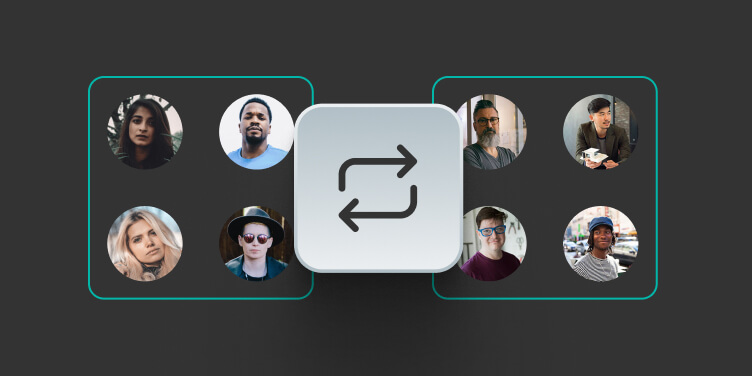
Create learners from HubSpot contacts or another way around for onboarding, partner training, and client rollout.
Keep mapped fields aligned across HubSpot and LearnWorlds, from contact details to custom fields and purchase data.
Best for:
Customer onboarding, partner training, client rollout, sales follow-up, and customer success visibility without checking two records sets manually.
*The full HubSpot native integration is available in the Learning Center and High Volume & Corporate pricing plans. Starter and Pro Plans can integrate HubSpot using the tracking code.
What syncs between HubSpot and LearnWorlds
When something happens in your academy, LearnWorlds sends that data to HubSpot automatically. See what gets sent, what it creates/updates in your CRM, and whether it requires configuration on your end:
| What it helps you do | How data moves | What your team configures |
|---|---|---|
See learner activity in HubSpot | LearnWorlds sends selected learner activity to the HubSpot contact with dates and course names. | Select which activity events appear in HubSpot. Build any HubSpot workflows, lists, or scoring rules inside HubSpot. |
Create learners from HubSpot contacts | New HubSpot contacts trigger the creation of new LearnWorlds learners when no matching user exists. | Just enable learner creation and map the required fields. |
Create HubSpot contacts from LearnWorlds | When a user registers or is added manually in LearnWorlds, and no matching contact exists, create a HubSpot contact with the same email and sync the mapped fields. | Use LearnWorlds → HubSpot or both-way sync and map the fields you want to keep in sync. |
Keep mapped fields aligned | Mapped contact and learner fields can sync LearnWorlds → HubSpot, HubSpot → LearnWorlds, or both ways. The latest update wins. | Choose the global sync direction and review per-field direction when using both ways. |
Catch up existing records | Manual sync can update existing HubSpot contacts or LearnWorlds users after setup. | Run a manual sync after setup or when existing records need to catch up. |
Keep data quality under control | Validation settings decide whether HubSpot-created learners must follow LearnWorlds field rules. | Turn validation on or off for HubSpot-created learners based on your data needs. |
How to set up the LearnWorlds HubSpot integration
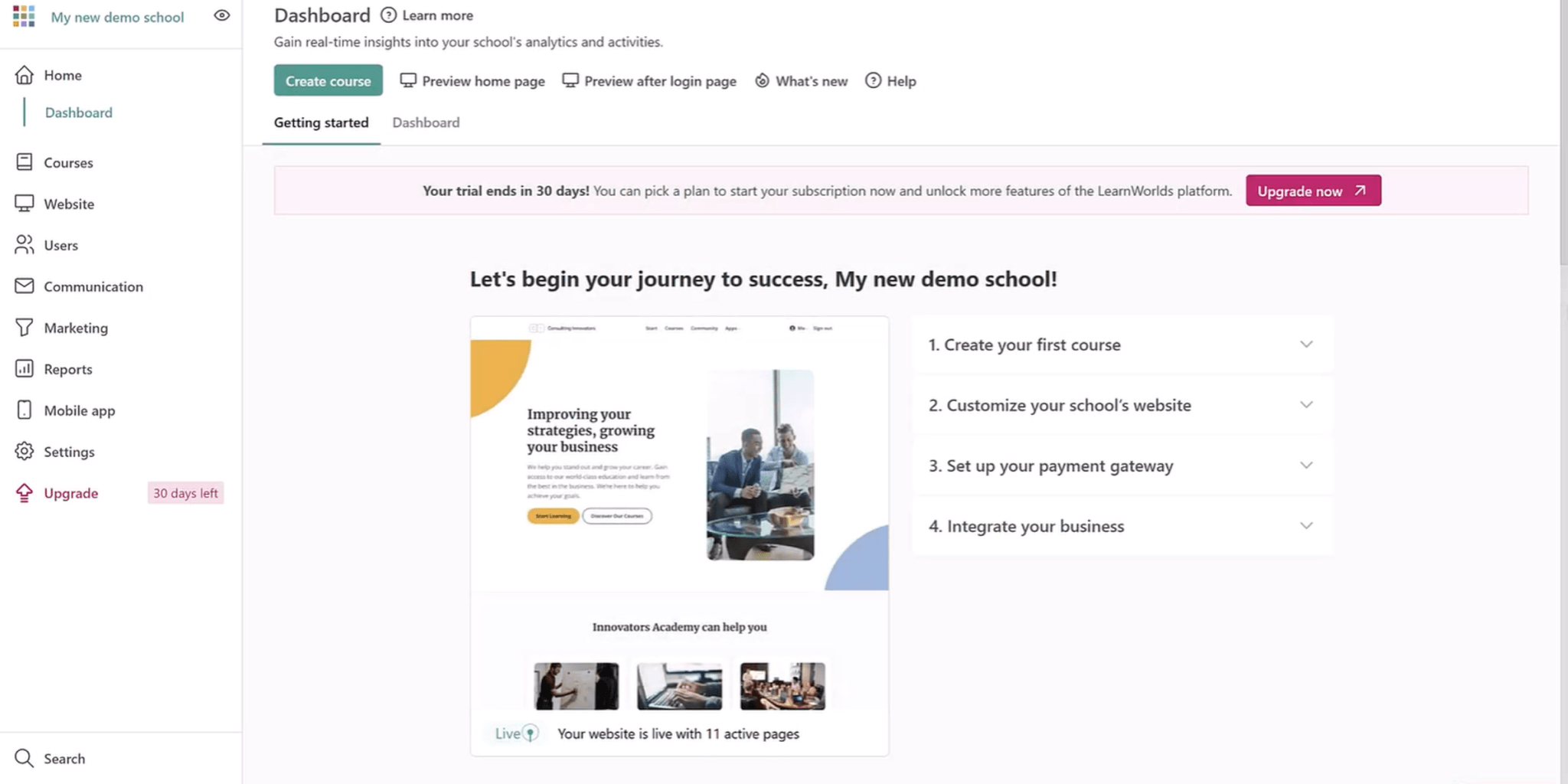
Ready to connect HubSpot to your LMS? Watch the video below or read the step-by-step instructions.
Step 1
Go to Settings → Integrations → CRM Tools in your LearnWorlds admin. Click Activate, then Connect to HubSpot.
Step 2
Sign in and authorize using your HubSpot credentials. Select the HubSpot account you want to connect to your school and click Choose Account → Connect App.
Step 3
Choose how data should flow: LearnWorlds to HubSpot, HubSpot to LearnWorlds only, or Two-way sync. With two-way sync, set a separate direction for each mapped field.
Step 4
Map each LearnWorlds field to a HubSpot property and choose its sync direction. You can also enable learner creation, tags, timeline events, lifecycle stages, and field validation.
Step 5
Run a manual sync to align existing learners and contacts after setup. With two-way sync, choose whether to sync from LearnWorlds or HubSpot.
Step 6
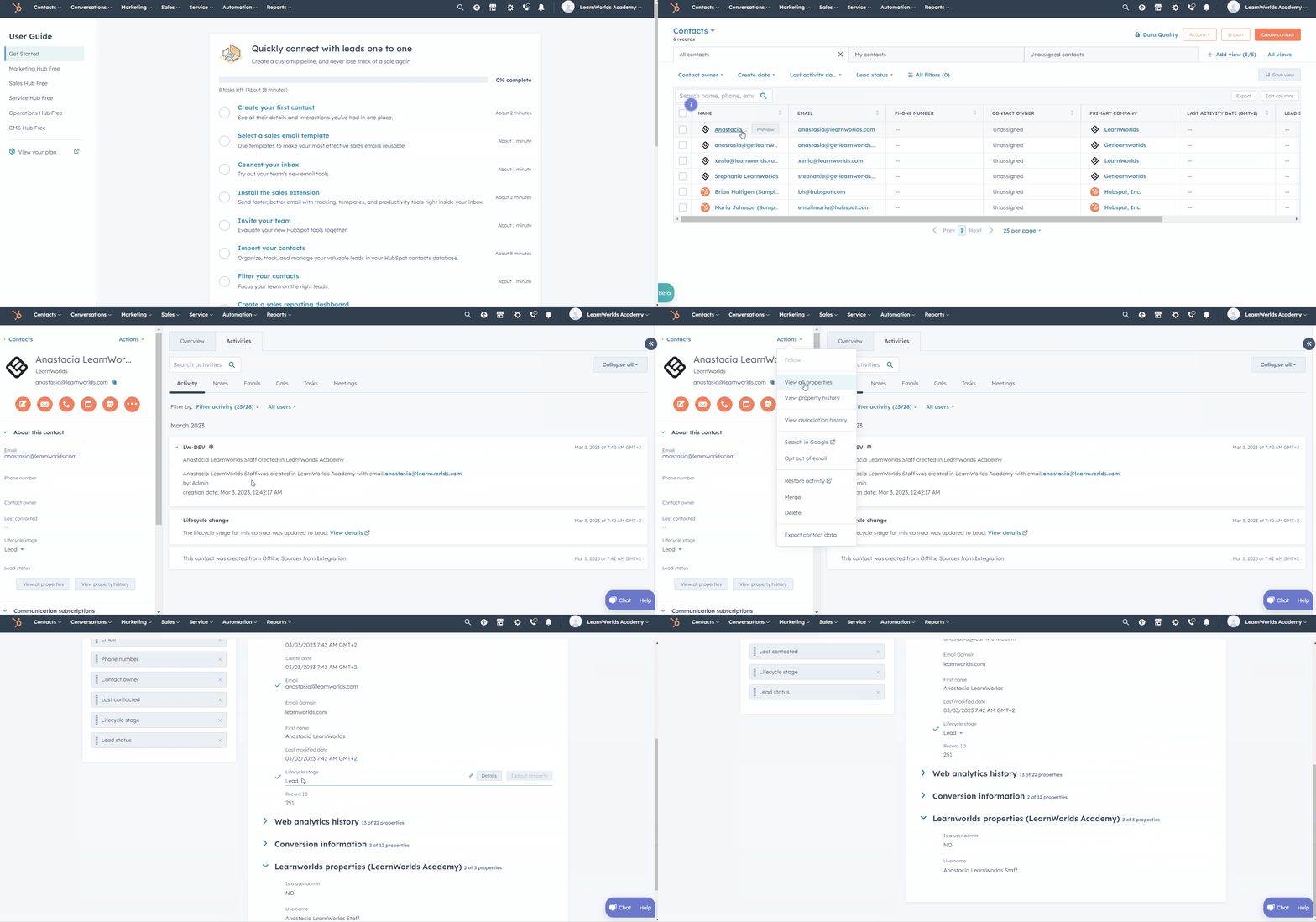
Test by checking a contact record in HubSpot to confirm properties and timeline events are coming through correctly.
| What LearnWorlds handles automatically | What your team configures |
|---|---|
Creating or updating HubSpot contacts when LearnWorlds users register or their mapped data changes | Connecting your HubSpot account and choosing your sync direction |
Creating LearnWorlds learners from HubSpot contacts when learner creation is enabled | Deciding when HubSpot contacts should become learners |
Keeping mapped learner and contact fields aligned across both systems | Mapping LearnWorlds fields to HubSpot contact properties and choosing field direction |
Sending course activity to HubSpot timeline events with readable course names | Selecting which activity events appear on the HubSpot contact timeline |
Running manual syncs to catch up existing records after setup | Choosing whether HubSpot-created learners must follow LearnWorlds field validation rules |
Sending selected data into HubSpot for follow-up workflows | Building HubSpot workflows, lists, scoring, or follow-up steps |
How teams plan their HubSpot + LearnWorlds setup
Teams that get the most out of the HubSpot integration usually answer a few questions before they connect. The goal is simple: decide which records should stay aligned, who owns the setup, and who will use the learning activity in HubSpot.
Which system owns contact and learner data?
Decide where each field should be updated first. Some teams use HubSpot as the source for contact details like name, phone, company, and country. Others use LearnWorlds for learner fields, purchase data, and training activity. You can choose LearnWorlds → HubSpot, HubSpot → LearnWorlds, or both for mapped fields.
When should HubSpot contacts become learners?
For onboarding, partner training, or client rollout, contacts may start in HubSpot before they enter LearnWorlds. Decide when those contacts should become learners, which fields are required, and whether HubSpot-created learners should follow LearnWorlds field validation rules.
Which fields should stay aligned?
Map the fields your teams actually use: contact details, custom fields, billing details, UTM data, and usage overview fields like last purchase date. Keep the mapping focused so sales, marketing, and customer success get cleaner records without extra noise.
Who will act on course activity in HubSpot?
Course activity is most useful when someone owns the follow-up. Decide who should use enrollment, completion, certificate, purchase, subscription, or preview activity in HubSpot, and what happens next. Readable course names make the timeline easier for sales and client success to act on.
What you can do with HubSpot and LearnWorlds
Enroll new customers in training when a deal closes
When a deal reaches a defined stage in HubSpot, the right course is waiting for your new customer in LearnWorlds before they even log in for the first time. Onboarding starts immediately, without anyone doing it manually.
Reach the right learner at the right moment
Use the data synced from LearnWorlds to send personalized course invitations directly through HubSpot sequences. Instead of blasting your whole contact list, you invite people based on where they are in their journey and what they are most likely to need next.
Know where each contact stands in their training
Course completion events land on the contact timeline automatically, so you can build HubSpot lists based on who has finished a course and who has not. Marketing and sales teams work from the same picture, without chasing anyone for a progress update.
Focus your sales team on the warmest leads
Assign score values to training activities such as course enrollment, lesson completion, and free section previews. Your sales team can prioritize the contacts who are most engaged with content and most likely to convert, rather than working through a cold list.
Use cases: Who uses the LearnWorlds HubSpot integration and how?

B2B training providers
Use HubSpot and LearnWorlds together during client rollout, cohort setup, and post-training follow-up.
- Create client learners from HubSpot contacts without rebuilding records by hand
- Keep mapped learner and contact fields aligned across both systems
- Show course enrollment, completion, purchase, and certificate activity in HubSpot

Partner and channel teams
Keep partner records and training status aligned while partners move through certification.
- Partner contacts can become LearnWorlds learners using mapped fields
- Company, role, region, and partner details can stay aligned across both systems
- Certification and course completion activity can appear in HubSpot for follow-up

Customer education teams
Create learners from HubSpot contacts and give customer-facing teams a clearer view of onboarding progress.
- HubSpot contacts can become LearnWorlds learners for customer onboarding
- Course enrollment, completion, and certificate activity can appear in HubSpot
- Course activity in HubSpot helps customer success plan the right follow-up
How Pennylane increased product adoption through smart communication
Using LearnWorlds, Pennylane scaled training for 700,000+ customers and partners and improved adoption through automated communication.
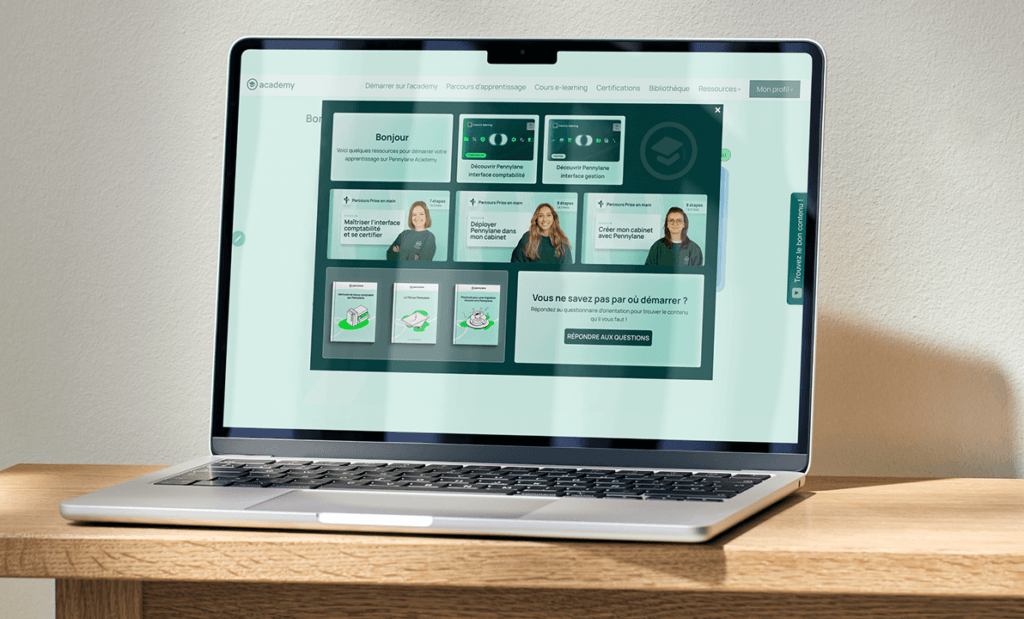
“Automations connect our CRM with LearnWorlds to guide learners to the most relevant content based on their role and journey stage.”

François Rulliere,
Senior Education Program Manager, Pennylane Academy
82k registered users
3,600 certifications awarded
8.6/10 CSAT score
How LearnWorlds HubSpot integration compares to other LMS platforms
When evaluating an LMS HubSpot integration, the key question is how much data actually syncs and what you can automate without middleware. LearnWorlds connects natively, so course completions fire directly to your HubSpot pipeline without middleware.
| Feature / Criteria | LearnWorlds | Docebo | TalentLMS | Thinkific | Kajabi |
|---|---|---|---|---|---|
| Native HubSpot integration |  | via Docebo Connect | | |  via Zapier |
| Two-way contact sync | | | One direction at a time | | |
| Choose sync direction per field | | | | | |
| Types of fields you can sync | Standard + mapped user fields | Mapped user fields | Standard user fields | Standard user fields | Depends on Zapier |
| Near-real-time sync | | | (24h) | | Depends on Zapier |
| Create learners from HubSpot contacts | | | | | via Zapier |
| Learning activity sent to HubSpot | Enrollment, completion, certificates, purchases, subscriptions + more | No learning events documented | Enrollment, completion, removal | Enrollment, progress, completion, sign-in | via Zapier |
| Plan availability | Learning Center, High Volume & Corporate (natively) Limited features on Starter, Pro Trainer (via tracking code) | Enterprise+ | Pro, Enterprise | Growth+ | Basic, Growth, Pro |
Have a complex HubSpot setup? Book a technical demo
“I like that LearnWorlds provides me with a fully functional website where I can offer my students self-study resources and a community chat. The team is responsive and professional, and they really care about what they are doing.”
“I find the AI bot helpful as it gives answers to my questions and even generates pictures for problem-solving. The platform is easy to use, and I love the different ways a course can be customized and has so much interaction.”
“We get email prompts about enrollments, which is a wonderful experience, allowing us to welcome new people with ease. The hands-off experience lets me focus on chemistry, removing the technical hassle of enrolling people.”
“The platform has been easy to set up and navigate. Plus, the onboarding calls have been helpful and tech support is extremely responsive! I am so pleased So far, the tech support has been worth every penny I’ve paid!”
“The platform integrates our website, funnels, marketing, and learning system all in one place, which is super convenient. I also appreciate their regular updates and the support team, which is extremely responsive.”
“I like the sleek, modern, easy to configure aspect of the platform. It is very easy as an admin to to set up pages without using code. I also like the modern features – like lesson markers, ai, and reporting”
“It’s amazing compared to our old learning platform. Every time I think of something I’d love to be able to do, a quick search shows that it’s available, and over a year in, in still finding even more features.”
“The wide range of features, responsive support, and regular platform updates. The value is good for the price, especially considering the range of features, regular updates, and responsive customer support.”
“It’s just amazing to find an all-in-one platform that delivers such high quality, they’ve really raised the bar and I love not having to compromise on the product we deliver because of software limitations.”
“The platform is really configurable, giving us a huge amount of flexibility about how to lay out our course. It’s allowed us to deploy our course in a drip feed format, which is fantastic for our learners.”
“I am using LearnWorlds for long time and it give us interactive video features, quizzes, buttons, notes inside videos and many more. LearnWorlds provide all in one online course and its creation tools.”
“I am not an L&D professional, but have familiarity with HR and training more broadly. The platform is very intuitive and does not feel too “niche”.”
“The site is very user friendly and easy accessible. UI/UX is wonderful. The onboarding was also very easy”
“There are a lot of unique and user friendly features. The system is very customizeable.”
“The best Part is the support team. They are really quick.”
Hubspot for LearnWorlds — FAQs
A learning management system (LMS) is where you build and deliver training, including courses, assessments, certificates, and learner progress. HubSpot is a CRM platform that helps teams manage contact records, track deal stages, automate nurture sequences, and move contacts through the lifecycle stage from lead to customer.
An LMS HubSpot integration connects the two so that learner activity (enrollments, completions, certifications) flows into your CRM and becomes actionable for your sales and marketing teams. With LearnWorlds, that connection is native and automatic, no third-party tools required.
- Go to Settings → Integrations → CRM Tools in your LearnWorlds admin.
- Click Activate, then Connect to HubSpot.
- Sign in with your HubSpot credentials, select the account you want to connect, and authorize the app.
- Map the LearnWorlds user properties you want to sync to HubSpot Contact fields.
- Select which activity events should appear on the contact timeline in HubSpot.
- Run an initial contact sync to bring your existing users into HubSpot.
Support article: How to activate the HubSpot integration
Data flows from LearnWorlds into HubSpot. Here is what syncs:
- Contact records: when a user registers in your LearnWorlds school, a new HubSpot Contact is created automatically. Any updates to mapped user fields (name, tags, UTM data, NPS score, custom fields) reflect in HubSpot in real time.
- Lifecycle stage: contacts are set to Lead on registration and updated to Customer when a purchase is made.
- Course enrollment: fires as a timeline event on the contact record in HubSpot when a learner enrolls in a course.
- Course completion: fires as a timeline event when a learner reaches 100% progress in a course.
- Other activity events: first product purchase, course unenrollment, subscription plan signup, free section preview of a paid course, and certificate awarded all fire automatically to the contact timeline.
Yes, you need an active HubSpot account to connect the integration.
The native HubSpot integration is available on the Learning Center and High Volume & Corporate plans. If you are on the Starter or Pro Trainer plan, you can still connect HubSpot to your LMS using the tracking code, which captures visitor activity and email submissions from your school’s pages.
Yes. When a deal closes in HubSpot, you can set up a workflow that acts on the associated contact and triggers enrollment in a LearnWorlds course. The exact setup depends on how your team has configured HubSpot.
The native LearnWorlds HubSpot integration connects the two platforms directly with no third-party tool needed, no additional subscription, and no Zaps to build or maintain. Contact sync, field mapping, and activity timeline events all run automatically in real time once you connect.
With Zapier, each automation is built and maintained manually. If a Zap breaks or hits a task limit, your data stops flowing until someone fixes it.
For most teams, the native integration is simpler, more reliable, and lower cost. Zapier is still a useful option for Starter and Pro Trainer plan users who want to connect HubSpot before upgrading, or for building custom workflows on top of the native integration.
Several LMS platforms offer a native HubSpot connection, but they vary significantly in how much data syncs and what you can automate. LearnWorlds syncs contact records, lifecycle stages, and a full range of activity timeline events (enrollment, completion, certificate awarded, and more) giving your sales and marketing teams a detailed view of learner activity directly in HubSpot.
Published:
Last Update: