

Elearning Mobile App Builder
Launch your own elearning app
Drive more users, more revenue, and more transactions. Create your own mobile-native elearning app without touching a single line of code.
Add our elearning Mobile App Builder to your subscription for just $149 a month.
TL;DR
LearnWorlds’ Mobile App Builder lets you create your own fully branded mobile elearning app—without writing a single line of code. Build and preview your app for free, launch it to the app stores in just weeks, and deliver mobile learning experiences that increase revenue, engagement, and retention.
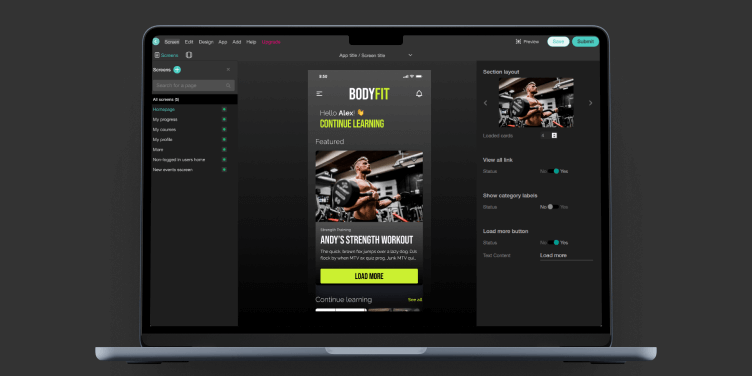
No-code builder with full customization. Publish to iOS and Android in under a month
311% more revenue, 10x user growth for app users

Offline access, biometric login & in-app purchases
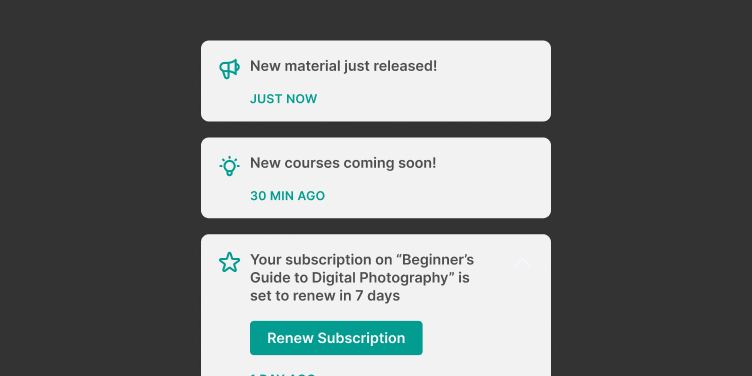
Built-in push notifications and real-time analytics
Best for:
Corporate L&D teams, customer training teams, course creators, nonprofits, and entrepreneurs who want to launch a custom-branded elearning app with zero development effort.
We’ve made custom elearning app development accessible to everyone
Custom elearning mobile app development used to be costly, complicated, and time-consuming. Not anymore.
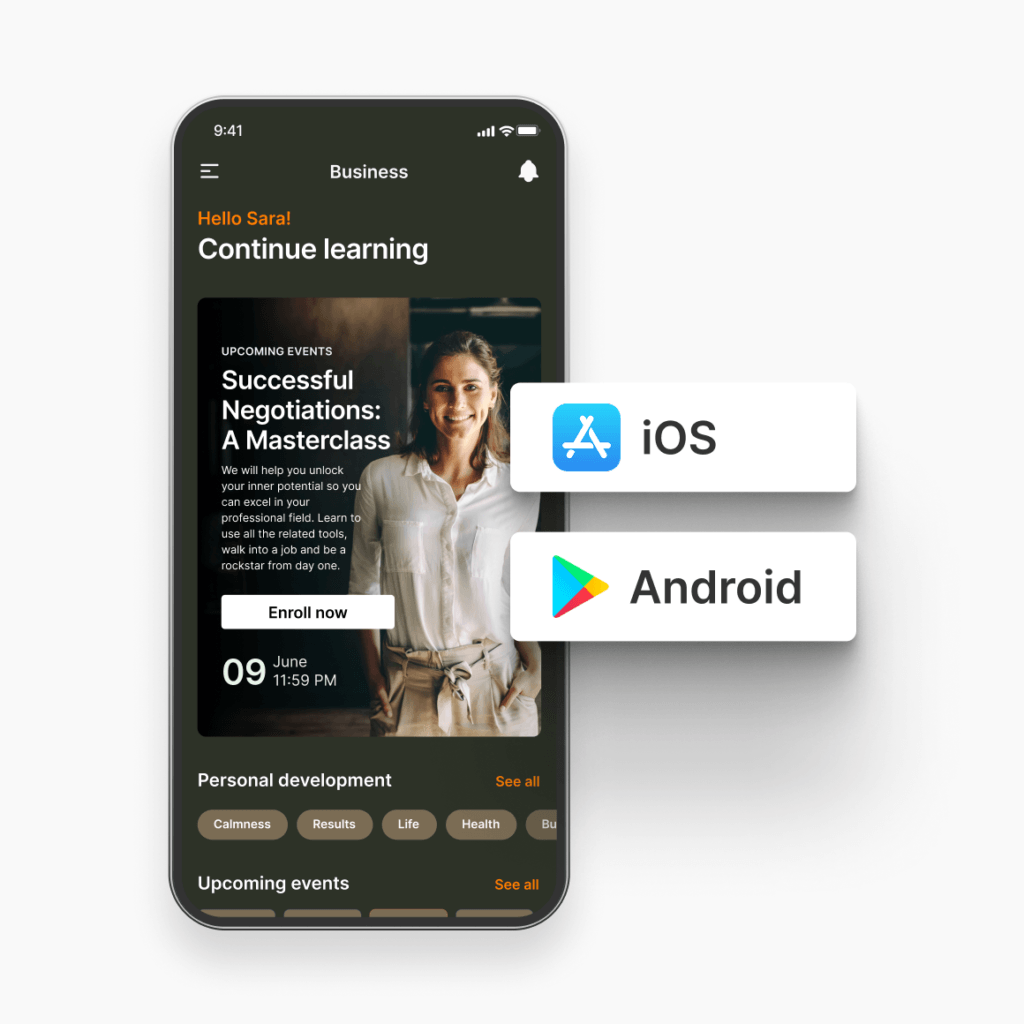
Build your branded app before you buy
Use our visual editor to set up and test your branded app before spending a single cent. Only buy when you’re ready for launch.
We submit it for you
We take on the full responsibility to ensure your brand’s app is completely compliant with Google Play and App Store standards.
Go live in one month, max
Once you’ve submitted your app to us, it will take 2-4 weeks to go live. We’ll keep you updated the whole time.
Build, polish, and update with AI.
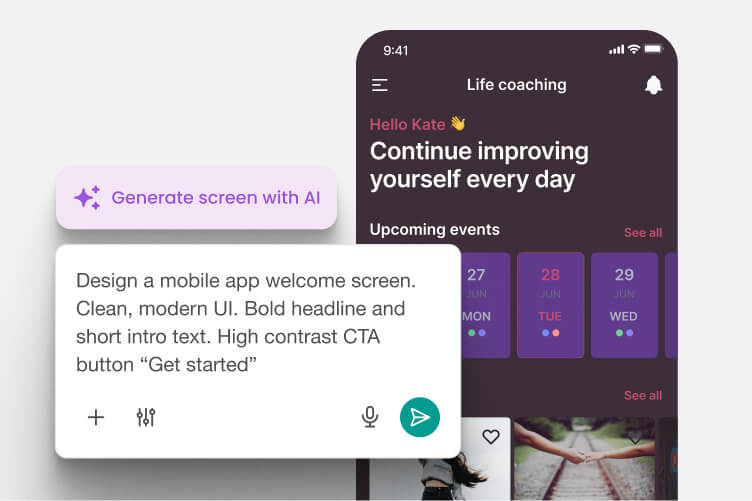
Go from blank screen to first draft in one prompt
Describe the screen or pick a template — AI builds the whole thing, copy and visuals included, pulled from your academy’s own context. No blank canvas, no starting from a generic template and hoping it fits.
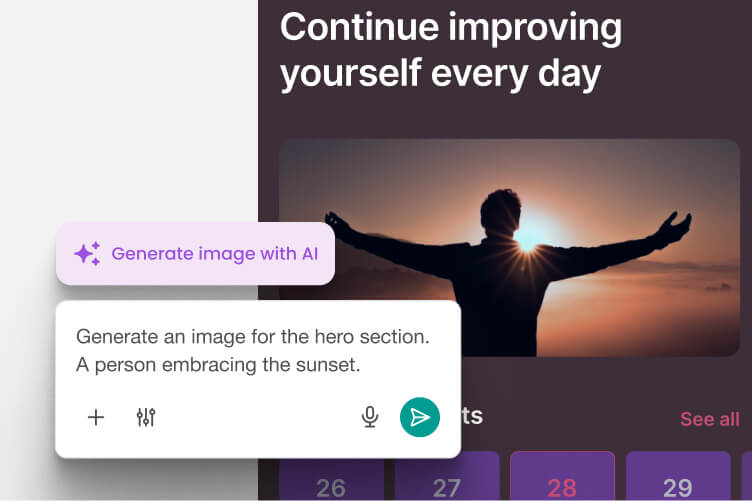
Visuals and copy that works for your academy in just one prompt
Generated visuals are built around your academy, not a stock library — and you can adjust them right where they sit. Rewrite the copy, shift the tone, or translate it for a new audience, without redoing the screen from scratch.
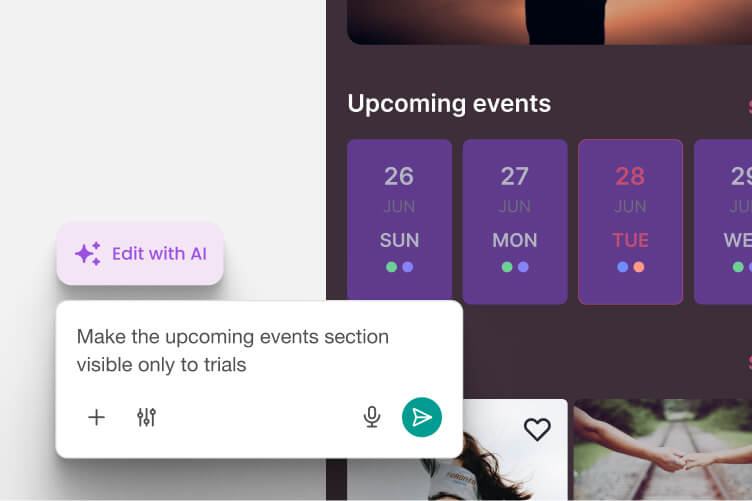
One instruction, section-wide
Drop the rounded corners. Restrict visibility to one group. Change it for everyone at once. Instead of clicking through every element, you tell the section what to become — and it does.
Your elearning app. Their hands.
Completely customize every aspect of your app and brand every aspect of your user experience.
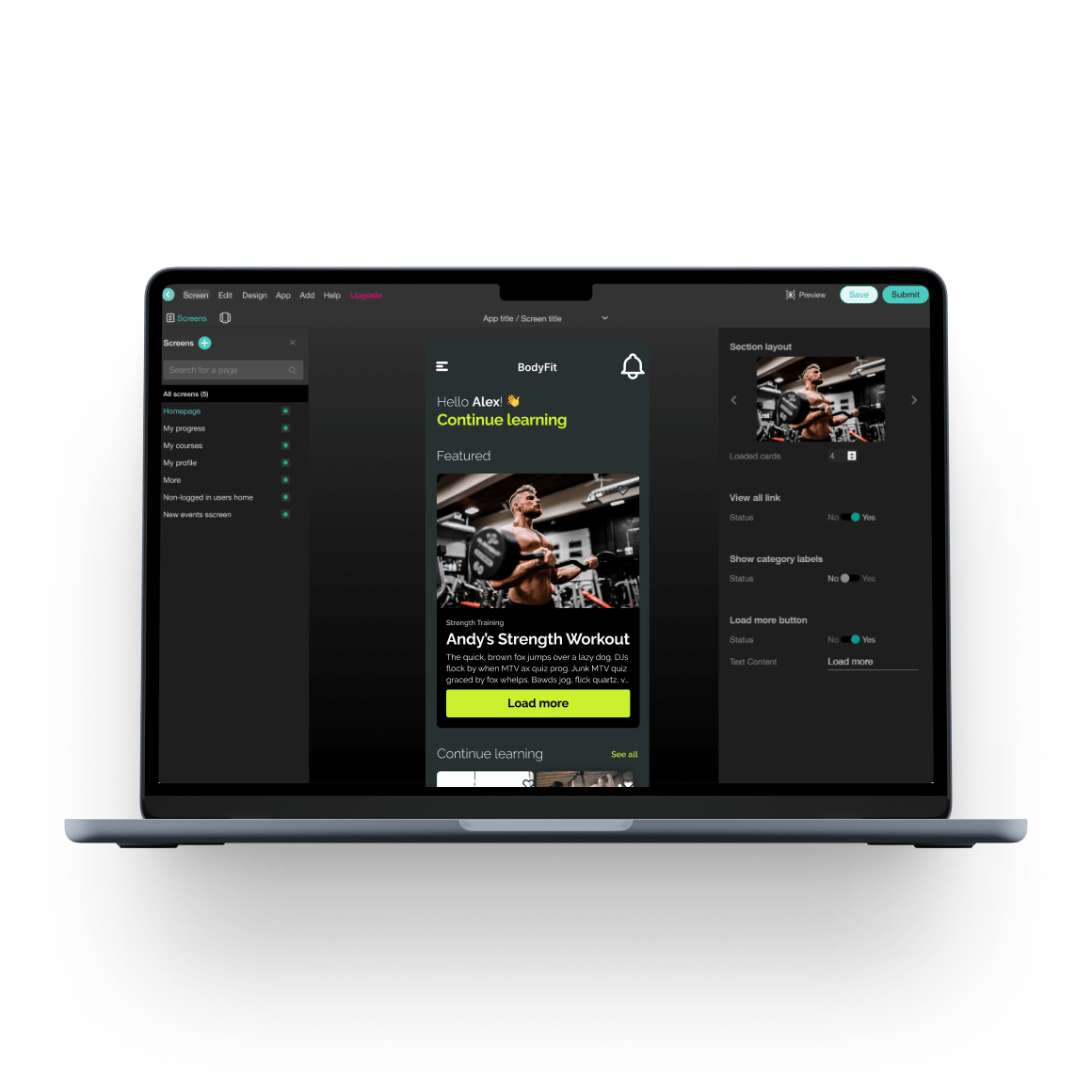
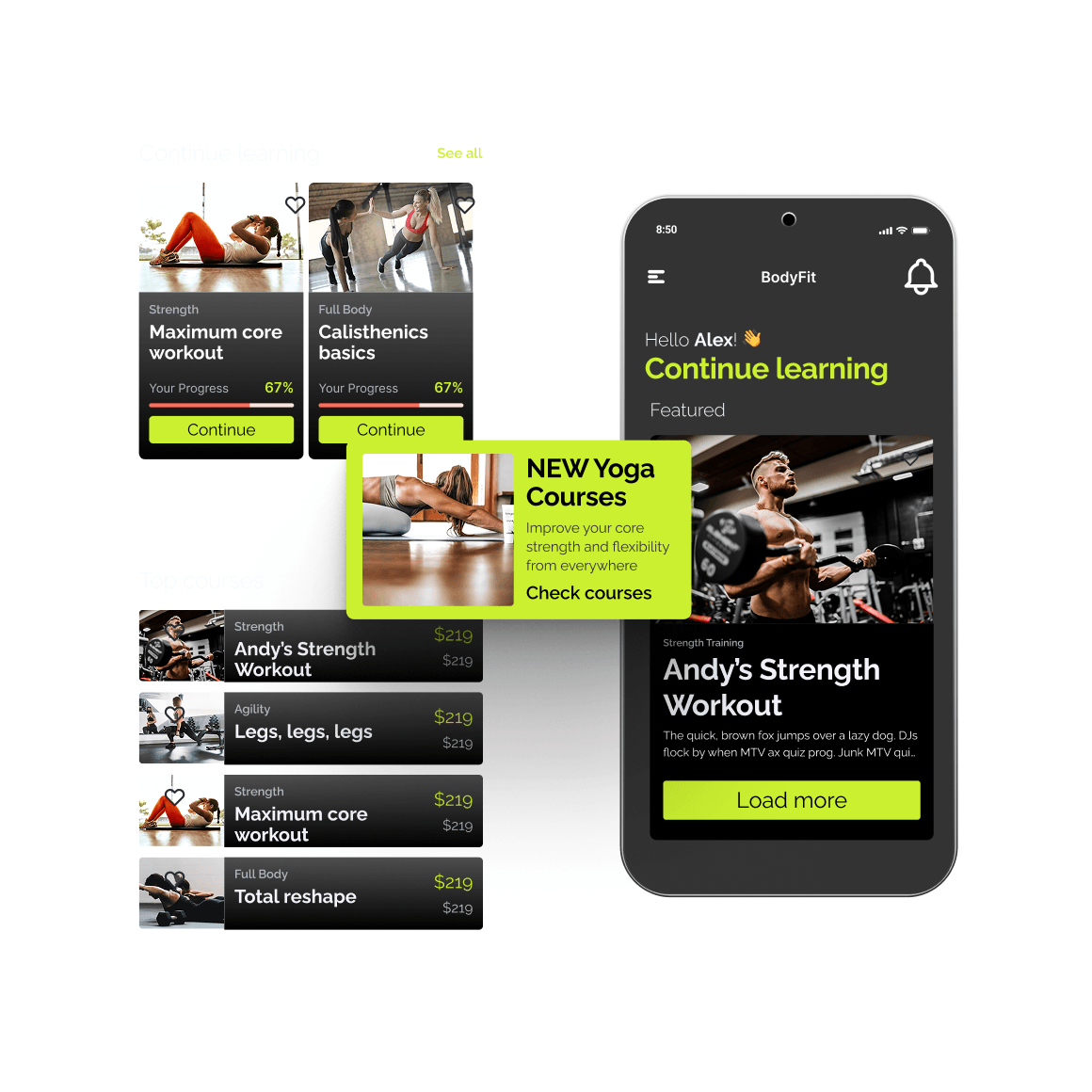
See LearnWorlds Mobile App Builder in action
Go through an interactive demo to discover what our Mobile App Builder can do.
Custom mobile learning solutions that learners can use on the go
Move around your users. Their busy lives, their likes and dislikes.

Learning on the go with offline mode

Provide both free and paid courses in your elearning mobile app

Push notifications and lesson reminders

Simple access with biometric authentication
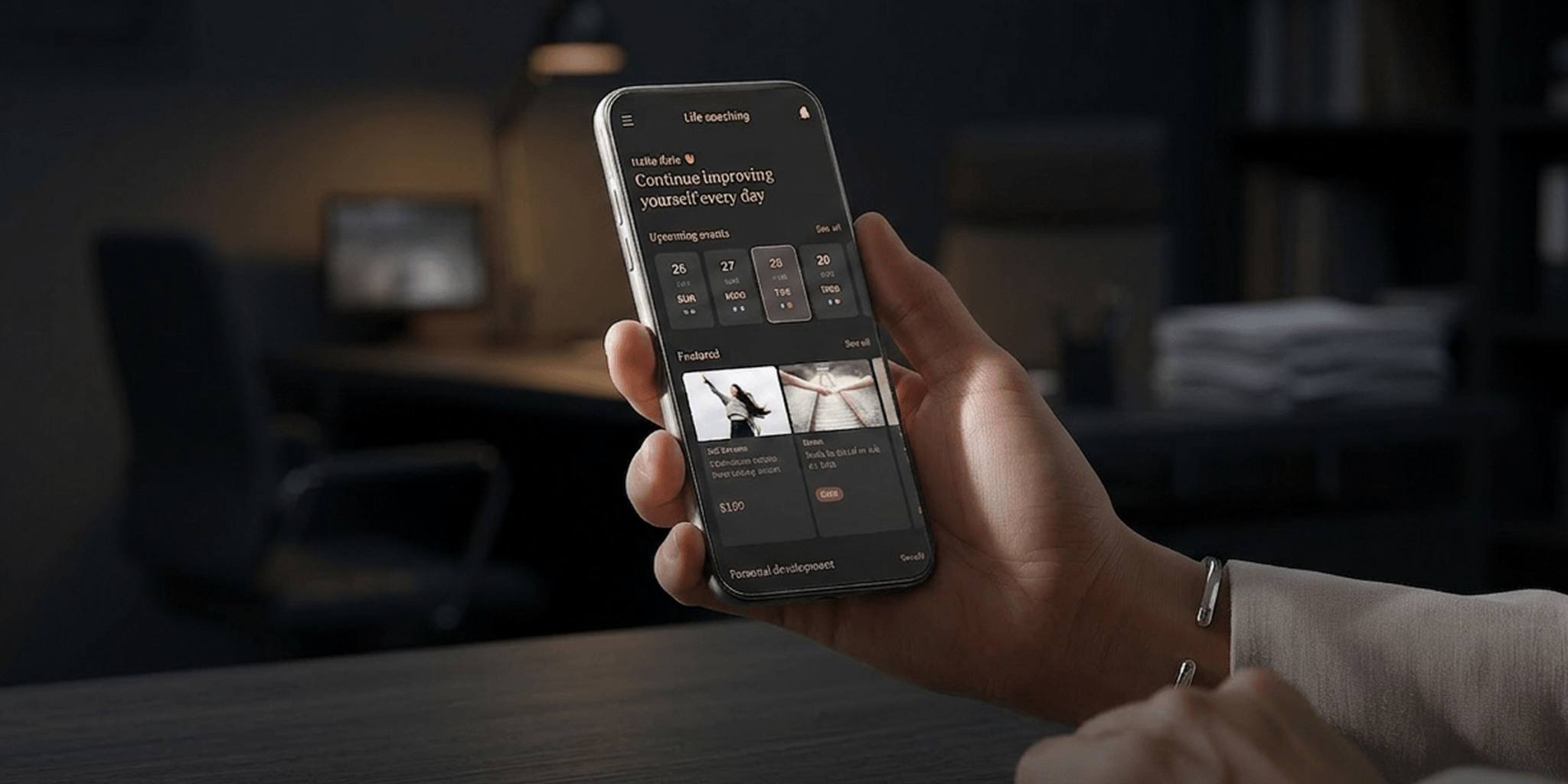
In-app purchases for individual courses and subscriptions
Elearning mobile apps built for bigger businesses
Run end-to-end campaigns, time and time again.
Integrate your campaigns
Monitor marketing performance from first click to course completion with native Google Firebase and Facebook Business SDK integration.
Sell on any screen
Sell digital products, premium content, and value-added services straight from your elearning mobile app.
Analyze and optimize your branded app’s performance
Track every interaction with your app—review active users, sessions, and other performance metrics to spotlight areas for optimization.
Smaller screen. Bigger revenue.
Our customers see dramatic leaps in their numbers with their own elearning app.

311% more revenue

214% more transactions

10x more users

Get started with the #1 custom mobile learning solutions today
Build before you buy, then go live.
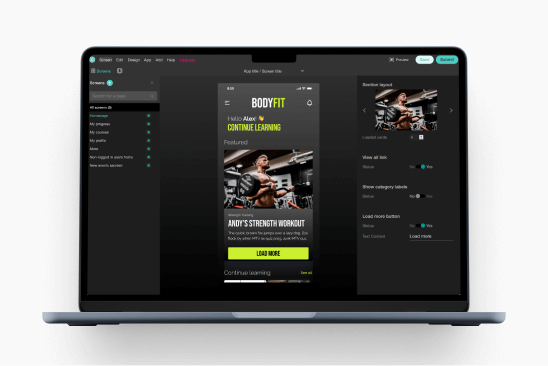
Set up
Build your branded app experience.
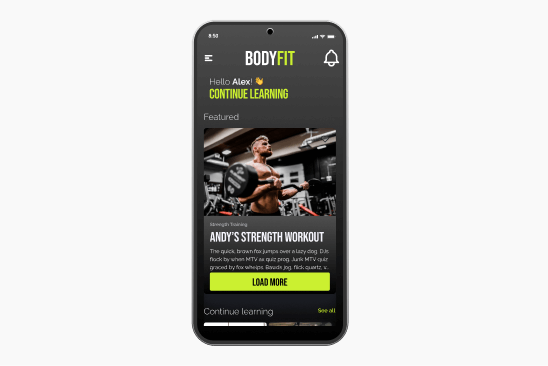
Test it
Test your app live on your phone.
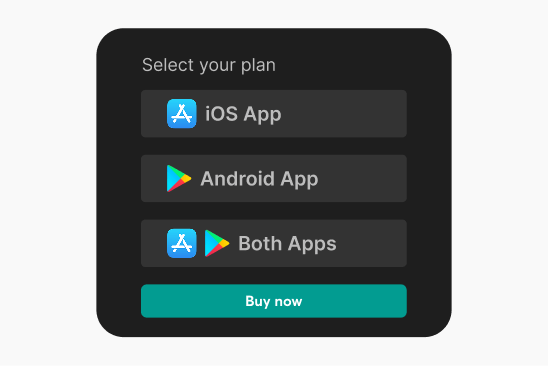
Buy a plan
Buy a new plan, or add it on.
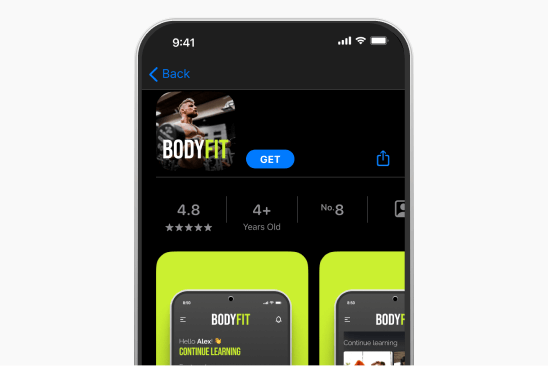
Go live
We get your app live for you.
“I like that LearnWorlds provides me with a fully functional website where I can offer my students self-study resources and a community chat. The team is responsive and professional, and they really care about what they are doing.”

“I find the AI bot helpful as it gives answers to my questions and even generates pictures for problem-solving. The platform is easy to use, and I love the different ways a course can be customized and has so much interaction.”
“We get email prompts about enrollments, which is a wonderful experience, allowing us to welcome new people with ease. The hands-off experience lets me focus on chemistry, removing the technical hassle of enrolling people.”
“The platform has been easy to set up and navigate. Plus, the onboarding calls have been helpful and tech support is extremely responsive! I am so pleased So far, the tech support has been worth every penny I’ve paid!”
“The platform integrates our website, funnels, marketing, and learning system all in one place, which is super convenient. I also appreciate their regular updates and the support team, which is extremely responsive.”
“I like the sleek, modern, easy to configure aspect of the platform. It is very easy as an admin to to set up pages without using code. I also like the modern features – like lesson markers, ai, and reporting”
“It’s amazing compared to our old learning platform. Every time I think of something I’d love to be able to do, a quick search shows that it’s available, and over a year in, in still finding even more features.”
“The wide range of features, responsive support, and regular platform updates. The value is good for the price, especially considering the range of features, regular updates, and responsive customer support.”
“It’s just amazing to find an all-in-one platform that delivers such high quality, they’ve really raised the bar and I love not having to compromise on the product we deliver because of software limitations.”
“The platform is really configurable, giving us a huge amount of flexibility about how to lay out our course. It’s allowed us to deploy our course in a drip feed format, which is fantastic for our learners.”
“I am using LearnWorlds for long time and it give us interactive video features, quizzes, buttons, notes inside videos and many more. LearnWorlds provide all in one online course and its creation tools.”
“I am not an L&D professional, but have familiarity with HR and training more broadly. The platform is very intuitive and does not feel too “niche”.”
“The site is very user friendly and easy accessible. UI/UX is wonderful. The onboarding was also very easy”
“There are a lot of unique and user friendly features. The system is very customizeable.”
“The best Part is the support team. They are really quick.”
Support articles
Use LearnWorlds’ visual Mobile App Builder to design and customize every screen of your mobile learning app without writing a single line of code—choose themes, upload your logo, edit menu screens, and preview changes live before publishing.
Support article: How to customize the design of your mobile app
After designing your app, you can configure the app’s name, icon, splash screen, sign‑in experience, and learner tools such as offline video and biometric authentication directly from the mobile app settings in your LearnWorlds dashboard.
Support article: How to set up your mobile app
LearnWorlds lets you preview and test your app via the LearnWorlds demo app—scan a QR code or use your unique test code to experience it on a real device before purchase or publication.
Support article: How to test your mobile app
Once your app design is complete and you’re ready to launch, you submit it through the mobile app “Launch” section. LearnWorlds’ team will handle the submission process and publish the app to the stores using your Apple and Google developer accounts.
Support article: How to launch your app
Yes. You can create and manage in-app purchases directly from your LearnWorlds dashboard (no need to set them up first inside App Store Connect / Google Play Console).
Support article: Add and manage your in-app purchases
The Mobile App Builder includes built‑in analytics tools that let you track active users, sessions, and download metrics both within your academy dashboard and through reports available from the app stores.
Support article: How to track your academy’s app performance
If you update your custom domain, you’ll need to update the privacy URL settings in your mobile app configuration. You can also contact our support to ensure the changes are reflected in your app submission settings.
Support article: Mobile Apps – FAQs
Glossary of terms
Branded mobile app: A custom-built app designed to reflect your academy’s unique brand identity—logo, colors, name, and style.
Custom mobile apps: Mobile apps specifically built to match an organization’s goals, training programs, and user preferences.
White-label mobile app builder: A platform that allows you to build apps that are completely branded as your own, without LearnWorlds or third-party branding.
Branded app: A version of an app fully wrapped in your brand—from visuals and tone to the app store listing.
Elearning mobile app: An application designed for delivering digital learning on smartphones and tablets.
Mobile learning app: A mobile-native platform that delivers courses and training programs directly to learners’ devices.
Elearning app: A digital application for delivering and consuming online education content.
Elearning app development: The process of planning, designing, and launching a mobile learning experience.
Custom elearning app development: Building mobile learning solutions that cater to specific training, compliance, or onboarding needs.
Elearning app features: Functionalities like push notifications, SCORM support, in-app purchases, live sessions, and progress tracking.
Elearning app builder: A platform that provides tools to create mobile apps for learning.
Mobile app learning: The concept of delivering structured or self-paced learning through mobile applications.
FAQs
Yes, LearnWorlds offers a powerful white-label elearning mobile app builder tailored for corporate training and onboarding. It’s a solution that enables L&D teams to deliver consistent, branded learning experiences that employees can access anytime, anywhere. It’s ideal if you’re training new hires, ensuring compliance, or rolling out new tools.
Branding the app with your company’s name and identity, your team controls the entire experience while taking advantage of LearnWorlds’ robust tech infrastructure and support.
An elearning mobile app increases course sales and engagement by putting your learning content directly into learners’ hands with a flexible, on-brand experience. With instant mobile access, learners are more likely to engage with content consistently, leading to better completion rates and satisfaction. Push notifications boost return visits, while offline access and easy navigation remove common learning barriers.
Ultimately, a branded mobile app increases perceived value but also helps to convert and retain more learners with better convenience, accessibility, and continuity.
Keep learning: How to make a course to sell: The ultimate guide for 2025
No coding is needed to create a custom mobile app with LearnWorlds. The platform’s mobile app builder allows you to design every screen and interaction using drag-and-drop tools. This means anyone can create a fully functional, professional-grade mobile learning experience.
See the 5 best no-code LMS mobile app builders in 2026.
LearnWorlds’ white-label mobile app builder is designed for training providers, businesses, and creators who want full control over their brand and learner experience. It’s great for when you’re building internal training tools or customer-facing apps.
Ideal audiences include:
The LearnWorlds mobile learning app comes packed with features to support high-quality, on-the-go learning. These include everything from interactive screens to in-app purchases, biometric login, and robust analytics.
Key features include:
- No-code visual app editor
- Ready-made templates and widgets
- Offline video
- Push notifications
- Free and paid course access
- In-app purchases
- Biometric authentication
- Analytics dashboard
- Full branding and customization
Explore all of LearnWorlds’ features.
You can build an education app with LearnWorlds by adding the Branded Mobile App Builder to your plan starting at $149/month. This fee is in addition to your main LearnWorlds plan and includes full support, publishing assistance, and advanced app customization features.
Find out how to make an app.
Setting up your elearning app is simple and guided. You’ll use the no-code visual editor to customize your layout, branding, and screens. You can preview your mobile app design in real-time and make changes instantly.LearnWorlds provides extensive options to ensure your branding is consistent. Our support team helps with elearning app development specifics, like submitting to the app stores, ensuring your experience is smooth from build to launch.
Yes, our mobile engineers thoroughly review and publish your branded elearning mobile app to the app stores for you. They will do this using your own Apple and Google developer accounts so that you retain full ownership of the app.
We do this to ensure that your elearning app is compliant with app store guidelines and can respond to any technical requests, questions, or rejections from the app stores. You just need to press the “Submit” button—we take care of the rest.
No, you don’t need to update your mobile learning app through the app store when adding new course content. Once your app is live, all updates to lessons, videos, and courses are managed directly within the LearnWorlds platform. Your learners will automatically see new content within the app.
This dynamic content management makes maintaining and scaling your mobile learning app simple and fast.
Yes. You can charge one-off payments for access to paywalled content or value-added services like 1:1 consultations or event attendance. Please note, both app stores will take a small portion of your in-app sales—we don’t.
Before you can start selling via your brand’s app, you can add in-app products directly from the mobile products dashboard.
Once your mobile is ready and passes through our internal review, it will typically take us up to 5 to 7 days to get your elearning mobile app submitted for publishing.
The publishing process includes ensuring compliance with App Store and Google Play requirements. We’ll notify you throughout the process and follow up on any feedback from the app stores to keep your launch on track.
You can customize your branded mobile app in detail, from layout to navigation to branding. The app is fully yours and will appear under your brand in the app stores.
When it comes to the in-app experience, you can change everything you like by:
- Customizing the widgets, image carousels, themes, and so much more
- Adding new screens
- Adjusting the primary and secondary navigation
Of course, you can set up your app, customize it however you like, and then test the app before even purchasing the Mobile App Builder. You simply download LearnWorld’s demo app, scan the QR code or enter your app’s code, and test your app in a real mobile environment.
Learn more about testing your app before submission.
Engage your customers with custom mobile learning solutions. Sign up today
LearnWorlds gives you everything you need to create, test, and launch a fully branded mobile learning app. Our mobile app builder, built-in templates, and expert publishing support make mobile elearning easy.
Want to give your learners flexible on-the-go access to training under your own brand? Let’s get started.
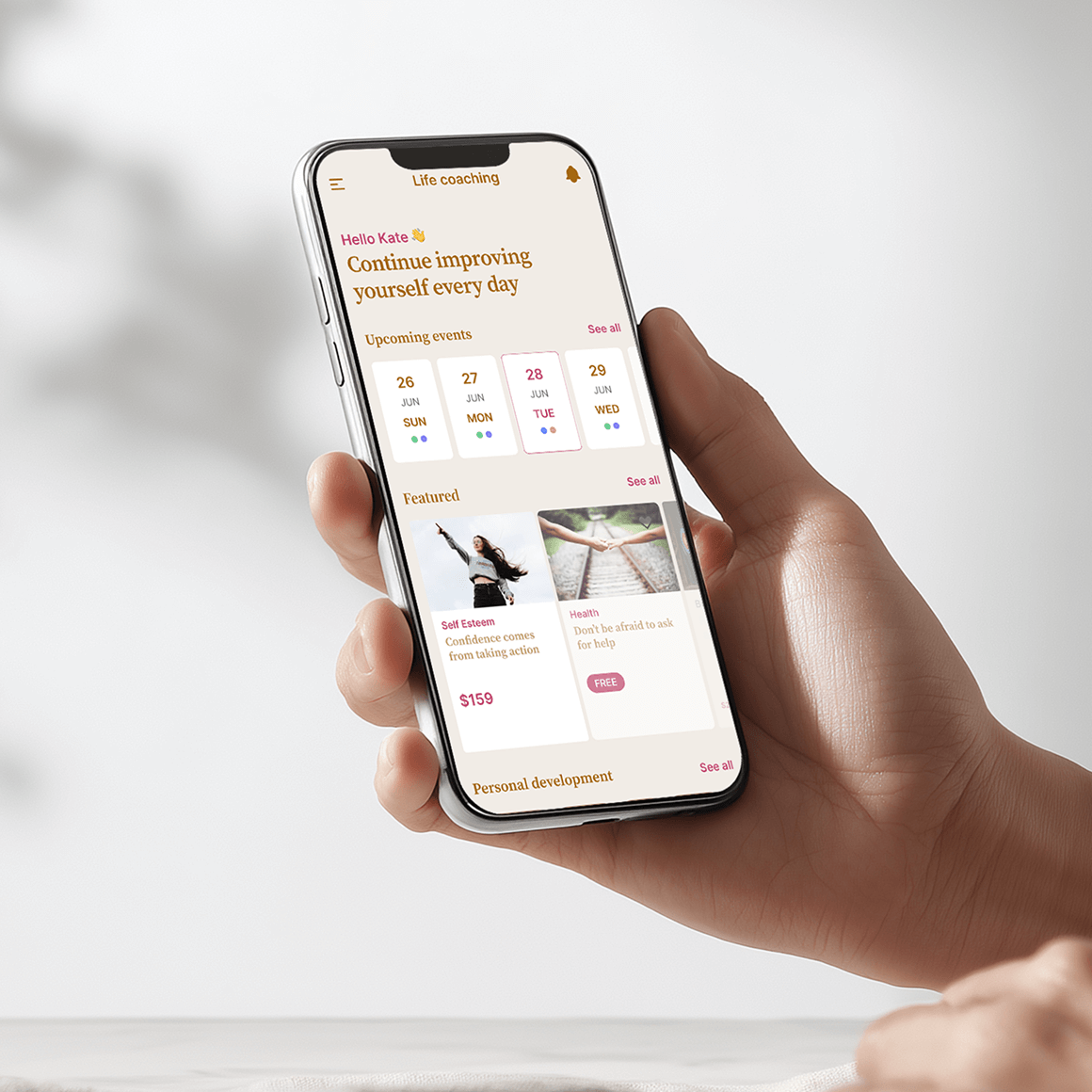
Build your elearning mobile app and get a world full of market-leading features
Experience the power of LearnWorlds’ full suite of features. The most advanced on the market to build, market, and analyze your school, while keeping your students on point with live, flexible, and interactive courses.
Flexible Courses
Design impactful learning journeys that motivate and inspire.
Interactive Video
Use video-based learning to boost engagement and retention.
Pop-up Builder
Use popups strategically to guide users and highlight key actions.
Affiliate Programs
Grow through referrals—set up and manage your affiliate network.
AI Assistant
Bring your knowledge to life: AI supports you with tailored insights and content suggestions.
Mobile App Builder
Create a branded mobile experience that fits your learners’ lifestyles.
Bundles & Subscriptions
Increase revenue with flexible bundling and recurring payment models.
Survey Builder
Collect feedback that helps you refine your courses and strategy.
Website Builder
Launch a polished elearning site effortlessly—no technical skills needed.
Checkout & Payment
Offer smooth, secure transactions with full control over pricing.
Assessment Builder
Create reliable, user-friendly quizzes and self-assessments with ease.
Analytics & Reports
Monitor performance across your school with built-in LMS reporting and analytics.
Marketing Tools
Promote your academy with powerful tools built for conversions.
Live Sessions
Connect in real time to strengthen learner engagement and community.
Custom User Roles
Assign permissions confidently with tailored access controls.
Integrations
Extend your school’s reach with seamless connections to your favorite tools.
SCORM
Upload and manage SCORM/HTML5 content for interactive course delivery.
White-label Website
Deliver a completely branded experience—your school, your way.
LTI
Bring external learning tools into one consistent training experience.
Course hub
License quality courses from other academies.
Published:
Last Update: