Table of Contents
Key takeaways
- LearnWorlds now helps training businesses sell more from their existing catalog, without rebuilding bundles or managing checkout workarounds
- LearnWorlds now gives training businesses more ways to sell learning products across the full buying journey, with Recommendations for discovery, Order Bumps for targeted checkout upsells, and Cart-based Discounts for larger purchases
- Product Recommendations and Order Bumps help learners find relevant next products at the right moment, whether they are browsing the school, reviewing their cart, or completing payment
- Cart-based Discounts make promotions easier to manage by applying incentives based on total cart value or number of items, reducing the need for manual bundles, product-by-product discounts, or complex coupon setups
Growing online course sales often depends on what happens before, during, and around checkout.
You need to help buyers find the right courses, programs, and add-ons while they browse. You need a simple way to recommend the right next product at checkout. And when someone is ready to buy more, you need a way to reward that larger purchase without rebuilding bundles or managing a long list of one-off coupons.
That is why we are adding three commerce tools to LearnWorlds:
- Automatic Recommendations to help learners discover relevant products across your school
- Order Bumps to add targeted upsells on the payment page
- Cart-based Discounts to apply discounts based on cart value or number of items
Together, these features give training businesses more control over how learners discover, add, and buy learning products inside LearnWorlds.
What’s new
Here’s what’s new in a nutshell.
What it helps you do | Where it appears | |
|---|---|---|
Automatic Recommendations | Surface relevant courses, programs, and products while learners browse or prepare to buy | Website pages, cart, and payment page |
Order Bumps | Manually recommend a specific product during checkout | Payment page |
Cart-based Discounts | Reward larger purchases based on cart value or number of items | Checkout |
Now let’s explore each feature in more detail.
Help learners find the right next product
When someone is exploring your school, they may not know which course, program, or add-on is the best fit. With Recommendations, you can surface relevant products across more of the buying journey—not only at the final payment step.
You can use recommendations to promote learning products:
- on website pages
- in the cart
- and on the payment page
That means you can guide learners toward the next relevant purchase while they browse, compare options, and get ready to buy.
Set Automatic Recommendations
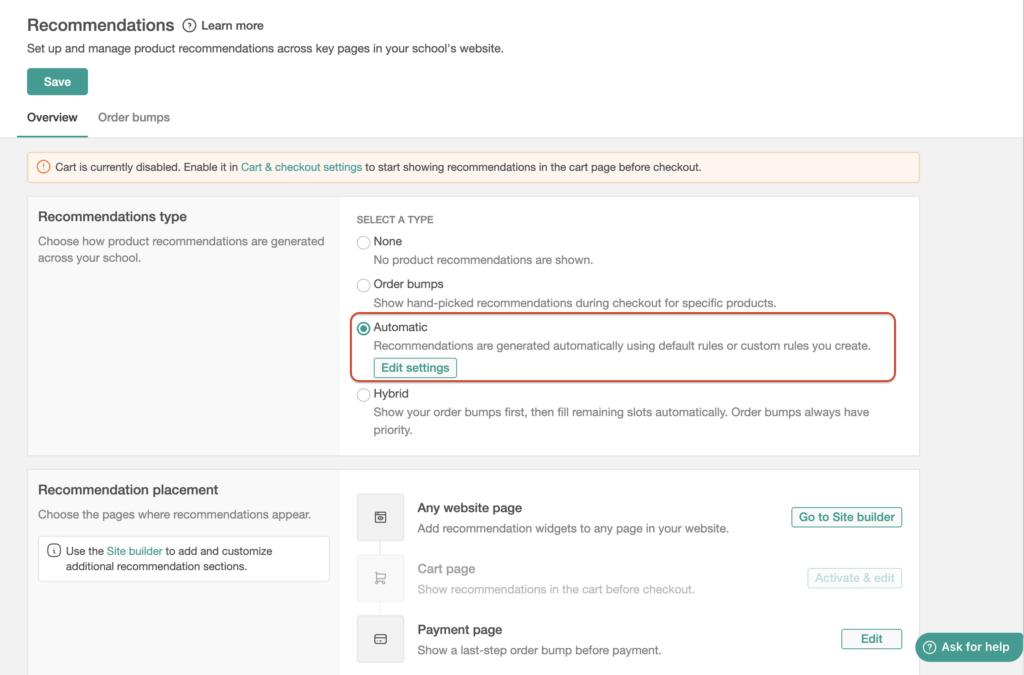
With Automatic Recommendations, the system automatically suggests products to learners based on strategies. You can set strategies such as frequently bought together, best-selling products, and custom rules, so you do not have to choose every recommendation for every page or checkout flow manually.
For training businesses with a larger catalog, this makes product discovery easier to manage. Instead of relying only on static bundles or manual cross-promotions, you can help learners see related products at the moments when they are most likely to consider them.
💡Learn more about Automatic Recommendations.
Add targeted checkout upsells with Order Bumps
Sometimes you know exactly what product should be offered next.
For example, someone buying a certification prep course may also need a practice exam. Someone enrolling in an introductory program may be a good fit for a coaching session, advanced module, or related resource.
That is where Order Bumps help.
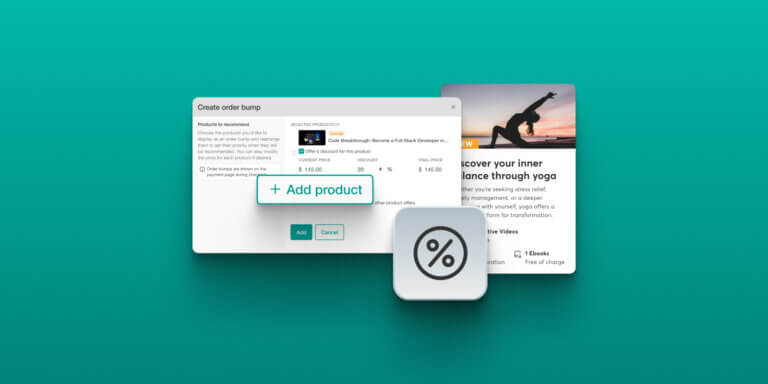
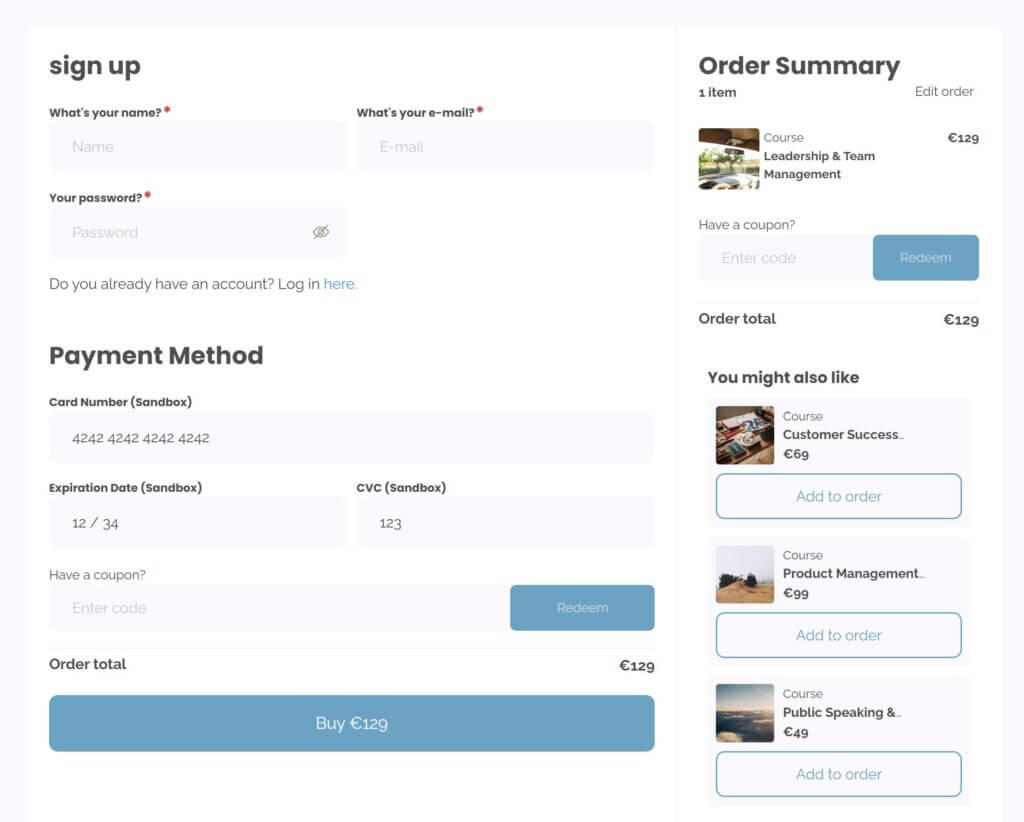
Order Bumps let you manually recommend a specific product on the payment page when someone is checking out for a related product. You choose the primary product, choose the product you want to recommend, and decide how that offer appears during checkout.
This gives you a direct way to present a relevant add-on while purchase intent is already high, without rebuilding your offer as a bundle.
Order Bumps are best when you want full control over the upsell:
- a specific add-on for a specific course,
- a discounted companion product,
- a practice resource for a certification program,
- or a next-step product that fits the buyer’s current purchase.
💡Learn more about Order Bumps.
Combine your approaches with Hybrid Recommendations
So far, we’ve shown you two ways to leverage recommendations in your school: automatically with guided instructions and manually with Order Bumps.
With Hybrid Recommendations activated, you can have both strategies working at the same time: manual placements where they matter most, plus automatic recommendation logic to fill the remaining recommendation slots.
This gives you flexibility based on how your training business sells.
💡 Learn more about Hybrid Recommendations.
Reward larger purchases with Cart-based Discounts
Discounts are often tied to individual products. They work for some campaigns, but it can become hard to manage when you want to encourage larger purchases across the whole cart.
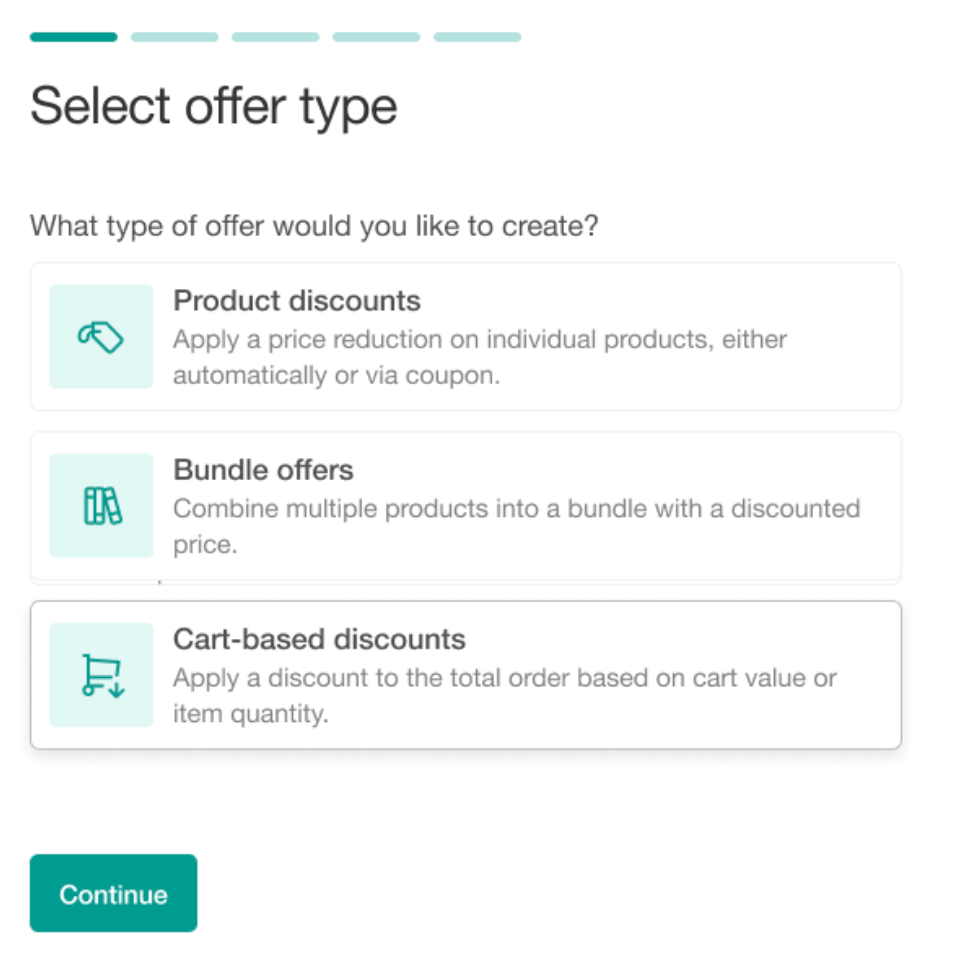
Cart-based Discounts give you a new way to apply incentives based on the full order.
You can create discounts based on:
- the total cart value
- or the number of items in the cart
For example, you can create offers like:
- 15% off orders over $300
- $10 off orders over $100
- tiered discounts that increase as cart value grows
- or volume-style incentives based on the number of items in the cart
You can also choose how the discount is applied:
- automatically at checkout
- or with a coupon code for campaign-specific promotions
If more than one cart-based discount is eligible, LearnWorlds applies the one that gives the customer the highest benefit. Cart-based discounts do not stack with each other, so the customer gets one clear cart-level discount.
For training businesses running seasonal campaigns, selling multiple products, or encouraging learners to buy more at once, this means less manual setup and a cleaner checkout experience.
💡Learn more about Cart-based Discounts.
How these features work together
Each feature plays a different role in the same buying journey. Used together, they help you shape the path from browsing to buying and avoid adding more manual work to your team.
For example:
- A learner browses a course page and sees related programs
- They add one course to their cart and see additional recommendations
- At checkout, they see a targeted order bump for a relevant add-on
- If their cart reaches your discount threshold, a cart-based discount is applied automatically
This gives you more ways to sell inside LearnWorlds without creating a separate bundle, rebuilding your checkout flow, or managing every promotion product by product.
Availability of features
Cart-based Discounts and Order Bumps are available on all plans. Automatic and Hybrid Recommendations are available on Learning Center plans and above.
Try the new features today
LearnWorlds is built for training businesses that need their academy to do more than host content.
When you sell multiple courses, programs, resources, licenses, or learning products, your commerce setup needs to support discovery, upsells, promotions, and checkout without forcing your team into manual workarounds.
Whether you want to highlight specific products, increase order value, or reduce the setup work behind promotions, you now have more ways to do it inside LearnWorlds.
Not a LearnWorlds customer yet? Start your free trial today and see how we help you sell, deliver, and grow your training business from one platform.

Luiza Coimbra
Luiza is a Product Marketer with a passion for technology and entrepreneurship. With a background in content marketing, she helps LearnWorlds' message reach the world. As an avid traveler, she is always seeking inspiration from new places and experiences.
 Back to blog
 Scroll to top
Related Articles