 RATED “USERS MOST LIKELY TO RECOMMEND” WINTER 2026
LearnWorlds vs. Thinkific:
An in-depth comparison for 2026

 AI-built automated workflows
Full design control
SCORM support below enterprise tier
Built-in advanced assessments
No payment gateway fees
Advanced B2B sales capabilities

 AI restricted to e-mail automations
Limited design control
SCORM support (Enterprise tier only)
Advanced assessments via 3rd parties
Transaction fees on Stripe & PayPal
B2B capabilities on higher plans only
Thinkific helps you build courses. LearnWorlds helps you build a learning business.
Here’s why LearnWorlds leads the way for B2B training companies, course sellers, and organizations coordinating training across multiple institutions.
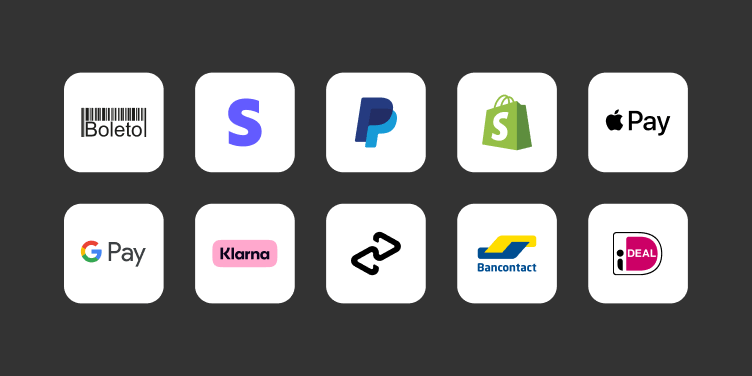
Sell without losing margin on every transaction.
LearnWorlds gives you 12+ payment gateways and 0% transaction fees on Stripe & PayPal. Thinkific covers 3 gateways and charges up to 5% on Stripe & PayPal, plus a 0.4% fee per invoice.
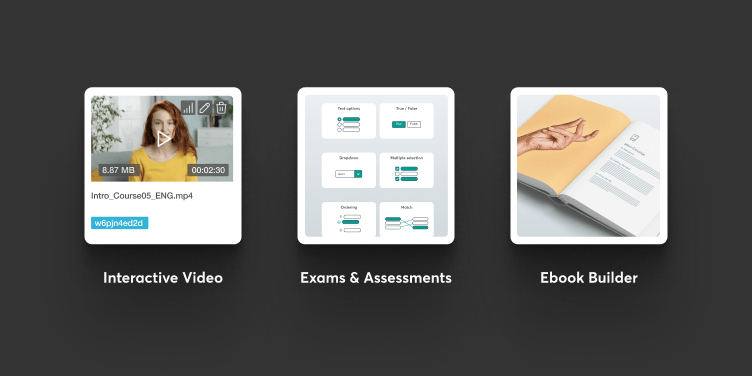
Build learning that’s actually interactive.
LearnWorlds offers native interactive video, AI-generated assessments, and a full AI ebook builder. Thinkific has no native interactive video, and its AI assessment generator is multiple-choice only.
Scale into a compliance-ready training operation.
LearnWorlds offers SCORM & HTML5 support from the Pro Trainer plan upwards. Thinkific gates SCORM support behind its top-tier Plus plan.
Disclaimer:
The information in this comparison is based on publicly available information on Thinkific’s pricing and support pages, as well as our individual research and review of their software. This comparison was updated in August 2026. If you find any discrepancies, do let us know.
Built for training businesses that outgrow course platforms
LearnWorlds is not the right fit for everyone. Here’s who thrives with it.

You sell training to companies
You work with multiple clients, each with their own learners. You need private academies, controlled access, bulk enrollment, and clear, client-level reporting.

You run structured learning programs
Healthcare, finance, safety, certification. You need SCORM readiness, clear completion rules, certificates, and reporting that holds up in an audit.

You operate across markets
Your academy runs across languages, regions, or partners. Manage multilingual academies, regional tax needs, and partner distribution models from a single platform.

You’re building a serious learning academy
You build programs, not one-off courses. You want learning paths and reports that support B2B later, without having to switch a platform in two years.
LearnWorlds vs. Thinkific
Both LearnWorlds and Thinkific offer powerful tools to create, market, and sell online courses. Below, we break down the key differences to help you make the best decision for your needs.
Feature
LearnWorlds
Thinkific
Comprehensive Course Creation
Learning Programs
AI Course Builder
Interactive Video
Not native
SCORM & HTML5

Available on Thinkific Plus
LTI 1.3
Graded Exams
Advanced question types
Multiple choice only
AI Exams
Self-assessments
+16 question types
5 question types
AI Self-Assessments
Multiple choice only
AI Feedback Generator
Course Player Customization

AI-Powered eBook Builder
Content Clone & Sync
Clone only
Social Learning Tools
Automatic Video Transcription
Available on Thinkific Plus
Key Takeaways
- Thinkific covers the essentials for building and delivering courses, including learning programs, AI-assisted course creation, and social learning.
- LearnWorlds gives you more control over the learning experience, with native interactive video, deeper assessment and AI feedback tools, SCORM and LTI 1.3 support, more course player customization, and content cloning with sync.
- Choose Thinkific if its basic course creation tools cover your needs. Choose LearnWorlds if you want interactive learning, assessment depth, and reusable content.
Website & Branding

White-labeling
AI Site Builder
Create & edit pages, funnels, offers, forms, pop-ups, and blog posts from course context
Generates landing pages and assists with copy creation
Page Templates
50+
12+ (Thinkific Plus only)
Different site versions
Multiple After-Login Pages
Available on Thinkific Plus
Learners pages (My Pages)
Advanced device-specific authoring
Smart Blocks (synced sections)
Sign-up Approval
For manual enrollments only
Multilingual Support
Custom content translation is not available
Key Takeaways
- Thinkific covers the core website and branding requirements, including white-labeling and learner pages. Its AI tools focus on landing-page generation and copy support, with several capabilities reserved for Thinkific Plus.
- LearnWorlds gives businesses more control over the entire site through broader AI-assisted site creation and 50+ page templates. It also supports device-specific authoring and synced sections, with more advanced sign-up approval and custom content translation.
- Choose Thinkific for a simpler branded site setup. Choose LearnWorlds if your website is central to how you market, sell, and deliver learning.
Marketing engine
Payment Gateways
12+
3
Payment Gateway Fees via Stripe & PayPal
0%
Up to 5%
Built-in Automations
1k+ custom workflows
75+ custom workflows
Automations based on learners’ behavior
AI Automations
Only for automated emails
SEO-ready pages
Mass Emails
NPS
Paid add-on
Affiliate Program
Blog
Paid add-on
Qualification Forms
Pop-ups
Paid add-on
Integrations
Custom user fields
User Tags
Not native
Key Takeaways
- LearnWorlds combines sales funnels, built-in affiliate management, revenue analytics, and AI-assisted automations within the platform. Describe the workflow you want, and AI generates a complete marketing flow for you to review before activation.
- Thinkific pairs AI-assisted email automation with marketing apps and Zapier connections, but native automation is currently centered on one Sales Flow, with limited control over triggers, exit conditions, timing, and sequence length.
- Choose Thinkific if prebuilt email sales flows and third-party connections cover your needs. Choose LearnWorlds if you want more control over multi-step workflows tied to registered-user behavior, alongside native selling and affiliate tools.
Cart
TCommerce only
Coupons & promotions
Cart-based discounts
Order Bumps & Recommendations
TCommerce only
Sales funnels
Multiple offers
Multiple licenses & Gifts
Custom deals
TCommerce only
Tiered subscriptions
Invoices
0.4% fee per invoice (paid via Thinkific)
HubSpot 2-way integration
Key Takeaways
- LearnWorlds gives training businesses more control over how they package, price, and sell learning products. Its sales toolkit includes cart-based discounts, product recommendations at checkout, multiple offers, custom deals, tiered subscriptions, and built-in invoicing.
- Thinkific covers core sales needs like coupons, subscriptions, licenses, and gifting, but advanced tools such as cart, order bumps, and invoicing depend on TCommerce and Thinkific Payments. These are available on qualifying Grow plans and above, with a 0.4% fee when an invoice is paid through Thinkific.
- Choose Thinkific if TCommerce covers your sales setup. Choose LearnWorlds if you want broader control over promotions, upsells, and custom B2B deals.
Analytics
AI Insights
Plain-language Q&A with instant, actionable answers about your academy
Dashboard summaries for Enrollment and Course Engagement
Sales Analytics
User Engagement Reports
Video Analytics
User Progress Reports
Advanced on Thinkific Plus
Training Matrix
Assessments & Grades Reports
Paid add-on
Affiliates Reports
Scheduled Reports
Advanced on Thinkific Plus
License Reporter
Key Takeaways
- LearnWorlds gives you a broader view of learning and business performance. Reports cover learner progress, learning programs, assessment results, affiliate performance, and revenue. AI Insights lets teams ask about learner and course performance, program engagement, or revenue, while the Training Matrix combines program and course progress. Advanced filters, custom user segments, and scheduled reports are available on Learning Center plans and above.
- Thinkific provides standard dashboards across its core enrollment and engagement data, plus sales and video reporting. Custom dashboards and scheduled delivery require Advanced Analytics on select Plus plans.
- Choose Thinkific if its standard dashboards meet your needs. Choose LearnWorlds if you need reporting across more areas of your learning business.
Branded mobile app
No-Code App Builder
Parity With Web Content
Customizable Push Notifications
In-app Purchases
Subscriptions on Mobile
Offline Mode
2FA
Multiple Login Methods
Email Verification
Native Community
App Analytics
Key Takeaways
- Both LearnWorlds and Thinkific offer branded mobile apps as paid add-ons. LearnWorlds gives you more direct control through an in-platform mobile app builder, native app analytics, offline video viewing inside the app, and parity with your web content.
- Thinkific builds and maintains the branded app for you, with customization focused on elements like colors, icons, and loading screens.
- Choose Thinkific if you prefer a provider-managed setup. Choose LearnWorlds if you want to shape the mobile experience to match your school, and track performance from your LMS.
Starting price
$24/month
$40/month
Free trial
30 days
30 days
Transaction fees
Starter plan only
All plans (unless using Thinkific Payments¹)
Unlimited enrolled users
All plans
Limits per plan
25+ admin users
Learning Center
(from $249/month)
Thinkific Plus
(custom price)
Client reporting
Learning Center (from $249/month) – scheduled progress reports
Thinkific Plus (custom pricing) — advanced progress & scheduled reporting
Custom domain
All plans
(from $24/month)
All plans
(from $40/month)
HubSpot 2-way integration
Learning Center+
(from $249/month)
User tags
All plans
Bulk seats and client management
Pro Trainer
(from $79/month)
Grow
(from $164/month)²
SSO
From $249/month
Thinkific Plus
(custom price)
SCORM & HTML5
Pro Trainer+
(from $79/month)
Thinkific Plus
(custom price)
Migration services
Add-on (All plans)
Thinkific Plus
(custom price)
Premium onboarding
Learning Center+
(from $249/month)
Thinkific Plus
(custom price)
¹ Skips transaction fees only if you don’t use Thinkific Payments
² Group Orders and Seat Managers require Thinkific Payments. Thinkific Payments is not available worldwide.
Key Takeaways
- LearnWorlds starts at $24/month and gives B2B training providers access to core capabilities on lower plans. Bulk seats and client management start at $79/month, while SSO, scheduled reporting, and larger admin limits are available from $249/month.
- Thinkific starts at $40/month. Its B2B sales tools require Grow (from $164/month) and Thinkific Payments, while SCORM, SSO, advanced reporting, migration support, and premium onboarding require a custom-priced Thinkific Plus plan.
- While Thinkific offers a great starting point for beginners, LearnWorlds delivers exceptional value for scaling training businesses.
So, who wins, LearnWorlds or Thinkific?
There’s no universal winner here, only the better fit for what you’re building. Thinkific works well if you’re launching a first course or running a simple, single-creator business. LearnWorlds is built for businesses that sell training operations to companies, run compliance-heavy programs, or need to scale past a single course without switching platforms in two years.
LearnWorlds vs. Thinkific Plus at a glance
Both LearnWorlds and Thinkific Plus serve businesses that want to educate customers, generate leads through product academies, and train employees. Let’s see which one is the right fit for you.
Full SCORM compliance
Enterprise-level security (99.5% guaranteed uptime, SSL, SSO)
AI to get instant data and answers
about your academy
Blended learning experience (Microsoft Teams, Webex, Zoom, Google Meet, Calendly)
Mobile app builder (no-code, available as an add-on)
Full SCORM compliance
Enterprise-level security (99.5% guaranteed uptime, SSL, SSO)
AI to summarize course engagement
and enrollment data
No native MS Teams, Webex, Google Meet integrations
No in-platform app builder. Rely on Thinkific’s extra services
Hear from real people who switched from Thinkific to LearnWorlds
Migration without the headache
Platform migration is a pain. That’s why LearnWorlds team does it for you.
On request, we migrate:
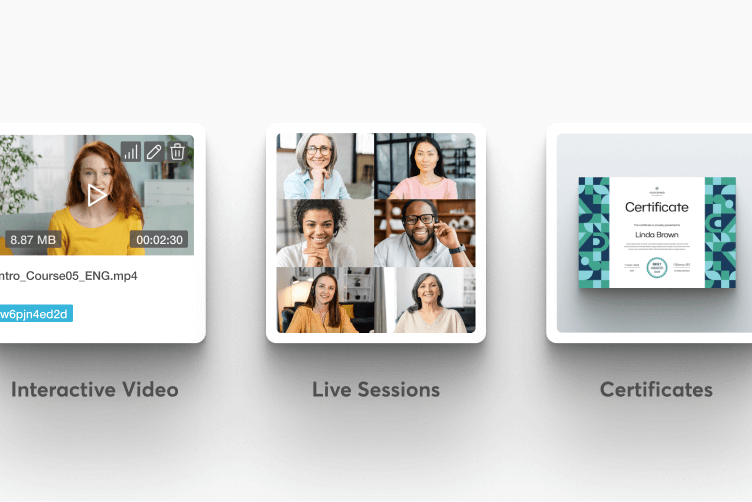
Complete course content
All course activities, assessments, videos, files, and certificates transferred accurately.
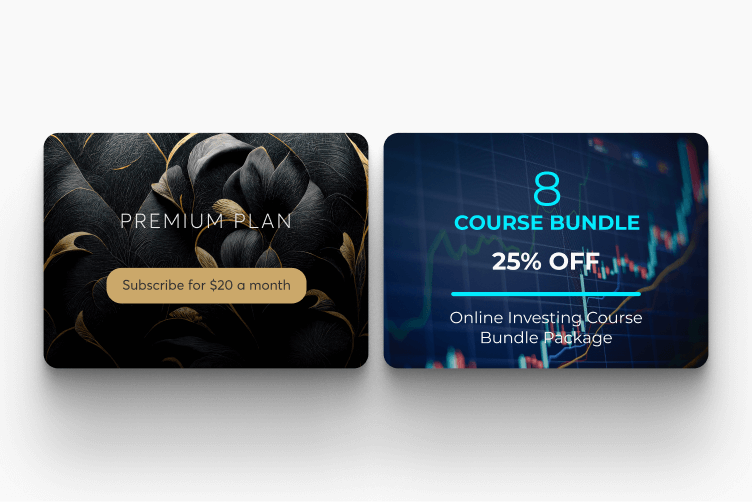
Bundles & subscriptions
Your course bundles and subscription plans recreated to maintain your offerings.
User accounts & enrollments
All user accounts established with their course, bundle, and subscription enrollments intact.
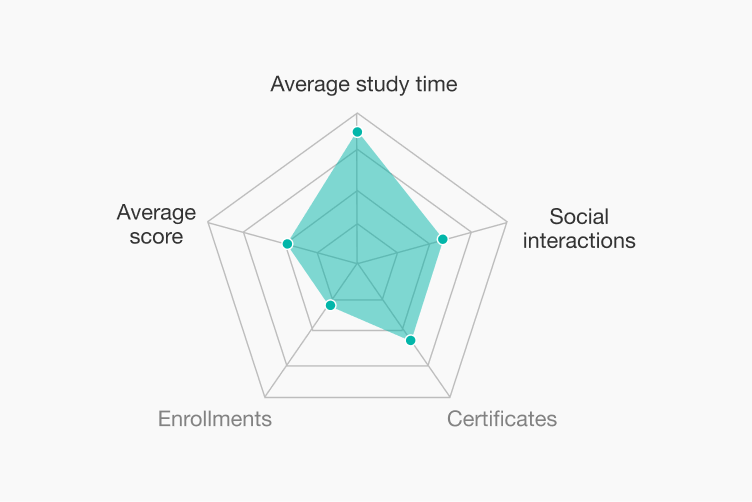
User progress
Transfer learning progress so clients continue from where they left off, without interruption.
Get a free consultation with the LearnWorlds migration team to discuss your specific needs and receive a personalized migration plan.
Why LearnWorlds?
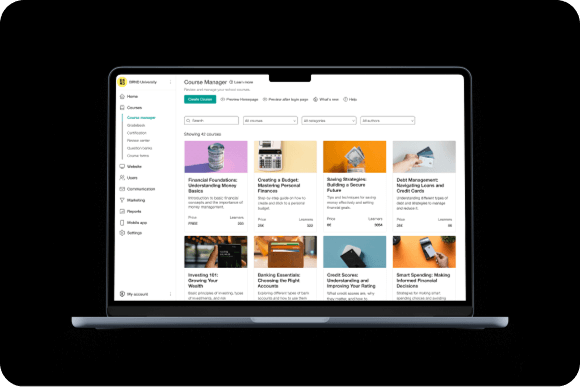
Innovative & future-proof
LearnWorlds is built for the future. With 30+ new features released every year, you’ll always have access to the latest innovations, keeping your online academy ahead of the curve.
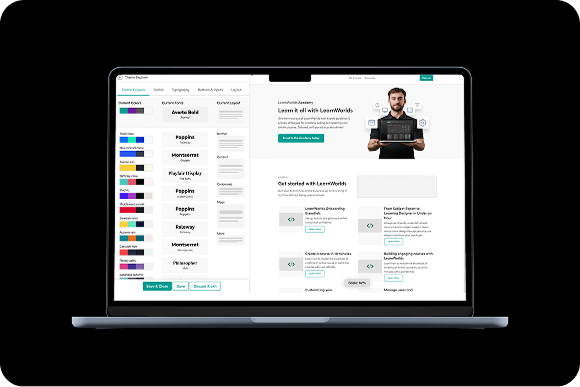
Customer-centric
We listen to you. LearnWorlds evolves with regular feature updates based on customer feedback, ensuring the platform adapts to your needs every step of the way.
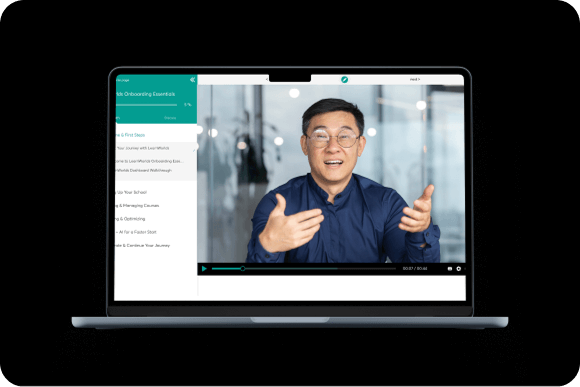
Feature-rich
With the largest selection of interactive learning tools, from live sessions to advanced ebook authoring and SCORM imports, LearnWorlds empowers you to turn your knowledge into engaging, dynamic lessons.
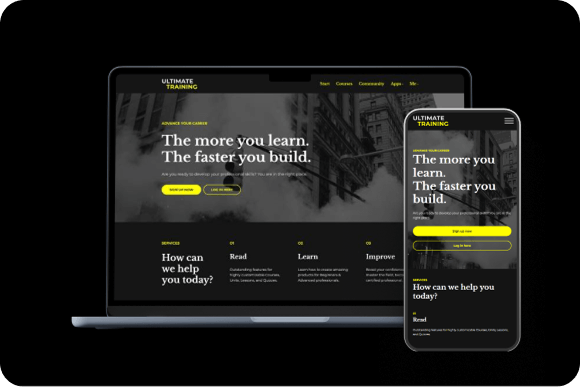
Versatile & flexible
Serving 17+ business models, LearnWorlds’ AI-first approach allows you to adapt to any teaching style or business strategy. Monetize your academy in multiple ways, from subscriptions and one-time payments to tiered pricing, reselling, and corporate training.
You’re in good company
$1b+
Customer revenue
13k+
Customers served worldwide
900k
Courses created
2m
active monthly learners







































FAQs LearnWorlds vs. Thinkific
It depends on your priorities. LearnWorlds is the better choice if you need advanced learning features such as interactive videos, SCORM and HTML5 support, interactive ebooks, advanced assessments, detailed learner analytics, and complete white-label branding.
Thinkific is a strong alternative for creators and businesses looking for an intuitive course platform with solid ecommerce tools, communities, and an extensive app ecosystem.
No. Thinkific no longer offers a permanent free plan. Instead, it provides a 30-day free trial, allowing you to explore the platform before choosing a paid plan.
It depends on the plan and required configuration. LearnWorlds pricing starts at $24 per month, while Thinkific Basic starts at $40 per month. Thinkific Grow is less expensive than LearnWorlds Learning Center at public list price, but several advanced Thinkific capabilities require Plus or add-ons. Compare total cost using the same billing cycle, currency, limits, payment setup, and features.
Yes. Both currently advertise 30-day free trials. Thinkific no longer advertises a permanent free plan.
LearnWorlds offers a broader set of tools for selling, delegating learner management, separating client audiences, and sharing reports across organizations. Thinkific supports Group Orders, invoicing, Seat Managers, and Groups, but its core B2B commerce workflows depend on eligible TCommerce accounts with Thinkific Payments.
LearnWorlds uses AI across more academy creation and analysis workflows and provides shared AI Context settings for brand, tone, image style, and custom instructions. Thinkific offers AI creation tools and Thinker, a learner-facing assistant available on Plus.
Yes. Thinkific supports SCORM 1.2 and SCORM 2004 packages, but only on Thinkific Plus plans. Creators on lower-tier plans cannot upload or deliver SCORM content. LearnWorlds, by comparison, includes SCORM support on its Pro Trainer plan and above.
Thinkific is generally considered easier for beginners thanks to its intuitive interface, straightforward course builder, and minimal learning curve.
LearnWorlds offers many more built-in features and customization options, which can take longer to master but provide greater flexibility as your academy grows.
Yes. Thinkific supports custom domains, branding, and white labeling on its paid plans, allowing you to customize your school’s logo, colors, and website.
However, some advanced branding capabilities remain more limited than LearnWorlds, particularly around the learner experience, mobile apps, and the depth of website customization. LearnWorlds offers more comprehensive white-labeling, including branded login experiences, email notifications, checkout, and optional fully branded iOS and Android apps.
Yes. The migration path should be scoped around your courses, users, enrollments, records, subscriptions, client workflows, integrations, and launch requirements. LearnWorlds offers guidance, a paid migration service, and vetted external Experts; exact support depends on the project.