


Key takeaways
- The AI workflow for L&D teams has four parts: bring in the source material you already have, decide what is needed across departments before building anything, create the course and everything around it, and update only the section that needs changing when it gets outdated.
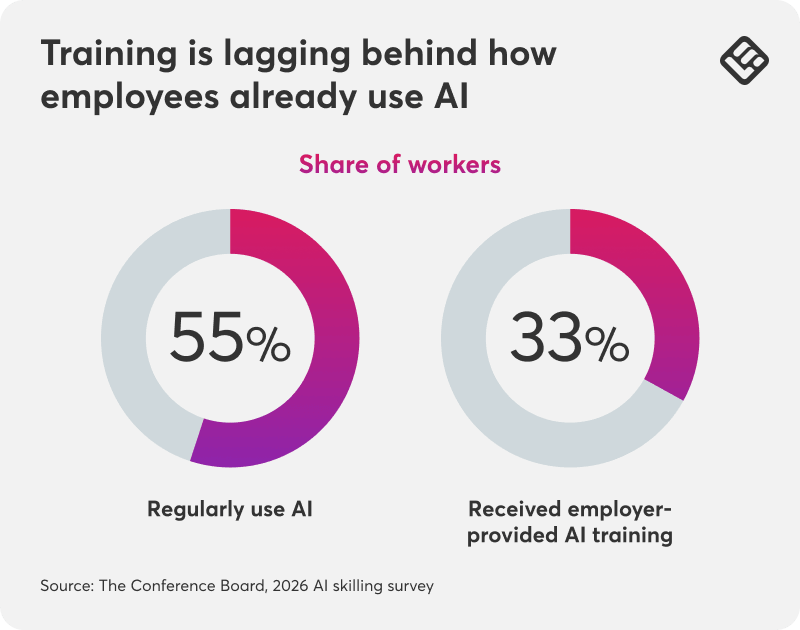
- Research shows that 55% of workers already use AI regularly, but only a third have received employer-provided AI training in the past six months. Training is the part of the AI rollout that’s furthest behind.
- One policy change shouldn’t mean five separate updates. Editing the source once and letting every department-specific version inherit the change is the difference between training that stays current and training that quietly goes stale.
AI skilling research conducted by The Conference Board in 2026 confirms that 55% of workers now use AI regularly at work. Still, only a third have participated in employer-provided AI training in the past six months.
Gallup’s own report puts regular workplace AI use at 52% of U.S. employees as of May 2026, nearly triple where it stood three years earlier.
Both studies point to the same gap: the business is moving faster than the training built to support it.
“Our training is always behind the business” is the line that comes up constantly from internal L&D teams, alongside the same handful of pain points:
- documents scattered across departments
- every role needing different examples
- one policy change turning into five updates
The good news is a connected AI workflow inside LearnWorlds can fix that. All you need to do is follow four simple steps to build and launch your training programs with AI. Bring in what already exists, adapt it by each department, and quickly update what needs changing as you go.
If you want to explore any video content in depth or tailor AI to a unique workflow, talk to our experts.
The source material is already sitting on your drive
Most internal training already exists somewhere, just not in a form anyone can enroll in. SOPs, policy documents, decks, team wikis, and product information pile up across departments faster than anyone converts them.
The starting point here is working with what you already have.
Using LearnWorlds File Upload capabilities, you can upload your files and add all your existing content or source material to the platform directly. This could be a process document, policy PDF, a slide deck, a wiki export, or anything else you think is useful.
LearnWorlds’ Context Creation ensures that the AI works on that material rather than making generic assumptions about what your training should say.
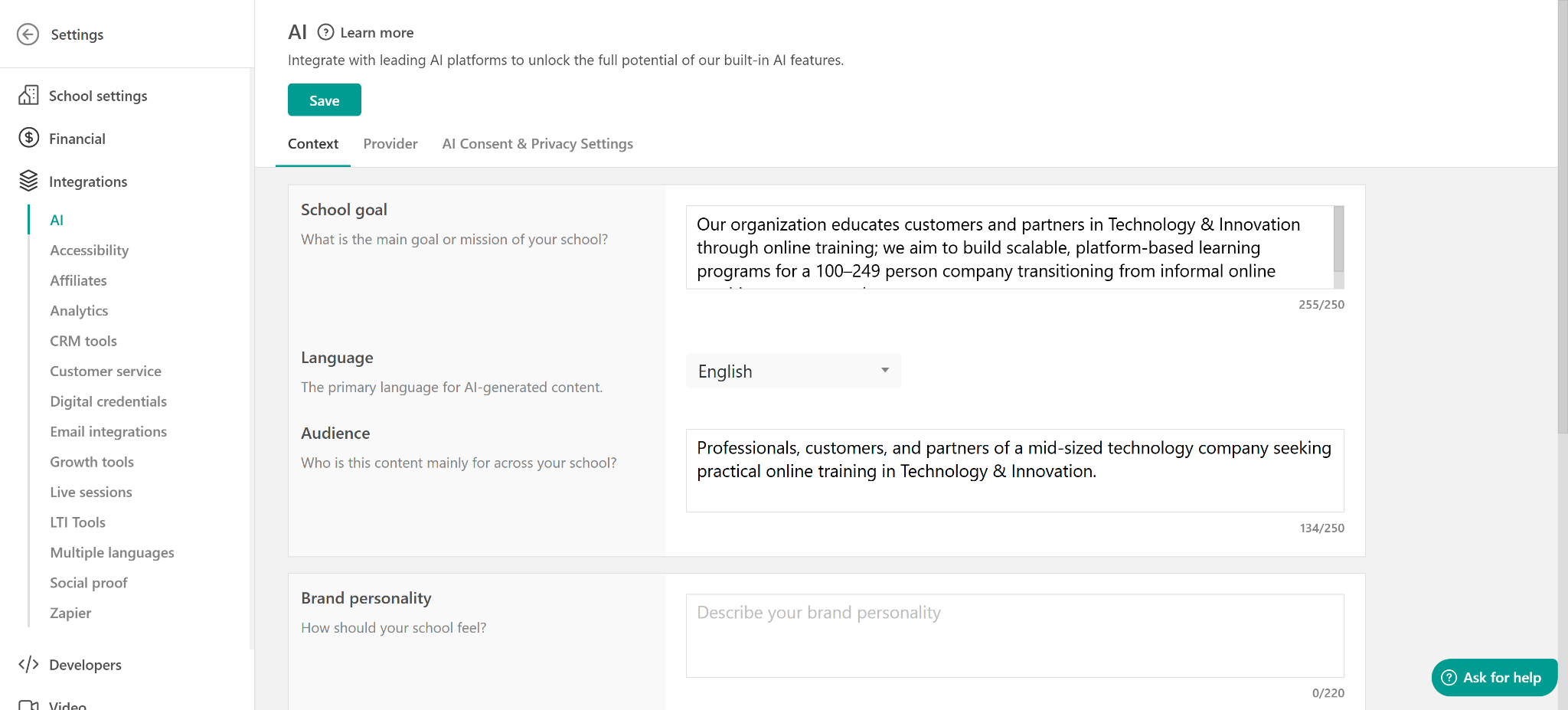
Guided Creation is also available, ready to walk you through the process from there and help you create your training programs step-by-step.
💡Read through the guide to creating an online course with AI.
This is a functionality that matters most for teams that don’t have a single source of truth to begin with.
A ten-person L&D function supporting a five-hundred-person company is usually fielding documents from operations, legal, product, and sales at once, each in a different format. None of it is pre-structured for training.
The alternative to bringing in the real source material is starting from a blank page and reconstructing it from memory or from a summary someone else gave you.
Unfortunately, that’s how training ends up subtly wrong. Not necessarily because anyone was careless, but because the actual source document was never part of the process.
Decide what’s department-specific before you build anything
Before you generate anything in full, decide on the structure:
- Which departments need their own version, and which can share one?
- Which examples are role-specific?
- What does the source material imply but doesn’t yet spell out?
- Is there a policy that’s still pending sign-off, or an SOP that has a named owner who hasn’t confirmed the final version?
Deciding this upfront beats discovering it (and paying the price for it) later, after several near-duplicate courses have been created. It also matters more for internal content than for a public course. A wrong assumption about an internal process reads badly and teaches incorrect information to the people relying on it.
Not flagging what’s still pending here means that uncertainty travels with the content instead of disappearing into a finished-looking draft.
One document becomes a course, a resource hub, and much more
Once the shape is right, the same source material can produce more than one asset. Everything connects to the same underlying context rather than being built separately and manually every time.
Here’s what you can have:
- Standardized content at department level: one core structure, adapted with role-specific examples vs several separate builds.
- Internal material turned into external enablement docs: the same underlying content, reshaped for a partner-facing or customer-facing audience when it needs to leave the building.
- A resource center that reflects what’s actually being taught: reference material that updates alongside the course instead of drifting away from it.
- One example per department, industry, or client, from a single resource: generated variations rather than maintained copies.
Using AI for assessments, you can also build the quizzes and knowledge checks for your team.
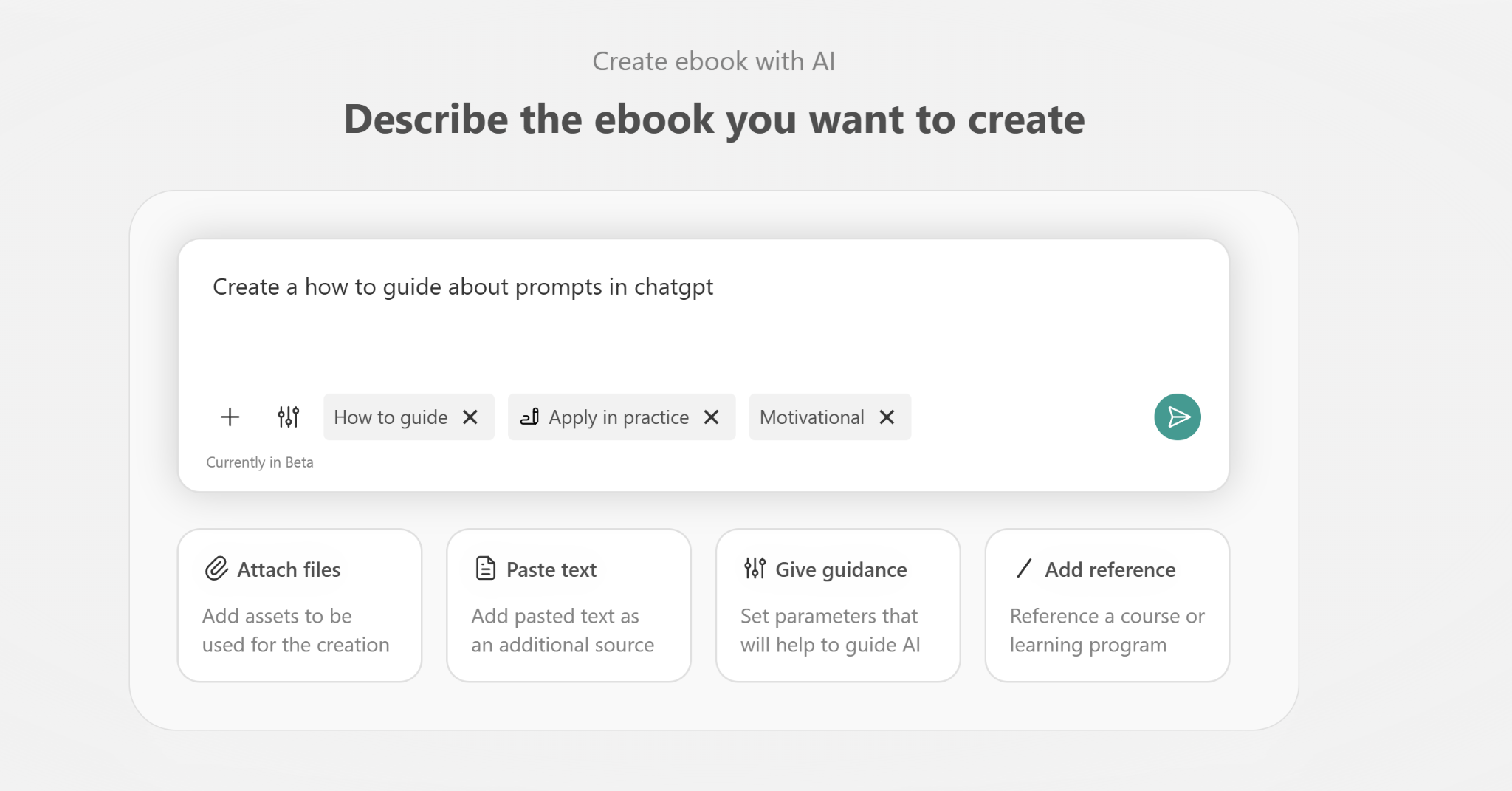
When you need to create an ebook, you can use AI to turn all policy material into something skimmable.
With AI Pages, you can easily generate your organization’s resource center pages and internal documentation.
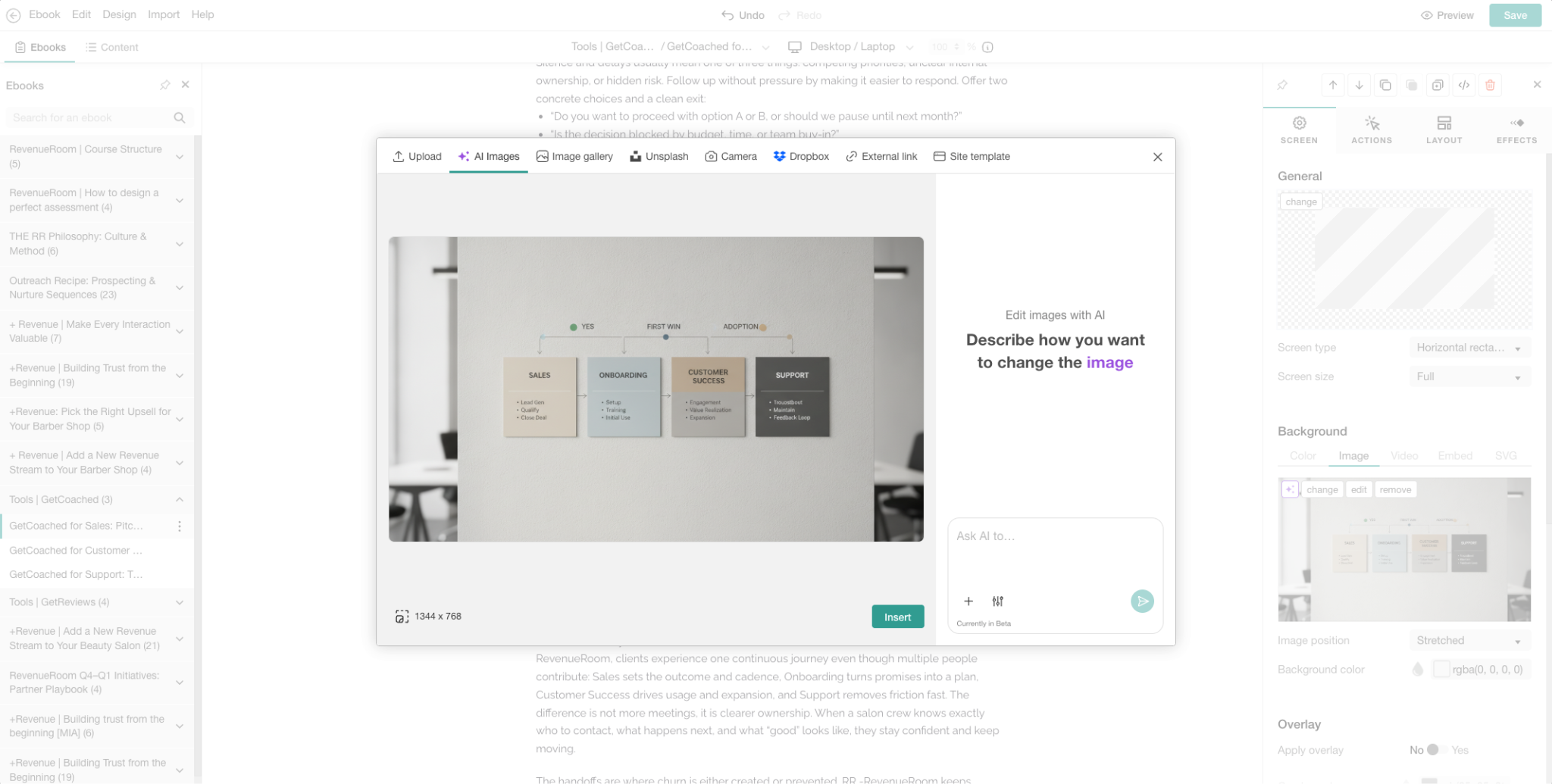
Finally, you can use AI to generate the visuals you need for each version. Create diagrams, charts, or process flows that can make complex processes easier for your internal teams to understand and engage with.
Turning internal material into external enablement docs is the one most teams don’t expect to need until they do.
A partner integration launches and suddenly needs documentation that doesn’t expose internal-only detail. A customer-facing team needs a simplified version of an internal process.
Building that from the internal source directly, rather than starting a separate writing project, is what keeps the external version accurate as the internal one changes.
Update the one section that changed, not the whole course
What keeps training current is the update, not what you’ve built initially. A policy changes, a product ships, an SOP gets revised, and the training was written for a version of the company that no longer exists.
For this, LearnWorlds also has a solution. The Section Editing functionality inside the platform makes that update a targeted change instead of a full rebuild, which is a great time-saver.
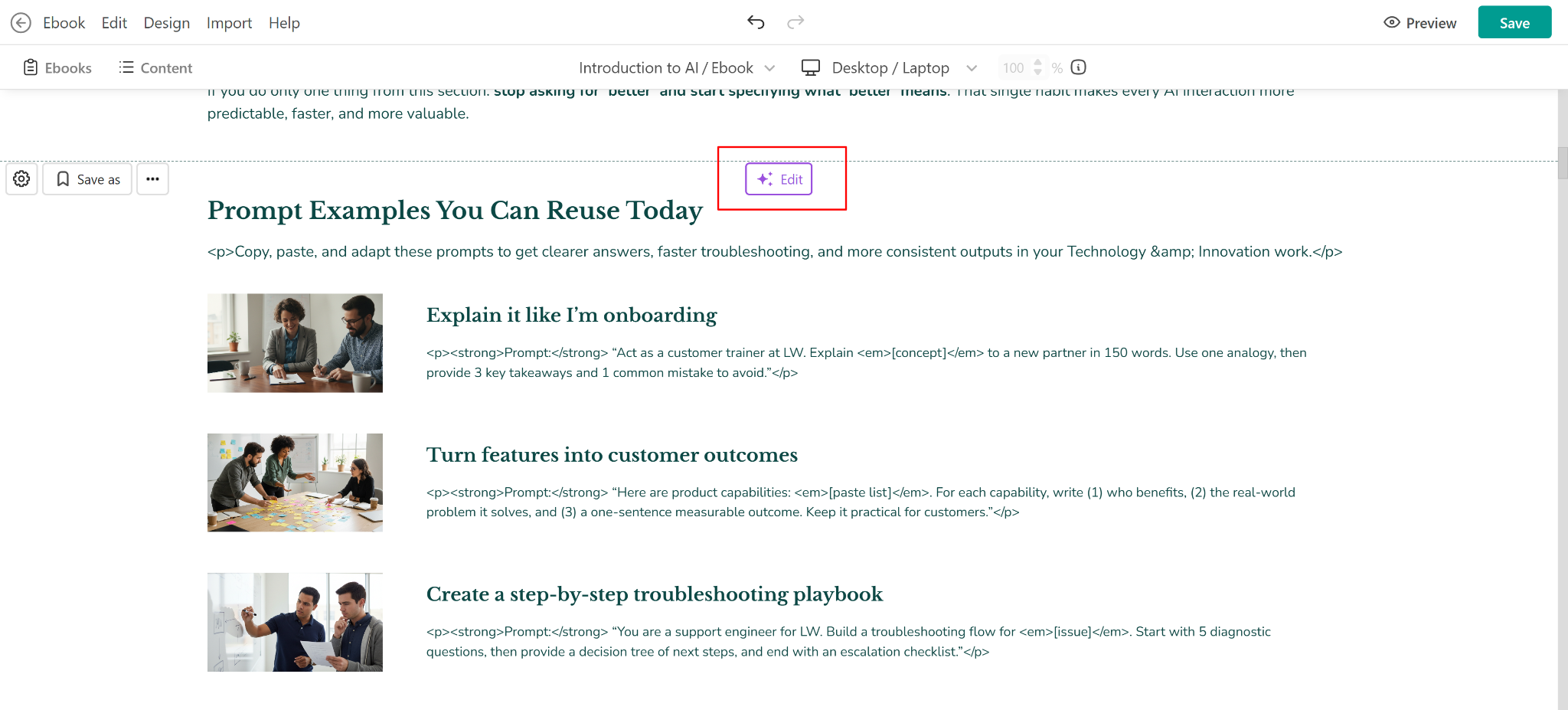
Simply select what needs to change, describe the update, and the rest of the course, including the department-specific variants and your resource center pages that reference it, stay untouched. This way, one policy edit becomes just one edit.
How the four stages work together
Here’s what the entire process looks like as one pass instead of four separate handoffs.
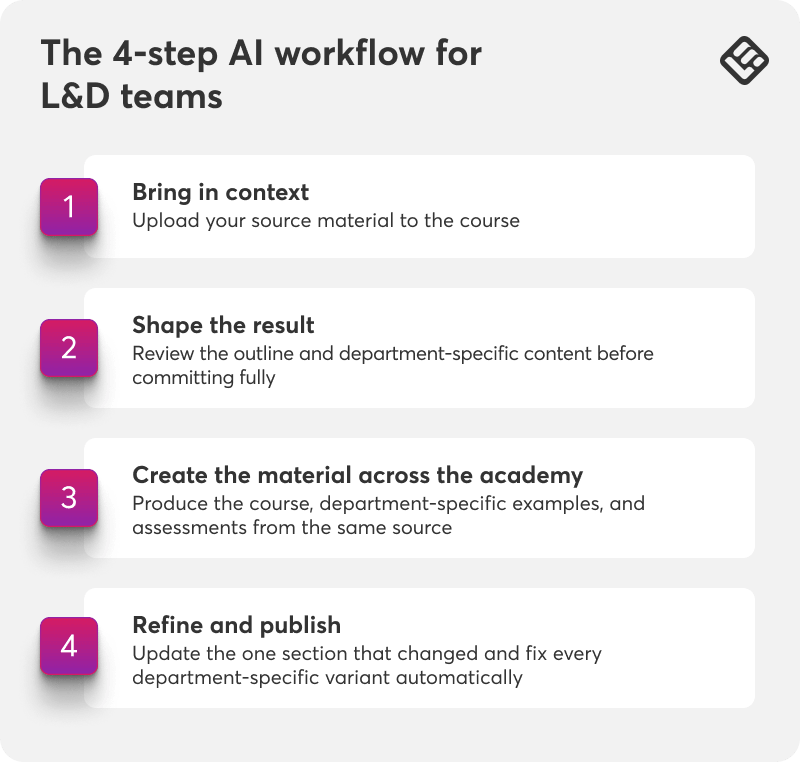
- Bring in context
Upload SOPs, policies, decks, or wikis directly as source material for the course. - Shape the result
Decide which departments need their own version before anything generates in full. - Create the material across the academy
Produce the course, department-specific examples, resource center pages, and assessments from that same source. - Refine and publish
Update the one section that changed. Every department-specific variant gets the fix automatically.
Each stage builds on the one before it, so nothing gets re-explained to a new tool or rebuilt from scratch as it moves from a source document to a published course.
The training, its department variants, and the resource center around it stay connected to the same original material inside the platform.
💡For the full set of AI-powered content tools referenced throughout this post, check the Help Center’s resources for creating AI-powered content.
The real cost of a training gap that never closes
A bigger AI adoption number signals a growing habit. More people are already improvising without structured guidance, and that’s a harder habit to redirect later than it would have been to prevent.
Improvised AI use and outdated training tend to compound each other.
This is not too difficult to imagine. An employee who can’t find current guidance on how a policy applies to a new tool will often just ask an AI tool directly, without any way to check whether the answer reflects what the company actually does or approves. Making the current, approved version easier to reach than the improvised one can close that gap.
The rough 22-point gap between AI use and AI training in the studies shared earlier in the post shows up anywhere a policy, product, or process changes faster than the training documenting it.
💡Learn about AI corporate training: Build your workforce effectively in 2026
Start with whatever is most out of date right now
Pick the SOP, policy document, or employee onboarding deck that’s furthest behind the actual business today. Upload it, shape the outline, and see how much of the department-specific training and resource center content can come from that one source.
Treat the first generated version as a draft to review against the source material, like you would do for any AI-assisted first pass. The real payoff will show up the next time that policy changes and the update takes less time than it took before.
LearnWorlds offers a 30-day free trial, no credit card required. Get your free trial and start working on the material your team has already built, using LearnWorlds built-in AI features.