


Key takeaways
- The AI workflow for course creators has four parts: turn your existing notes, recordings, and workshop material into a complete course, launch the pages and emails that sell it, personalize it for how different learners actually use it, and refine what isn’t converting, all without switching tools.
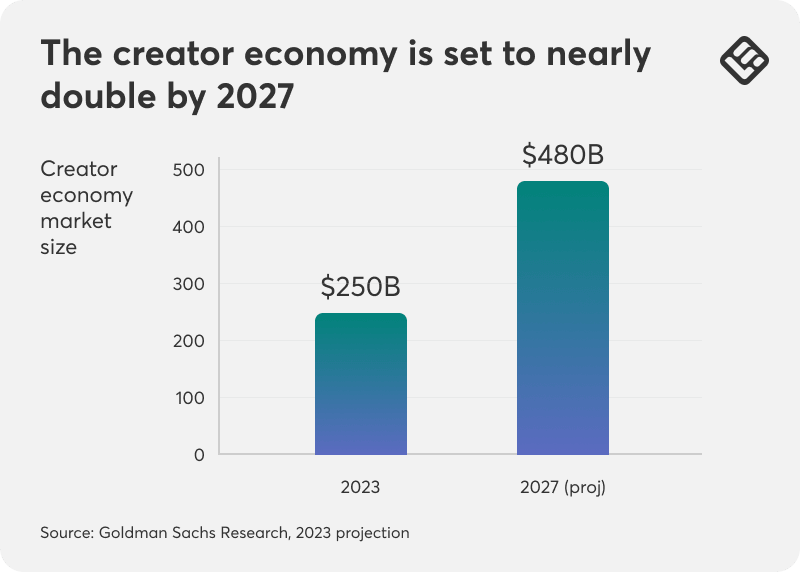
- The creator economy is projected to reach $480 billion by 2027, and courses are already the top revenue stream for most creators who sell them.
- None of the four steps require a separate page builder, email tool, or design freelancer. The course, its launch assets, and its updates all live inside the same platform.
Goldman Sachs Research has projected the creator economy would roughly double from $250 billion to $480 billion by 2027, and courses are already the top revenue stream for most creators who sell them.
If you’ve been sitting on a course idea for a while, or you’ve been building one for months and it’s still not done, these reasons probably sound familiar:
- “I have the content, but it’s not organized.”
- “Building the course has taken months.”
- “I also need the sales page and emails.”
- “I want help without giving up control.”
Different problems, but the same root cause: your knowledge already exists, but it isn’t organized into something you can sell yet. That’s true whether it’s sitting in workshops, notes, recordings, or a folder of rough material that doesn’t look like a course.
LearnWorlds turns that material into a course and its launch inside one academy, instead of you piecing it together across separate tools.
The rest of this article walks through four questions in order, the same four that tend to come up first when a creator describes where they’re stuck:
- Where the knowledge lives
- What needs to launch alongside it
- What actually slows the process down
- How often it needs revisiting once it’s live
If you want to explore any video content in depth or tailor AI to a unique workflow, talk to our experts.
Where does your course knowledge currently live?
Most solo creators aren’t short on expertise. They have the knowledge, even if it doesn’t look like a course yet. The catch is that it is usually scattered across a notes app, a folder of old recordings, or a half-finished outline in a doc somewhere.
With LearnWorlds AI, you can take that material and use it with your Existing Content. Then all you need is Guided Creation, which walks the AI Assistant through turning it into a proper course outline.
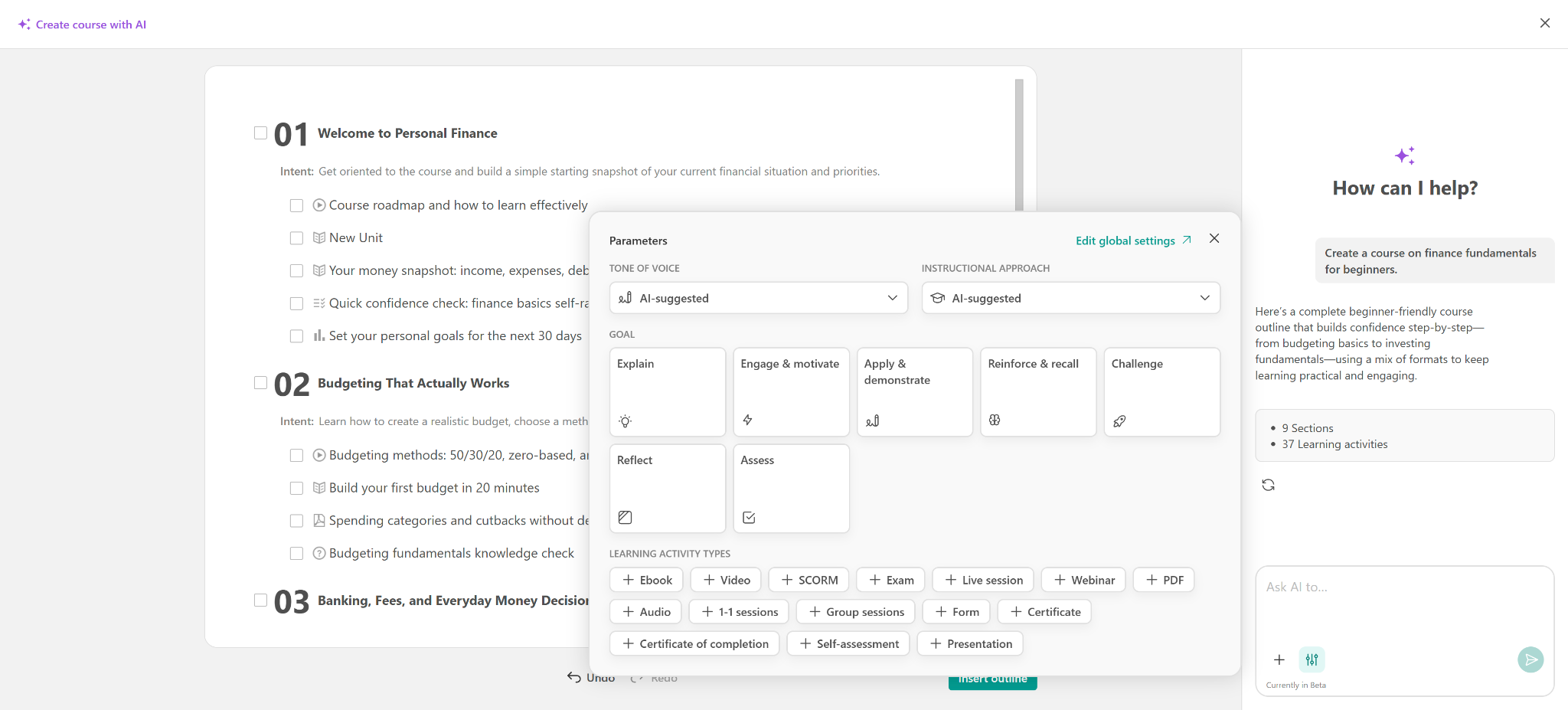
Once done, you can check in Live Preview before anything generates in full.
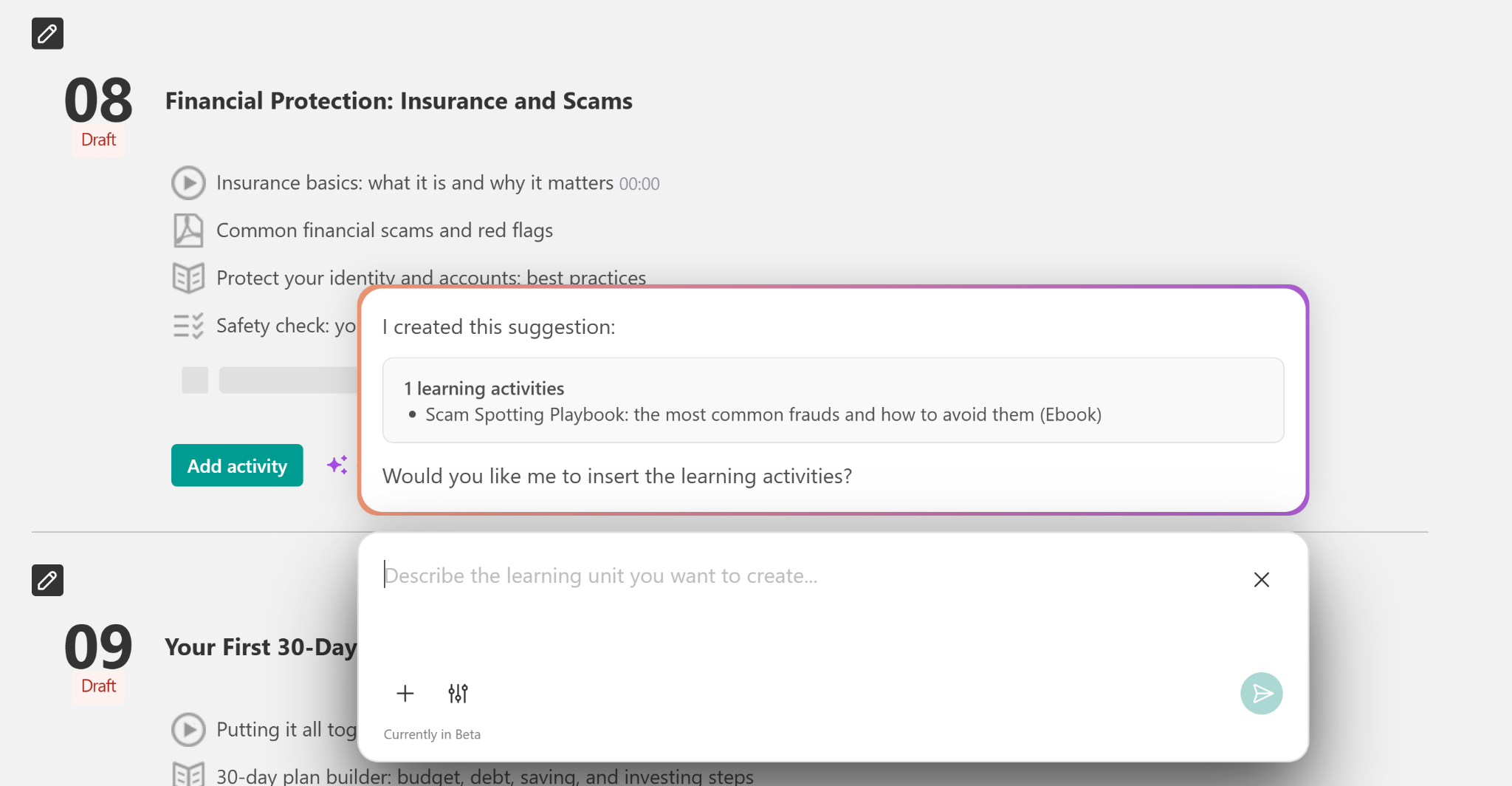
From there, AI can help you produce the actual lessons: an ebook for the written material and assessments for the quizzes and knowledge checks of your learners.
The result is a structured, editable course inside the platform.
💡Find out how to create an online course with AI.
The same applies to updating an existing course that’s gone quiet.
A creator who already has a course but hasn’t touched it in a year can bring in newer material, a recent client win, an updated framework, a fresh recording, the same way, rather than treating a refresh as a separate project from the original build.
It’s important to note that the AI Assistant structures what you give it. It doesn’t invent expertise you don’t have. A thin set of notes still produces a thin outline. What changes is having real material organized well enough to build on, instead of just sitting there.
What launch assets do you create outside your LMS?
A finished course with nowhere to sell it isn’t a business yet. Ask most creators what happens after the course itself is done, and the list is usually longer than expected.
In practice, that launch usually breaks into the same four pieces:
- Structured courses and engaging learning activities: the course itself, already covered above.
- Professional visuals and student assessments: images and quizzes that make the course feel finished.
- High-converting landing pages and interactive pop-ups: the sales page and the on-site prompts that turn visitors into students.
- Automated email campaigns to drive your launch: the sequence that turns a list into enrollments.
AI Pages generates the landing page. Pop-ups directly from your course content, and Emails build the launch sequence the same way. The sales page and the emails match the course instead of being written separately.
💡Our support guide to creating and enhancing pages with AI covers the same workflow used here, applied to a course launch.
The best thing is none of this requires briefing a designer or a copywriter separately. The launch assets come out of the course that already exists through the power of AI.
This is usually where a solo creator’s timeline actually breaks down.
The course itself might take a few focused weeks. The launch, writing sales copy, briefing a designer for the page, and drafting a week of emails often takes just as long. That’s usually because it’s treated as a second project that starts from zero once the course is done.
Which part of course creation slows you down most?
Ask that question and the answer is rarely the teaching part. It’s almost always what happens after: reformatting the same explanation for a beginner versus an advanced student, or turning one piece of content into a blog post, a lead magnet, and a handful of social snippets by hand.
Because Context Creation keeps the AI aligned with your existing course, you can generate a beginner-friendly version of an explanation alongside a faster-paced one for advanced students, without maintaining two separate courses.
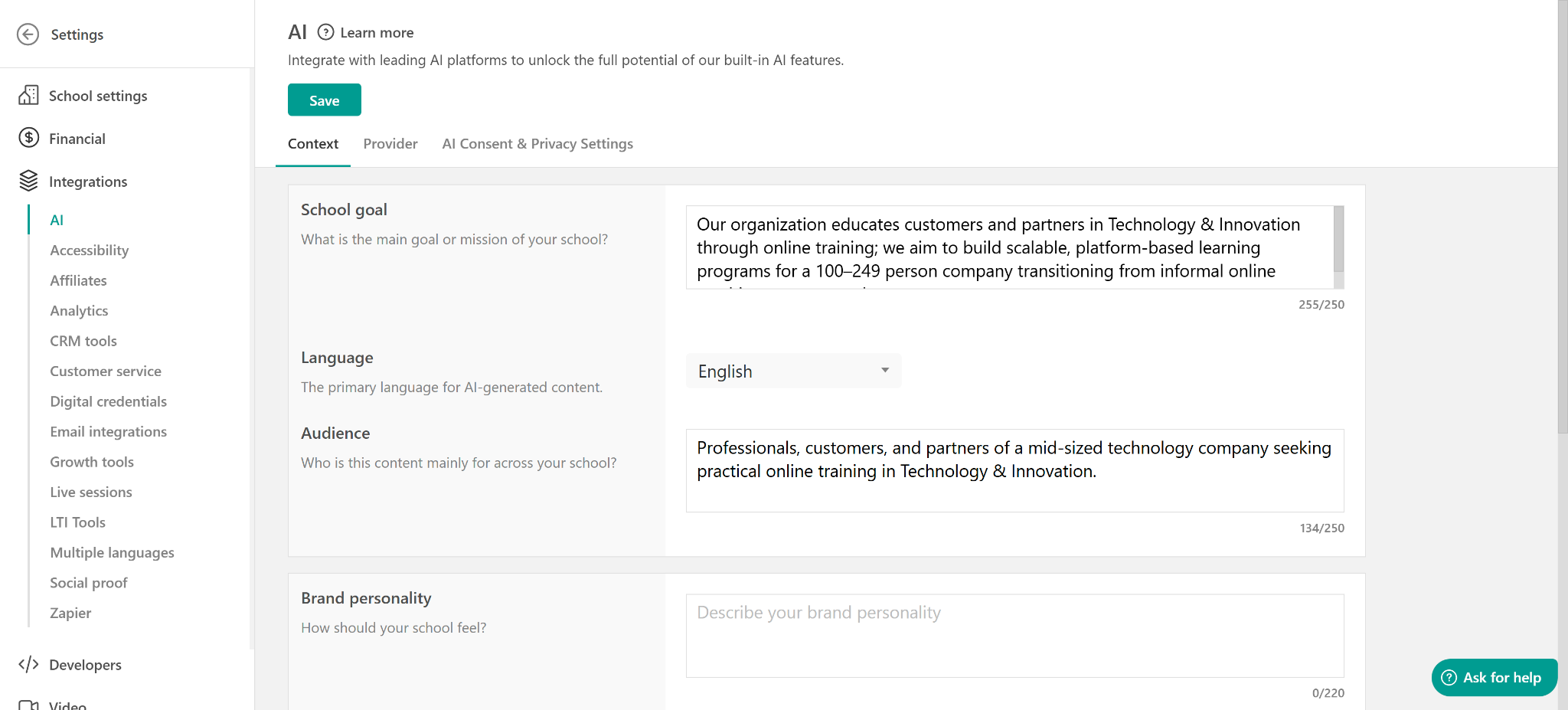
The same source material can also become a blog post, a lead magnet, or a social snippet, each written for that format rather than pasted in raw, and AI Images generates visuals to match each version.
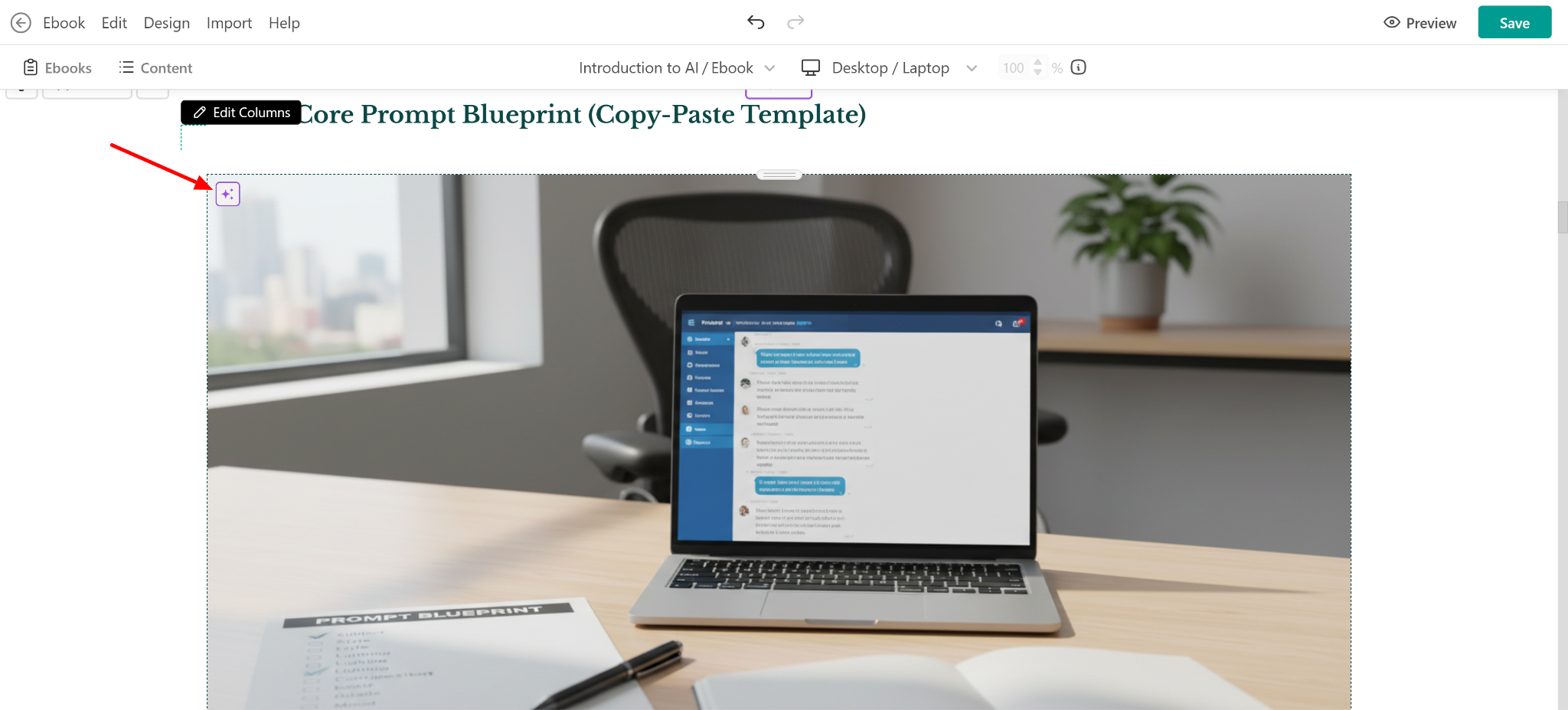
For creators teaching a global audience, the same principle applies to language. Translate the parts that matter for a specific audience without rebuilding the course structure underneath it.
Handled this way, the slow part stops being a separate task list. You get one course, adapted at the surface for who’s reading it or where they found you, rather than a growing set of near-duplicate versions to keep updated separately.
How often do you refresh your course or sales page?
For most creators, the honest answer to this question is rarely. Not because the course doesn’t need it, but because refreshing means reopening a project that feels finished.
A course that’s live and selling still has work left. You need to tighten the parts that aren’t landing, refresh what feels dated, or test a sharper call to action on the sales page. That work is an ongoing iteration.
Section editing, though, makes that iteration a targeted edit instead of a full redo.
Tell the AI to shorten an intro by half, rewrite a call to action to lead with the outcome, or refresh an example that no longer lands, and only that section changes. The rest of the course, its assessments, and its launch assets will remain the same.
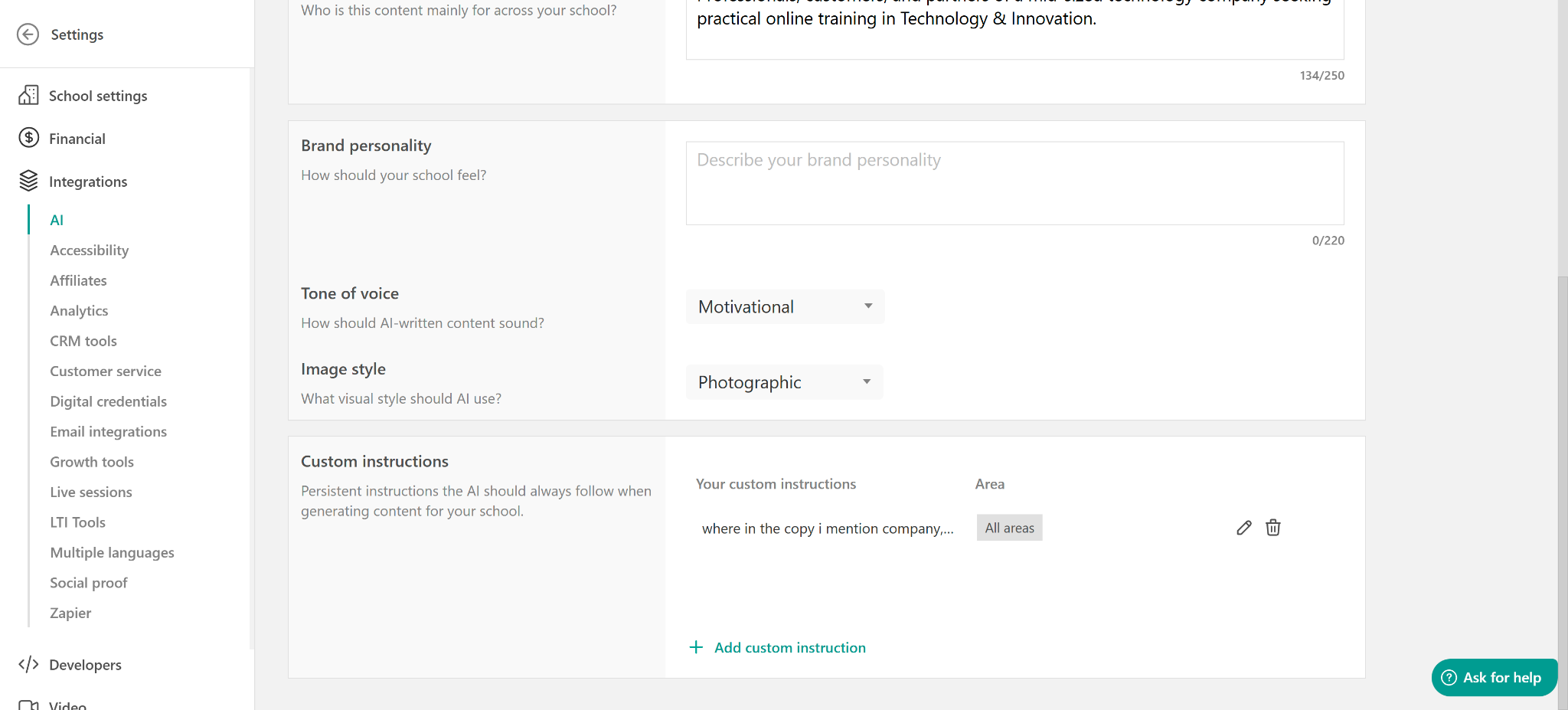
Treating updates as small, targeted edits instead of a full rebuild is what keeps a course sellable well past its first launch.
It’s also the question that separates a course built once from a course that’s actually a business. A one-time launch treats the sales page as finished the day it goes live. An ongoing one treats it as a draft that gets sharper every time something isn’t converting, without needing a redesign to test the next version.
The AI workflow for course creators end-to-end
Put together, the four sections above form one repeatable sequence.
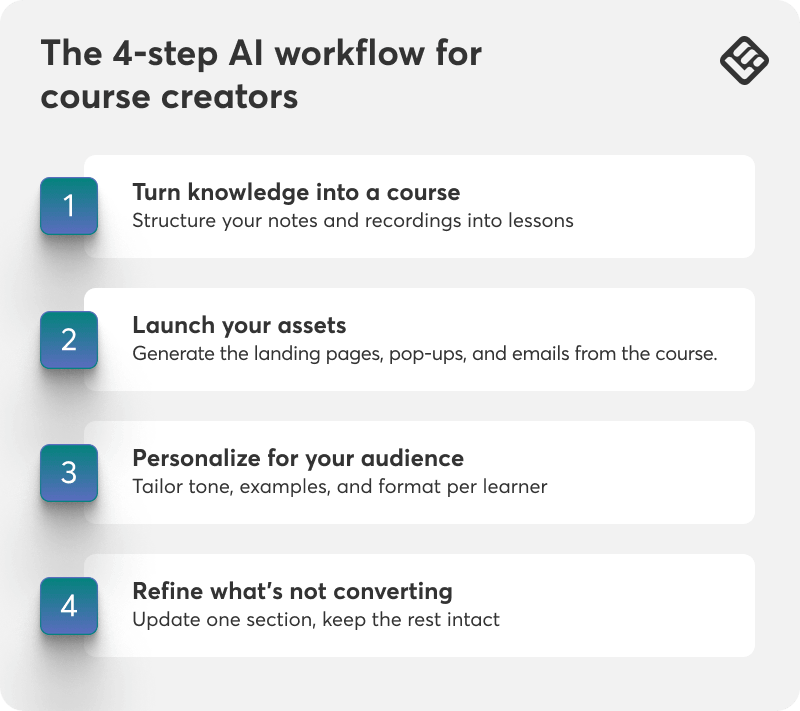
Step 1: Turn knowledge into a course
Structure your notes, recordings, and workshop material into a complete, editable course.
Step 2: Launch your assets
Generate the landing page, pop-ups, and email sequence directly from the course content.
Step 3: Personalize for your audience
Tailor tone, depth, and format for different learners, channels, or languages.
Step 4: Refine what’s not converting
Update one section, one email, or one page without touching the rest.
None of the four steps require leaving the platform for a separate design tool, a general AI chatbot, or a separate email platform.
A connected workflow keeps the course, its launch, and its updates in one place throughout.
Why this matters more as the creator economy grows
A bigger market means more competition for the same attention, unless launching and iterating gets faster than it used to be.
Most of that $230 billion in new market growth will go to whoever gets from material to launched product fastest. That’s because the audience that would buy from a slower creator has usually already bought from someone else by the time the course ships.
LearnWorlds AI covers how course, launch, and updates stay connected across the platform, not just inside a single lesson.
The creators who stand to gain the most are the ones already sitting on an audience but not yet on a product, a following built through years of free content, one-on-one work, or a newsletter, with no structured way to turn it into recurring revenue yet.
💡For the full set of LearnWorlds AI-powered content tools, see the Help Center’s guide to creating AI-powered content.
Answer the first question, and the rest follows
If you are a course creator, start with where your knowledge actually lives right now. Upload it and see how much of the course, and the launch around it, comes from material you already have instead of a blank page.
Review the outline against what you actually teach, the way you would any first draft, adjust what’s off, and keep going. Most of the payoff shows up later. The next time something needs refreshing, it will only be a small edit instead of a full rework.
LearnWorlds offers a 30-day free trial, no credit card required. Start your free trial and bring in the material you already have.