
Table of Contents
Key takeaways
- AI course creation, active learning, learner support, reporting, certification, and commerce are coming together in one connected system
- AI helps you create and support learning while you stay in control of the direction and outcomes
- Find out what’s available now, what’s been announced, and what it means for your school
Traditional LMSs gave learning teams a dependable foundation: one place to organize courses, deliver content, manage users, and track progress. Those capabilities still matter. But most LMSs were built to manage learning after it had been created.
The Living Learning System extends that foundation into the work of learning itself. It helps you plan a course, create content and activities, support each learner in context, and keep training current over time. The system does more than record what happened. It helps your team decide what should happen next.
Give two directors the same novel, and you will get two very different films. The raw material may be identical, but their choices and direction change the result.
Learning works the same way. LearnWorlds AI understands your school, course context, and existing material. It can guide the prompting process and turn that context into an editable canvas, where ideas become connected course structures, content, activities, and assessments. AI does more of the making, while you decide what the learning should make possible. You stay in charge, shaping the direction and controlling the output.
We shared an early preview with LearnWorlds customers. Now, we are opening the doors to everyone.
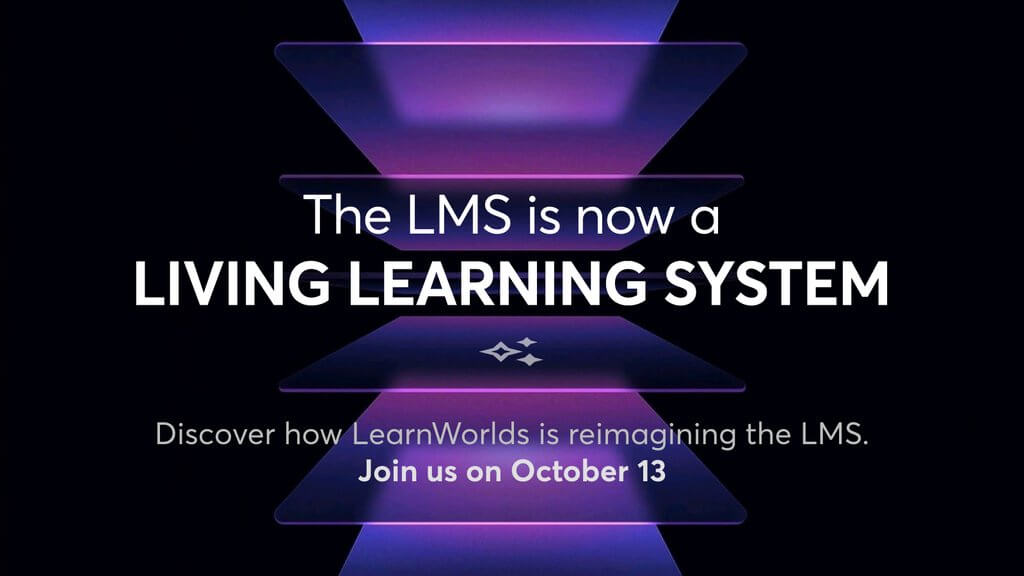
Join us live on October 13, 2026, for The Living Learning System. We will show how human direction guides AI across course creation, active learning, learner support, and ongoing training. The event starts at 10:00 a.m. PDT, 1:00 p.m. EDT, and 6:00 p.m. BST.
Your top 15 questions about the Living Learning System, answered
During the customer preview, the chat and Q&A quickly filled with practical questions: how the new capabilities work, what they mean for learners, and when people can start using them. We brought the 15 questions that came up most often into one place, with clear answers below.
1. Will instructional designers still shape learning when AI can create much of a course?
Yes. As AI takes on more production, instructional direction becomes more valuable. The role grows from creating every element by hand to giving every element a reason to exist.
LearnWorlds describes this role as the Learning Experience Director. Like a movie director working from a script, you decide how the material becomes an experience. You define the audience, starting knowledge, outcomes, depth, teaching approach, misconceptions, practice, assessment, language, and tone.
You also decide when learners should read, watch, predict, discuss, try, receive feedback, or repeat an activity. AI can produce more options, but your judgment determines which choices create useful challenge and help learning stick.
AI makes execution more abundant. Human direction turns that abundance into intentional learning.
Availability: LearnWorlds AI authoring tools are available now. The expanded Authoring Agent experience presented at launch is coming soon.
Learn more: Explore AI-powered tools in LearnWorlds.
2. Can LearnWorlds AI follow my brand guidelines and let me edit what it creates?
Yes. AI Context gives LearnWorlds a shared creative brief for your school, helping supported tools create content that sounds and feels more like your brand.
You can define your audience, language, brand personality, tone of voice, image style, preferred terminology, and custom instructions. Apply a rule across supported AI tools or keep it specific to the Site Builder, Ebook Builder, Exam Builder, Form Builder, Course Outline, or Image Creation.
Everything remains open to your direction. You can rearrange course outlines, revise ebooks and assessments, reopen AI Activity or AI Canvas, and request changes through chat. Where code editing is supported, you can also work directly with the HTML, CSS, and JavaScript.
Create Site with AI takes the idea further by using a reference website to propose a logo, colors, typography, design direction, and academy messaging.
Availability: AI Context and editing across supported AI tools are available now. The broader Create Site with AI workflow is coming soon.
Learn more: Set up AI Context for your school.
3. Can a LearnWorlds Learning Agent use course content and remember each learner over time?
Yes. LearnWorlds can use trusted course context and learner memory to create support that feels connected to the person and their learning over time.
AI Question already lets learners respond through open answers, multiple choice, polls, typing, or dictation, then continue through AI-generated feedback. When Learner memory is enabled, the experience can use relevant information learned about that person over time instead of treating every interaction as the first.
The wider Learning Agent presented at launch adds a defined role, approved knowledge, response boundaries, and a route to a person. It can stay within the subject you assign, support the learner in context, and hand over a request when it reaches a boundary you have set.
You define the purpose, knowledge, and limits. The agent carries that direction into each interaction.
Availability: AI Question and Learner memory are available now. The Learning Agent experience is coming soon.
Learn more: Explore AI-powered experiences in ebooks.
4. Can I control how AI is disclosed to learners and used across my school?
Yes. LearnWorlds gives you controls for deciding how learners encounter AI and whether they must provide consent before an AI-powered interaction begins.
You can show an AI label and request consent, show the label without requesting consent, or manage disclosure through your own process. When consent is required, learners can allow AI once, allow it for future interactions, or decline. If they decline, the relevant interaction is blocked, and they can change their choice later.
This gives you a practical way to introduce conversational questions, AI feedback, and other AI-powered experiences in line with your organization’s approach. You decide what learners see, when consent is requested, and how AI fits into the experience you provide.
Your privacy, security, and intellectual property requirements can then be aligned with the terms and policies that apply to your LearnWorlds account.
Availability: AI disclosure and learner consent controls are available now.
Learn more: Set up AI consent in LearnWorlds.
5. Can I start using the launch features now, and how do LearnWorlds AI credits work?
Yes. Many of the capabilities presented at launch are already available, while the wider agentic experiences are arriving in stages.
You can already create course outlines, ebooks, assessments, interactive AI experiences, branded outputs, reporting insights, certification workflows, and retraining experiences. Each capability gives you a new place to begin, whether you are building content, understanding performance, or continuing learning beyond one course.
AI credits make that usage visible. Your dashboard shows the allowance included with your account and how much you have used. Standard requests usually consume one credit, while more involved workflows can use several. AI Question, AI Activity, AI Canvas, and AI Insights also draw from your available credits.
Credits reset with each billing period, and you can add more from your dashboard when needed.
Availability: The documented AI creation and reporting tools are available now. AI media generation, wider Authoring and Learning Agents, and MCP connections are coming soon.
Learn more: Track and add LearnWorlds AI credits.
6. Can I build a reusable Asset Library and use it to guide LearnWorlds AI?
Yes. Your approved knowledge can become part of the creative foundation for every new learning experience, helping AI work from the material that matters to your organization.
You can already attach files, paste source text, and reference existing courses or Learning Programs when creating outlines, ebooks, assessments, and activities. A policy can guide compliance training, product documentation can shape customer education, and a successful course can inform what you build next.
The Asset Library presented at launch takes this further. It brings reusable resources into a shared course knowledge library and lets you decide how closely AI should follow them. You can keep an output close to the source or give it more room to develop the material.
This creates a more consistent starting point across courses while keeping your source material visible and your direction clear.
Availability: File attachments, pasted text, and references to existing LearnWorlds content are available now. The reusable Asset Library is coming soon.
7. Can I connect my own AI provider or an external assistant to LearnWorlds?
Yes. LearnWorlds can connect AI services to selected workflows today, with deeper connections between external assistants and your school coming next.
You can connect an OpenAI account for supported uses through the AI Provider settings. For image creation, the documented provider options include LearnWorlds, Gemini, and OpenAI. AI Insights also gives you Basic and Advanced model options, so you can choose the level of analysis that fits the question.
The MCP connection presented at launch opens another possibility. An external AI assistant could work with LearnWorlds information and prepare actions for your approval, such as creating reports, applying tags, setting up automations, or updating a course page.
The important shift is from asking an assistant for advice to letting it prepare useful work inside your learning operation, while you decide what is approved and applied.
Availability: The documented OpenAI connection and provider options are available now. LearnWorlds MCP connections are coming soon.
Learn more: Set up an AI provider in LearnWorlds.
8. Can I create interactive questions, quizzes, activities, and simulations without another authoring tool?
Yes. LearnWorlds lets you create interactive learning inside an ebook with AI Question, AI Activity, and AI Canvas, alongside AI-assisted assessments.
AI Question creates a conversation around a learner’s response. AI Activity starts with a ready-made pattern such as flashcards, matching, sorting, sequencing, branching scenarios, or simulations. AI Canvas starts with your idea and can build experiences such as calculators, maps, games, infographics, and experiments.
You can preview and test the result in AI Studio, ask for changes through chat, and edit the runtime code where that option is supported. The experience can follow your ebook theme and remain available to learners in the LearnWorlds mobile app.
For quizzes and assessments, you can shape the question type, difficulty, learning goal, feedback style, and source material. You bring the learning objective. LearnWorlds helps you turn it into active practice.
Availability: AI Question, AI Activity, AI Canvas, and AI-assisted assessment creation are available now.
Learn more: Create AI-powered experiences in your ebooks.
9. Can LearnWorlds AI help me create a new course or develop an existing one?
Yes. LearnWorlds AI can turn an idea or an existing course into a connected learning experience, with your school, content, and learning goals shaping the result.
It guides the prompting process and brings the work into an editable canvas, where you can develop the course structure, content, activities, and assessments together. The canvas can reveal what learners may already know, where they could struggle, how they will practice, and how their progress will be assessed. You can challenge its assumptions, change direction, and refine every part.
You can also create a complete course outline, add new sections, build individual learning activities, and work from files, source text, existing courses, or Learning Programs. Instead of piecing together disconnected outputs, you can shape the learning experience as a whole.
AI does more of the making. You stay in charge, shaping the direction and controlling the output.
Availability: AI course outlines, sections, and learning activities are available now. The expanded editable planning canvas presented at launch is coming soon.
Learn more: Create a course outline with AI.
10. Can I create AI videos, audio, avatars, and voiceovers as part of my LearnWorlds course?
Yes. LearnWorlds brings AI media creation into the course-building experience, so a lesson can move from learning objective to finished video or audio without losing its context.
The AI can use the surrounding course and section to understand what the media needs to teach, then create an editable script. From there, you can shape the message, choose an avatar and voice, and approve the script before generation.
You can also create a custom avatar from a photo, develop a custom voice from a short sample, and generate audio for your learning experience. Because everything begins with the lesson itself, the result can feel connected to the course rather than added as an afterthought.
LearnWorlds also lets you upload and reuse media, add subtitles and transcripts, create summaries, translate subtitles, build a table of contents, and add interactive questions.
Availability: Current video learning activity tools are available now. AI video and audio generation, custom avatars, and custom voices are coming soon.
11. Can I offer different prices to different audiences and accept more payment methods?
Yes. LearnWorlds gives you several ways to package, price, and sell learning, with more control over who sees each offer and how offline payments are handled.
You can already offer one-time payments, installments, subscriptions, tiered subscriptions, coupons, offers, and bundles. Built-in payment options include Stripe, PayPal, and Shopify, while Stripe can display supported regional methods based on the school, currency, and buyer location.
Multiple Pricing, presented at launch, lets you create several offers for the same course or Learning Program and control visibility through tags, roles, custom fields, or dates. The new off-platform payment flow lets a buyer choose a manual method, receive payment instructions, and gain access after an admin records the payment.
That means pricing can become part of how you serve different audiences, not simply a single number attached to a course.
Availability: Standard pricing and documented payment gateways are available now. Multiple Pricing and the new off-platform payment flow are coming soon.
Learn more: Explore payment gateways in LearnWorlds.
12. Can LearnWorlds verify certificates and manage recurring training without losing learner history over time?
Yes. LearnWorlds can verify course certificates publicly, track their status, and begin a new training cycle while keeping earlier learning history intact.
When verification is enabled, each course certificate receives a unique ID and public URL. A third party can confirm the learner, course, issue date, and current certificate status without signing in. Expired and revoked certificates remain visible with their updated status.
Retraining creates a new cycle for the same course. It can begin after certificate expiry, from a recurring due date, or after re-enrollment. You decide when renewal opens, whether it starts automatically, what learners repeat, which progress remains, and whether another purchase is required.
Each cycle becomes part of the learner’s history, giving you a clearer view of continuing training instead of replacing the previous record.
Availability: Certificate verification, retraining, recertification, and recurring course cycles are available now for courses.
Learn more: Set up retraining, recertification, and repurchase.
13. Can LearnWorlds connect with my tools and help move courses from a SCORM platform?
Yes. LearnWorlds can connect with the tools around your learning business and bring SCORM, HTML5, and other course content into the same environment.
Built-in integrations cover payments, analytics, customer service, email marketing, live sessions, and more. Zapier, webhooks, and the LearnWorlds API can connect events and data to wider workflows. SCORM and HTML5 packages can sit alongside native video, ebook, assessment, form, certificate, live-session, social, and embedded activities.
You can also copy courses, sections, and activities within LearnWorlds, import content between schools in the same organization, and keep selected content synchronized where your plan supports it. Bulk upload can turn supported files into learning activities.
For a larger move, begin with a representative course and preserve the original authoring files, tracking rules, and completion logic. This gives you room to rethink the experience as well as move it.
Availability: Integrations, SCORM, HTML5, LTI activities, APIs, webhooks, and supported content import tools are available now.
Learn more: How to Upload SCORM files and HTML5 Packages to your Courses
14. Can I track learner progress, retraining, and performance with AI-assisted reporting in LearnWorlds?
Yes. LearnWorlds brings everyday reporting, retraining history, and AI-assisted analysis together, helping you move from finding data to deciding what happens next.
The Reports Center tracks registrations, progress, completion, engagement, scores, study time, and other learner attributes. You can filter results, save segments, export data, schedule reports, and use Training Matrix views across courses, activities, and Learning Programs.
Retraining cycles remain separate, so you can see the current cycle alongside previous attempts in the learner’s history. AI Insights adds a conversational layer, letting owners and system admins ask questions about learners, courses, programs, performance, and revenue in plain language.
Use the conversation to explore patterns and surface the next question, then confirm important totals, filters, and date ranges in the underlying report before acting.
Availability: The Reports Center, retraining history, Training Matrix views, and AI Insights are available now.
Learn more: Use AI Insights with LearnWorlds reporting.
15. Can LearnWorlds support accessible, multilingual, mobile learning with clearer navigation for every learner?
Yes. LearnWorlds gives you tools to create learning experiences that work across languages, devices, and different ways of navigating content.
You can add subtitles and transcripts, provide alternative text where supported, organize content with clear headings, and test the experience with keyboards and assistive technology. LearnWorlds uses WCAG 2.2 Level AA as a reference for improving supported learner-facing areas and provides guidance for reviewing media, assessments, embeds, SCORM, and custom content.
For multilingual learning, you can select a supported interface language, edit interface text, and use the documented Weglot integration for school pages and course-player labels. Mobile apps include editable navigation, while AI-powered ebook experiences remain available on mobile.
Customizable topbars, the Hello Bar, learner sidebars, menus, widgets, and visibility rules help you shape a clearer path through the school on desktop and mobile.
Availability: Accessibility guidance, language controls, mobile learning, and customizable navigation are available now.
The LMS has changed. See what comes next.
The Living Learning System brings the parts of learning that usually sit apart into one clearer flow. Your sources guide course creation. Activities turn content into practice. Learner support can respond to context. Reporting informs the next decision. Certification and retraining keep learning moving after a course ends.
Human direction starts before anything is generated. You define the purpose, outcomes, trusted sources, standards, and boundaries. AI works inside that frame to create, adapt, and coordinate learning across the system. Your team keeps authority over what the system does and why, without having to carry every production task themselves.
See it live at The Living Learning System on October 13, 2026, at 10:00 a.m. PDT, 1:00 p.m. EDT, or 6:00 p.m. BST. We will walk through the thinking behind the system and show how it works across the learning cycle.
 Back to blog
 Scroll to top
Related Articles