
Table of Contents
We’re living in a creators’ economy that’s here to stay for good. More and more people who are passionate about a topic decide to monetize their knowledge by creating and selling online courses.
And why shouldn’t they? Creating online content or a course is easy using an LMS. The hard part comes after when it’s time to get your course out there.
With AI and LLMs (like Google’s AI Overview), SEO in elearning is also taking a new shape.
In this post, I’m exploring how you can use SEO for course creators together with AI tools to build an SEO-optimized website and course pages that will attract the right leads.
Why SEO matters for course creators
If you’re a course creator, SEO (search engine optimization) is a must for two main reasons.
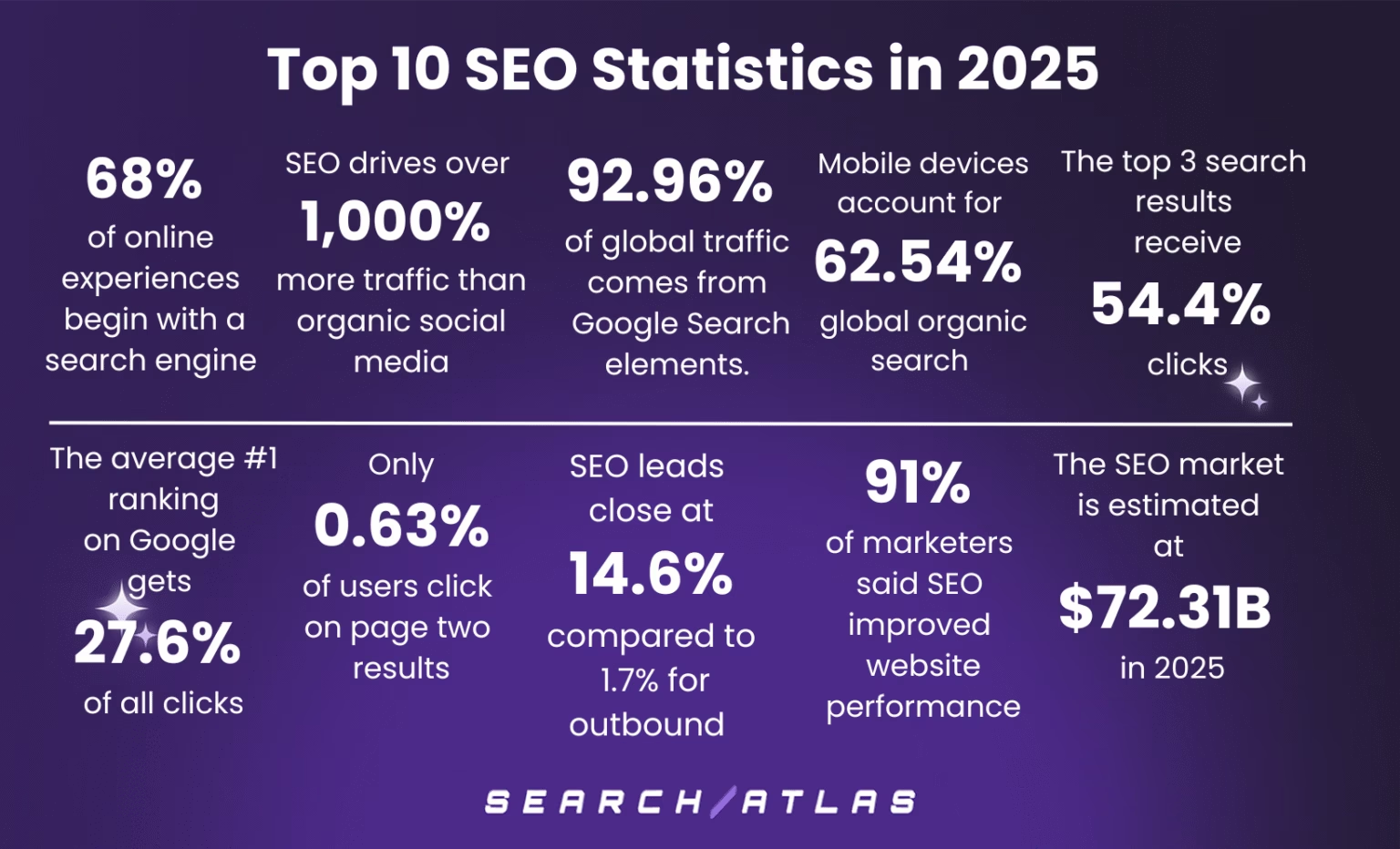
For starters, it helps you reach more people and sell more. Online course discoverability is key to growth as SEO leads convert at 14.6%, compared to just 1.7% for outbound leads. The more people who visit your website or content, the more you’re likely to sell. This means that SEO equals more sales.
Secondly, it’s a great tool for standing out in a potentially crowded market. At least when it comes to online visibility.
You’ll want to score those top positions in the search engine results page (SERP) to build a stronger authority in your industry, stay top of mind, and get more referrals in time. This is also perfect for boosting your personal brand and scoring more speaking gigs or coaching students.
SEO tools automate core tasks so that users can swiftly optimize their online academy’s website and content. They assist users in fine-tuning metadata—page titles, meta descriptions and URLs—so that they attain optimal length, contain target keywords and adhere to best standards for improved rankings in search engines.
LearnWorlds offers an SEO-friendly website builder
LearnWorlds is more than a learning management system. With its full website customization capabilities, its native and no-code Website Builder allows you to build any page you feel is valuable for your online school and then optimize it further for SEO.
In short, you can have the website of your dreams using our fully customizable drag-and-drop website builder and ready-made templates.
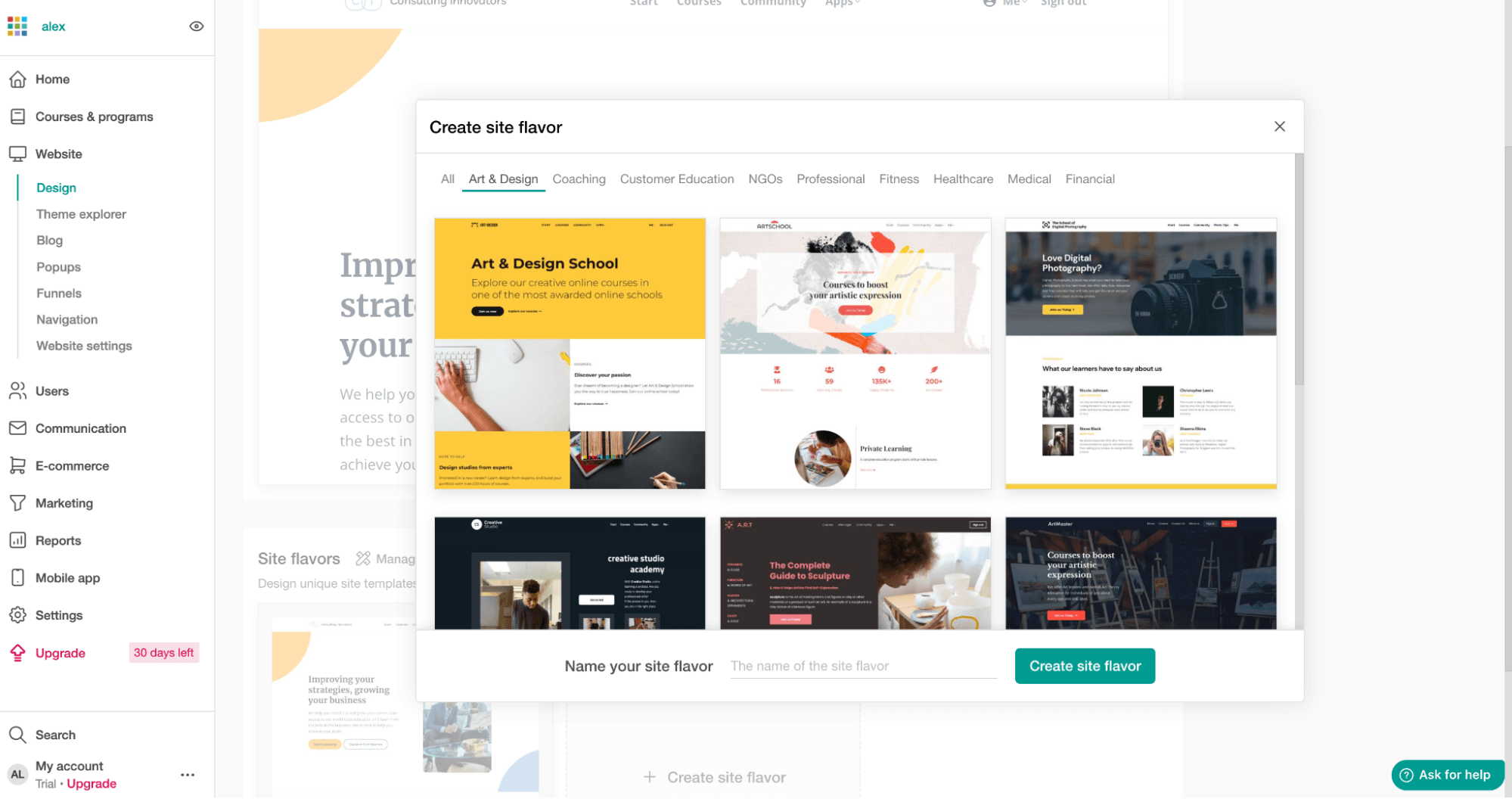
Site architecture, slugs, and metadata controls will also be in check. These ensure efficient indexing and improved visibility across search engines. Additionally, structured data and schema markup will be applied to ensure content relevance and boost click-through rates.
Quick SEO setup checklist for LearnWorlds
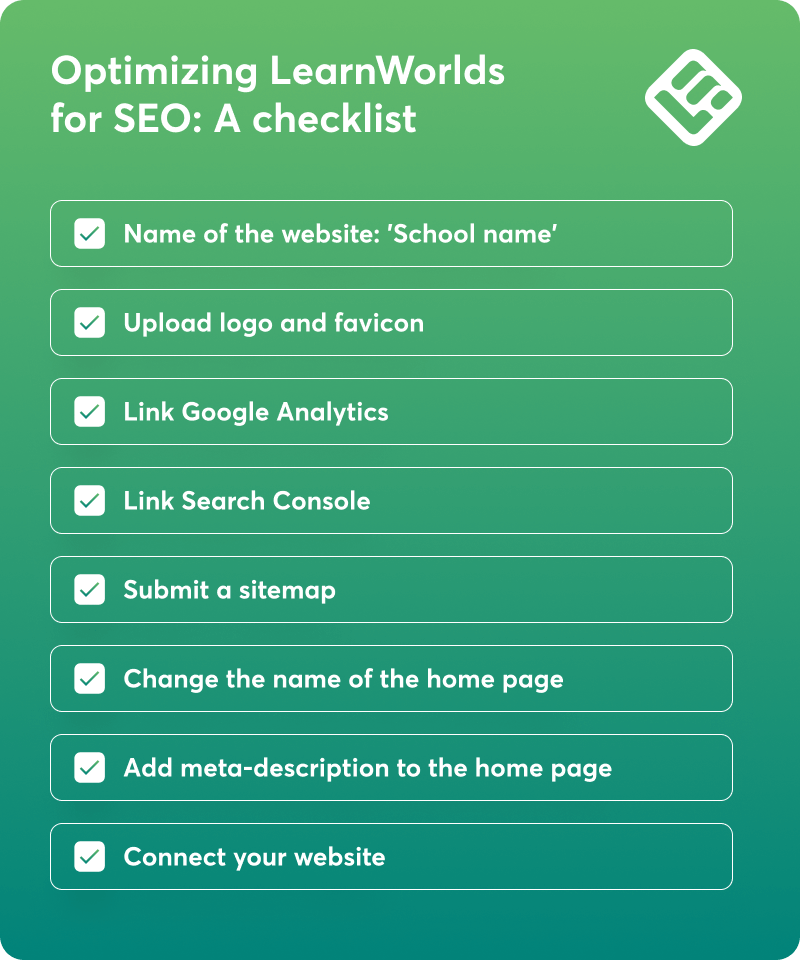
Here’s a quick SEO checklist you can use to set up your LearnWorlds Academy correctly and ensure you don’t forget anything. Follow the links to these support articles to learn more about how to improve your rankings on search engines.
✅ Name of the website
✅ Upload your logo and browser Icon (Favicon)
✅ Integrate Google Analytics
✅ Verify Google Search Console
✅ Submit a sitemap
✅ Change the name of the Home Page
✅ Add meta description, meta tags, and keywords to your pages
✅ Connect LearnWorlds with your website
On-page SEO with LearnWorlds site builder
Let’s take SEO systematically and focus on the things you can change on your website first.
Editing meta titles and descriptions for pages
Ideally, all meta titles should include the main keywords you want to target (eg to rank for) with each page.
So, for instance, if you’ve got a course on “daily nutrition tips”, that might just be the perfect keyword for you to add to a meta title like “Daily nutrition tips course for beginners”. Length-wise, you’ll want to stay between 50 and 60 characters. This range helps ensure that the title displays fully in Google’s search engine results pages.
My advice is to focus on keywords that have medium to high search traffic, but avoid the ones that are too competitive at first. A general keyword like “nutrition course” for instance, might be too difficult to rank for if you’re just getting started with a new website domain.
💡Keep learning: How to choose a catchy name for a training program
Optimizing URL slugs and headings like H2 and H3
While most people don’t even read your course’s URLs, the bots do. That means your URLs should repeat the main keyword you’re targeting (like “daily-nutrition-tips”). Keep them as short as possible for more clarity and focus.
Same for the headings. As a rule of thumb, you’ll want to add your main keyword to both the meta title and a couple of headings (besides the actual paragraphs). Then, come in with your secondary keywords.
These are related keywords with a slightly lower volume that you’ll add to your online academy website pages. While they’re not the star of the page, you still need them so you can rank for these too.
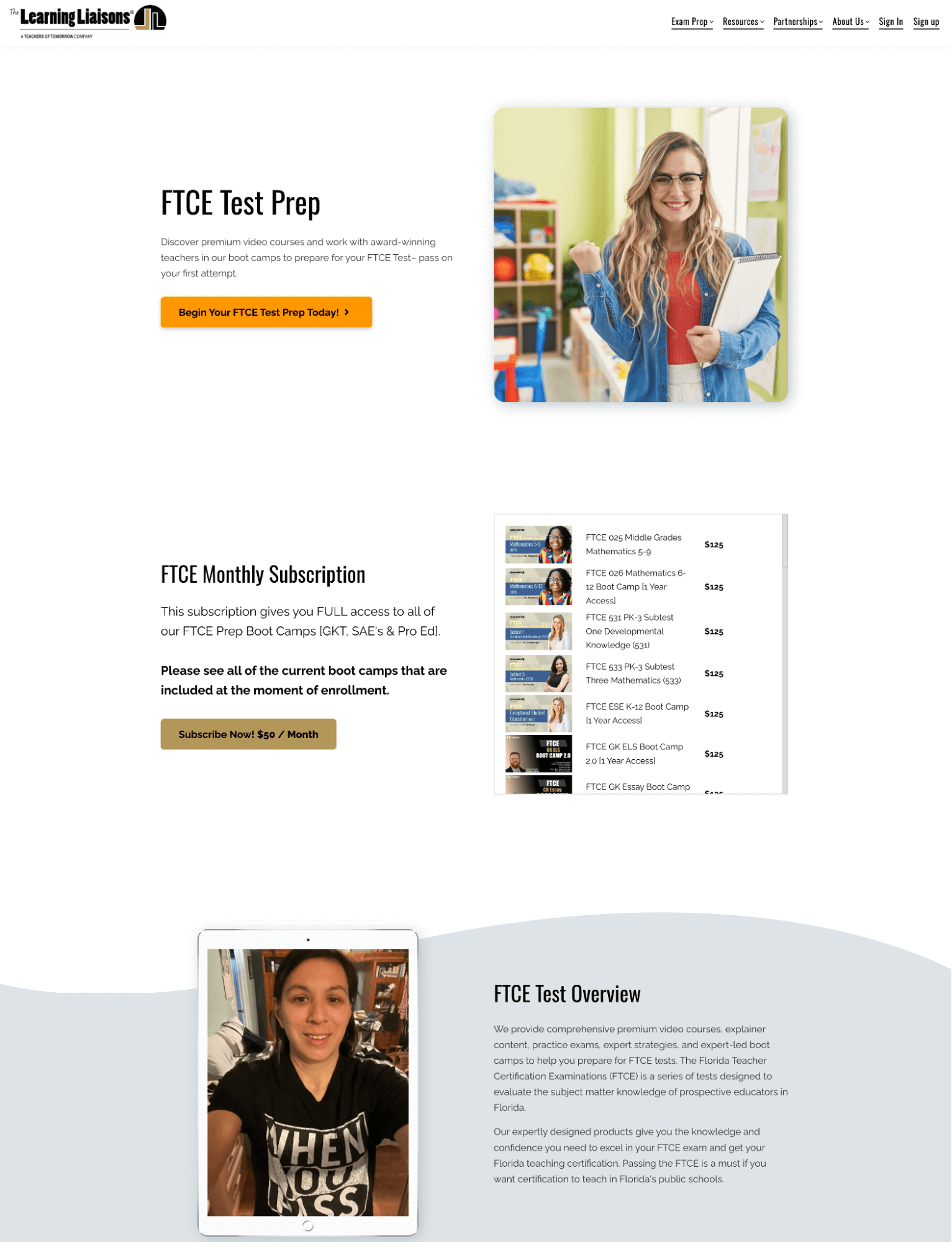
Here’s a good example from Learning Liaisons targeting the “FTCE test” keyword.
SEO image optimization
Although image optimization won’t do wonders for your ranking, it’s still a factor in play. Unfortunately, most creators neglect image optimization even though it’s a straightforward task.
You just need to follow these three best practices for images to improve your on-page SEO efforts for search engines.
Using the LearnWorlds Site Builder to add and customize images, you can add image ALT text.
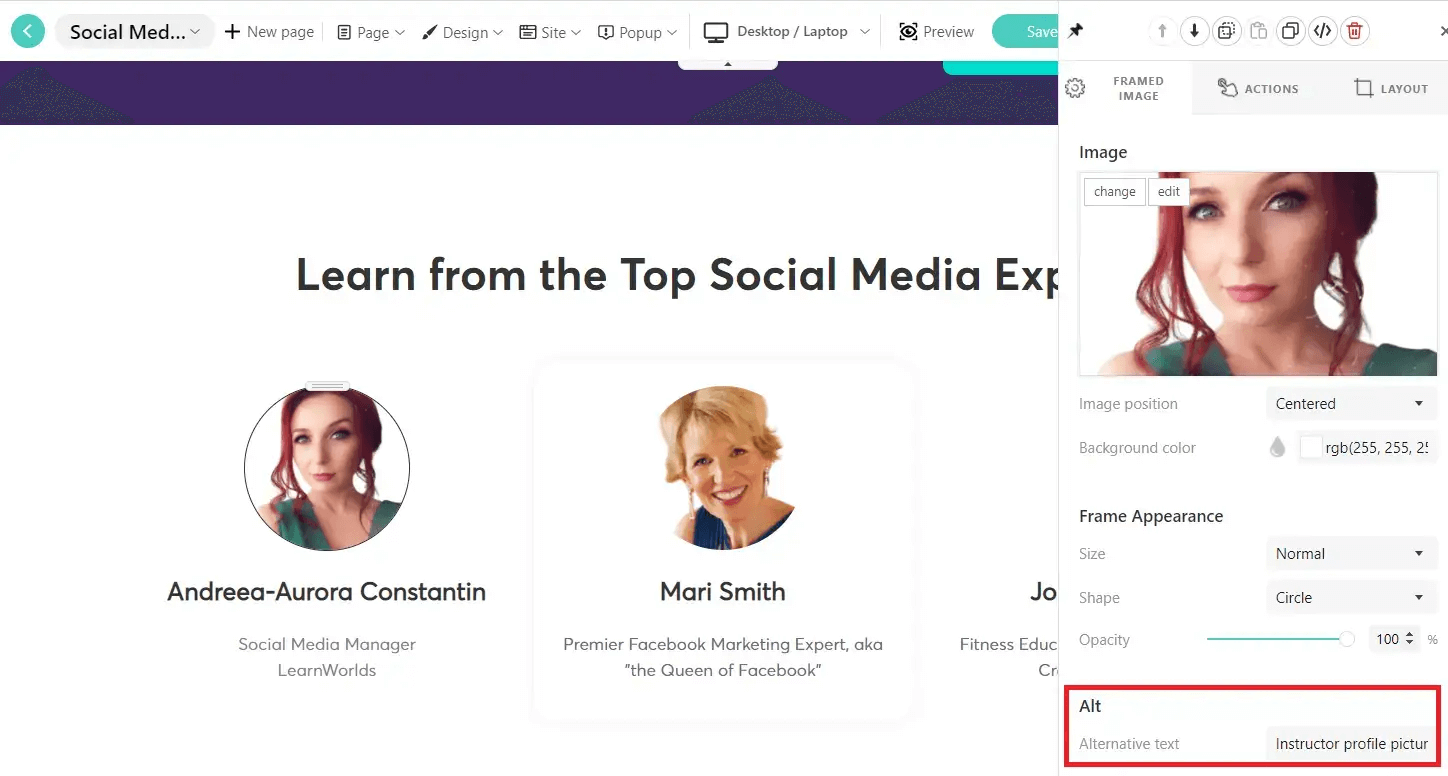
In the example above, I added some additional information to the course instructor’s images.
For instance, this is a profile image of an instructor named Andreea-Aurora Constantin.
We could write something more specific than “Instructor profile picture” in the alternative text space to optimize the whole page. Writing something like “Social Media Expert teaching social media for course creators” will target important keywords like “social media” and “course creators”.
How fast your website moves also matters. Here, images often play the biggest role.
Any image file that’s unnecessarily large can slow down load speeds. Consider image compression to keep your best images and make sure they don’t negatively impact the user experience, particularly on mobile devices.
SEO for course pages
SEO should be on every single page on your website, including course pages that aren’t gated.
Choosing an SEO-friendly course title and URL
When creating a course in LearnWorlds, the Course Builder Wizard guides you with the basic settings you’ll need to select to create your course.
To start building your course, navigate to Courses → Create Course. First, you need to add a Course title.
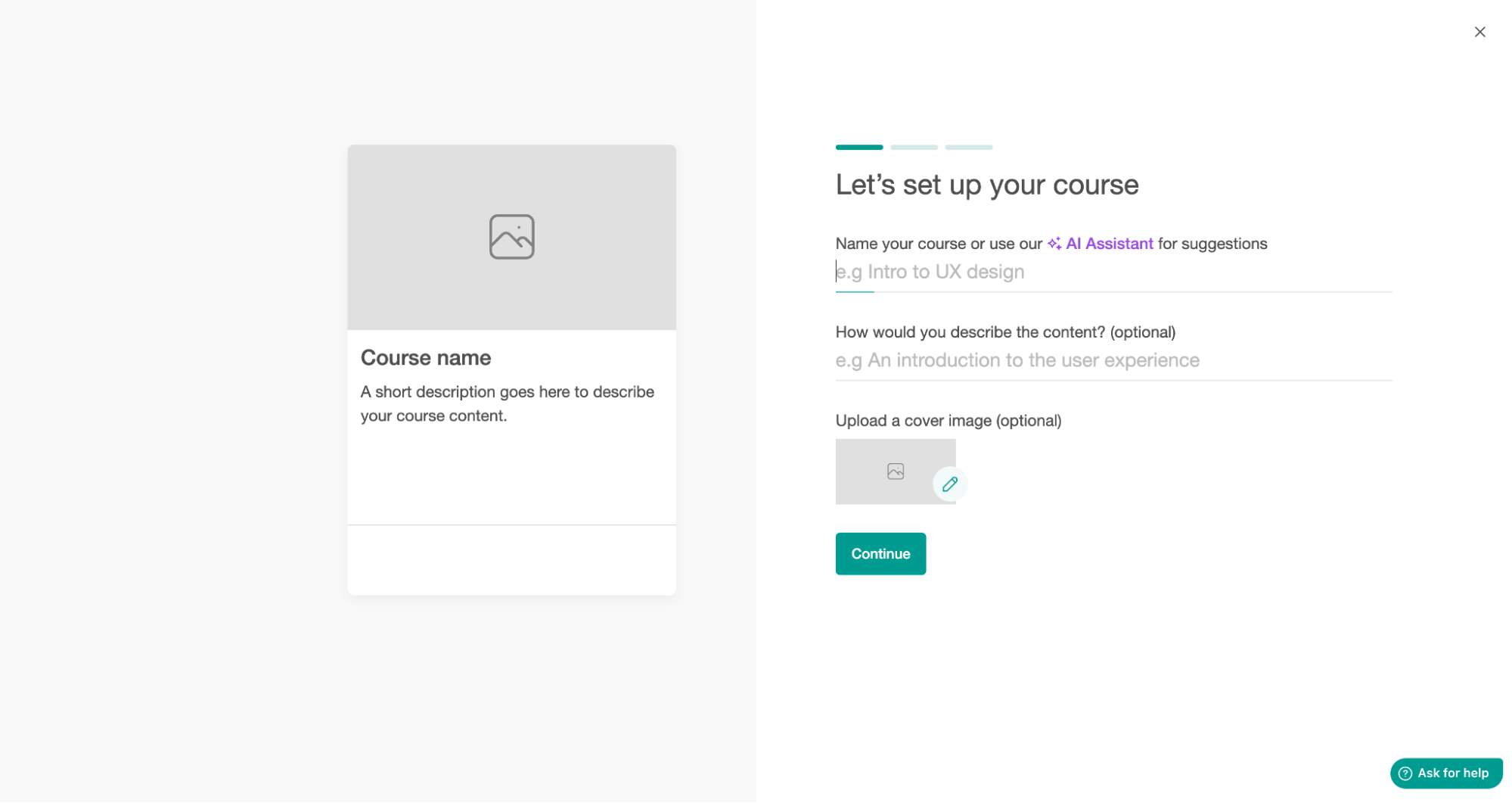
Here are some good keyword-focused examples from Voltage Control.
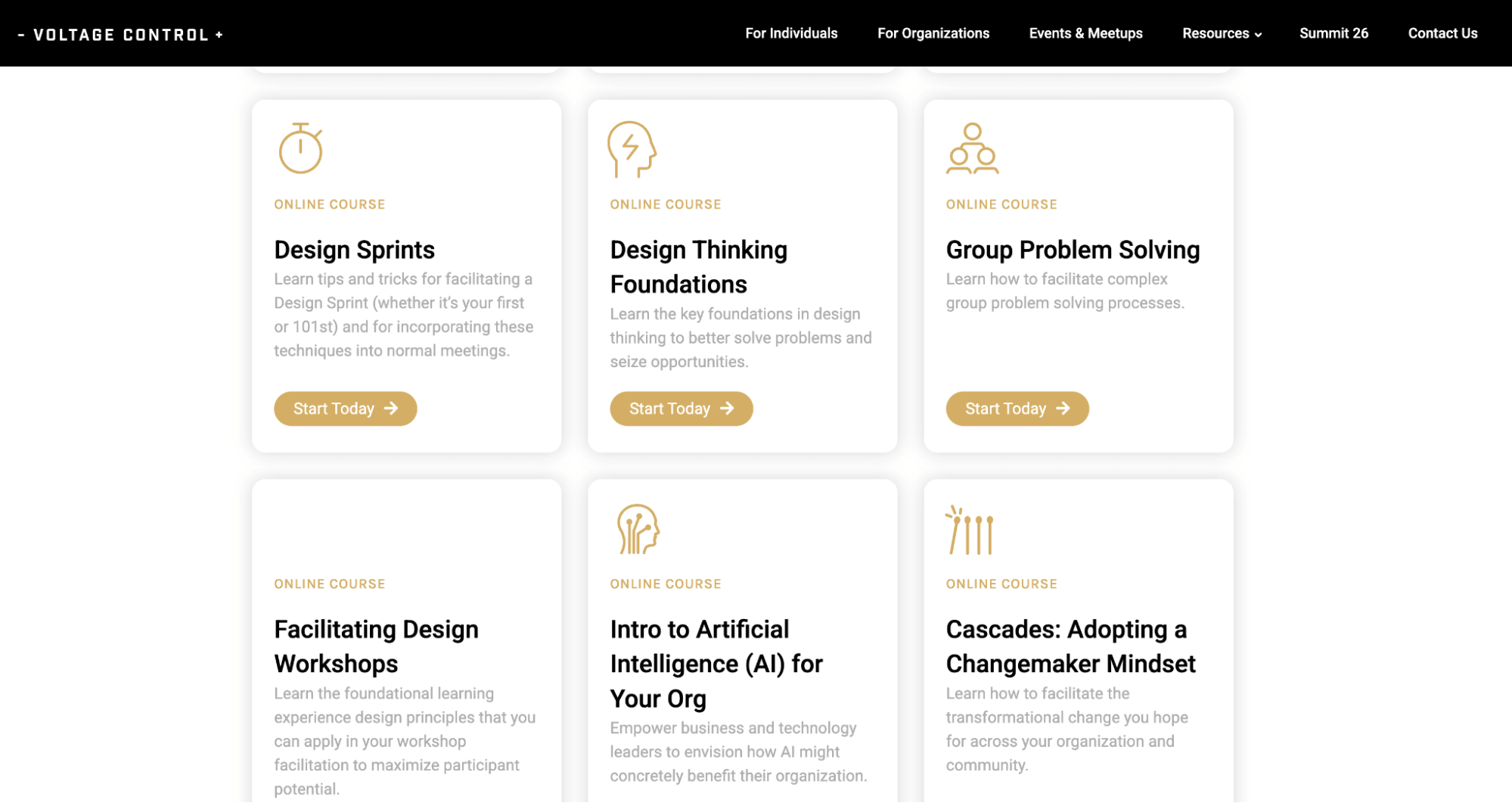
You should make the title SEO-friendly by including a relevant keyword.
If you want to teach Managing Personal Finances, for example, don’t beat around the bush and call the course “Nick’s secrets to saving money”. Think about how people would look up this course by doing a quick keyword research.
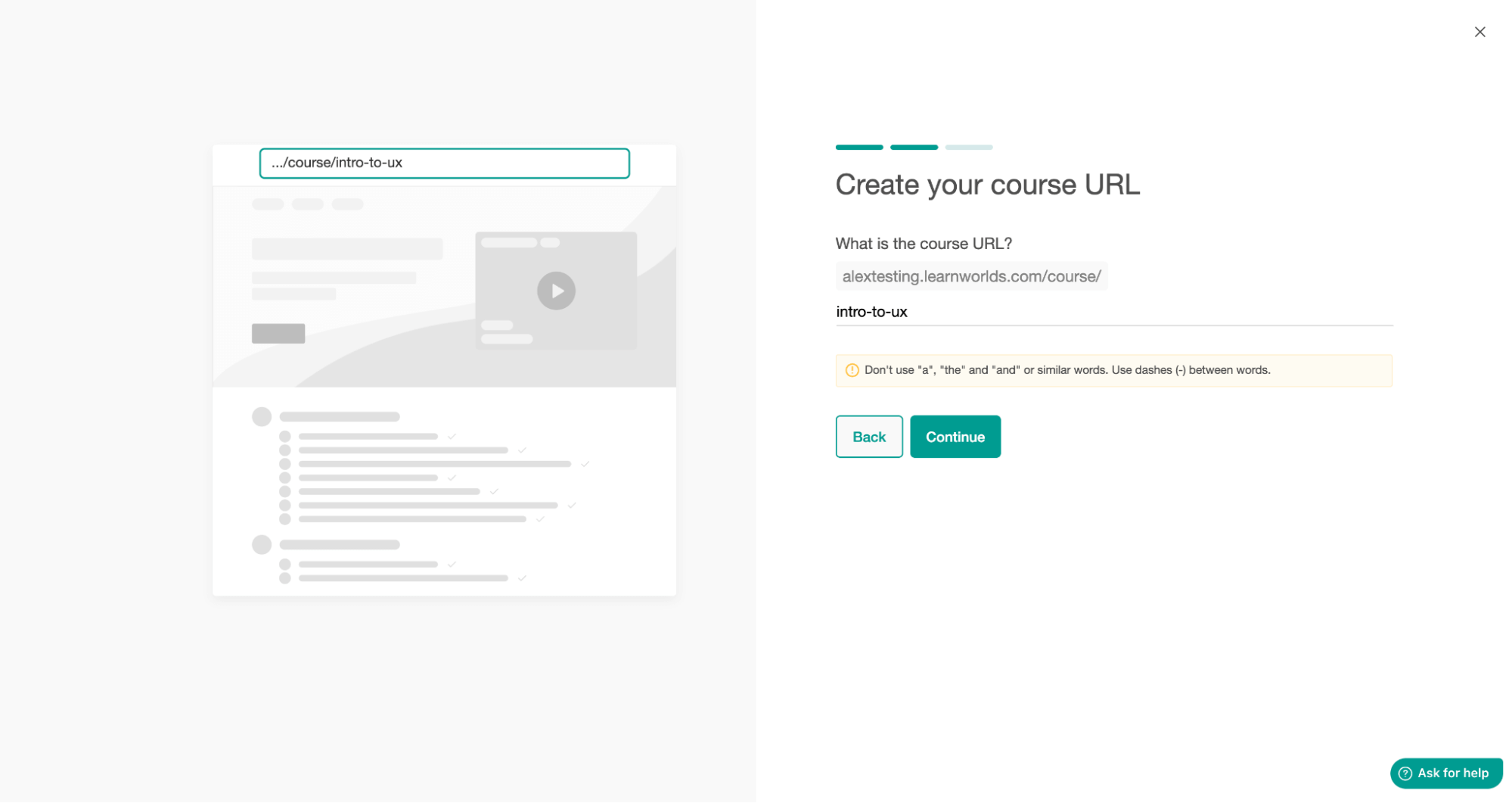
Note that the platform comes with extra tips to ensure clear, SEO-friendly URLs:
Next, you’ll need to choose the course URL. This step is significant for SEO. Create a short, descriptive URL that includes the keyword your course landing page targets.
Optimizing course settings for search
When creating a course on LearnWorlds, you have many options in ‘Course Settings’ that will boost your course’s online visibility while also making it look more appealing and attractive.
Navigate to the ‘Course’, select the course you want to manage, click on ‘Course settings’, and then ‘General’.
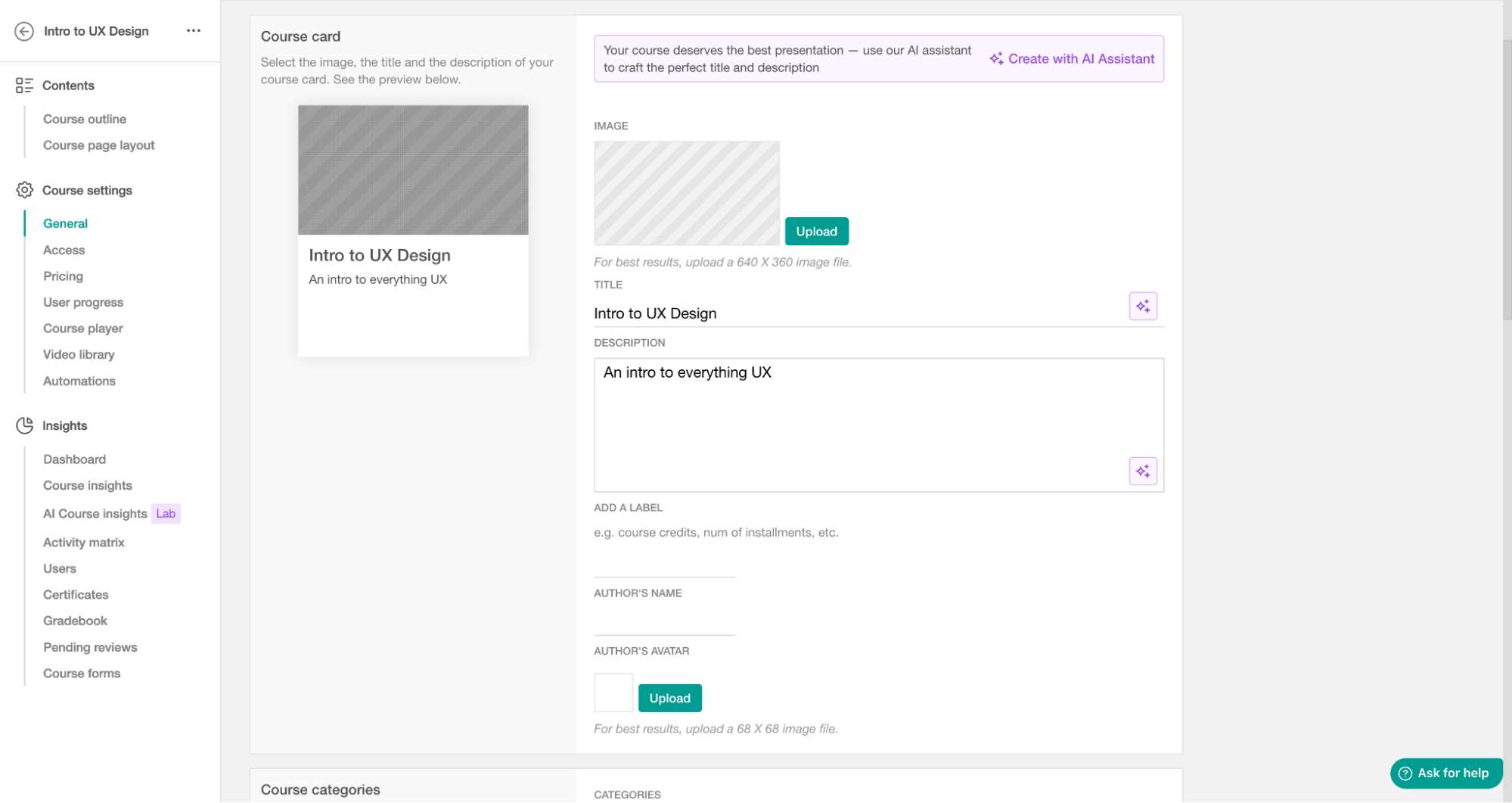
Here you have the option to add an ‘Image’, a ‘Title’, and a ‘Description’ for your course card. Your course card and all its contents appear in your online school.
Scroll further down to get more options for SEO optimization. This time, all the settings concern how your course appears in Google results. You can add an SEO title, SEO description, SEO keywords, and SEO image.
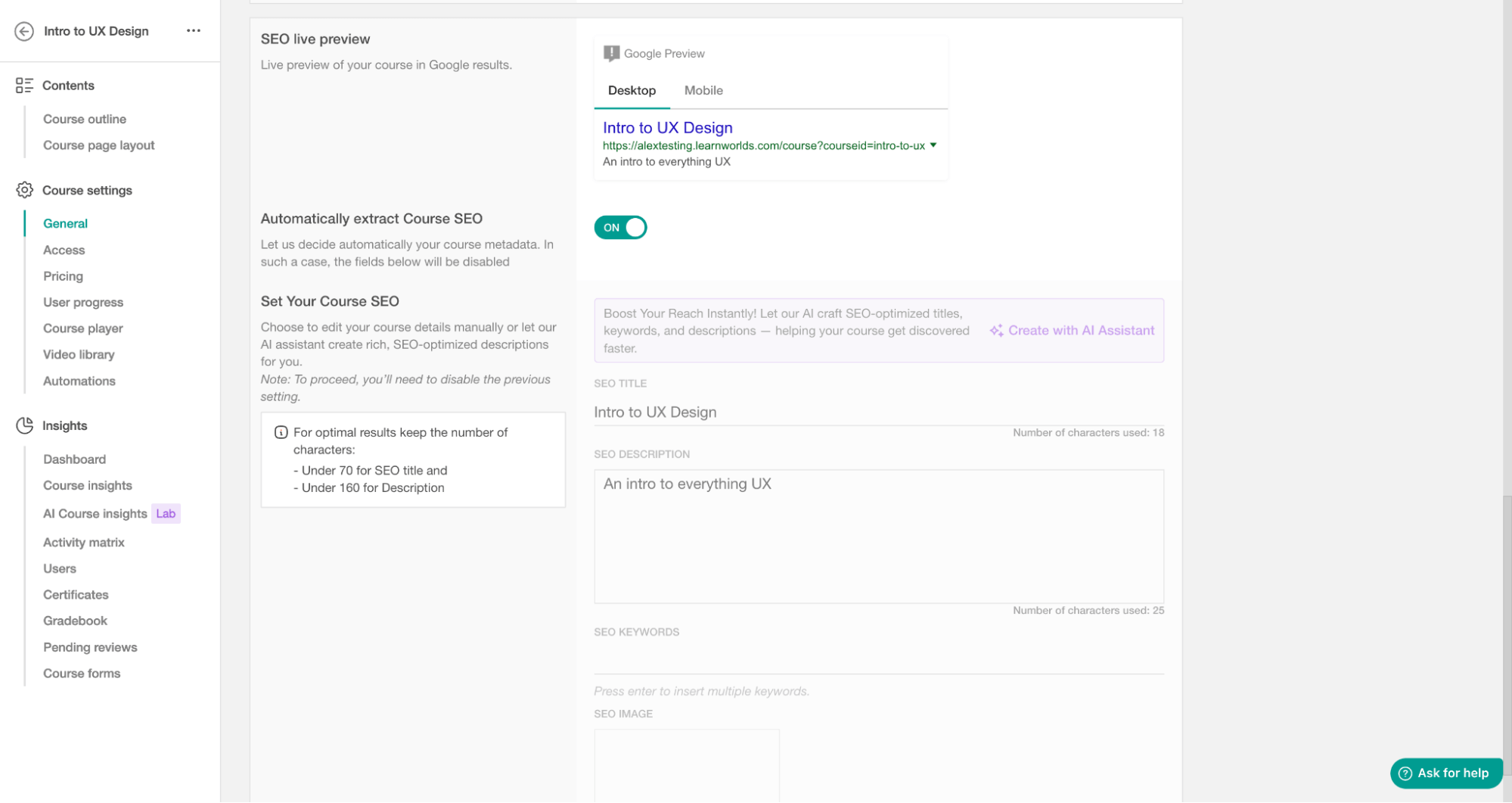
If you don’t want to do this yourself, there’s also the option to extract ‘Course SEO’ automatically, as marked in the screenshot above.
Social sharing and SEO: Optimizing Open Graph data
When you optimize your Open Graph to get it ready for sharing, you’re also improving the quality of your content and how it appears at first glance. That’s a great benefit for SEO.
The titles and descriptions you add will then be pulled by engines and associated with these Open Graph tags. The result? Consistent and appealing messaging on both the search engine results page and social feeds.
Facebook, LinkedIn, X previews
The SEO titles and descriptions will also update the Open Graph metadata. In layman’s terms, they’ll be used from social media when creating a preview of your page or course shared on social media.
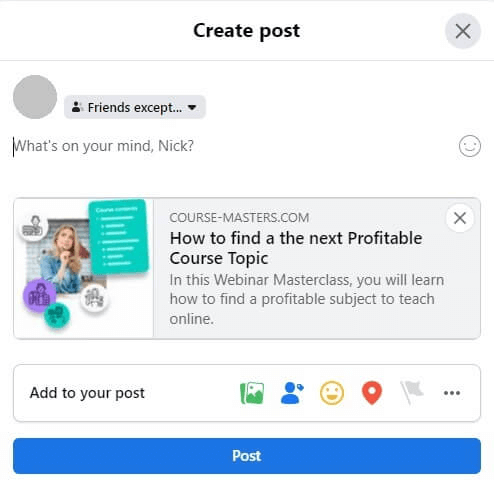
When you share a link on Facebook, LinkedIn, and X, the preview card people see pulls the SEO title and places it as the preview title, while the SEO description goes under the preview summary.
X has created its own preview experience using its preexisting Twitter (now X) metadata. When this metadata isn’t available, the same SEO title and description from your own site will appear instead.
Sync your SEO titles and descriptions between search engines and social media, to keep the same messaging across multiple channels and to clearly communicate your main message or call to action.
Meta and OG image optimization
It is important to optimize your meta and Open Graph images to help your content pop out on social media. Stick to the following best practices to use your images to generate interest and clicks.
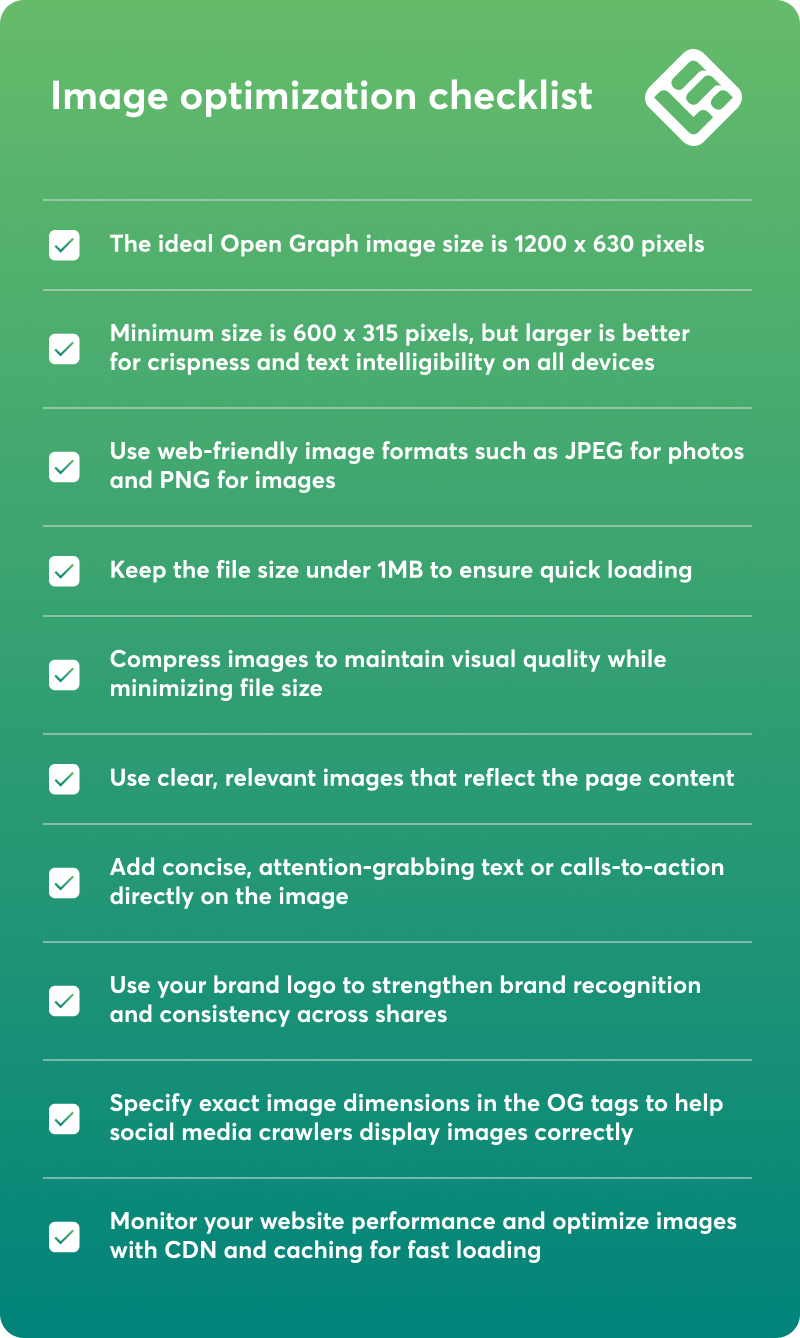
Here’s what you need to make sure your images are optimized:
Blogging for SEO with LearnWorlds
A blog is a great way to improve your SEO, and not just for that. When maintaining an active blog, you get to write and deep-dive into multiple subjects to showcase your expertise. It’s also ideal if you want to further establish your authority while engaging your audience. With blogs, you can target keywords you couldn’t with other pages.
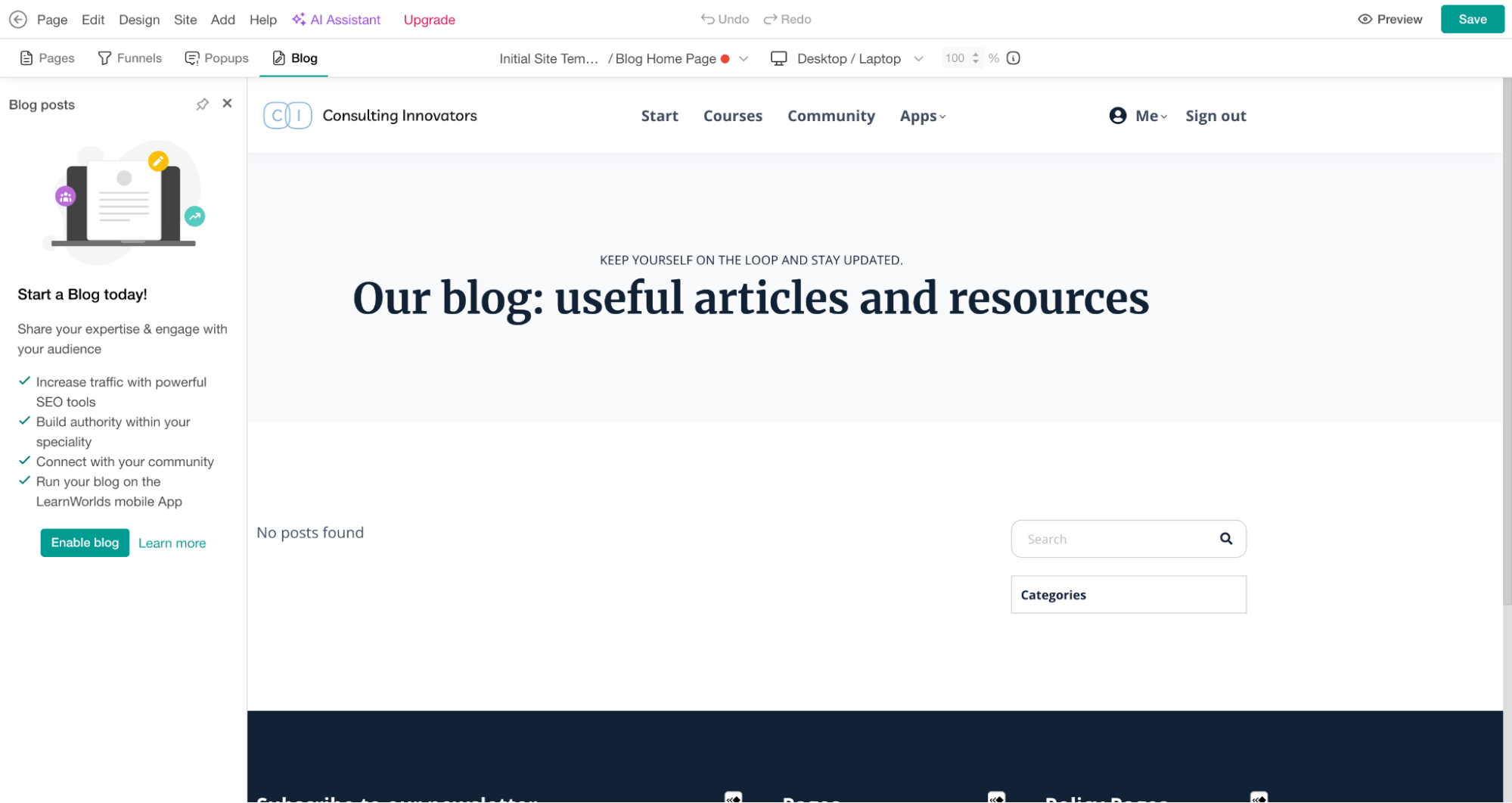
LearnWorlds has exceptional blogging capabilities that allow you to create an informative and engaging blog that captivates your learners.
To start building your blog, navigate to ‘Site Builder’ > ‘Website’ and then ‘Blog’.
Setting up your blog
Start by choosing a clear niche and a memorable domain name that reflects your brand’s focus. Pick a reliable hosting provider with fast load speeds and strong security.
Customize your design with consistent brand colors, readable fonts, and an easy navigation layout to make your site feel welcoming and professional.
Decide on a posting schedule you can maintain consistently. Quality always matters more than volume. Use LearnWorlds’ built-in analytics, scheduling tools, and plug-ins to speed up publishing.
Writing SEO-optimized blog posts
Focus each post on one main topic and include relevant keywords naturally in the first paragraph and headers. Keep paragraphs short, use descriptive titles, and add meta descriptions for better visibility. Use bullet points, images, and subheadings to make your content easier to scan and rank.

Pro tip
Link to other posts (not competing ones) on your blog to boost SEO and keep readers exploring your content longer. Maintain a logical hierarchy with clear headings and internal structure to guide both users and search engines.
Blog examples and keyword types to target
Krista from Soul & Sage helps coaches learn, integrate, and apply Human Design principles to make their coaching sessions more personalized, powerful, and profitable.

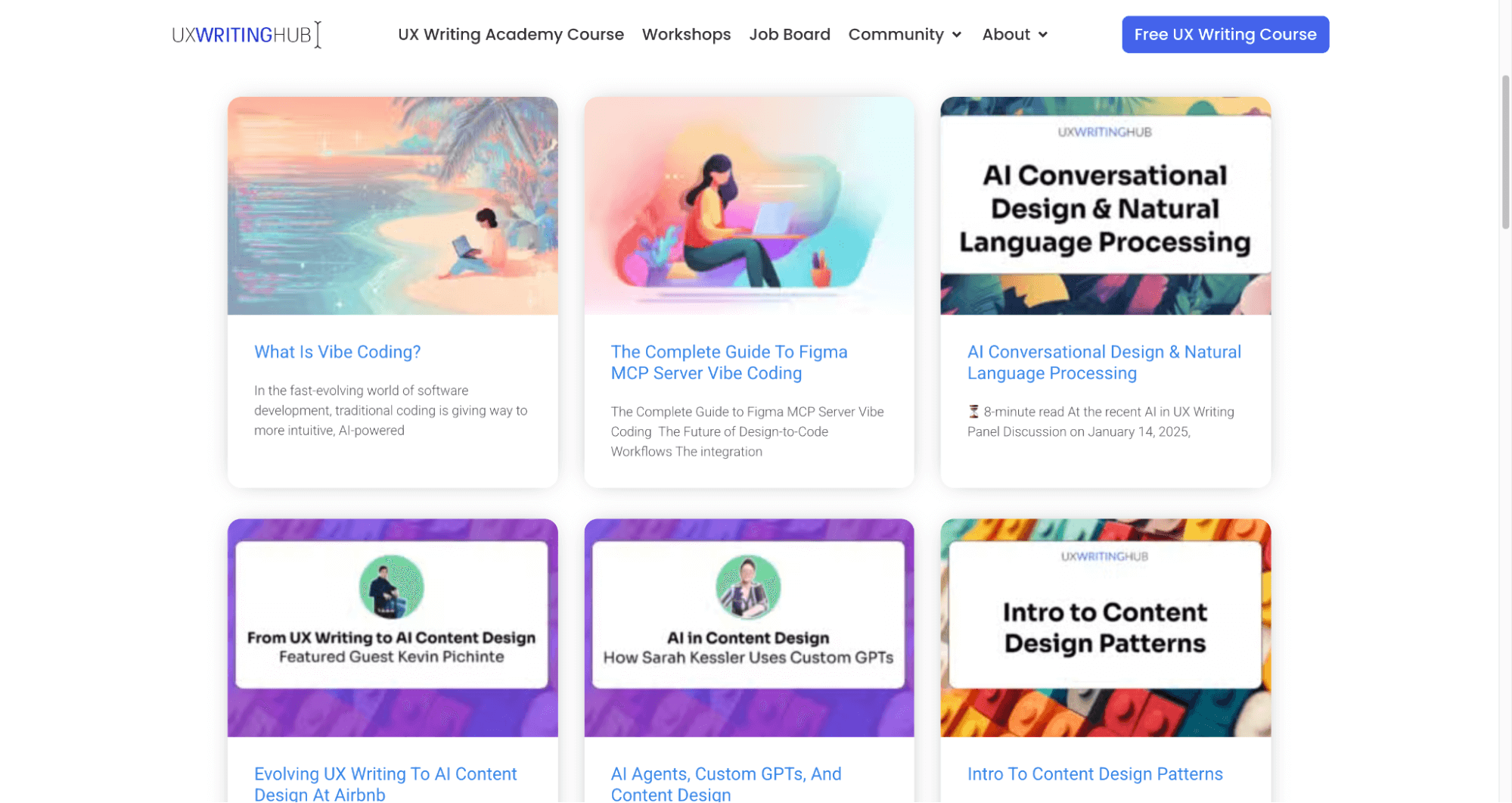
Yuval Keshtcher from UX Writing Hub runs a blog filled with articles, interviews, and resources about UX writing, helping learners build portfolios and land roles in top companies.
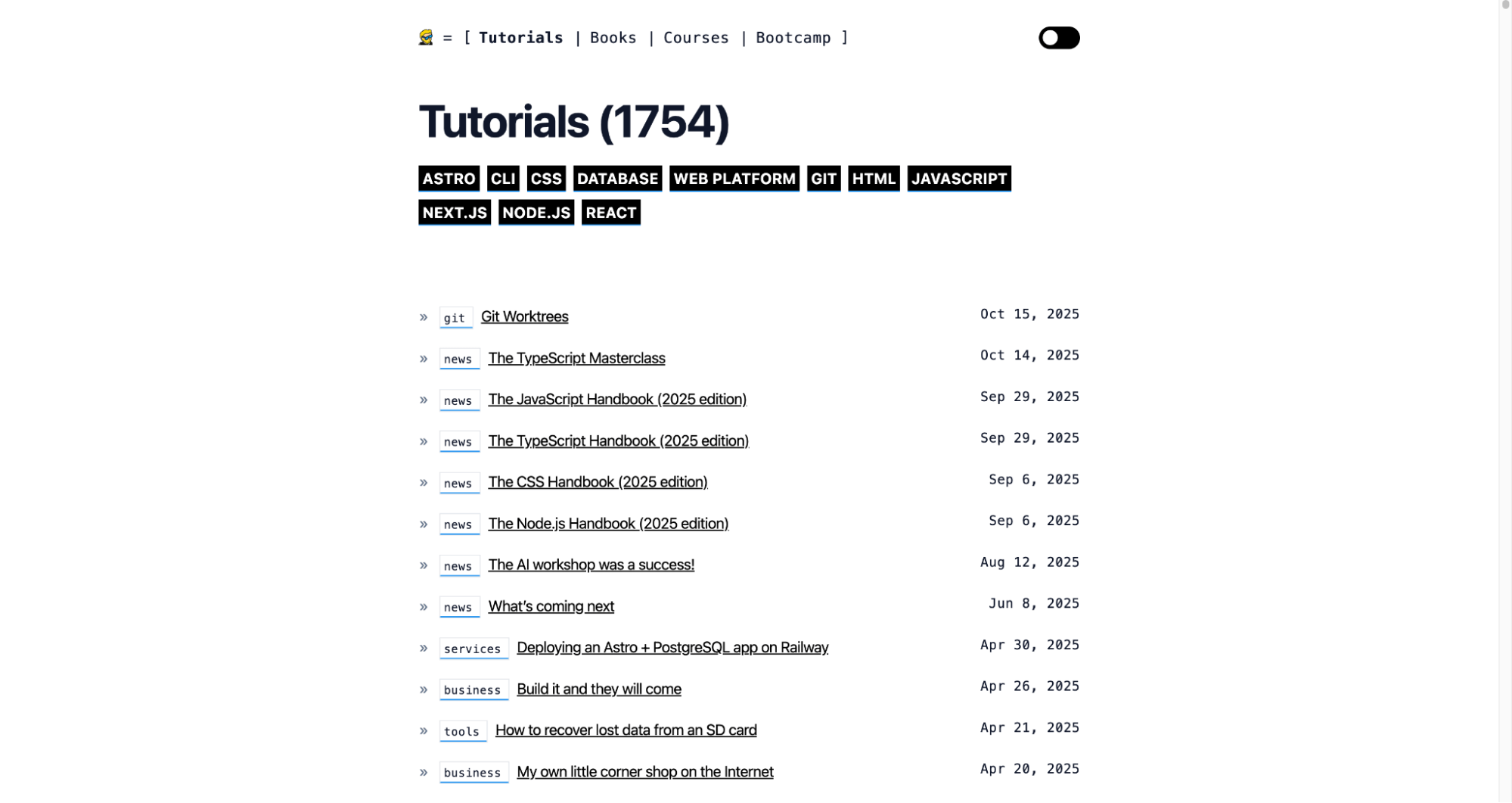
Flavio Copes is a prolific software engineer who blogs daily about JavaScript tutorials and web development topics, supporting his teaching content.
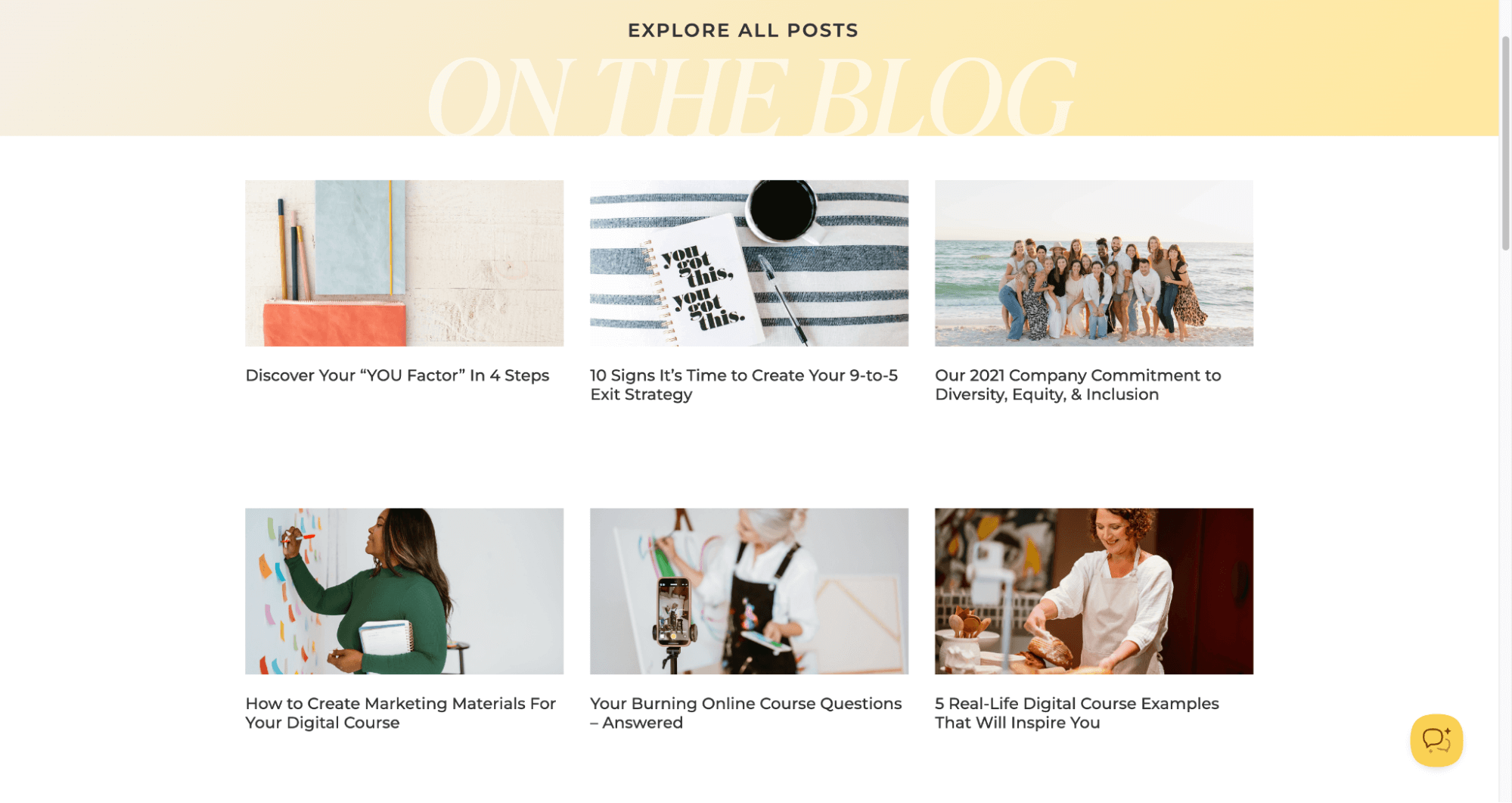
Amy Porterfield’s blog creates a welcoming “virtual living room” atmosphere, sharing expert interviews, mini-execution plans, and behind-the-scenes insights from her major online course launches.
Let me hone in on a couple of more examples and explore the keywords they’re targeting with these blogs.
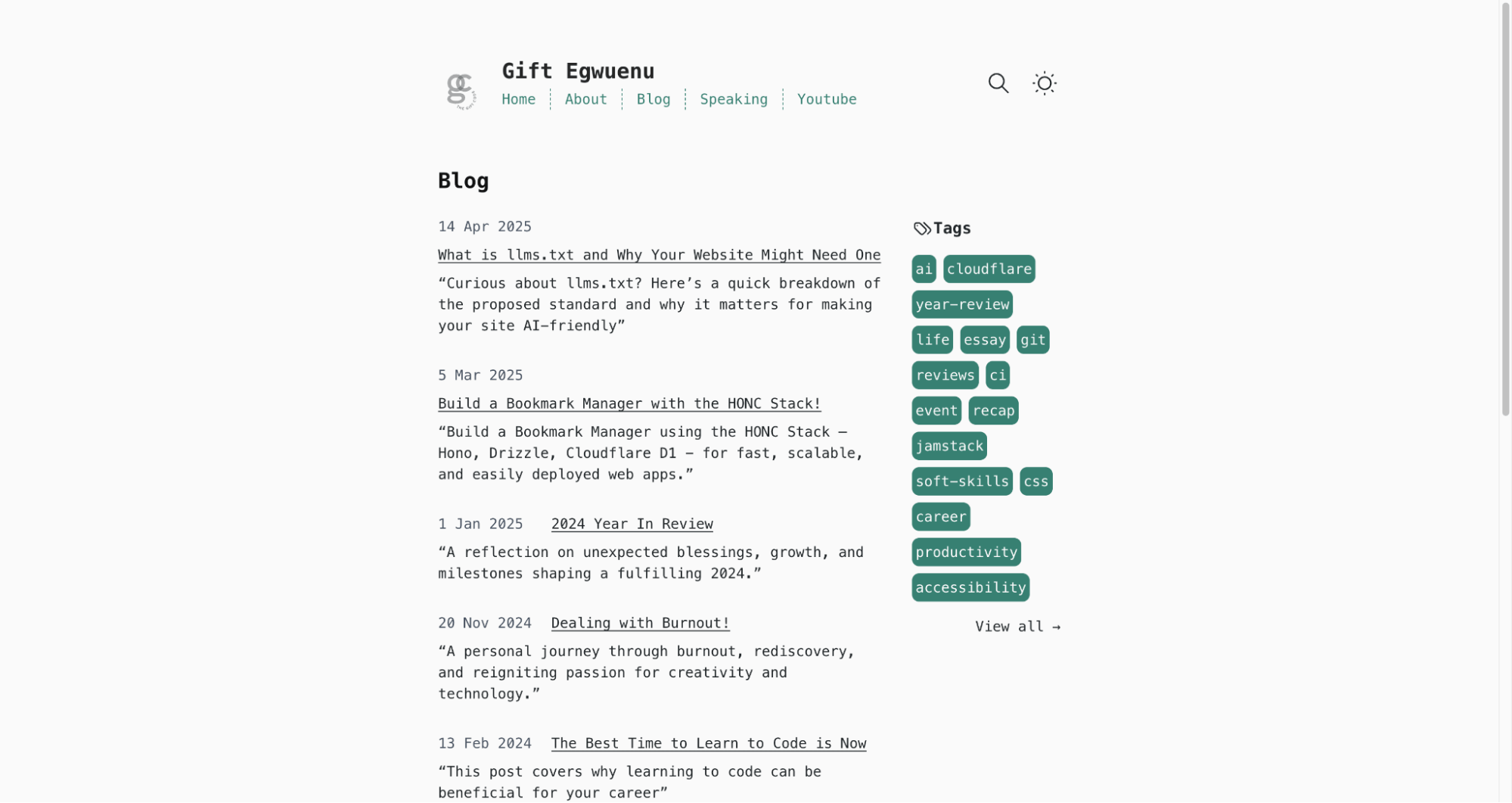
The blog posts on Gift Egwuenu’s website target keywords primarily related to web development, coding tutorials, and personal tech experiences.
I’m talking technical and tool-specific terms such as “llms.txt”, “HONC Stack”, “Git branch deletion”, “Buddy CI vs. Travis CI”, “Vuejs Global 2020”, and “Deploy Gridsome App on Azure Static Web Apps”.
Phoebe Greenacre offers holistic health and wellness coaching with a blog that helps women build and launch wellness courses. In fact, you’ll find plenty of business growth and marketing keywords targeted at wellness entrepreneurs like “starting an online business as a wellness professional”, “market, sell, or grow in the digital space”, and “moving your work online”.

Migrating to LearnWorlds without losing SEO rankings
If you’re considering migrating your website to LearnWorlds, you need to take some steps to avoid losing your ranking.
You don’t need to worry about this if you don’t rank for keywords and have no links pointing to your website. You can check this with a free or paid SEO tool.
How to preserve SEO equity
If you’re getting valuable traffic from search engines, then follow the process below.
You guessed right. You need to rebuild all these pages in LearnWorlds before migrating.
You will need to keep the structure of your previous website. For example, if you had www.mywebsite963.com/blog/why-I-became-a-course-creator, you need to keep this URL structure for the new pages.
Also, keep the same or similar structure for your menu, footer, and internal linking—every small detail matters.
When to avoid migration
If you currently have a complex website with tons of valuable traffic, it’s in your best interest to keep your WordPress, Wix, or other website in place.
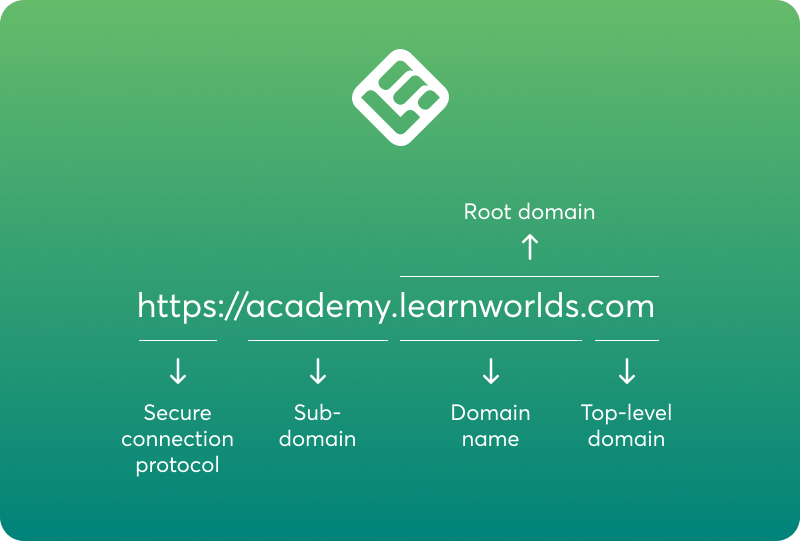
In this case, you can connect your LearnWorlds site as a subdomain and link to your courses on LearnWorlds from your main website.
Common SEO mistakes to avoid
Now let’s talk about everything you don’t want to do. Avoid doing any of these things at all costs:
Advanced SEO: What’s coming next?
AI-driven SEO tools will make all of the above easier for you. Tools like the LearnWorlds AI Assistant that rely on artificial intelligence will help you with both content creation and SEO settings optimization.
You can use these to automate repetitive tasks like metadata generation:
This shift is huge.
It takes every content creator closer to achieving SEO perfection by ensuring you won’t miss out on important SEO details.
Schema support is another big deal. AI is making structured data easier to manage by automatically generating and checking schema, reducing errors, and enhancing rich snippets in Google search results.
Remember the very first benefits I mentioned related to visibility?
And site speed? Still critical. AI comes in to optimize images, clean up code, and predict what elements users will load next to improve Core Web Vitals scores.
Now here’s what I see looking ahead. Future-proofing your SEO so you can both react to algorithm updates and keep your rankings even as Google’s AI Mode takes over the SERP.
Is your LearnWorlds academy SEO-ready?
Give SEO best practices a first try with these summarized steps.
Once you are done, don’t forget to audit your academy site’s SEO performance often to catch and fix issues early and maximize your online visibility, traffic, and course sales.
Go ahead and use LearnWorlds’ SEO features by starting a free trial. You can also download our migration guide to ensure a smooth transition that preserves your SEO rankings and even helps you rank higher.

Androniki Koumadoraki
Androniki is a Content Writer at LearnWorlds sharing Instructional Design and marketing tips. With solid experience in B2B writing and technical translation, she is passionate about learning and spreading knowledge. She is also an aspiring yogi, a book nerd, and a talented transponster.

Alexandra Cote
Alexandra Cote is a SaaS growth marketer and online instructor who's worked with dozens of brands in the MarTech, HR tech, and productivity space. She's also a strong supporter of staying happy at work and choosing a healthy career path.
 Back to blog
 Scroll to top
Related Articles