
Table of Contents
Key takeaways
- An LMS delivers and tracks training programs, a CMS publishes general website content, and an LCMS creates and authors learning materials.
- Select an LMS for structured training with progress tracking, a CMS for blogs and marketing content, or an LCMS for custom content development with teams.
- Modern platforms, such as LearnWorlds, merge LMS, CMS, and LCMS capabilities into a single system, removing the need to use multiple tools while at the same time reducing costs.
As an educator who got to experience both the traditional classroom and the world of online learning, I realized quite early (luckily) that teaching online is more than just the content you provide. Much like in-person, offline learning, it’s more about the tools you use and how you can combine that content with an experience that will engage, inspire, and empower learners.
Choosing the right platform to deliver educational content and training programs has a huge impact on the learning process, but also on learner engagement and success. That’s why we came up with this comprehensive guide that explores three essential systems:
- Learning Management Systems (LMS)
- Content Management Systems (CMS)
- and Learning Content Management Systems (LCMS)
Understanding their distinct purposes, features, and ideal use cases will help you make informed decisions for your training and content delivery needs.
Understanding the key differences in LMS vs LCMS vs CMS
While these three systems may seem similar at first glance, they serve fundamentally different purposes in the digital learning ecosystem.
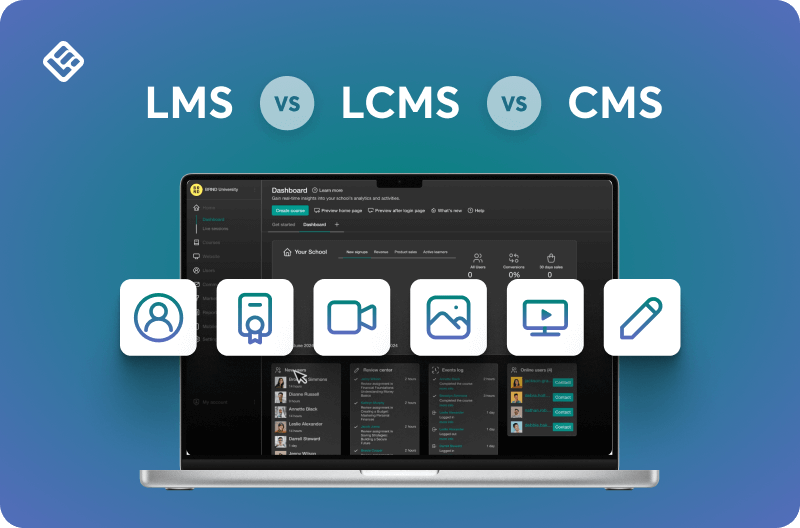
An LMS is your delivery and administration hub, designed to manage learners, track their progress, and facilitate the completion of training programs through structured courses, assessments, and certifications.
A CMS, on the other hand, functions as a general-purpose publishing platform, ideal for creating and managing website content, blogs, and public-facing resources without the specialized learning features.
An LCMS sits between these two, acting as a powerful content creation workshop where instructional designers and subject matter experts collaborate to build, customize, and maintain sophisticated learning materials that can be deployed across various platforms.
Think of it this way:
- If you’re running a training program, you need an LMS to deliver it and track learners
- If you’re publishing educational articles or marketing content, a CMS handles that beautifully
- And if you’re developing complex, custom learning content from scratch with a team, an LCMS provides the authoring firepower you need
The key distinction between these tools lies in their primary focus. LMS for learning delivery and tracking, CMS for general content publishing, and LCMS for content creation and development. Though modern all-in-one platforms increasingly blur these boundaries by combining the best features of all three.
Let’s unravel the mystery by looking into each one and comparing them in more depth.
What is an LMS (Learning Management System)?
A Learning Management System (LMS) is a software platform designed to create, track, document, report, and deliver educational courses or training programs. LMS platforms are commonly used in educational institutions, schools, and corporate environments.
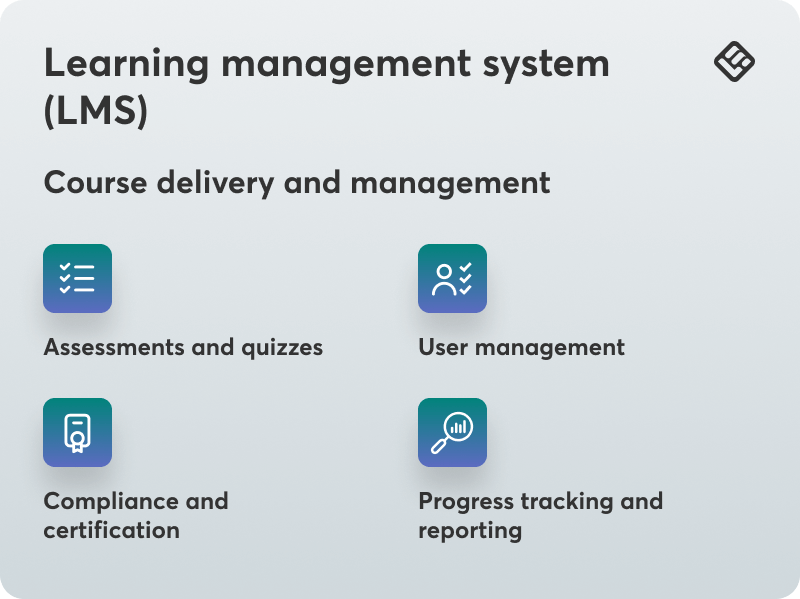
Like many, I thought that sharing a few files via email or even a simple website was going to be enough. But an LMS platform like LearnWorlds takes it all to the next level by allowing you to centralize course delivery, management, and learner progress.
💁 Interested in an AI LMS? Compare the top 5 options.
Key features of an LMS
An LMS isn’t just hosting files. Most come with course authoring tools, student tracking, assignments, and interactive collaboration features like discussion forums.
These are its key capabilities and features:
- Course management: Upload, organize, and categorize training materials
- User management: Enroll learners and manage access permissions
- Assessment tools: Create quizzes, assignments, and interactive assessments
- Progress tracking: Monitor learner completion rates, quiz scores, and engagement
- Analytics & reporting: Generate detailed insights into learner performance and program effectiveness
- Interactive elements: Discussion forums, gamification, certifications, and live events
- Mobile accessibility: Native mobile apps for learning on the go
- SCORM compliance: Support for standardized content formats
Pros of using an LMS
- Switching to an LMS can save you time by automating tasks like grading quizzes or sending progress reminders
- An LMS comes with a structured environment that keeps learners on track
- You can improve engagement with fun features like forums and interactive assignments
- You’ll get plenty of data on learner preferences and progress delivered alongside learning platform content management
- You can update content on the fly as soon as something is outdated or whenever you have a special learner request
Cons of using an LMS
- Setting up your first LMS might be overwhelming if you’re not used to a similar solution
- Cost can be a hurdle if you don’t yet have a budget for learning initiatives
- It may require some technical knowledge for advanced customization
When to use an LMS
An LMS is valuable if you want more than just content sharing. It’s well-suited to formal education settings, professional training, compliance training, or certification programs with clear milestones and analytics. If you host programs that involve diverse learners, such as mixed-level workshops, an LMS supports you in creating different learning experiences and levels of engagement.
In essence, an LMS is the ideal choice when you need the following:
- Formal training programs: Structured courses with clear milestones and progression
- Learner tracking: Detailed monitoring of individual and group performance
- Compliance training: Regulated industries requiring documented training completion
- Professional development: Certification programs and continuing education
- Employee onboarding: Consistent training experiences for new hires across locations
- Customer education: Training programs for product users or clients
- Interactive learning: Engagement through assessments, discussions, and collaborative activities
LMS example
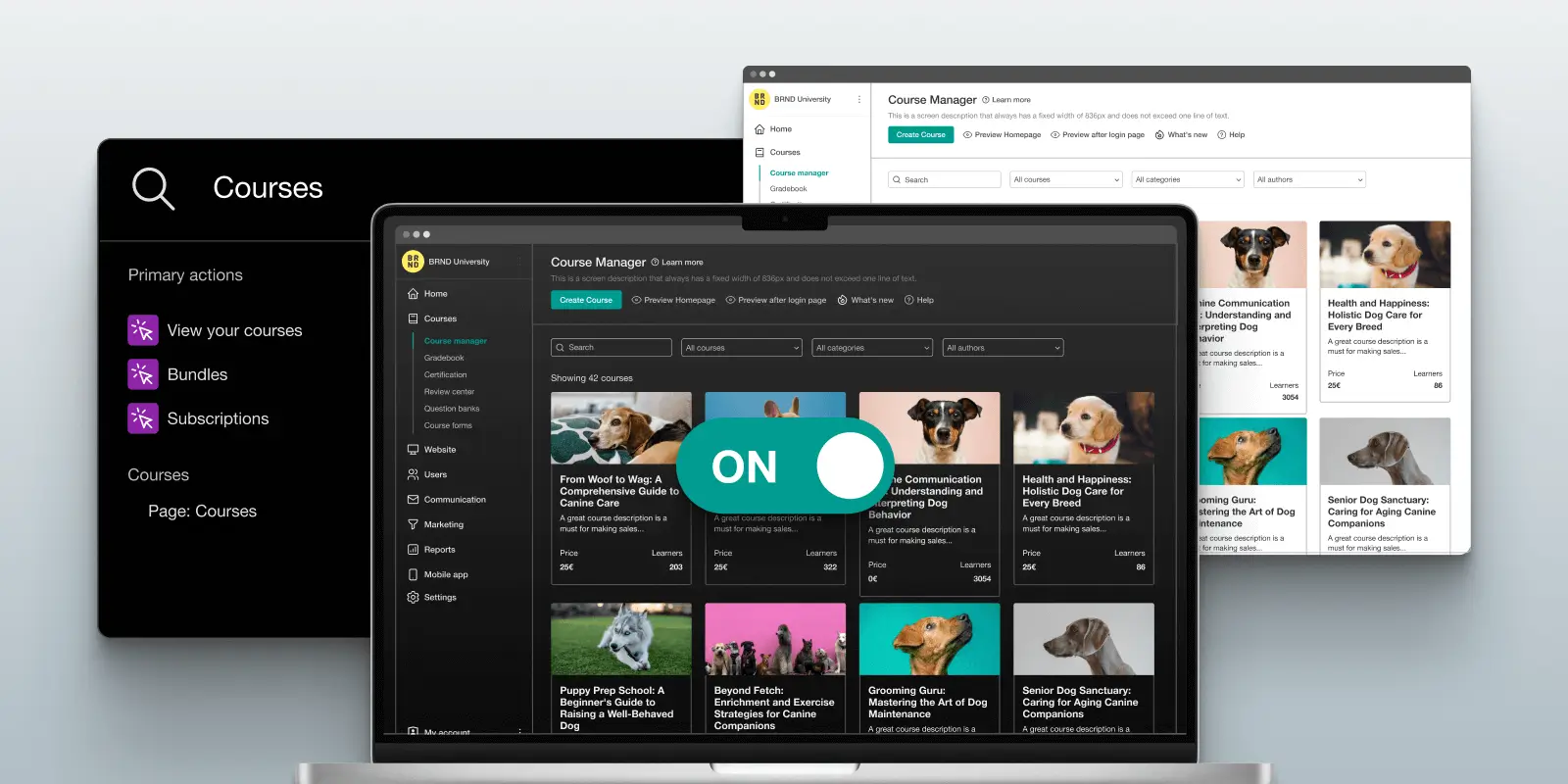
rlds is an AI-assisted LMS platform that gives you all the tools you need to make online training fun and even start a sales funnel for your educational courses. LearnWorlds discussion forums support learners with discussion topics through communities. Its in-depth analytics give you detailed insights into active training participants, letting you spot who might need an extra push and provide support to truly meet their needs.The native mobile app builder lets you give access to lessons on the go, so busy professionals or customers can keep up. With SCORM compliance and drag-and-drop course design, you also get all the instruments you need to create a professional, branded academy that’s representative of your teaching style, well beyond what a CMS could provide.
What is a CMS (Content Management System)?
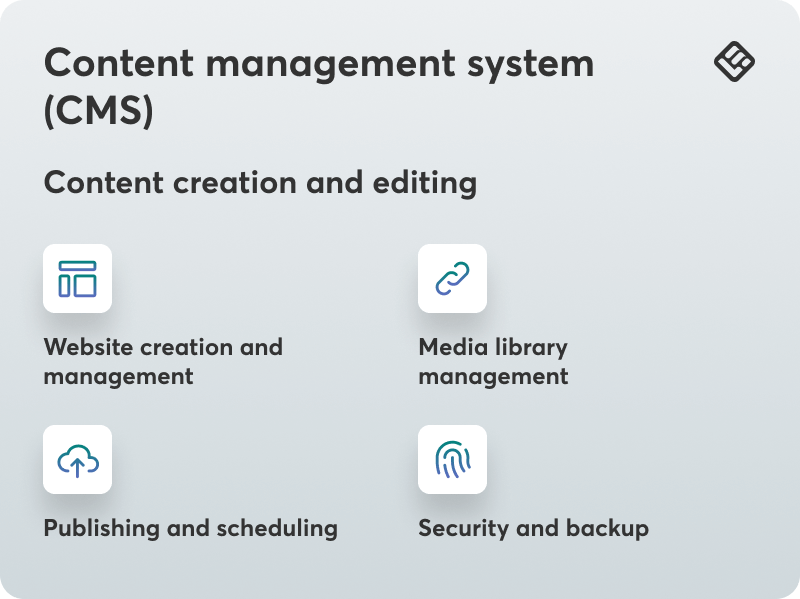
A Content Management System (CMS) is a tool you use to create, manage, develop, and publish digital content (eg articles, PDFs), quickly and easily. It’s most commonly used for website content management and is ideal for organizing and presenting information to broad audiences.
Key features of a CMS
Although not as text-intensive as an LMS when it comes to content delivery in learning systems, a CMS can be flexible. You can stay creative and publish anything you can think of, sometimes in seconds.
Detailed role/user management also means you can manage who can edit or view the content when collaborating with colleagues. Some content management systems even come with SEO optimization features so you can get your educational materials to rank higher on search engines and attract more visitors.
These are the key features of a CMS:
- Content creation tools: Easy-to-use interfaces for creating pages and posts
- Media management: Upload and organize images, videos, and documents
- User permissions: Control who can view, edit, or publish content
- SEO optimization: Built-in tools to improve search engine rankings
- Theme customization: Flexible design options and templates
- Plugin/extension support: Expand functionality with third-party add-ons
- Version control: Track changes and revert to previous versions
Pros of using a CMS
- CMS platforms tend to be cheaper than LMSs and often come with a free version
- They are easy to use as they have intuitive interfaces that don’t require coding knowledge
- Many CMS solutions come with a wide range of plugins and themes to expand their usability
- Learners can view content published via a CMS anywhere and anytime without having to log into anything
- They allow you quickly create and publish your content
Cons of using a CMS
- A CMS wasn’t built for training use cases, so it comes with limited learning management capabilities
- The lack of course modules can make it difficult for learners to navigate the content, and you can’t monitor individual learner outcomes
- Keeping plugins updated and troubleshooting compatibility problems can feel like an ongoing extra tech-support role
- Educational content shared via a CMS tends to be static and lacks the engaging factor
- As your classes expand, you’ll find that managing user access or personalizing content becomes cumbersome and time-consuming
When to use a CMS
A CMS is best if you have simple courses or learning materials that don’t require a set learning pathway, like modules or test-based progression. It’s also perfect for one-off webinars or public resources and is an easy way to showcase your workshops or even sell access to more materials.
A CMS is best suited for the following:
- Information sharing: Publishing resources, articles, and reference materials
- Marketing content: Blogs, landing pages, and promotional materials
- Public resources: Educational materials accessible to anyone
- Simple course materials: One-off workshops or webinars without progression tracking
- Content websites: Building and maintaining informational websites
CMS example
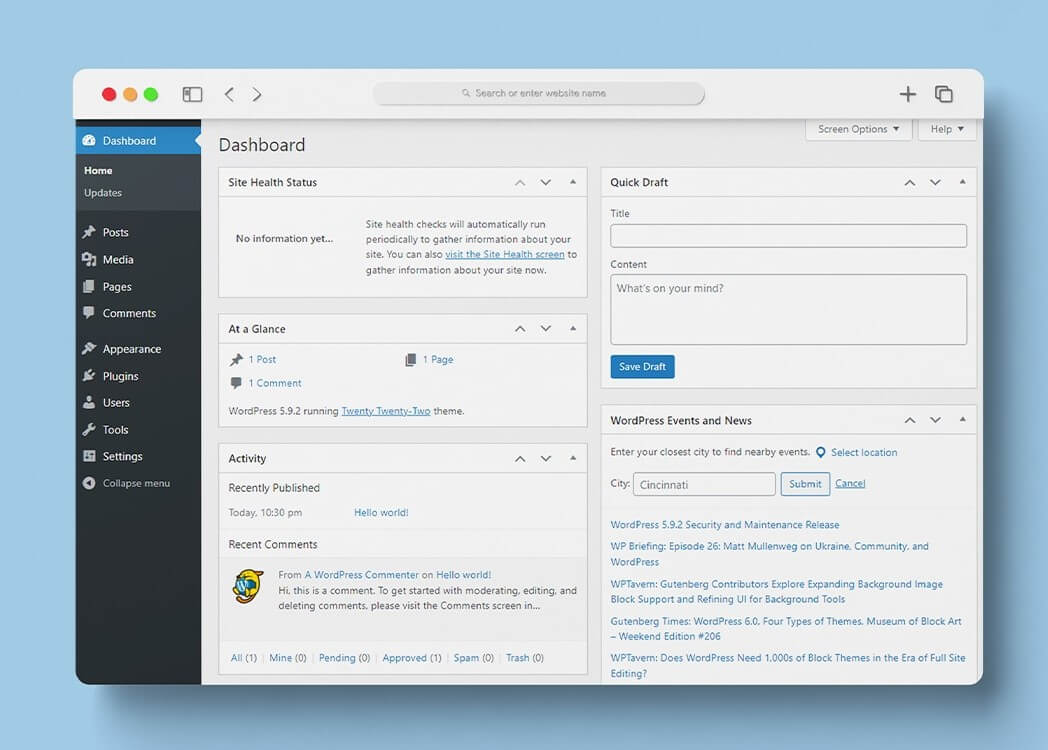
WordPress, Joomla, Drupal, and Wix are a couple of popular CMS options to consider.
But if there’s one thing you should remember from this LMS vs CMS comparison, it’s that many learning management systems like LearnWorlds come with content management system capabilities as well. You can use it to create flexible learning materials, launch a branded website, and promote and sell your courses.
What is an LCMS (Learning Content Management System)?
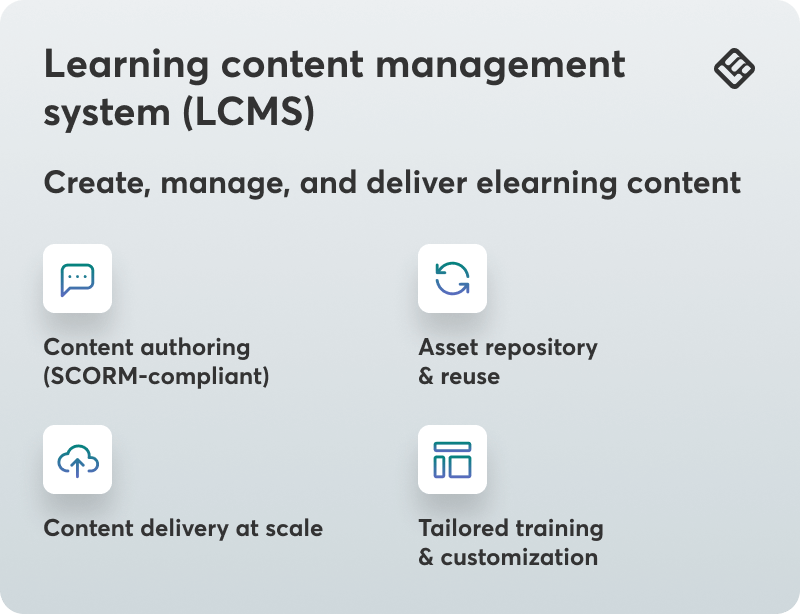
A Learning Content Management System (LCMS) focuses specifically on creating, managing, and delivering elearning content. While it shares some characteristics with both LMS and CMS platforms, an LCMS emphasizes content authoring and collaborative development.
Key features of an LCMS
Content creation in LCMS leads to scalable and engaging courses for your learners. This means maximum flexibility and productivity in any content-driven training solutions. Managing learning materials with LCMS becomes easy, too. The LCMS’s unique capabilities are a blend of many things, but the basic features include strong content authoring for SCORM-compliant courses and a repository for storing and reusing assets.
All of the features are perfect for learning and development organizations that provide tailored training solutions, certifications, or specific training courses created for particular industries (like healthcare, finance, and manufacturing). Plus, you can also consider LCMS for instructional design.
Organizations with content teams that work in-house or have complicated learning strategy needs can also take advantage of an LCMS’s customizability.
In a nutshell, these are the key LCMS features:
- Advanced content authoring: Built-in tools for creating interactive learning materials
- Content repository: Centralized storage for learning assets and resources
- Version control: Track content changes and manage multiple versions
- Collaborative creation: Team-based content development workflows
- Content reusability: Create modular content that can be repurposed across courses
- SCORM compliance: Export content in standardized formats
- Personalization: Customize content for different learner audiences
Pros of using an LCMS
An LCMS offers significant advantages for organizations that want to prioritize content development and management.
The key benefits of using an LCMS are the following:
- Content creation focus: Powerful authoring tools for developing engaging materials
- Efficiency: Reuse content components across multiple courses
- Collaboration: Multiple team members can work on content simultaneously
- Customization: Tailor content to specific learner needs
- Scalability: Efficiently manage large content libraries
Cons of using an LCMS
While it is a powerful tool, an LCMS doesn’t come without drawbacks. You might want to consider these potential challenges:
- It can be more complex to use with a steeper learning curve than basic LMS platforms
- It often has a higher cost and requires significant investment
- May need more technical skills and instructional design expertise
- Focuses more on creation than learner management, with limited delivery features
When to use an LCMS
An LCMS becomes valuable when your training needs go beyond simply delivering pre-packaged courses to actually creating and managing sophisticated learning content at scale. Organizations with dedicated instructional design teams, those requiring frequent content updates, or companies operating across multiple regions with localization needs will find an LCMS especially beneficial.
If your learning strategy involves building modular, reusable content components that can be mixed and matched across various training programs, or if you need multiple subject matter experts and instructional designers collaborating at the same time on complex learning materials, an LCMS offers the robust infrastructure to support these activities.
An LCMS is ideal when you need:
- Custom content development: Creating tailored training solutions from scratch
- Content-heavy organizations: Managing extensive libraries of learning materials
- Collaborative authoring: Multiple instructional designers working together
- Content localization: Adapting materials for different regions or languages
- Continuous content updates: Frequent revisions and improvements to training materials
- Modular learning: Reusable content components across multiple programs
Understanding SCORM compliance
You’ve already seen me mention SCORM compliance. That’s because, quite frankly, it’s a must.
When discussing SCORM (Sharable Content Object Reference Model), we’re describing a technical standard set to guarantee elearning content is interoperable on different platforms. For the general public, this means that course resources, like videos or quizzes, can all be packaged and reused in SCORM-compliant systems.
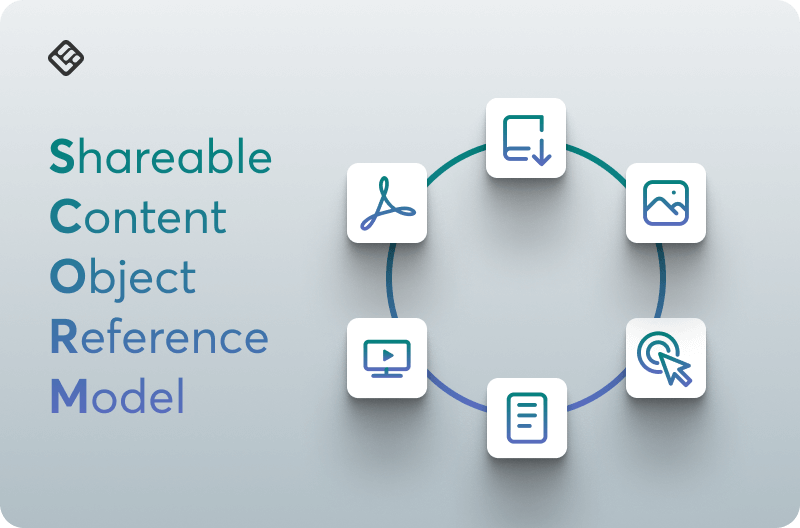
SCORM (Sharable Content Object Reference Model) is a technical standard that ensures elearning content can work across different platforms.
SCORM compliance is critical for organizations that need:
- Content portability: Move courses between different LMS platforms without rebuilding
- Interoperability: Ensure content works consistently across systems
- Standardized tracking: Reliable data on learner progress and completion
- Content reusability: Package content once and deploy across multiple platforms
- Vendor independence: Avoid lock-in to specific platform providers
Both LMS and LCMS platforms typically support SCORM compliance, allowing content created in one system to be used in another. This is crucial if you are working with third-party content providers or managing content across multiple platforms.
LMS vs. CMS vs. LCMS: A detailed comparison
Now let’s compare the tools in terms of their capabilities and features side-by-side. We’ll be exploring their purpose, focus, content structure, organization capabilities, user engagement and interactivity, tracking and analytics, content delivery methods, customization, and branding.
Purpose and primary focus
Take a look at the comparison table below that explains the purpose and primary focus of each tool.
| Primary purpose | Focus area | |
|---|---|---|
| LMS | Training delivery, learner tracking, and course management | Learning administration and delivery |
| CMS | Digital content creation, organization, and publishing | General content management and website publishing |
| LCMS | Learning content creation, management, and collaboration | Content authoring and development |
Content structure and organization
LMS: Structured learning paths with modules, lessons, quizzes, and assessments. Content follows a logical progression designed to guide learners through specific objectives.
CMS: Flat content hierarchy with pages and posts. Content is typically organized chronologically or categorically without built-in learning progression.
LCMS: Modular content structure enabling reusability and customization. Content is stored in a repository where components can be assembled into different courses.
User engagement and interactivity
LMS: Rich interactive elements including discussion forums, gamification (badges, points, leaderboards), certifications, live sessions, and peer collaboration tools.
CMS: Limited interactivity focused on static content presentation. May include comment sections and basic forms, but lacks sophisticated learning engagement features.
LCMS: Interactive content creation capabilities with multimedia integration, simulations, and branching scenarios. Focus is on building engaging content rather than facilitating learner interaction.
Tracking and analytics
LMS: Comprehensive tracking of learner progress, quiz scores, course completion rates, time spent on materials, and engagement metrics. Detailed reports on individual and group performance.
CMS: Website analytics such as page views, bounce rates, and traffic sources. No capability to track individual learning outcomes or progress.
LCMS: Detailed tracking of content interactions during development and detailed analytics on how learners engage with specific content elements. Focuses on content effectiveness rather than learner administration.
Content delivery methods
LMS: Delivers multimedia courses through structured pathways, supporting various formats including video, documents, SCORM packages, assignments, and live sessions.
CMS: Displays static or dynamic web content, including text, images, videos, and downloadable files for general information distribution.
LCMS: Exports content to various formats (SCORM, xAPI, PDF) for delivery through LMS platforms or other channels. Can also deliver content directly in some systems.
Customization and branding
LMS: Branded learning portals with custom themes, learner dashboards, and personalized learning experiences. Many platforms offer white-label options.
CMS: Extensive theme customization, SEO tools, and flexible layouts for public-facing websites. Focus on visual presentation and brand consistency.
LCMS: Content-level customization allowing for personalized learning materials adapted to different learner segments or organizational needs.
Ideal use cases for each tool
Go through the following list to check which tool suits your needs better.
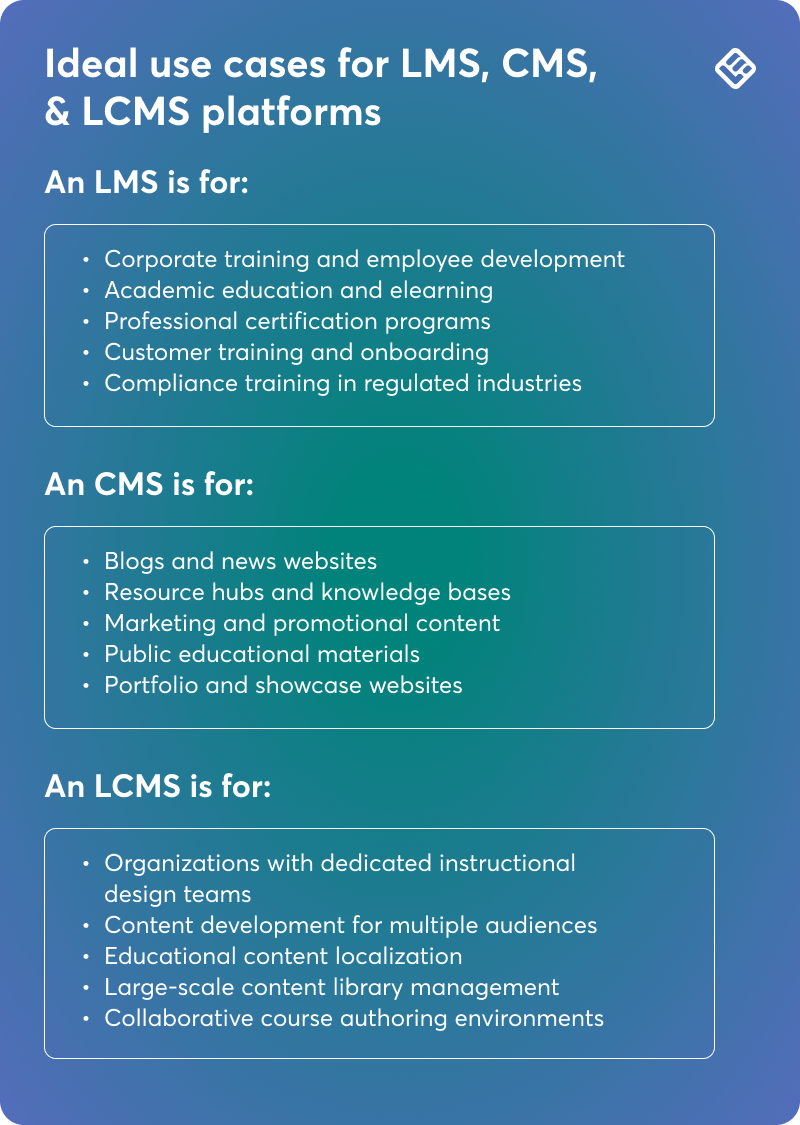
An LMS is for:
- Corporate training and employee development
- Academic education and elearning
- Professional certification programs
- Customer training and onboarding
- Compliance training in regulated industries
A CMS is for:
- Blogs and news websites
- Resource hubs and knowledge bases
- Marketing and promotional content
- Public educational materials
- Portfolio and showcase websites
An LCMS is for:
- Organizations with dedicated instructional design teams
- Content development for multiple audiences
- Educational content localization
- Large-scale content library management
- Collaborative course authoring environments
Key similarities between LMS, CMS, and LCMS
If you’ve noticed one thing by now is that both learning management systems and learning content management systems support learning in unique ways. Both eliminate the headaches of setting up and tracking course progress.
However, an LMS is the best option for administration, while an LCMS is best suited for developing content.
In the same way, both an LMS and CMS will allow you to upload videos, PDFs, and even quizzes. But the latter won’t provide you with tools for advanced assessments, learner interaction, or in-depth reporting to help you track specific learner outcomes.
Let’s check these systems’ common characteristics.
Content hosting and management
All three platforms provide capabilities for uploading, storing, and organizing digital content, including videos, documents, images, and multimedia.
User access control
Each system offers permissions management to control who can view, edit, or publish content, though the granularity and focus differ.
Customization options
All three platforms support branding, theming, and customization to align with organizational identity and user experience goals.
Cloud-based delivery
Modern versions of all three systems typically offer cloud-based deployment options for accessibility from anywhere.
Choosing the right solution for your needs
When deciding between these platforms, it can help to ask yourself four fundamental questions:
- What is your primary goal?
- Training delivery and tracking → LMS
- General content publishing → CMS
- Content development and authoring → LCMS
- How important is learner engagement?
- Essential with interactive features → LMS
- Not a priority → CMS
- Focused on content quality → LCMS
- Do you need to track individual progress?
- Yes, with detailed analytics → LMS
- No, just site traffic → CMS
- Yes, for content effectiveness → LCMS
- What are your content creation needs?
- Deliver existing or simple content → LMS
- Publish articles and pages → CMS
- Create complex, custom learning materials → LCMS
- Is scalability a concern?
- Training programs for growing user base → LMS
- Growing website with increasing content → CMS
- Expanding content library with reusability → LCMS
If you still can’t decide and feel that you need to explore it a little more, it might help to hear other experts’ opinions and approaches:
“At Rail Trip Strategies, we use a CMS to share resources and build our digital footprint, but if we were to launch an in-depth training program or client onboarding curriculum, we’d lean on an LMS to manage that experience. The choice comes down to the end goal: if you’re educating with structure and need engagement tracking, go with an LMS. If you’re publishing to attract and convert, a CMS is the better fit.”
Reed Daniels, Owner at Rail Trip Strategies
I’ve used both systems extensively, and the main difference is that an LMS is built specifically for learning – like when I needed to create online courses with quizzes and track student progress. A CMS is more like a website builder that helped me organize blog posts and content, but didn’t have those teaching tools built in. When I work with coaching clients, I usually recommend an LMS if they need to deliver structured courses and track completion, but a CMS if they just want to share content and resources without the formal learning elements.
Cyrus Partow, CEO at ShipTheDeal
When deciding between an LMS and an LCMS, the granularity of learning analytics is crucial. A standout feature of an LCMS is its ability to track detailed interactions, like who accessed or edited specific parts of a module and when. This is invaluable for situations demanding precise auditing or swift compliance, giving organizations a clear view of content use and modifications.
Shannon Smith O’Connell, Operations Director at Reclaim247
To avoid making the wrong choice, it is important to understand the actual process of working with your team’s content. For example, if you are constantly creating, adapting, and localizing training materials for different teams, I recommend using LCMS. However, if your company is more focused on structuring, customizing, and certifying training, then an LMS would be the best choice.
Daria Volochniuk, COO at FlightRefunder
When to consider an all-in-one solution
Managing educational content with CMS tools alone is possible. But why struggle like I did when you can use a learning management system with CMS capabilities?
An all-in-one solution like LearnWorlds is convenient and grows with your training business. Tools like LearnWorlds come with added CMS applications to their offerings, such as website builder functions, blogging functions, and SEO tools. This makes them also valuable for course creation, assessments, and analytics.
This dual functionality is ideal for organizations looking to deliver training in a separate content management system. So if you want to do a lot and engage a lot, opt for an all-in-one solution.
Modern platforms like LearnWorlds combine LMS capabilities with CMS features and content creation tools, offering:
- Course creation and delivery in one platform
- Website building and content management
- Progress tracking and analytics
- Interactive content authoring
- Learner community features
- Marketing and sales tools
- White-label branding options
An all-in-one solution eliminates the need to manage multiple platforms, reduces costs, and provides a seamless experience for both administrators and learners.
Also, choosing between an LMS and an LCMS depends entirely on your organization’s training goals, content requirements, and resources.
An LMS output is focused on providing and reporting on the progress in existing courses. An LCMS output, on the other hand, focuses on developing, managing, and customizing the training content. What matters above all else is your priorities, such as whether administration or content development is more important to you.
Speaking of focus, choose an LMS if your focus is on efficient course delivery, user management, and compliance tracking. It’s ideal for businesses in regulated industries, such as healthcare or manufacturing, that need consistent onboarding or regulatory-based training.
Choose an LCMS for its dynamic content creation capabilities, personalization, and content reusability. This is a perfect fit for businesses in the technology and education space looking to create personalized courses that will inevitably scale together with your team. Avoid using just an LCMS if your team doesn’t have strong authoring skills or if you’re primarily looking to deliver static content.
Using an LMS, CMS & LCMS in one tool
Now, in case you are wondering: Yes, you can use capabilities from all systems inside one.
In fact, LearnWorlds helps you meet all ends of the spectrum by helping you:
- Manage and deliver structured online courses
- Track progress, performance, and engagement
- Create interactive content by building live sessions, surveys, videos, and assessments
- Personalize course layout, branding, and delivery
- Get AI-enhanced quality output
- Support teams as they create and manage content together
- Promote learner engagement by using certifications, gamification, and communities
- Build and customize your learning website with integrated website builder tools
- Create and manage blog content to attract and engage your audience
- Optimize for search engines with built-in SEO tools
- Design branded landing pages to promote and sell courses
- Manage multimedia content, including images, videos, and downloadable resources
If you’re looking for an out-of-the-box delivery system, LearnWorlds is an excellent LMS that lets you manage your courses, track learner progress, issue certificates, and create extensive professional learning paths.
It has the built-in tools needed for creating interactive learning content, plus the CMS capabilities to build your entire online presence, so you don’t need to turn to other solutions.
Real-world success stories and examples
Here are two real case studies and common scenarios you might bump into that will help you observe the difference between LMS and CMS options.
Case study 1: Employee onboarding for a global company
If a company is performing training for employees in different locations, it needs a program that trains employees in the same way, at the same level, and in an automated way. WordPress can provide onboarding materials such as manuals or videos, but it doesn’t have the structured navigation or assessment tools.
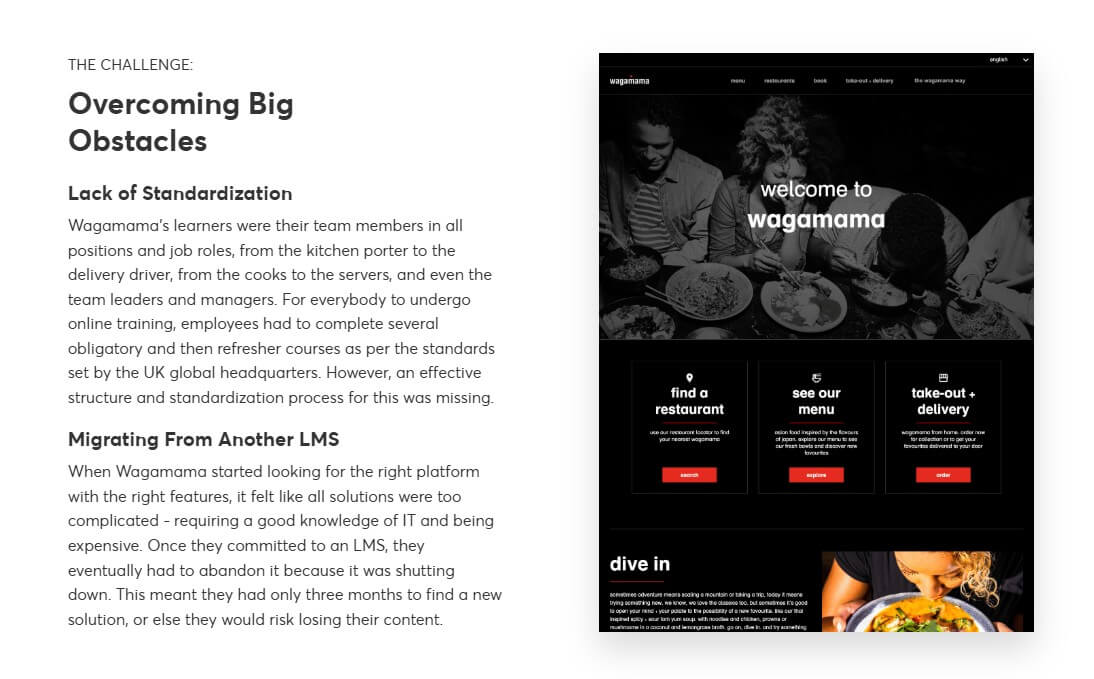
Wagamama used the LearnWorlds learning content management system to migrate 50 training courses for 350 employees worldwide. This gave them the same foundational knowledge across multiple roles and significantly cut onboarding costs.
Case study 2: Online resource hub set up for a localization company
Lokalise, a localization platform, recognized an opportunity to fill a gap for free localization education resources by creating an online academy. A CMS platform like WordPress could have fulfilled its need for an information site to distribute content, but it didn’t provide the interaction, tracking, and assessment tools needed for certification training programs.
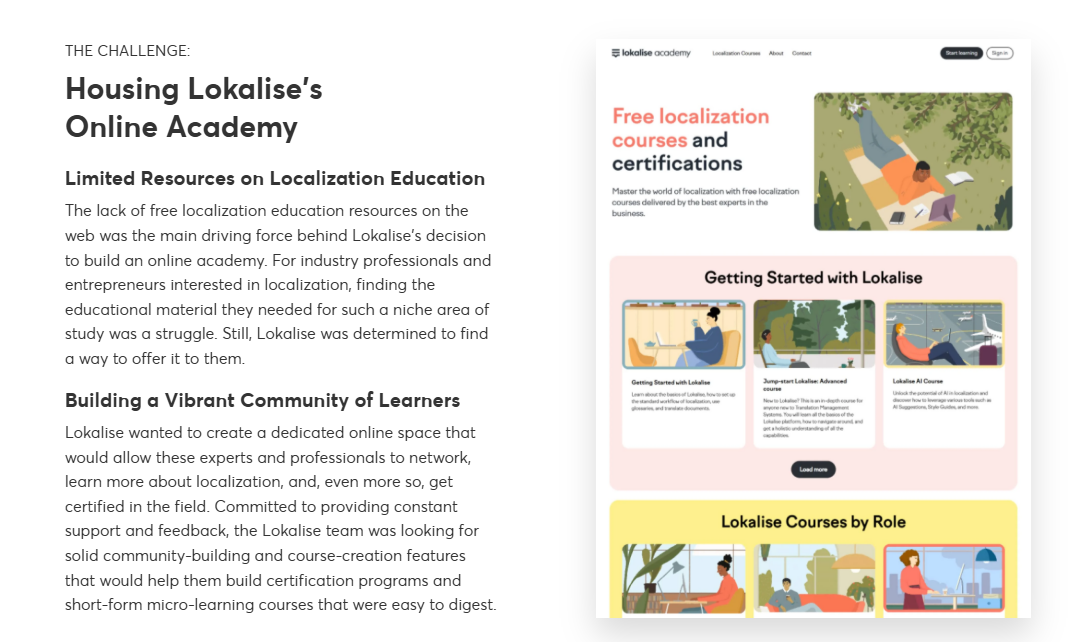
So Lokalise chose LearnWorlds due to its user-friendly course production tools, community-building capabilities, and extensive analytics. By producing 32 courses for a new market of over 2,000 learners made up of translators and executive personnel, Lokalise’s global academy enhanced visibility and solidified a leadership position within its industry.
LearnWorlds LMS system has a native no-code Website Builder, a robust Assessment Builder, and credentialing features. Lokalise used these tools to develop its own academy.
Final thoughts on making the right choice for your needs
The choice between LMS, CMS, and LCMS depends entirely on your organizational goals, content requirements, and learner needs. An LMS excels at structured training delivery and tracking, a CMS focuses on general content publishing, and an LCMS specializes in content development and authoring.
Before making your decision, carefully assess your current needs, future growth plans, budget constraints, and technical capabilities. Starting with a trial to experience how different platforms support your specific use cases and workflow requirements is always a good idea.
Whether you choose a dedicated LMS, CMS, LCMS, or an all-in-one solution like LearnWorlds, the right platform will help you deliver engaging, effective learning experiences that drive results for your organization and your learners. Try LearnWorlds for free today.

Alexandra Cote
Alexandra Cote is a SaaS growth marketer and online instructor who's worked with dozens of brands in the MarTech, HR tech, and productivity space. She's also a strong supporter of staying happy at work and choosing a healthy career path.

Kyriaki is the Organic Content Strategist at LearnWorlds, where she writes and edits content about marketing and e-learning, helping course creators build, market, and sell successful online courses. With a degree in Career Guidance and a solid background in education management and career development, she combines strategic insight with a passion for lifelong learning. Outside of work, she enjoys expressing her creativity through music.
 Back to blog
 Scroll to top