Table of Contents
Key takeaways
- Browse your training needs and choose an LMS that you think best aligns with your goals, whether that is for corporate training, education, or course monetization.
- Look for features like scalability, customization, mobile access (and a mobile app), integration with other apps, and engagement tools that can help enhance the online courses you want to create.
- Before you choose your go-to learning management platform, take the free trials and read reviews. Test those platforms in terms of usability and functionality, as well as how compatible they are with the needs of your organization.
Finding the right learning management system (LMS) can feel like an endless search. With so many options, features, and price points, it’s easy to feel overwhelmed. You might be wondering: “Which LMS will actually meet my needs?” or “How do I avoid investing in the wrong platform?”
Whether you’re training employees, educating customers, or building an online course, the right platform can streamline your work, boost engagement, and show real ROI and faster results, with elearning requiring 40 to 60% less learning time than traditional classroom learning. [1] The wrong one? It could lead to low adoption rates, tech headaches, and wasted budgets.
To help simplify your search, we’ve compared 17 popular learning management systems based on their core features, pricing, target audience, and customer feedback. The guide is designed to help you identify which LMS is the best fit for your specific training goals, budget, and use case.
How we evaluated these LMS platforms
Choosing an LMS depends on your organization’s goals, audience, and budget. To make this comparison as useful as possible, we evaluated each platform using publicly available information from vendor websites, pricing pages, customer review platforms (including G2 and Capterra where available), and product documentation.
We considered factors including:
- Core learning management features
- Course creation and content authoring
- Reporting and analytics
- Integrations and extensibility
- Ecommerce capabilities (where applicable)
- Mobile learning support
- Ease of use
- Customer feedback
- Pricing transparency
This article is intended as a feature and pricing comparison rather than a hands-on review of every platform.
——————————————————————————————————–
Transparency disclosure: LearnWorlds is one of the learning management systems included in this comparison. While we strive to present accurate and up-to-date information for every vendor, product features, pricing, and packaging may change over time. This comparison reflects publicly available information as of July 2026.
——————————————————————————————————–
Before diving into each platform, here’s a high-level comparison of 17 popular LMS platforms, including their primary use cases, standout features, average G2 rating, and starting pricing where publicly available.
| Key features | Best for | Pricing | G2 rating | |
|---|---|---|---|---|
| Rippling | Compliance automation, HR-LMS integration, automated course assignments, employee training workflows | HR teams, fast-scaling companies | Available upon request | 4.8/5* |
| LearnWorlds | AI-powered, customizable, interactive video, ecommerce tools, fully white-label | Businesses of all sizes, training organizations, and creators | Starts at $29/month | 4.7/5 |
| iSpring Learn | SCORM and xAPI, intuitive, great reporting, and offline mobile access | Businesses, educational institutions | Starts at $26/month | 4.6/5 |
| Talent LMS | Easy-to-use, customizable, mobile-friendly, gamification, SCORM and xAPI | SMEs | Starts at $119/mon | 4.6/5 |
| 360Learning | Collaborative learning, peer feedback, authoring tools, and gamification | Mid-size to large teams, L&D departments | Starts at $8/user/mo (up to 100 users) | 4.6/5 |
| Skilljar | External training, branding tools, integrations with Salesforce, SCORM support | Customer education teams, enterprises | Available upon request | 4.6/5 |
| SkyPrep | SCORM support, webinars, multilingual interface, simple UI, trackable course content | SMBs, partner training teams | Available upon request | 4.6/5 |
| Absorb LMS | AI-powered content recommendations, compliance automation, user-friendly | Enterprises, corporate training | Available upon request | 4.6/5 |
| Thrive LMS | AI personalization, branded platform, customer success focus | SMBs, modern L&D teams | Starts at $16,200/year for 1–100 users | 4.5/5 |
| Thinkific | Self-paced courses, unlimited students, free plan, monetization tools | Creators, entrepreneurs | Starts at €53/mo | 4.5/5 |
| Schoology | Collaborative learning, assessments, integration with education tools | K-12 schools, higher education institutions | Available upon request | 4.4/5 |
| WorkRamp | Built-in authoring, blended learning, LMS+LXP functionality, detailed analytics | Corporate L&D, enterprise teams | Available upon request | 4.3/5 |
| Docebo | AI-powered, social learning, gamification, multi-language support | Enterprises, large organizations | Available upon request | 4.3/5 |
| Litmos | AI learning assistant, social learning and gamification, compliance management | Enterprises, workplace learning | Available upon request | 4.3/5 |
| Cornerstone Learning | AI-driven learning paths, microlearning, compliance tracking, reporting | Enterprises, corporate training | Available upon request | 4.1/5 |
| Moodle | Open-source, highly customizable, multilingual | Educational institutions, NGOs | Free (self-hosted); Paid: starts at $170/year | 4.1/5 |
| Blackboard | Multiple integrations, robust learning features, and real-time collaboration | Educational institutions, large organizations | Available upon request | 4.0/5 |
*G2 ratings reflect publicly available review scores as of July 2026 and may change over time. Ratings are linked to each platform’s G2 review profile. For Rippling, the rating reflects the overall Rippling platform, as its LMS is offered as a module rather than as a standalone product.
What are Learning Management Systems (LMSs)?
Learning Management Systems (LMSs) are software applications that help you create, manage, and deliver online courses.
Modern LMSs usually have:
- Built-in authoring tools to create your content from scratch
- User management features for easier administration
- Reporting capabilities to monitor learner progress, course performance, and overall training status
Additional features include:
- Collaboration tools
- Assessment builders
- Compliance management
- Integrations to customize the platform further
- Ecommerce capabilities to monetize your courses (less frequently)
The best LMS platforms are mobile-friendly, with some offering a mobile app for an even better user experience on the go.
5 key considerations when choosing LMS systems
With so many LMS systems available, picking the right one can feel overwhelming. To make the decision easier, there are a few key factors you need to focus on first.
The following questions will help you better understand what your LMS needs are.
1. Does the LMS align with our organizational goals?
Your LMS should support your training needs—whether you want to automate compliance training, onboard new hires, or sell courses. Once you figure out and prioritize your organizational goals and learning objectives, you can look for a learning management system that will help you achieve these goals.
2. Can this LMS system support future growth?
As your organization grows, your LMS should grow with you. Look for LMS systems that can handle increasing users, new training content, and expanded features without breaking the bank.
Depending on your business profile and plans, you may also require multilingual support, specific integrations, multi-tenancy, user segmentation and access controls, and white labeling.
3. Does it integrate with the tools we already use?
Your learning management system should seamlessly connect with tools you already use, like HR software, CRM platforms, or video conferencing tools. This prevents tech headaches, streamlines your workflows, and improves efficiency.
4. What do customer reviews say about user experience?
The best learning management system is the one everyone can use, even non-technical users. Look for a platform with an intuitive interface, easy navigation, and a minimal learning curve. Most LMS vendors will say their platform is intuitive, but check customer testimonials on review sites and take advantage of free trials to find out for yourself.
5. What is the anticipated ROI? Are there any additional costs?
Pricing structure and plans vary widely, so weigh the cost against the features offered. A low-cost LMS with limited features might cost more in the long run if it doesn’t meet your needs. Watch out for hidden costs like hosting, maintenance, and essential features only offered as add-ons—the latter is most common among free platforms.
Ultimately, the best learning management system is the one that meets your needs. We have created an RFP template to help you compare learning management system software more easily. Download it now for free.
LMS RFP Template
What does a good LMS system look like?
So, in addition to asking yourself these questions, you must also keep in mind certain features that will facilitate your training initiatives. Whether it’s going to be AI content authoring, compliance management, or seamless integrations, choosing the right tool will make all the difference in delivering effective and engaging learning experiences.
Below are some non-negotiable LMS features to look for.
| Why do you need it? | |
|---|---|
| Content authoring (AI-powered) | Create interactive courses fast, reducing the need for external tools |
| Course management | Organize and structure courses for easy navigation and learning paths |
| User and role management | Manage learners, instructors, and permissions efficiently |
| Asynchronous, synchronous, and blended content delivery | Deliver learning when and how your audience needs it |
| Assessments and quizzes | Assess and boost knowledge retention |
| Reporting and analytics | Track learner progress and interaction with content, course performance, and sales (where relevant) |
| Communication and collaboration tools | Facilitate interactions and increase engagement through discussion forums, messaging, and live sessions |
| Certifications and compliance management (for enterprise training) | Ensure industry and legal compliance by tracking mandatory training and issuing certifications |
| Integrations | Customize and integrate with other tools for seamless workflows |
| Mobile learning | Allow learners to access courses on mobile devices and offline |
| SCORM compliance | Ensure your courses are compatible with other LMSs |
| Ecommerce and monetization (optional) | Monetize courses through subscriptions, memberships, and payments |
If you are looking for an LMS that supports SCORM, check out the best SCORM-compliant LMS available.
17 learning management systems compared (2026)
This list of top learning management systems presents the best software to help you choose an online learning platform for building your training programs.
1. Rippling
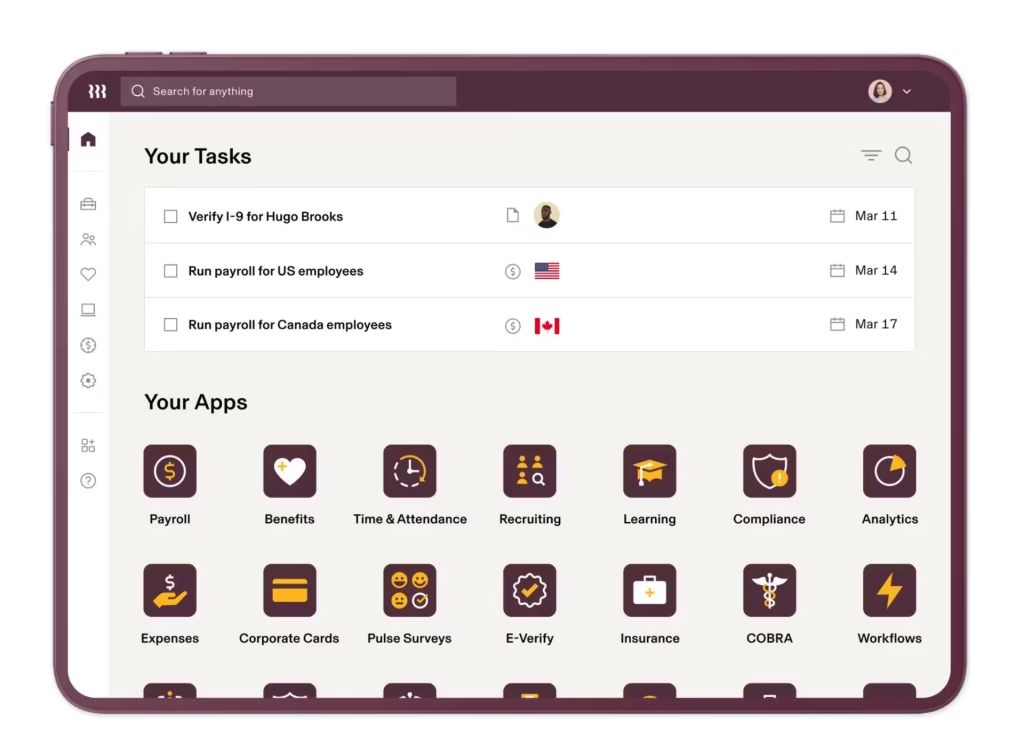
Rippling is an HR, payroll, and workforce management platform that includes learning management capabilities designed to automate employee training, compliance workflows, and professional development. Unlike standalone LMS platforms, Rippling connects learning directly with employee data, allowing organizations to automatically assign courses based on factors such as role, department, location, or tenure.
The platform combines employee management, training automation, reporting, and compliance tracking in one ecosystem, while also supporting custom course creation and access to third-party training content libraries through integrations such as Go1.
Best for: HR teams wanting learning integrated with employee management.
Pros
- Learning integrated with HR and employee management workflows
- Useful for onboarding and compliance training
- Centralized employee data management
- Strong automation capabilities across HR processes
Cons
- LMS capabilities are not the platform’s primary focus
- Less suitable for organizations needing advanced course creation or learning experience features
- Pricing and feature availability depend on selected modules
Customer reviews frequently highlight Rippling’s unified workforce platform, automation capabilities, and ability to connect employee processes in one place.
I mainly use Rippling to access my timesheet, submit PTO requests, view my payslips, and manage my employee information. It keeps everything in one place, making it easy to track and submit my work hours. It’s straightforward and saves time, helping me stay organized. I like that Rippling is not lagged and is convenient to use. It’s easy to navigate and works smoothly.
—Frebeliza B.
Pricing
Rippling has two pricing packages: Core and Pro. Their pricing is available upon request.
2. LearnWorlds
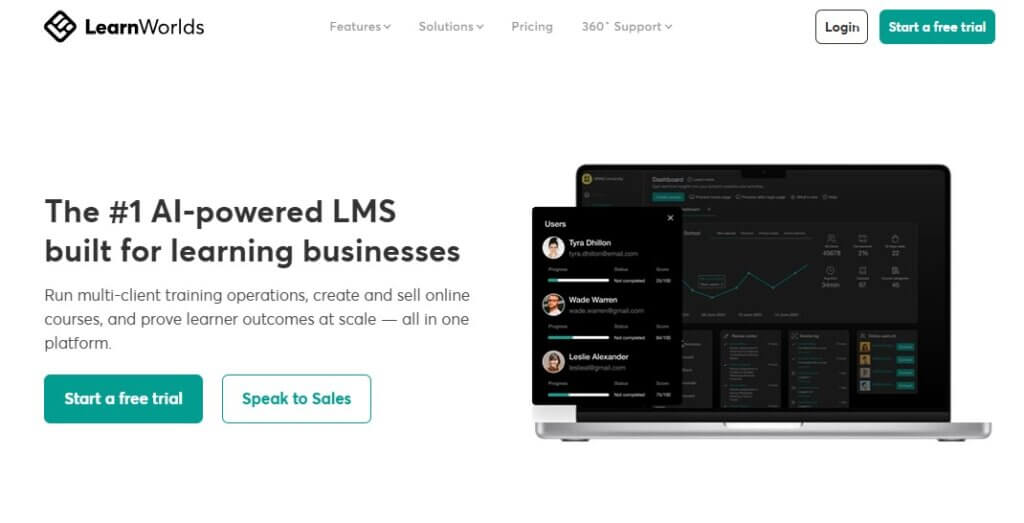
LearnWorlds is an AI-powered learning management system designed for organizations that want to create branded online academies, customer education programs, employee training, or commercial online courses. The platform combines course creation, website building, ecommerce, analytics, and learner engagement tools in a single solution.
With interactive learning features, flexible customization options, and branded delivery experiences, the platform helps organizations create and scale their professional online learning programs.
Best for: Businesses building branded online academies, customer education programs, partner training, and course businesses.
Pros
- AI-assisted course creation and content authoring tools
- Interactive video editor and engaging learning features
- Website builder with extensive customization options
- Ecommerce tools for selling courses, memberships, and subscriptions
- Advanced reporting, assessments, surveys, and certificate builders
- SCORM-compliant delivery with automation and learner management tools
- Branded mobile apps for iOS and Android
Cons
- Limited gamification options (badges)
- Does not support xAPI (Tin Can API)
- Initial learning curve
Customer reviews frequently highlight LearnWorlds’ flexibility and ease of course creation. For example, one G2 reviewer noted:
LearnWorlds is designed for today’s education teams who need to build and iterate on content rapidly without needing to engage in prolonged development processes. Compared to the old tools, my team’s velocity has increased by at least 50% in all cases.
—Alexander A.
Pricing
LearnWorlds offers a 30-day free trial and the following pricing plans:
- Starter: $29/mo
- Pro Trainer: $99/mo
- Learning Center: $299/mo
- Learning Center + Mobile App: custom pricing
*Pricing information retrieved from LearnWorlds’ pricing in July 2026.
3. iSpring LMS
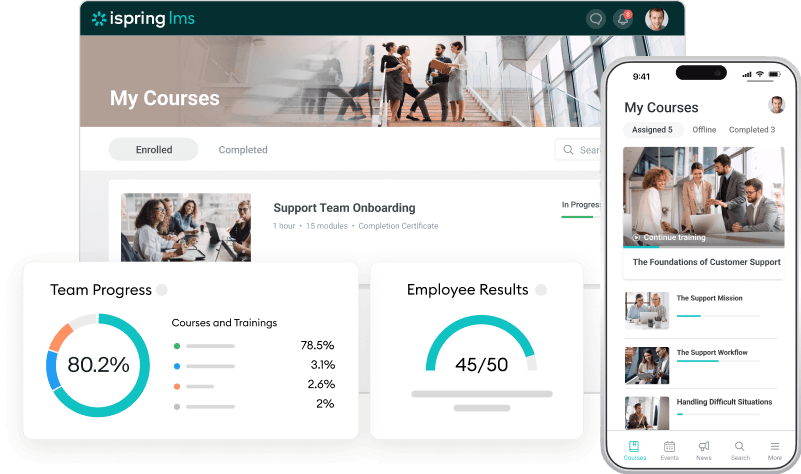
Another one of the best learning management systems for 2026, iSpring LMS is a cloud-based LMS designed for businesses and educational institutions that need a user-friendly and feature-rich solution.
It supports SCORM and xAPI, offers a built-in authoring tool, and allows for mobile and offline learning. With robust analytics and automation, iSpring Learn helps organizations streamline training, track progress, and ensure compliance.
Best for: Businesses looking for straightforward employee training and onboarding.
Pros
- Built-in content authoring
- SCORM and xAPI support
- Mobile and offline access
- Robust reporting and analytics
- User-friendly interface
Cons
- Limited design customization
- No multilingual support
- Limited ecommerce features
- Limited gamification
- Higher cost for small teams
Customer reviews refer to iSpring Learn’s intuitive interface, support, simple administration, and integration with content creation tools.
The platform is very simple and convenient to use. Regular updates help keep it performing well. Bulk downloading of participants is also very convenient. And the ability to add specific managers based on groups is very appreciated. The technical support service responds very quickly and efficiently.
—Florence G.
Pricing
iSpring LMS has two pricing packages: Business & Enterprise.
Pricing for Business is based on the number of active users and starts at $6,91 per user (for 100 users), at $4,46 (for 300 users), and $3.97 for 500 users, all billed annually. For the Enterprise plan, you get custom pricing.
*Pricing information retrieved from iSpring LMS in July 2026.
4. TalentLMS
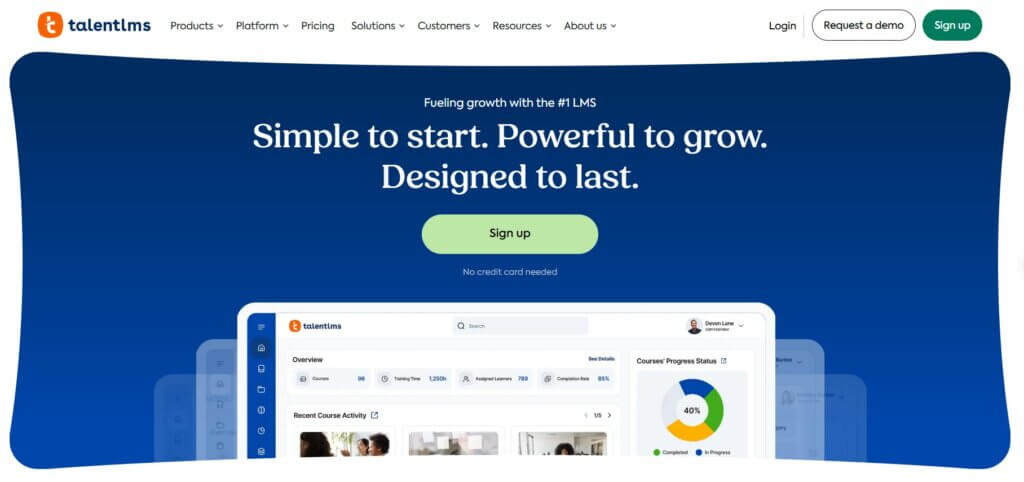
TalentLMS is an intuitive, responsive learning management platform that allows businesses to set up and launch online training programs fast and easily. The platform offers drag-and-drop course authoring and AI-enhanced content creation, while it also includes TalentLibrary with off-the-shelf courses at an extra cost.
It supports various assessment types and surveys, learning paths, rich gamification and communication tools, extensive reporting, efficient administration with user types and permissions, extensible profiles, mass actions, and branching.
Best for: Small and medium-sized businesses that want a simple, easy-to-launch LMS.
Pros
- Gamified learning
- Off-the-shelf content
- Intuitive
- Compliance management
- Advanced AI capabilities
Cons
- Limited ecommerce
- Glitches with APIs and integrations
- Mixed customer support reviews
- Limited mobile app functionality
- Limited course creation
Customer reviews talk about TalentLMS’ ease of use, AI capabilities, quick setup process, and straightforward course management experience. Here’s a relevant G2 review:
TalentLMS is a learning management system that is easy to build, easy to use, and easy to scale. For a small team starting up a lot of learning, TalentLMS is a perfect fit for us. The AI course creation tools make developing classes efficient and seamless. The straightforward learner experience facilitated a fast and easy launch, and the user creation options create quick and seamless onboarding.
—Hannah R.
Pricing
The platform offers the following pricing packages:
- Core: $119/mo (1-40 users)
- Grow: $229/mo (1-70 users)
- Pro: $449/mo (1-100 users)
- Enterprise: custom pricing
*Pricing information retrieved from TalentLMS in July 2026.
5. 360Learning
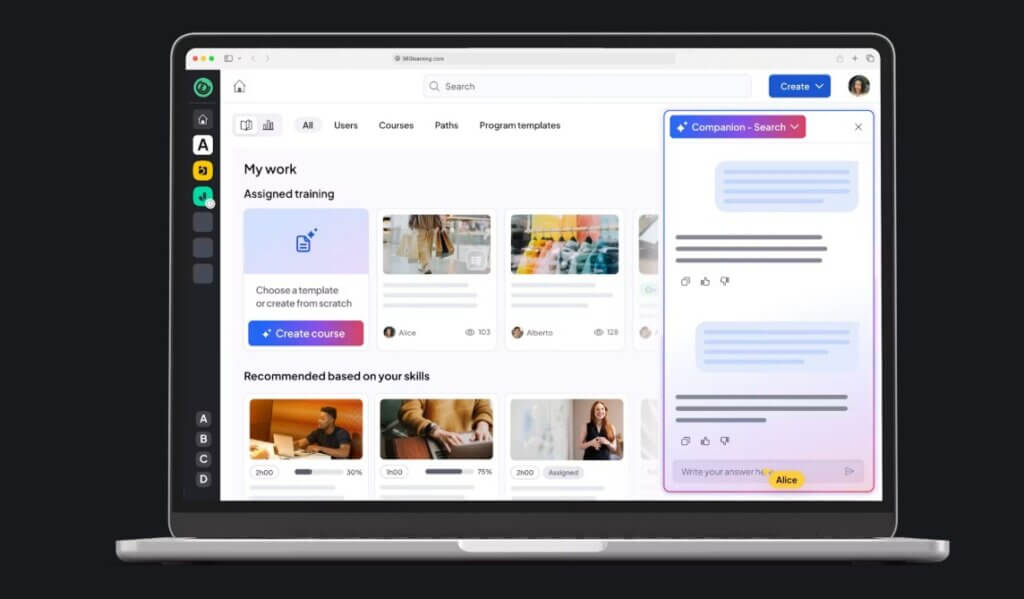
360Learning is a collaborative learning platform designed around peer-driven knowledge sharing and employee-led content creation. The platform enables subject matter experts across an organization to contribute, update, and improve learning content collaboratively.
It combines course authoring, learning management, feedback tools, automation, and engagement features to help organizations scale internal knowledge sharing.
Best for: Collaborative workplace learning and peer-driven knowledge sharing.
Pros
- Peer-based learning and content co-creation
- Built-in authoring and mobile access
- Scalable learning management system platform
Cons
- Can be costly for larger user bases
Customer reviews mention Skilljar’s employee training capabilities, ease of use capabilities, and reporting options.
What I like best about 360Learning is how easy it is to create a customized, engaging learning experience for our staff. The platform is user-friendly for both administrators and learners, and its collaborative features allow employees to share knowledge, ask questions, and learn from one another. I also appreciate the platform’s strong performance capabilities, including the ability to track learner progress, participation, completion, and overall engagement.
—Jennifer C.
Pricing
- Team plan: $8 per registered user per month (up to ~100 users)
- Business plan: custom pricing
- Enterprise plan: custom pricing
*Pricing information retrieved from 360Learning in July 2026.
6. Skilljar
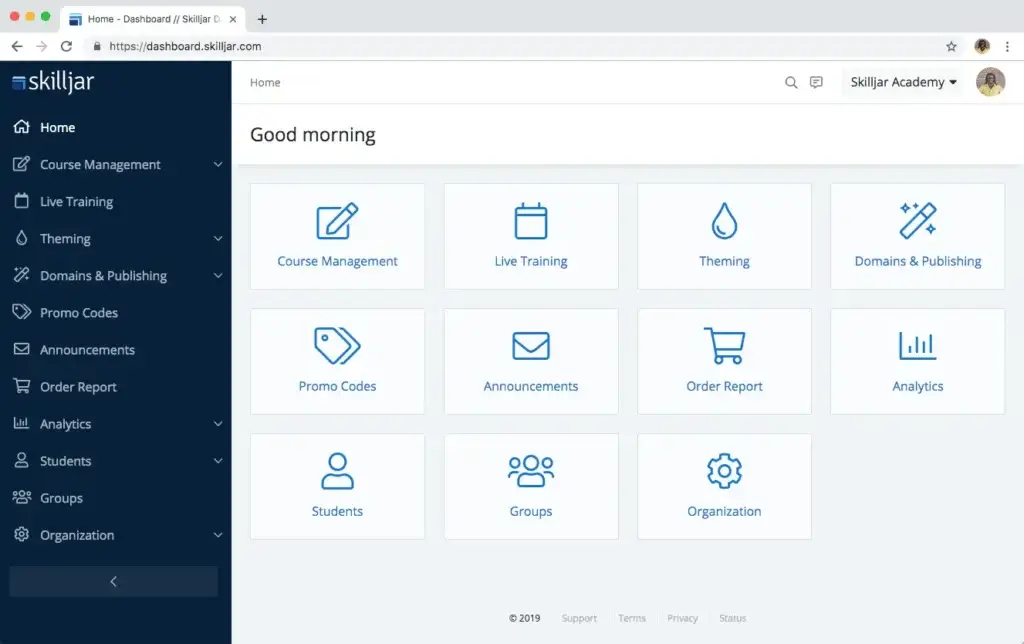
Skilljar is a cloud-based learning management system focused on customer education, partner training, and external learning programs. Unlike traditional employee-focused LMS platforms, Skilljar is designed to help businesses educate customers, partners, and extended audiences through branded learning experiences.
The platform enables organizations to create structured training programs, track learner engagement, and connect learning data with customer success and business systems. It also integrates with tools such as Salesforce and Zendesk, making it a strong option for companies looking to scale education as part of their customer lifecycle.
Best for: Customer education and partner enablement.
Pros
- Designed specifically for customer and partner education
- Strong branding and customization options
- Integrations with CRM and customer success platforms
- Supports SCORM-based course content
- Reporting and analytics for external training programs
Cons
- Fewer employee training features compared to enterprise-focused LMS platforms
- May require additional tools for advanced content creation
Customer reviews frequently highlight Skilljar’s customer education capabilities, branding options, and ability to support external learning programs.
I really like Skilljar by Gainsight for its analytics and integration with Salesforce, which weren’t available in other platforms we looked at. The course management and asset management features are easy, and the user experience is simple, allowing people to log in quickly and start consuming content. The ability to share certificates on LinkedIn is a huge plus for us.
—Tanya D.
Pricing
Skilljar offers three pricing plans: Essentials, Professional, and Enterprise. Their pricing is available upon request.
7. SkyPrep
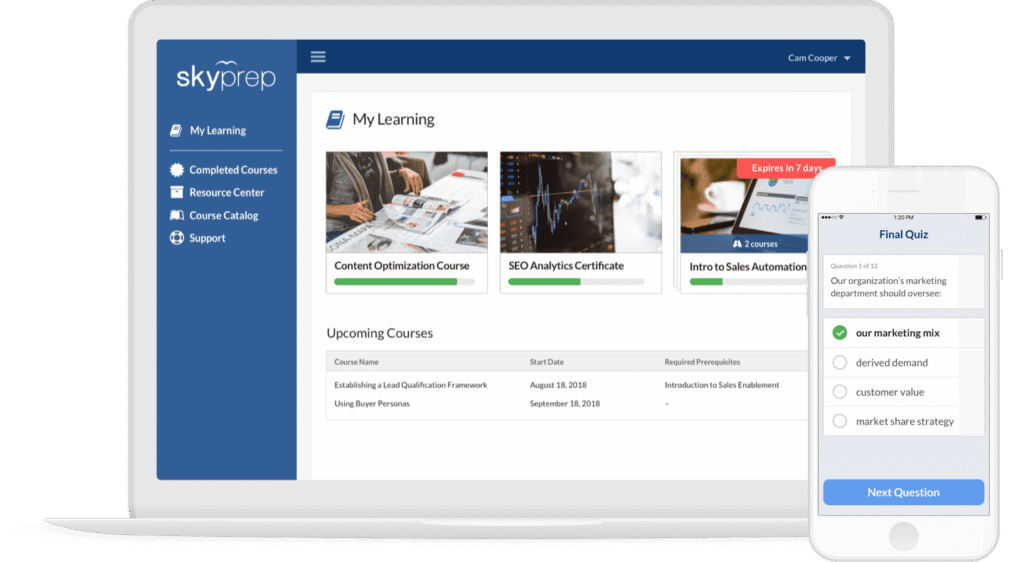
SkyPrep is a cloud-based learning management system designed to help businesses create, deliver, and track employee, customer, and partner training programs. The platform focuses on simplicity and ease of administration, offering tools for course creation, learner management, reporting, automation, and branded training experiences.
With support for SCORM content, multilingual learning environments, and integrations with business tools, SkyPrep provides organizations with a straightforward solution for managing training minus the complexity of larger enterprise LMS platforms.
Best for: Small businesses delivering internal or external training.
Pros
- User-friendly interface with simple course management
- Supports SCORM-based training content
- Custom branding options
- Multilingual training support
- Reporting and learner tracking tools
Cons
- Advanced features may require higher-tier plans
- Limited customization compared to enterprise LMS platforms
- Pricing may be less suitable for very small teams
Customer reviews frequently highlight SkyPrep’s ease of use, intuitive interface, and straightforward approach to managing training programs.
I like that SkyPrep is very flexible as a platform and can serve various needs and requirements. I also appreciate their support team, which is very prompt and competent. With multiple course creators, each requiring different approaches or technical solutions, we were able to find the required solutions within the platform. Additionally, it provides a tailored user onboarding experience and various assessment types that suit our diverse needs.
—Uri R.
Pricing
Available upon request. Public pricing information may vary depending on the number of users and selected features.
8. Absorb LMS
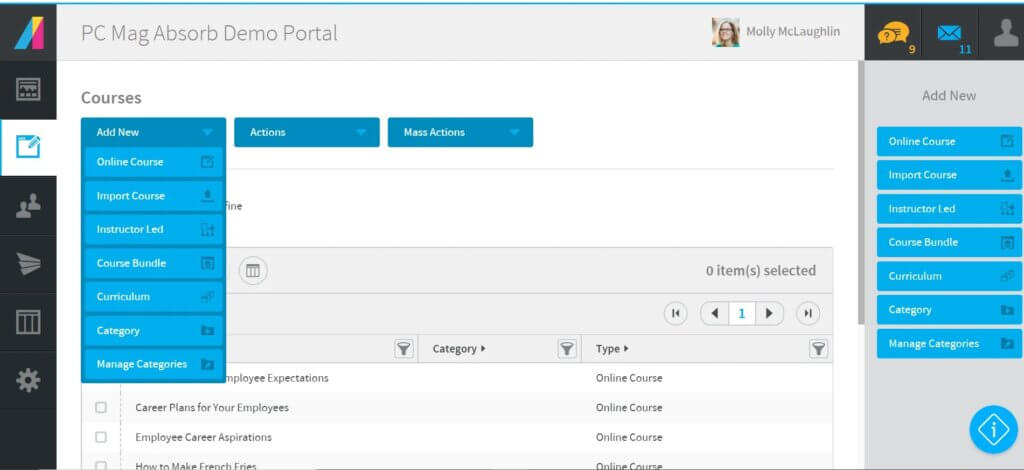
Absorb LMS primarily focuses on employee development through customized learning environments and mobile-friendly training for anytime access. It offers AI-powered content recommendations and prebuilt messaging templates for more personalized learning experiences. The platform’s AI can also assist with admin tasks and course creation.
You can either create your own course or choose from ready-made content. The File Manager allows you to organize content efficiently and keep all assets in one place. Smart automation handles certification renewals, learning reminders, and integrations with HR and CRM systems. Absorb LMS also offers real-time reporting.
Best for: Mid-sized and enterprise organizations focused on employee development.
Pros
- AI-powered content recommendations
- Suitable for businesses of all sizes
- Compliance tracking
- User-friendly interface
- In-depth reporting
Cons
- Limited customization
- Limited gamification
- Complex setup
- Learning curve
- Limited integrations
Customer reviews frequently highlight Absorb LMS usability, reporting, and support for creating and managing training programs. Here’s what a G2 reviewer noted:
What I like best about Absorb LMS is how easy it is to use. The interface is intuitive, making it simple for both admins and learners to navigate. I also appreciate the strong reporting tools and automation features that help streamline training management, save time, and create a better overall learning experience. Additionally, the customer service we receive is outstanding.
—Jason L.
Pricing
Available upon request.
9. Thrive
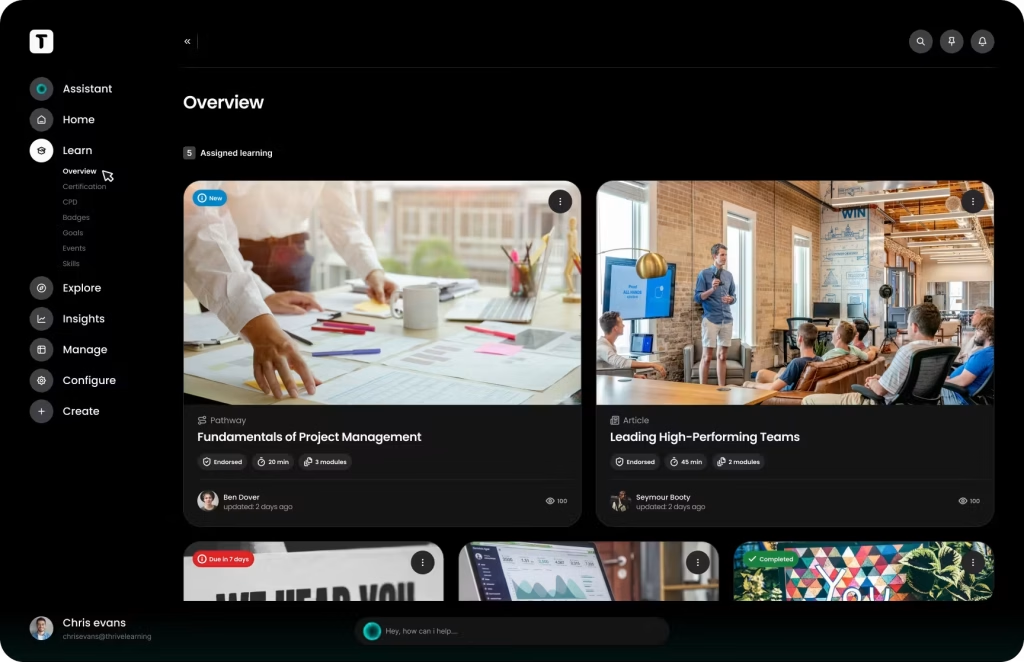
Thrive is a learning and knowledge platform designed to help organizations improve employee development, knowledge sharing, and engagement. Thrive combines learning experiences with communication and knowledge management tools to make information easier for employees to discover and apply.
The platform supports personalized learning experiences, branded learning environments, analytics, and collaboration features, making it a strong fit for organizations looking to build a more connected learning culture.
Best for: Modern organizations prioritizing knowledge sharing and employee engagement.
Pros
- AI-powered personalization and learning recommendations
- Fully branded platform with strong analytics
- Dedicated customer success and migration support
- Knowledge-sharing capabilities
- Analytics and reporting tools
Cons
- Less suitable for highly regulated industries or organizations needing in-depth compliance tracking
- Pricing may be higher than smaller LMS alternatives
- Feature availability may vary depending on the package
Customer reviews frequently highlight Thrive’s focus on employee engagement, knowledge sharing, and personalized learning experiences.
The platform is easy to use from the Admin’s perspective, and attractive from the user experience perspective. The team behind it is outstanding both at a creative and technical level, and we see the potential that this kind of platform has both for training and internal communication. The integration of AI is a plus, and the ROI is one of the points that helped us taking the decision to work with Thrive.
—Victoria C.
Pricing
Thrive LMS pricing starts at $16,200/year for 1–100 users with Thrive Go.
*Pricing information retrieved from Thrive Learning in July 2026.
10. Thinkific
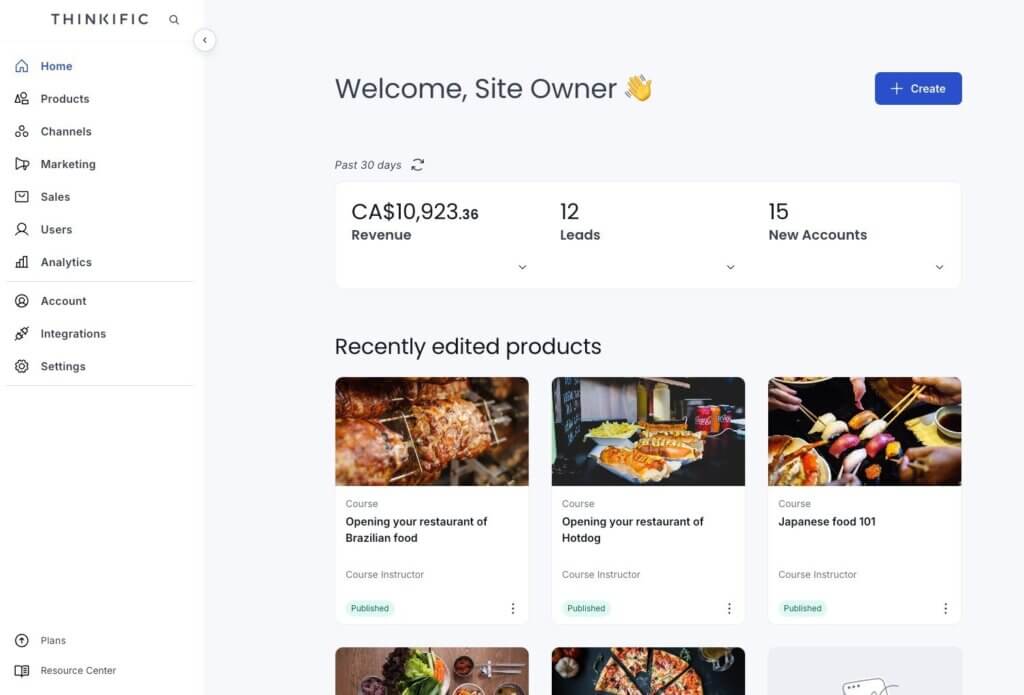
Thinkific is an online course platform designed for creators, entrepreneurs, and businesses that want to build, market, and sell digital learning products. This platform places a strong emphasis on course monetization, ecommerce, memberships, and audience growth.
It provides tools for course creation, website building, payments, learner management, and marketing integrations, making it a popular choice for instructors and organizations creating commercial online education programs.
Best for: Course creators, coaches, and entrepreneurs selling online courses.
Pros
- Free plan available, with no transaction fees
- Unlimited courses and students in paid plans
- Good fit for entrepreneurs and course creators
Cons
- Advanced enterprise features require contacting sales
- Limited L&D-specific features, such as compliance tracking
Customer reviews refer to Thinkific’s ease of course creation, ecommerce capabilities, and suitability for creators and businesses selling online courses.
I really like how intuitive the product creation flow is. The platform makes it easy to turn an idea into a structured digital product in a very short time. I also appreciate the flexibility in pricing options, especially the ability to offer free downloads in exchange for email signups. The customization features allow me to create a store that feels personal and aligned with my brand.
—Barbara F.
Pricing
Thinkific offers the following pricing options:
- Basic: €53/mo
- Start: €107/mo
- Grow: €213/mo
- Thinkific Plus: custom pricing
*Pricing information retrieved from Thinkific in July 2026.
11. Schoology
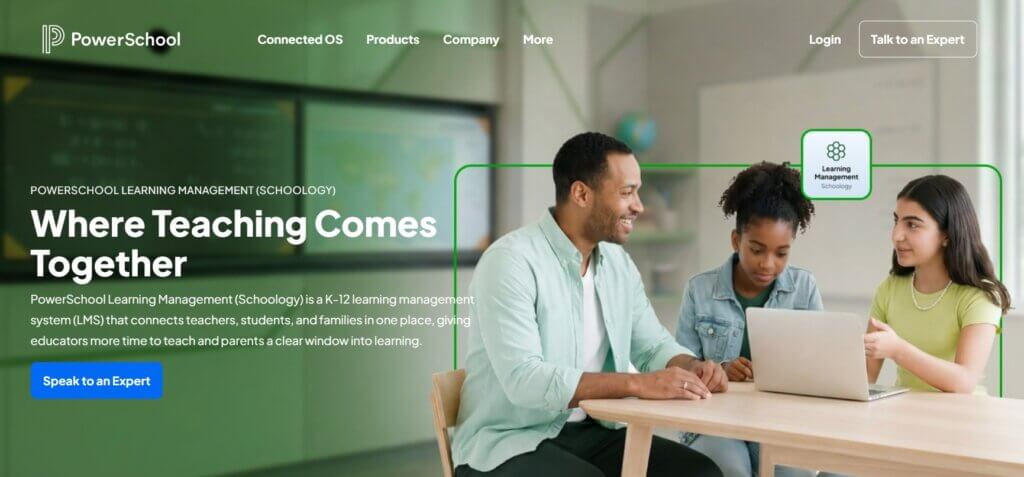
The last one in our course management systems comparison, Schoology is an academic, cloud-based LMS specializing in curriculum management, course instruction, and easy resource sharing and collaboration.
It’s designed to facilitate the development and delivery of educational courses, making it suitable for K-12 schools, higher education institutions, and corporate learning environments.
Best for: K–12 schools and educational organizations.
Pros
- Strong collaboration tools
- Integrated assessment tools and automated grading
- User-friendly interface
- Pre-built courses
- Integration with educational tools
Cons
- Navigation issues
- Occasional integration issues
- Limited design customization
- Slow performance during peak usage
- Delays in customer support response times
Customer reviews talk about Schoology’s collaboration tools, classroom management features, and ability to support educational communities.
One of the things I enjoy about Schoology is how user-friendly it is. As a new teacher, I have been able to create assignments and tests, share them with other teachers, and grade them with ease. I am also a massive fan of the OneNote extension. Students no longer have to wait until I find time to upload notes. Instead, I can create notebooks that upload while I teach.
—Rosie V.
Pricing
Available upon request.
12. WorkRamp
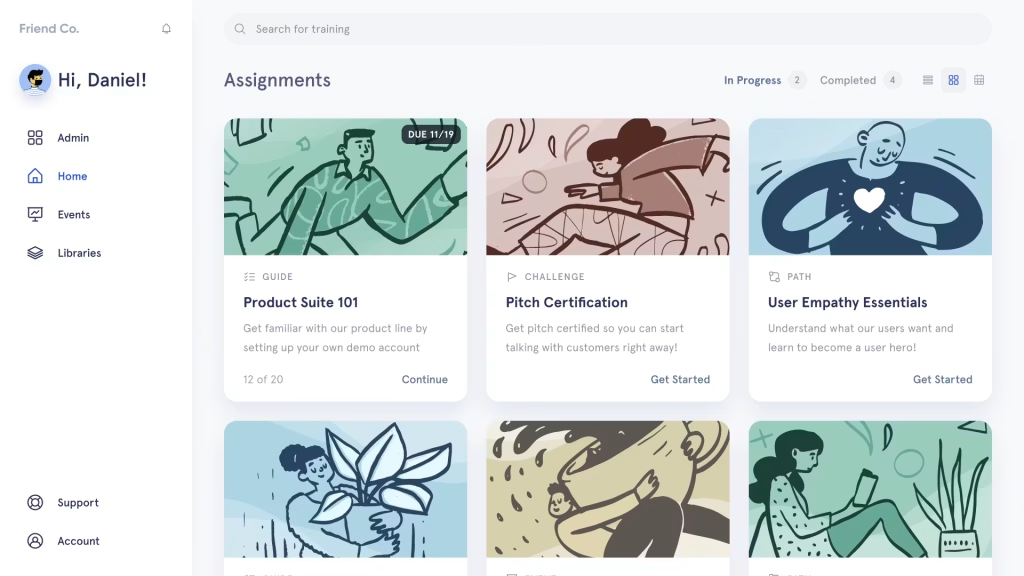
WorkRamp is an enterprise learning platform designed for employee enablement, customer education, and sales training programs. The platform combines learning management capabilities with tools for content creation, reporting, automation, and engagement, helping organizations deliver structured learning experiences across multiple audiences.
The platform is particularly focused on modern workplace learning, enabling teams to onboard employees, train customers, and support revenue teams through scalable learning programs integrated with their existing business tools.
Best for: Sales enablement, employee onboarding, and customer education.
Pros
- Built-in course creation tools
- Designed for employee and customer education programs
- Strong reporting and analytics capabilities
- Integrations with business and productivity tools
- Supports instructor-led and self-paced learning experiences
Cons
- May be more complex for smaller organizations
- Advanced workflows may require additional configuration
Customer reviews mention WorkRamp’s modern interface, ease of content management, and ability to support employee and customer training programs.
WorkRamp stands out as an intuitive, user-friendly learning platform that makes it easy to create, organize, and manage training content. It supports videos, quizzes, and documents, and it also offers clear progress tracking so you can see how learners are doing. The integrations with other tools work smoothly, which helps improve overall training efficiency and keeps engagement high.
—Chetan P.
Pricing
Available upon request.
13. Docebo
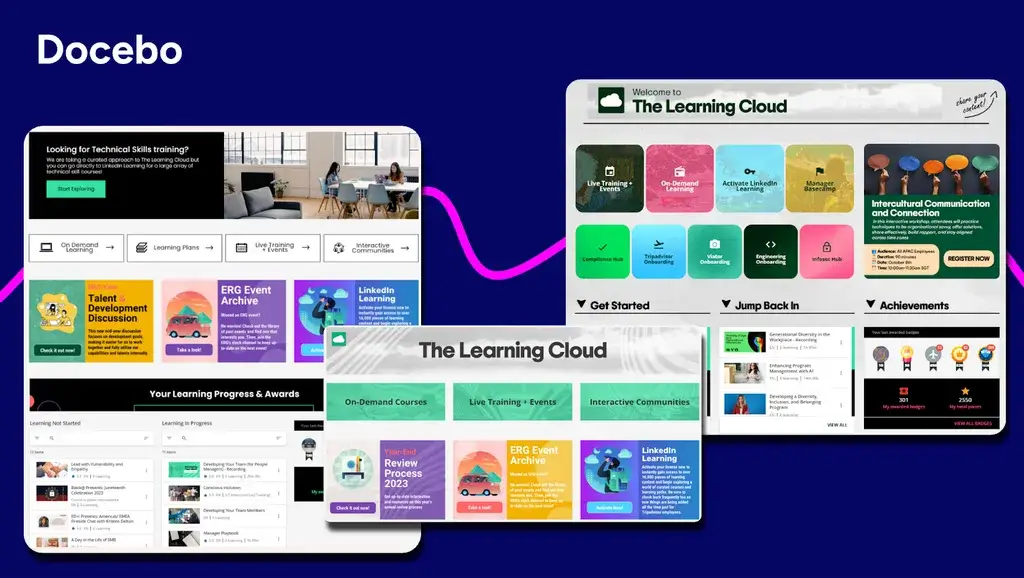
Docebo is a cloud-based learning management system that supports every large organization’s business growth. The platform is learner-centric and uses AI algorithms for personalized learning experiences and better employee engagement. Docebo supports social and game-based learning with a gamified learning community featuring leaderboards and prizes.
Docebo is a valuable employee development tool, supporting multiple languages and offering a built-in content library, AI content authoring, ecommerce capabilities, and a series of APIs, webhooks, integrations with more than 400 tools, workflow automations, and widgets to customize the learning experience.
Best for: Large enterprises looking for AI-powered employee learning and compliance training.
Pros
- Supports SCORM, AICC, and Tin Can API
- Rich gamification and social learning
- Strong AI capabilities
- Content library
- White-label mobile app
Cons
- Pricey
- Slow customer support
- Complex for non-technical users
- Limited reporting
- Extra cost for new features
Customer reviews frequently highlight Docebo’s flexibility, scalability, customization options, and ability to support complex learning programs. For example, one G2 reviewer said:
I like Docebo’s user interface as an admin because it’s easy to use and delivers faster results. It allows me to manage users easily and quickly, create courses within seconds, and manage them without any issues. I can create complex learning paths and assign them to specific courses based on roles. Additionally, the ability to create enrollment rules makes my life easier.
—Gayane S.
Pricing
Available upon request.
💁♀️ Read more in our best Docebo competitors blog post.
14. Litmos
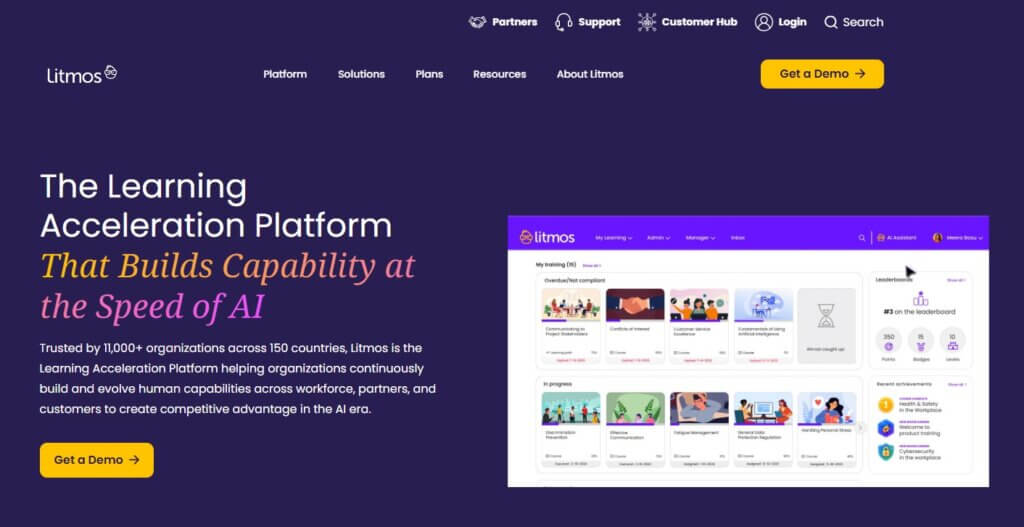
Our learning management system comparison continues with Litmos, a well-known LMS that offers a variety of elearning solutions for businesses, including corporate, customer, partner, and compliance training.
This learning management software stands out for its AI learning assistant that deepens engagement and improves training effectiveness, as well as its rich gamification and social learning features.
Best for: Corporate learning and compliance training across distributed teams.
Pros
- Built-in content authoring
- SCORM and xAPI compliant
- Rich built-in content library
- Robust analytics and reporting
- AI learning assistant
Cons
- Limited design customization
- No built-in payment gateway
- Slow assessment feedback process
- Pricey
Customer reviews frequently highlight Litmos’ ease of use, content library, compliance capabilities, and support for managing organizational training.
I really like how easy the Litmos platform is to navigate, whether from the admin perspective or user perspective. The courses that are already created and available in the library are a great feature. Plus, the AI tool for creating courses is awesome because it is very easy to use, making course creation a breeze.
—Barbara C.
Pricing
Litmos offers three pricing plans: Foundation, Platinum, and Platinum AI, but the pricing is not publicly available. Contact the platform for more information.
*Pricing information retrieved from Litmos in July 2026.
15. Cornerstone Learning
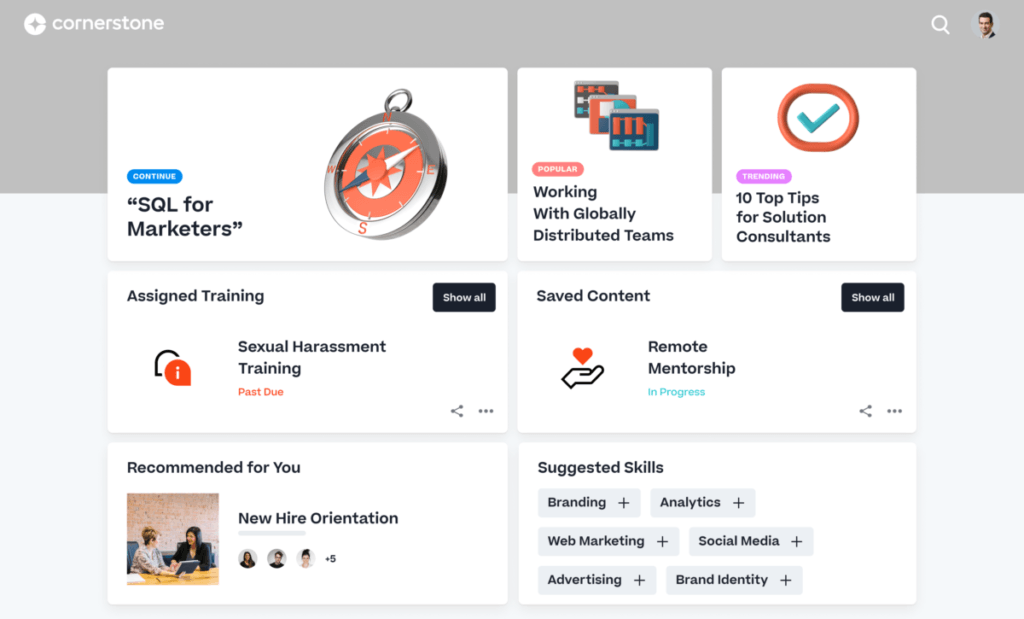
Cornerstone Learning is a comprehensive learning management system designed to enhance workforce productivity and engagement. It offers advanced features such as interactive and micro-learning content, and compliance tracking to support employee development and organizational growth.
Best for: Global enterprises managing workforce learning and compliance.
Pros
- AI-driven learning paths and automations
- Microlearning content
- Compliance management
- Strong reporting capabilities
- Extensive integrations
Cons
- Learning curve
- Limited design customization
- Not intuitive navigation
- Limited mobile features
- Mixed reviews about customer support
Customer reviews praise Cornerstone Learning’s UI and support for workforce development programs.
I like that Cornerstone Learning is efficiently designed and very user-friendly. It’s integrated well with our core HR system, which helps in reminding employees to finish required trainings and keeps their managers up to date on progress. The data integrations are often and smooth, allowing updated information like manager reporting relationships and job changes to settle into Cornerstone quickly, providing the correct required trainings.
—Tim C.
Pricing
Available upon request.
16. Moodle
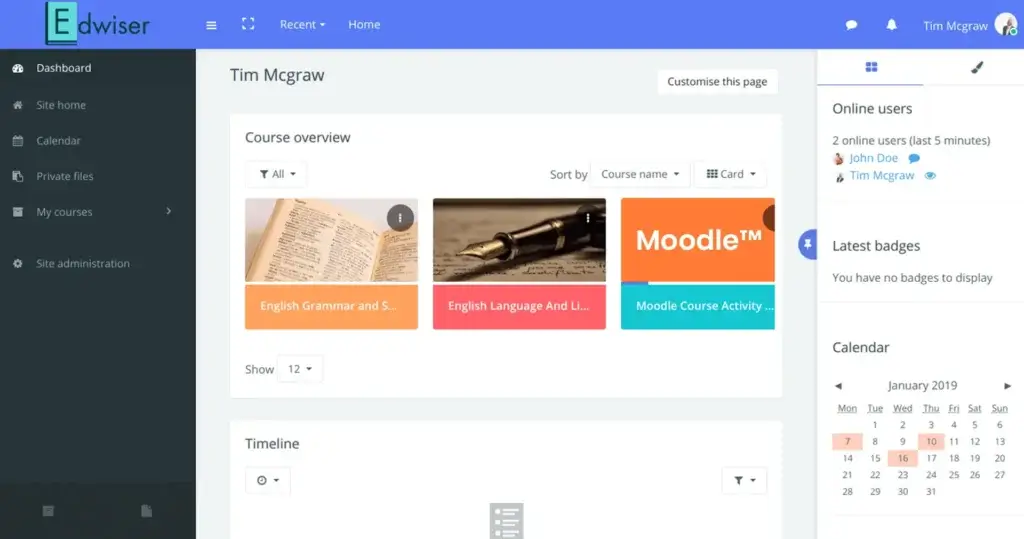
Moodle is a free, open-source learning management system. Moodle was designed by a group of developers and includes a range of drag-and-drop tools and useful resources that can help the everyday user.
The platform is translated into over 95 languages and used worldwide as an educational course management system (Moodle LMS) and in corporate learning (Moodle Workplace). Moodle LMS and Moodle Workplace are self-hosted, which means you need technical expertise or your own in-house IT team to set them up. Alternatively, you can choose MoodleCloud.
Best for: Educational institutions and organizations that want an open-source, highly customizable LMS.
Pros
- Highly customizable
- Multiple integrations
- Supports SCORM natively
- xAPI available through plugins and integrations
- Multilingual
- Free when self-hosted
Cons
- Learning curve
- Limited customer support
- Complex setup
- Outdated user interface
- Occasionally slow performance
Customer reviews mention Moodle’s flexibility, customization options, and extensive ecosystem of integrations.
As an administrator who has worked with Moodle across multiple client environments, what stands out most to me is its flexibility and open-source nature. No other LMS offers the same level of control over customization—whether it’s branding, plugins, workflows, or integrations—without the constraints that come with licensing.
—Marco M.
Pricing
Moodle learning management system comes in two variations. The first one is the original open-source Moodle, which is free to use and runs most self-hosted elearning websites.
However, you need to consider the costs of infrastructure, hosting, maintenance, and technical support to run it yourself.
The other one is MoodleCloud, which is a cloud-based solution and offers the following pricing packages:
- Starter: $170/year
- Mini: $270/year
- Small: $490/year
- Medium: $1,200/year
- Standard: $2,110/year
*Pricing information retrieved from MoodleCloud in July 2026.
17. Blackboard
Blackboard is one of the best learning content management systems and LMS solutions, offering an adaptable learning environment suitable for academic and business purposes alike. This popular learning management platform provides a range of social and blended learning features that can make any type of training engaging throughout its course.
Blackboard for Business offers consulting services to help you get started with your new training program and integrates with HR software to help streamline your workflows. Blackboard for Higher Education supports AI content creation, accessibility tools, and real-time feedback.
Best for: Higher education institutions and academic learning environments.
Pros
- Rich learning features
- Multiple integrations
- Mobile apps
- Efficient content management
- AI powered
Cons
- Limited personalization
- Slow loading times
- Mixed reviews about customer support
- Steep learning curve
Customer reviews talk about Blackboard’s strong learning features, institutional capabilities, and support for complex academic environments.
I find the interface very easy to navigate, with highly useful tools for taking classes, such as videoconferencing rooms and discussion sections. Additionally, submitting assignments is simple, and it’s just as easy to review them later.
—Ricardo A.
Pricing
Blackboard’s pricing is not publicly available.
Migration tips: How to transition to a new learning management system
Transitioning to a new LMS is not easy. Sophie Williams, Director at InfoAware, has shared valuable tips with us.
Start with the learner in mind
A new LMS system isn’t just about technology. It’s about people. The transition must prioritize the learner experience so that learners can access their training easily, without disruption.
Plan for a phased rollout
Rather than switching everything overnight, implement a phased approach, allowing key users to test and get comfortable with the system before a full launch. This reduces resistance and ensures a smoother adoption.
Provide clear communication
Change is easier when people know what to expect. Craft clear, simple messaging to inform users about the new system, why the change is happening, and how it benefits them.
Ensure hands-on support and training
Even the best systems need onboarding. Provide intuitive guidance, tutorials, and support, ensuring admins and learners feel confident using the new learning management system from day one.
Keep it focused on business goals
Align with business needs, structure courses and reporting in a way that’s practical, efficient, and outcome-driven.
“By putting people first, keeping things simple, and ensuring plenty of support, LMS migration is an opportunity for improvement, not a headache.”
Sophie Williams, Director at InfoAware
Which LMS is the best option for you?
We’ve reviewed the top learning management systems on the market to help you make an informed decision. Choosing the right LMS is a significant investment, and getting it wrong can be costly in both time and money.
If you still don’t know which online course platform is the best option for you, try the following:
- Read product reviews: Reviews can tell you all about what a learning management system can or cannot do for you, and this is probably the first place you need to look.
- Look for user feedback: Reach out to people from your community who have tried the LMS platform of your choice and ask them what they think about it, or get more information from trusted sources.
- Ask for a consultation/demo: Discuss your individual/business learning needs with the LMS vendors that interest you the most and find out what they can do for you specifically.
- Get a trial from an LMS vendor: A test drive of the platforms you like the most can help you decide if their features and functions are worth investing your time and money in.
Which LMS is right for you?
Every LMS in this comparison serves a different audience. Some platforms focus on enterprise compliance and workforce development, while others specialize in customer education, academic learning, or selling online courses.
When evaluating your options, consider your:
- Primary training audience
- Budget
- Required integrations
- Content creation needs
- Reporting requirements
- Future growth plans
If you’re looking for a platform that combines course creation, branded learning experiences, ecommerce, interactive learning tools, and flexible delivery options, LearnWorlds is one solution worth considering.
Sources:

Kyriaki is the Organic Content Strategist at LearnWorlds, where she writes and edits content about marketing and e-learning, helping course creators build, market, and sell successful online courses. With a degree in Career Guidance and a solid background in education management and career development, she combines strategic insight with a passion for lifelong learning. Outside of work, she enjoys expressing her creativity through music.
 Back to blog
 Scroll to top
FAQ
Everything you have ever wondered, but were too afraid to ask...

These two tools sound suspiciously similar, but they’re not the same at all.
A learning management system is a tool that takes care of the whole online learning experience from start to finish—content creation to monitoring and compliance tracking.
A learning content management system (or LCMS) is a platform that helps you create, organize, and reuse learning content.
So, while an LMS system focuses more on the learning experience as a whole, an LCMS is hyper-focused on the training content, which is only a small part of the online learning equation.
Usually, learning management systems are categorized based on deployment and target audience. More specifically:
Types of LMSs based on deployment
Types of LMSs based on usage and target audience
Related Articles