Table of Contents
Key takeaways
- If you’re a course creator who wants to monetize knowledge, a training business that sells courses to individuals or businesses, or a company that educates its partners and employees, choose an online learning platform that truly fits your needs
- Compare key features like content creation and learners’ engagement tools, tailored training and sales options, andintegration functionality with the platforms you already use
- Test out different educational platforms by taking advantage of free trials, comparing your options, and reading the independent users’ reviews to make an informed decision
I could go about telling you how online learning has changed digital education by making knowledge accessible to everyone, anywhere, and at their own pace. But as a professional in your area who educates people and shares your expertise with the world, you already know this, right?
So the question at hand is not whether an online platform for learning is a must-have for you to sell your knowledge or train and educate your audiences, but which platform to choose out of the numerous options.
I know a lot of professionals from the educational space, and all of them want their learners to have access to skill development, professional certifications, and lifelong learning opportunities to advance their careers or pursue personal growth. However, with so many options available, selecting the best platform or elearning tool can feel overwhelming.
Over the years, through my interactions with customers and industry experts, I have learned a lot about the pains and difficulties that elearning professionals face. I’ve identified what truly matters to creators, businesses, and trainers looking to educate their audiences. Putting together over 10 years of our team’s experience and expert opinions from top creators and training professionals, I’ve collected the best online learning platforms for different scenarios, to make sure you find the right fit for your needs.
What is an online learning platform?
An online learning platform is a collection of digital tools and functionalities that allow individuals, educators, and businesses to create, manage, and deliver educational content.
These online platforms cater to a wide range of users, from course creators and corporate trainers to universities and enterprise organizations. Unlike traditional learning management systems (LMS), the best online learning platforms often integrate marketing, sales, and community-building tools to help you make your online courses and training programs modern, and at the same time, to meet most of your business needs.
💡Keep learning: What is a learning management system?
What are the main benefits of online learning platforms?
Elearning platforms offer the infrastructure businesses need to create, manage, and deliver educational content at scale. Without such a platform, delivering training materials can quickly become time-consuming. You’re managing files, sending updates manually, and losing track of who’s learning what.
The right systems solve the issue by bringing everything into one place. This includes everything from course creation and delivery to learner tracking and certification—helping you save time, scale easily, and offer a more consistent experience.
What are the various types of online learning platforms?
Platforms with which you can offer elearning come in many forms, each designed to support different training goals, audiences, and delivery methods.
Below, you will learn what the main types are and what each is best suited for.
1. Course marketplaces
Online course platforms such as Udemy and Coursera allow you to upload and sell online courses without needing to manage a website. However, these marketplaces often come with trade-offs, such as:
- Revenue-sharing models
- Limited pricing control
- Branding restrictions
While they provide access to a built-in audience, they lack scalability for course creators who want full ownership of their content. Additionally, these platforms offer numerous online tutoring jobs, providing instructors with flexible, remote work opportunities and the ability to educate learners globally.
How are course marketplaces different from LMSs?
Traditional learning management systems focus mainly on delivering corporate training and compliance-based learning. They often lack built-in marketing and sales features, making them less suitable for entrepreneurs looking to grow their online teaching business. The best online course platforms, on the other hand, offer monetization options, automation tools, and analytics to help course sellers scale their impact.
2. All-in-one course platforms
Elearning platforms such as LearnWorlds and Teachable give creators complete control over branding, pricing, and course structure. Providers design these systems to support independent course creators and businesses with everything they need to function, offering features like website builders, learner analytics, and marketing tools.
3. Open-source LMSs
Open-source LMSs have freely available code for anyone to use, modify, or distribute. Options like Moodle and Open edX are highly customizable but require technical expertise from businesses. For example, hosting, security, and updates must be managed manually, and there is limited built-in support for monetization or marketing.
These open-source learning tools are often used by universities or large organizations with dedicated information technology (IT) teams.
4. MOOC platforms
Massive open online course (MOOC) platforms like edX and FutureLearn host university-level courses that are open to large numbers of learners. These learning platforms are typically designed for academic or lifelong learning, not commercial course selling, since they often limit branding, pricing control, and direct access to learner data—key requirements for businesses and independent educators looking to build their own customer base and learning experiences.
How to choose an online learning platform
I can’t give you a magic pill and tell you which online learning platform is best for you, but I can share my experience—gathered from numerous educators—on the important criteria to consider when choosing the right one for your needs:
- Customization and branding: Can you fully brand your elearning courses, pages, and the whole learning environment?
- Monetization options: Does it have the tools to monetize your content your way?
- Engagement features: Quizzes, live sessions, community features?
- Scalability and integrations: Does it integrate with CRM, email tools, or analytics?
- Pricing and value: Is the cost justified by the features, and does it make sense when you grow in terms of learners, courses, and markets?
- Security and support: Does the provider offer a learning platform that complies with data privacy and security regulations? Will you have access to the support team and resources that will help you along the way?
According to Valentin Radu, CEO & Founder of Omniconvert: “Choosing the right online learning platform is all about balancing efficiency, engagement, and scalability. First, prioritize platforms that offer robust analytics—insights into learner behavior can make or break the optimization process, just like understanding customer value in ecommerce. Look for customization options; a one-size-fits-all approach won’t cut it if you’re aiming for long-term loyalty, whether in learning or business.
Ensure the platform supports mobile-first experiences because convenience isn’t optional anymore—it’s expected. Seamless integration with other tools (like CRMs or marketing automation software) is a must to save time and centralize data. Consider the community aspect, too. Much like retaining a loyal customer base, active learner engagement often thrives on meaningful connections.
Lastly, security matters—your learners’ data needs to be as safeguarded as your customers’ data. With these factors in mind, choosing the right platform becomes less overwhelming and more about strategy, just as I approach Customer Value Optimization—always with clarity and purpose.”
💡 Ready to find the perfect platform for your online courses? Discover how to choose the right elearning solution in this FREE expert webinar.
Different use cases of online learning platforms
There’s no one-size-fits-all when it comes to online learning platforms. It all depends on what you’re trying to achieve and the learning objectives you choose. Are you a solo creator launching your first very own course? A business that wants to train its employees by offering online or offline internal training? A company educating its customers on how to use its products effectively?
Here’s a breakdown to help you find your best match.
Solo course creators and coaches
Best picks: LearnWorlds, Thinkific, Teachable, Kajabi, Graphy, EzyCourse, LearnDash
If you’re a creator, coach, or educator looking to build and sell online courses, these elearning platforms are designed with your needs in mind. They offer tools to upload content, customize your brand, accept payments, and grow your audience.
- LearnWorlds is a great choice if you want interactive features (like quizzes, certificates, and interactive videos) to keep learners engaged
- Kajabi offers strong marketing automation and is a good choice for coaches who want an all-in-one solution to grow their brand
- Thinkific and Teachable are good entry-level options with user-friendly course-building tools
Probably not for you: Coursera, edX, Udemy. These platforms control pricing and branding, making them less appealing if you want full ownership.
Membership communities and digital entrepreneurs
Best picks: LearnWorlds, Kajabi, Thinkific, Teachable, Graphy, EzyCourse
If you’re building a membership-based business, these digital learning platforms help you create gated content, set up recurring revenue streams, and build a community.
- Kajabi is perfect for blending courses, memberships, and marketing automation
- LearnWorlds offers strong community features on both web and mobile, plus flexible monetization options
Skip these: Docebo, Litmos, Coursera. They’re too enterprise-focused and don’t support community-driven business models.
Small and medium businesses (SMBs) training employees
Best picks: LearnWorlds, Thinkific Plus, Docebo, Litmos, Moodle, LearnDash
If you’re an SMB that needs an easy way to offer workplace learning and train your employees, these platforms offer structured learning, analytics, and reporting to help you track progress.
- LearnWorlds and Thinkific Plus provide scalability and flexibility for businesses training employees or partners.
- Docebo and Litmos are feature-packed for larger teams and compliance-based training.
Less ideal: Udemy (you don’t control the experience), Kajabi (not designed for employee training).
Enterprises training employees
Best picks: Docebo, Litmos, Coursera for Business, edX for Business, Adobe Learning Manager, Moodle (with dev support)
If you’re a large enterprise with a serious need for custom learning paths, HR system integrations, and security compliance, these digital training platforms fit the bill.
- Coursera and edX work well for companies that don’t want to create their own content but instead provide employees with top-tier, off-the-shelf courses
- Docebo, Adobe Learning Manager, and Litmos are great for corporate training, offering AI-driven learning paths and in-depth reporting tools
Companies offering product training to clients and partners
Best picks: LearnWorlds, Docebo, Litmos, Thinkific Plus, Moodle, LearnDash
If your business sells software, hardware, or services, you may need a customer academy to help clients and partners use your products more effectively.
- LearnWorlds and Thinkific Plus make it easy to build a branded learning experience for customers
- Docebo and Litmos scale well if you’re training large partner networks or customers in multiple regions
Probably not for you: Udemy and Teachable—they lack customer segmentation and external organization management.
Academic institutions and schools
Best picks: Moodle, edX, Coursera for Campus, LearnWorlds, Thinkific, LearnDash
For educational institutions like universities and schools, having a proper structure, collaborative learning tools, and the ability to offer blended learning is a must. These platforms support online communication tools, grading, assessments, and integrations with school systems.
- Moodle is open-source and customizable (great for IT-savvy institutions)
- Coursera and edX allow universities to offer accredited courses and degree programs
- LearnWorlds and Thinkific are flexible for smaller-scale academic programs
Less ideal: Kajabi, Teachable—they don’t have formal academic tools.
SMBs that are training providers (selling B2B or B2C)
Best picks: LearnWorlds, Thinkific Plus, Teachable, Kajabi, LearnDash
If you run a training business that sells to individuals or other companies, these online learning platforms support white-labeling, bulk enrollments, and B2B seat-based pricing.
- LearnWorlds and Thinkific Plus have great tools for both individual and bulk B2B sales
- Kajabi is good for B2C entrepreneurs who prioritize marketing automation
Not ideal: Udemy, Coursera, edX—you can’t fully own the customer experience.
The 17 top online learning platforms in 2026
The landscape of learning platforms is diverse, with each option offering different strengths depending on your content, audience, and level of control. To help you compare, we’ve outlined the top online learning platforms, along with who they’re best suited for.
| Online learning platform | Best for | |
|---|---|---|
| Platform #1 | LearnWorlds | Individual creators and businesses of any size looking for a flexible, all-in-one platform for digital products, online courses, and corporate training—complete with full ownership, branding, and monetization options. |
| Platform #2 | Udemy | Solo educators and small edupreneurs willing to trade revenue and branding control for access to a large marketplace with built-in audiences. |
| Platform #3 | Coursera | University faculty and educational institutions that meet platform-specific requirements and want to offer accredited courses or degree programs within a structured, closed ecosystem. Not ideal for independent course creators. |
| Platform #4 | Thinkific | Small businesses and solopreneurs who want a simple, easy-to-use platform with decent course delivery and monetization features, and do not require advanced customization options. |
| Platform #5 | EdX | Universities and organizations with the resources to manage Open edX or partner with the edX marketplace to deliver structured, high-quality educational content. Not suited for independent educators who want full control. |
| Platform #6 | Teachable | Beginner course creators and solo educators who prioritize ease of use over deep customization or community features. |
| Platform #7 | Kajabi | Coaches, solopreneurs, and digital entrepreneurs who want an all-in-one solution that combines course creation with marketing automation and memberships. |
| Platform #8 | Docebo | Medium to large enterprises that need a robust LMS with AI-driven learning paths, corporate training, and extensive integrations |
| Platform #9 | Litmos | Businesses focused on compliance and workforce training, looking for a simple LMS software with corporate-grade reporting and automation. |
| Platform #10 | Moodle | Academic institutions and organizations needing an open-source, highly customizable LMS with strong grading and assessment tools, but need to have tech skills. |
| Platform #11 | LearnDash | WordPress users who want a self-hosted course platform with deep customization options but require technical know-how. |
| Platform #12 | Ezycourse | Language instructors and educators looking for an easy-to-use teaching and membership platform with community engagement. |
| Platform #13 | Graphy | Digital creators and educators looking for an affordable course platform that also supports digital products, memberships, and mobile learning. |
| Platform #14 | SamCart | Entrepreneurs and digital product sellers focused on maximizing conversions through high-performing checkout flows. Ideal for those prioritizing sales and upsells over deep course engagement. |
| Platform #15 | Passion.io | Coaches, fitness instructors, and wellness creators looking to deliver mobile-first learning experiences through a branded app without needing technical skills. |
| Platform #16 | FreshLearn | Solo course creators and small teams seeking an affordable, all-in-one platform to launch and sell digital products, courses, and memberships with minimal setup. |
| Platform #17 | Adobe Learning Manager | Mid-market to enterprise organizations that need a corporate elearning platform for employee onboarding/compliance, customer or partner training. |
Now let’s take a deeper dive into each of the platforms.
1. LearnWorlds: The all-in-one, flexible online learning platform to create and sell online courses and digital products
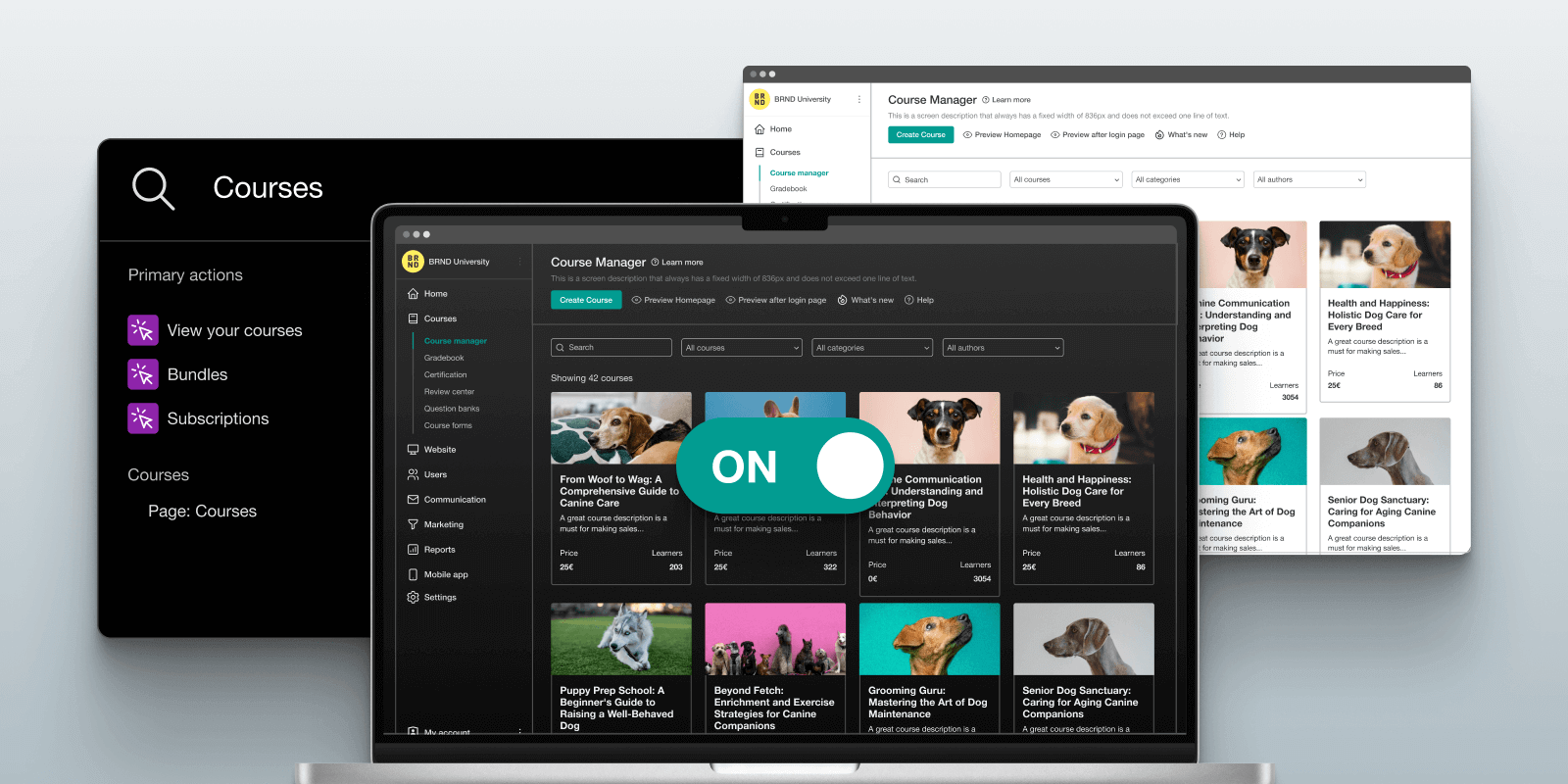
LearnWorlds is a modern and comprehensive AI-powered LMS with built-in course authoring, ecommerce, community, and user management features.
Unlike many other platforms, LearnWorlds is not just a course hosting service—it’s a true all-in-one elearning solution that supports different business models, from selling digital products to delivering online training programs to employees, partners, and customers. It also supports live courses and stands out in interactive course creation, automation, AI-powered tools, community-building features, and advanced marketing capabilities.
With LearnWorlds, you can create your own fully branded academy, launch a white-label mobile app, and deliver an exceptional learning experience.
Pros and cons
The pros of LearnWorlds include:
- Easy to use and user-friendly interface
- All-in-one: course authoring, website builder, ecommerce, and user management
- White-label website & mobile app
- Supports SCORM and HTML5 files
- An AI Assistant to simplify and accelerate routine tasks with artificial intelligence
- Advanced customization
- Marketing and monetization tools
- Exceptional customer support
- Native community
- Truly interactive learning experience
Cons of LearnWorlds include:
- No marketplace for courses yet (but coming soon)
- Does not support TinCan and xAPI
Who is it for?
LearnWorlds is ideal for educators, trainers, and businesses seeking a flexible, all-in-one platform to create interactive and customized online learning experiences. Its robust feature set caters to those who prioritize learner engagement and want to deliver high-quality educational content with an advanced AI-powered learning platform.
Pricing
It offers a 30-day free trial for users to explore the platform before committing, and then 4 subscription-based pricing plans as follows:
- Starter plan: $29/month
- Pro trainer plan: $99/month
- Learning center: $299/month
- High Volume & corporate: custom pricing
LearnWorlds is one of the best online learning platforms for any size of business looking to create a professional-looking academy and sell online courses. Try LearnWorlds with a 30-day trial today.
Customer verified review
Best Most in One Platform I’ve Used! The Platform has many features that allow you to create your website, school, and coaching. I like the built-in community options and the mail features. We’ve received great support from our customer service specialist! We’re looking forward to officially launching our platform next year with LearnWorlds!
Verified customer in professional training and coaching writing on G2
💡 Looking to boost your productivity? Then our free webinar, LearnWorlds AI-powered tools: Do more with quality-focused output, is the right one for you. Watch the webinar and learn how LearnWorlds’ AI tools can streamline and facilitate your knowledge business.
2. Udemy: A leading course marketplace
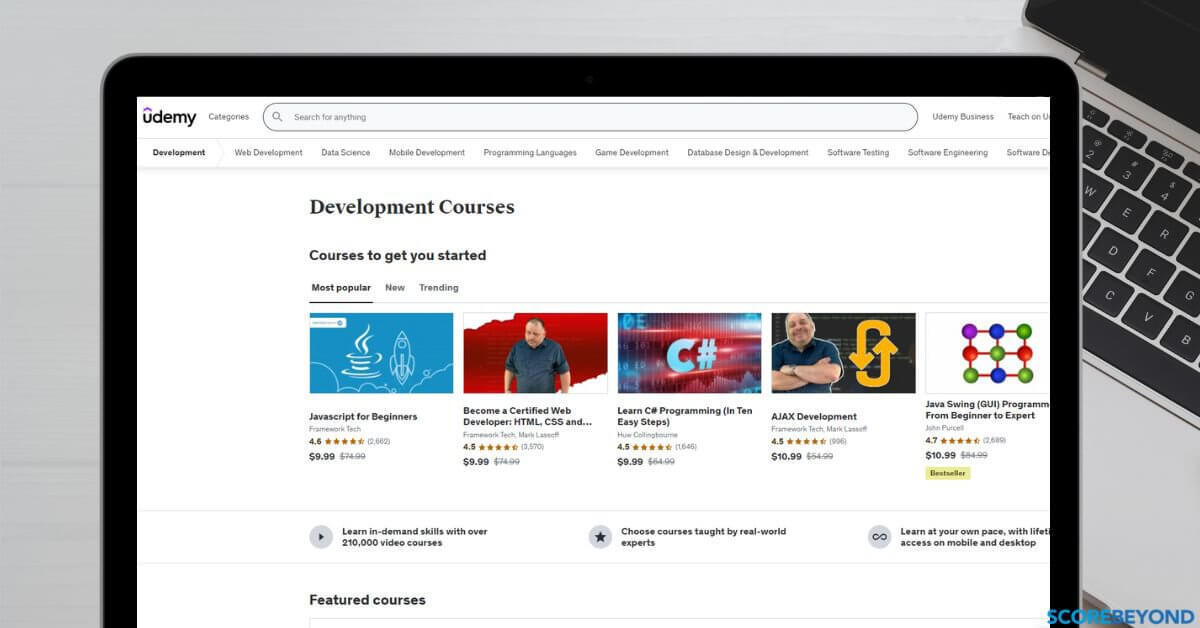
Udemy is one of the most popular online course marketplaces on the web, featuring more than 210,000 online video courses. It has over 60 million students, 65 thousand instructors, and subject matter experts creating online courses. The platform offers learning to everyone with the possibility of acquiring new professional skills, and its course catalog includes several course topics from web development to project management and personal development.
Udemy also makes course creation easy and possible. In doing so, it offers multiple online learning materials, including PDF documents, PowerPoint presentations, text, and video content. Additionally, it supports live video classes, providing flexibility and accessibility for students from various backgrounds.
Instructors can join Udemy and start teaching online, but the platform takes a huge piece of the revenue and has control over pricing and discounting the course.
Pros and cons
Pros of Udemy include:
- No setup cost (for instructors)
- Geared towards self-paced learning and video courses
- No need for highly technical knowledge
- An Udemy app available for iOS and Android
The cons of Udemy are:
- Limited interaction with students
- High competition between instructors
- No personal branding option
- No data ownership or control over branding – it keeps emails and user data and does not share this information with instructors
- Visibility depends on your own marketing – the platform only promotes courses that are already popular
Who is it for?
Learners: Udemy has a course for almost every discipline, but potential students should always read the reviews before buying one. The quality is not consistent.
Instructors: It’s great for teachers, instructors, educators, and freelancers who are just starting out.
Pricing/revenue share (for instructors)
To start charging students a fee for courses on Udemy, you will need to become a premium instructor. In such a case, the following conditions apply:
- No starting fee, but very high commissions on sales of up to 80%
- 37% when students come through their paid user acquisition channel
- 97% on course sales when you sell through your own links. Udemy keeps a 3% administration fee
*Pricing adjusted on a global price tier matrix developed by Udemy.
*Pricing information retrieved from the Udemy support page about instructor revenue share in March 2026.
Learner pricing: Most Udemy courses end up selling between $10-$20, with very few exceptions where instructors have set a higher price.
Customer verified review
Udemy Business helps Organizations Train and Retain Talent. The vast selection of courses available- they cover everything from soft skills and leadership type topics, so courses on very specific technical skills and systems. Everyone within our organization can utilize Udemy Business to help them build not only thier business skillsets, but also for personal growth.
Anne D. member of Women in CX, wrote on G2
💡Explore the best Udemy alternatives.
3. Coursera: The academic learning platform
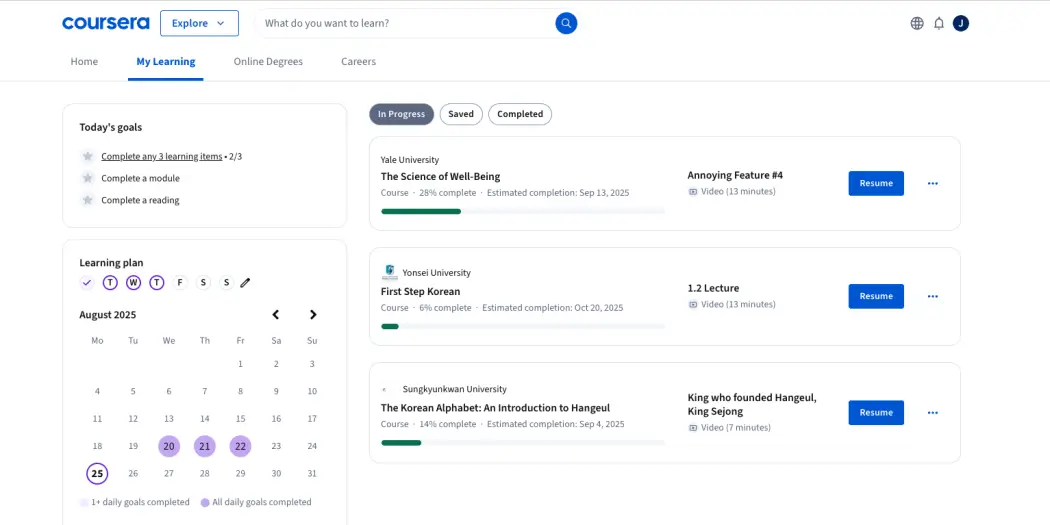
Coursera is an online learning platform with over 100 million users dedicated to offering high-quality online training courses worldwide. Partnering with top universities and businesses, it offers students the opportunity to receive certifications from renowned institutions upon enrolling in its paid courses.
The elearning platform also provides a flexible environment to teach students, connecting educators with learners of various levels through one-on-one sessions or structured classes.
Coursera offers individual courses, specializations, certifications, and degree programs (for bachelor’s and master’s degrees) that support on-demand video lectures, homework exercises, peer-reviewed assignments, and community discussion forums.
With Coursera Plus, students can get unlimited access to 90 percent of the learning programs in the Coursera catalog via a yearly or monthly subscription option.
Pros and cons
Coursera’s pros are:
- Offers a variety of learning options and activities
- Offers certifications from accredited institutions
- Provides high-quality educational tools
- Courses are free if you are not looking for a certification
On the other hand, Coursera’s cons are:
- Limited to educators in partner institutions
- Less flexible course creation options compared to other platforms
- Does not offer instructor feedback, only peer-reviewed assignments as a feedback mechanism
Who is it for?
Learners: Anyone who wants to learn from prestigious institutions, whether they are looking for a one-off course, certification, or an online degree.
Instructors: It is aimed at professors who are based at a HE partner institution or business.
Pricing
Coursera offers free courses, subscriptions, and one-off payments depending on the course or program.
For instructors and businesses, it offers two pricing plans. The Team plan costs $337.99 per user/year, and the Enterprise plan has custom pricing.
*Pricing information retrieved from Coursera’s pricing page in March 2026.
Customer verified review
It is best platform to learn technology. It is a platform with a wide selection of courses that enables us to access knowledge and content of the highest calibre for a reasonable fee and occasionally even free of charge. The user can download the systems, access them from any location, and receive a certificate after completing the programme.
Navya Priyanka A., IT and services, on G2
4. Thinkific: An all-in-one learning platform for SMEs
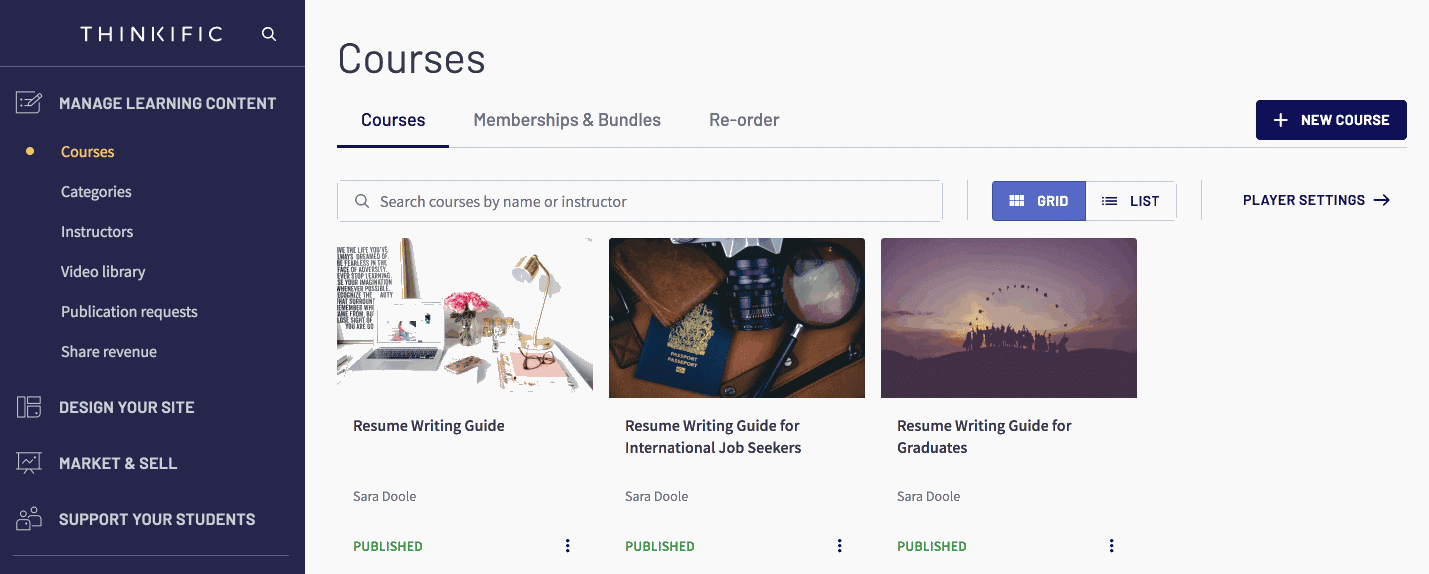
Thinkific is a standalone course platform that helps you build and sell online courses. It provides everything you need to create your online education business, including an easy-to-use interface for building courses and rich multimedia to add to your course content right away.
Thinkific also offers features that enhance the experience for online teachers, such as flexible payment options, interactive tools, and assessment capabilities. The platform is a popular option for course creators launching their business, but customer support is lacking.
Pros and cons
The pros of Thinkific include:
- Has a freemium plan
- Full-featured platform
- Integrates with popular software
- Lots of (paid) experts can help you build your website/courses
- Includes mobile app & community features
The cons of this platform for online learning are:
- Limited website templates & design options
- Basic learning features
- Does not support SCORM, TinCan, or AICC
- Bad support
Who is it for?
Learners: Thinkific academies usually offer decent video courses with a certification, but usually, top-tier educators who value training effectiveness choose more professional platforms to deliver their courses.
Instructors: Thinkific is ideal for solopreneurs, small/medium businesses – SMEs, and coaches who want to generate more income.
Pricing
The platform has a 14-day free trial plan. Subscription plans include:
- Basic: $48/month
- Start: $97/month
- Grow: $195/month
- Thinkific Plus: custom pricing
*Information retrieved from Thinkific’s pricing page in March 2026.
💡 View the list of Thinkific alternatives
💡Compare Thinkific to LearnWorlds
💡Compare Thinkific pricing to Teachable & LearnWorlds
Customer verified review
Thinkific plus provides organisation’s with flexibility and scalability, Multi-site administration is excellent for expansion and the customization choice make branding simple. Its integrations and APIs provide seamless automations.
Deepak T., Senior Manager Operations, wrote on the G2 website
5. edX: The marketplace and open source LMS
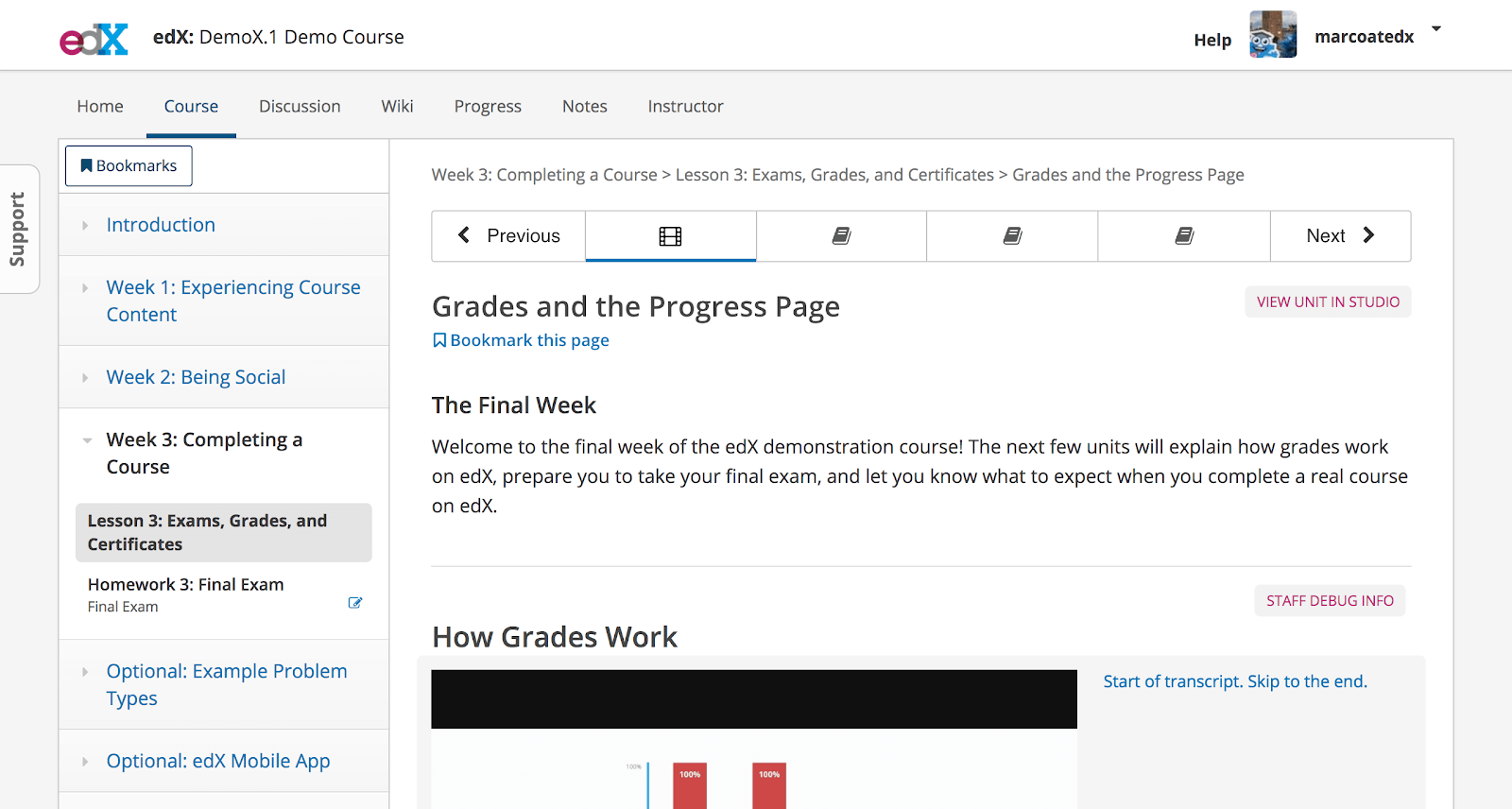
EdX.org (course marketplace) and OpenEdX are two sides of the same coin. EdX is the learning platform where students find online courses from various universities, and OpenEdX is an open-source content management system.
Both were created by a team of scientists from Harvard University and MIT with the goal of providing online university-level education across the globe.
EdX.org course libraries offer over 4,000 online courses from 250 prestigious businesses and universities offering higher education in many disciplines. These mainly specialize in the sciences–engineering, computer science, data science, math, humanities, business, and management. Additionally, edX supports an online English learning platform designed for engaging and interactive English language education, particularly for younger students aged 4-12.
Pros and cons
The biggest pros of this online education platform are:
- Free and open-source (for instructors)
- Provides in-depth knowledge and added value (for students)
- Comes with a mobile app on iOS and Android
- Interactive online classes – allowing students to chip in
Cons of this system include:
- Discussion forums seem to be outdated and difficult to navigate
- Requires technical knowledge or hiring a developer/web designer to implement (for instructors)
- Comes with the additional costs of a self-hosted server and its maintenance (for instructors)
Who is it for?
Students (EdX): It has a very diverse library of courses suitable for most ages looking to learn a subject or new skills.
Instructors (OpenEdX): It’s great for businesses that can afford a team or outsource the development and maintenance of the platform on their own servers.
Pricing for instructors
It’s free to join, but there may be additional costs for procuring a server and system support and getting expert help from OpenEdX’s service providers or freelancers, whose pricing varies according to your project’s requirements and budget.
EdX Business offers three pricing plans:
- Essentials: starts at $12.50/month
- Teams: starts at $33/month
- Enterprise: custom pricing
*Information retrieved from EdX Business pricing page in March 2026.
Customer verified review
“The best thing in Edx is that the user has the power to customize the things in the projects if the user knows how to add css styling. Most edx authoring components are supported by HTML.”
Ahtesham N., Software Engineer, wrote on G2
6. Teachable: All-in-one course platform for coaches
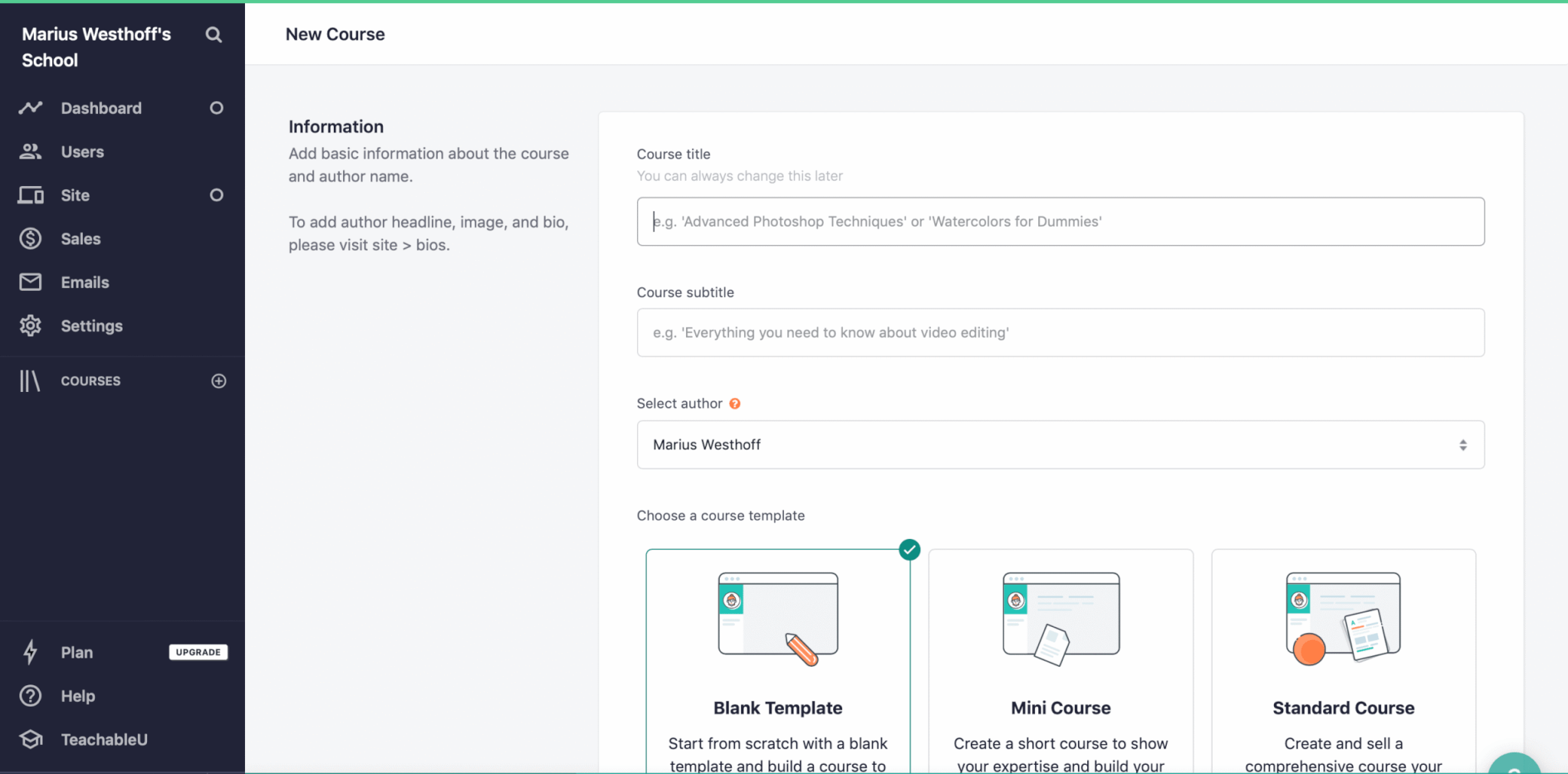
Teachable is an online teaching platform that serves the everyday instructor, helping them transform their knowledge into a business. Teachable provides an easy and simple solution for uploading your learning content, customizing your online school, and communicating effectively with your students.
Teachable embodies simplicity. It’s easy to use and ideal for beginner course creators wanting to sell video-based courses, tutorials, or coaching. It also comes with the digital marketing tools you need to promote your courses.
Pros and cons
Pros of Teachable include:
- Has a free plan for your first course
- Simple and easy-to-use learning platform
- Good ecommerce features for selling courses
The cons of this digital learning platform are:
- Limited learning/teaching and assessment capabilities
- Does not support advanced learning features
- No social or community-building features
- Not very responsive customer support
- Limited white-labeling options
Who is it for?
Instructors: It’s a great option for new course creators, solopreneurs, and coaches due to the free plan.
Learners: Teachable courses are more often video lessons with some quizzes. Teachable schools are great when they specialize in video tutorials, but you will not find many great certification courses there.
Pricing
Teachable does not offer a free plan, but it has a 7-day free trial. Also, it offers the following paid plans:
- Starter plan: $39/month (plus a 7.5% transaction fee)
- Builder plan: $89/month (no transaction fee)
- Growth plan: $189/month (no transaction fee)
- Advanced: custom pricing
*Information retrieved from Teachable’s pricing page in March 2026.
💡Compare Teachable with LearnWorlds
💡Check out more Teachable Alternatives
💡6 CORM-compliant LMSs for 2026
Customer verified review
Ease to create courses and simple drag and drop website building. Now from the Teachable sales page transaction has become super easy. Loading video content is better than most of the LMS.
Shalinee K., Education management, on G2
7. Kajabi: Strong course platform with marketing features
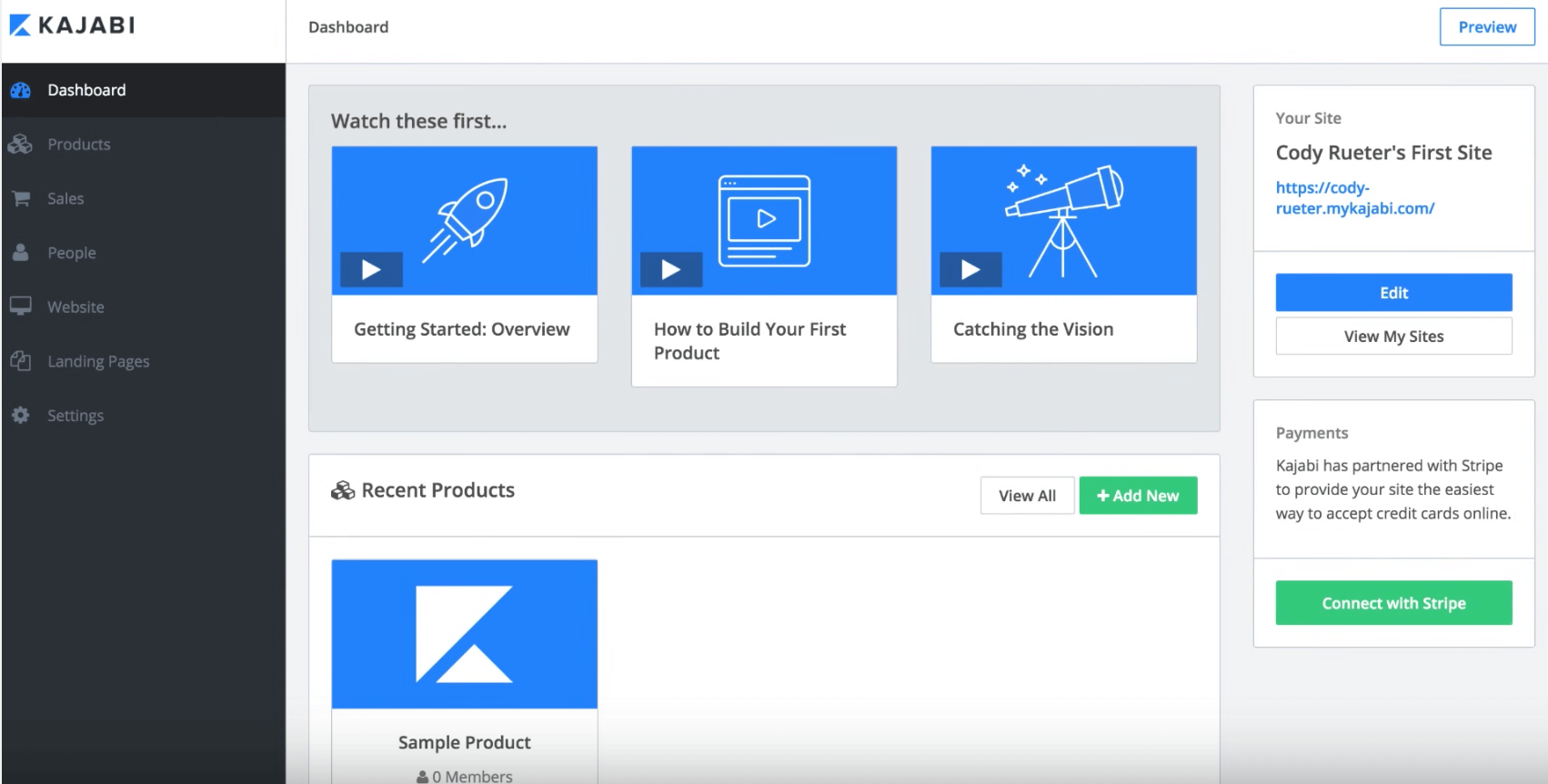
Kajabi is an all-in-one online platform that offers the tools to sell digital products, including online courses, coaching programs, and podcasts. Kajabi specializes in building high-converting sales pages, landing pages, and webinar pages for your online business and launching your advertising campaigns.
Pros and cons
Kajabi’s pros include:
- Marketing features
- Many automations for course creation (AI) and funnels
- Supports many digital products: courses, memberships, podcasts, etc
The cons of this online training software are:
- No free plan
- No advanced functionality in learning features
- Can be difficult to set up
- Many limitations, and it ends up being quite expensive quickly
Who is it for?
Instructors: It is for non-techy online course creators, digital entrepreneurs, small businesses, freelancers, creators, and individual instructors selling video-based courses and other digital products.
Learners: Kajabi is great at selling and less in the learning experience, you should expect simple video lessons, PDFs, quizzes, live sessions, and a community/membership where students can socialize.
Pricing
Offers a 14-day trial that requires a credit card. Then it goes to yearly or monthly payments, which include the following paid plans:
- Basic plan: $179/month
- Growth plan: $249/month
- Pro plan: $499/month
*Information retrieved from Kajabi’s pricing page in March 2026.
💡Compare Kajabi with LearnWorlds
💡Check out other Kajabi alternatives
Customer verified review
I like the ease of use for backend training course setup and the features they offer. Integration with Zapier was pretty easy in terms of offering access as soon as purchased with a stage in pipedrive.
8. Docebo: Best traditional LMS for enterprises
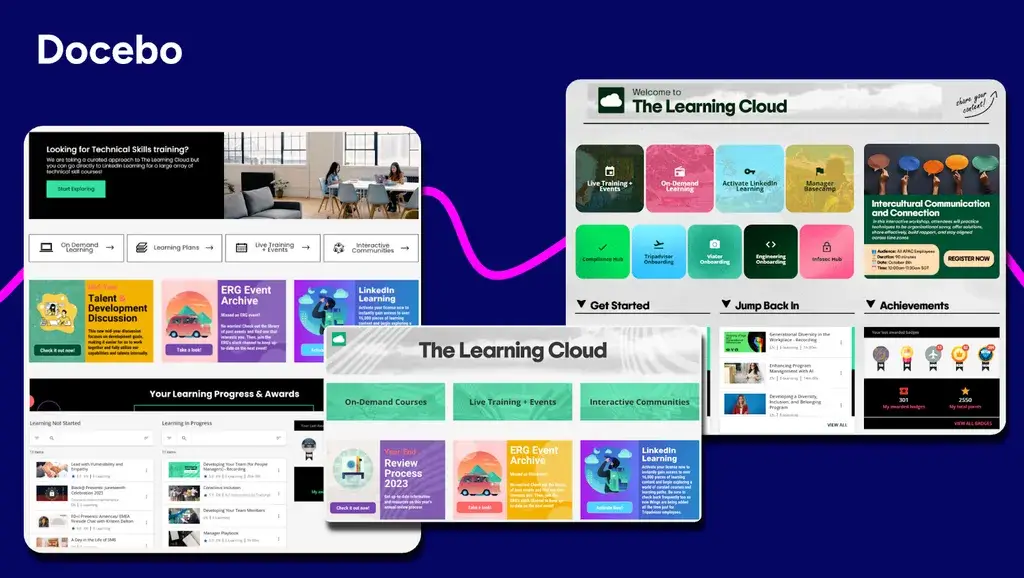
Docebo comes with a top cloud-based LMS solution that meets most of every organization’s training needs and requirements.
The platform is learner-centric and offers L&D capabilities using learning-specific Artificial Intelligence (AI) algorithms to personalize the learning experience.
Pros and cons
Docebo’s pros include:
- Supports SCORM, AICC, and Tin Can API
- Has engaging course gamification capabilities
- Provides analytics on the effectiveness of learning programs
- Supports more than 40 languages
The cons of this online learning platform are:
- Very expensive, only suitable for enterprises
- Lacking reporting features
- Limited customization capabilities
Who is it for?
Docebo is targeted at corporate and enterprise users training their employees and partners. It is prohibitively expensive for most course creators or small businesses.
Pricing
Docebo doesn’t list its prices publicly, so if you’re interested, to get the best idea of what it’ll cost for your business, you’ll need to reach out to their sales team for a quote.
*Information retrieved from Docebo’s pricing page in March 2026.
💡Check out the best Docebo alternatives.
Customer verified review
The product ticks all the boxes for large and small organizations. It’s easy to use, can be tweaked to meet a variety of needs, and the customer service chat folks are amazing.
Suzy S., L&D Manager, wrote on G2
9. Litmos: Easiest-to-use traditional LMS
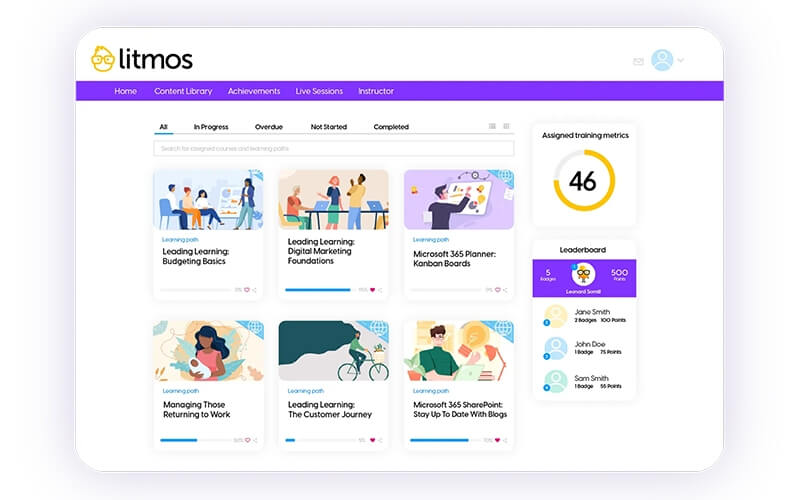
Litmos (formerly known as SAP Litmos) is a popular platform that offers a variety of eLearning solutions for businesses, including corporate, customer, partner, services, support training, and compliance training.
One of its biggest strengths is the ability to create customized learning paths for the needs and styles of every company and its employees.
Pros and cons
Pros of this online platform for learning include:
- Intuitive course authoring
- Supports SCORM, AICC, xAPI/Tin Can API
- Great reporting & dashboards
- Includes a content library with 2,000+ ready-made training courses
Litmos’ cons are:
- Has limited customization options
- Expensive option for most businesses
- Its assessment and feedback delivery process are slower than usual
- Lacks a dedicated payment gateway connection
- Bad support
Who is it for?
It’s suitable for businesses of all types and sizes, focusing mostly on corporate training.
Pricing
Pricing for Litmos LMS is not publicly available on the site, but it is based on the number of active users. Various online sources mention a price range between $2 and $5 per user per month. It has two pricing plans listed online – Foundation & Platinum AI with custom pricing.
Access to the LMS, specific courses, and add-on features comes with a quote-based plan after making a pricing request to Litmos directly.
*Information retrieved from Litmos’ pricing page in March 2026.
Customer verified review
I love that is user friendly, especially from an admin side. I love being able to track things easily and add engagement, the gamification features are unmatched! It was easy to implement to my team, we use it weekly, and it fits really well into our learning plans/training. Their customer support is always very helpful and patient.
Halle P., Consultant of Transformational Learning Design, on G2
10. Moodle: The most popular open-source LMS
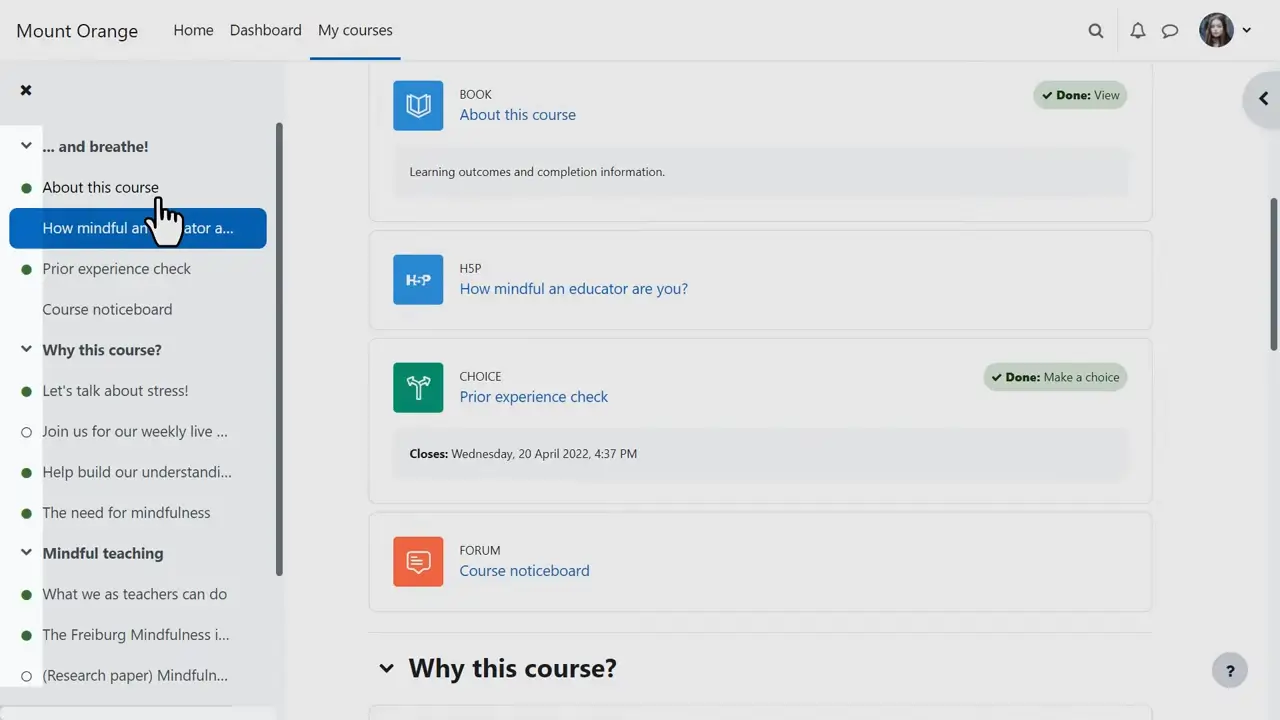
Unlike the majority of LMSs, Moodle is a free, open-source digital learning platform. You can also buy hosted versions of Moodle with technical support from many resellers.
Moodle is the usual LMS for higher education and is being used by many businesses as well. It requires a great deal of effort for setup, but it may be the most customizable solution for elearning out there.
A large community of developers is still supporting it, and you can find or develop almost any feature you might require.
Pros and cons
Moodle’s pros include:
- Open Source (free to use)
- Most customizable solution
- Compatible with SCORM, AICC, IMS LTI, and xAPI/Tin Can API
- A big community of users, developers, and businesses offering services and support
Cons of this elearning platform:
- Doesn’t offer support, but you can pay for it
- Very old user interface
- To use the platform, you need to self-host it and hire an IT professional to take care of updates and maintenance
Who is it for?
Instructors: Moodle is best suited for colleges, universities, public administration, and specialized businesses with an in-house IT team.
Learners: While not the most user-friendly solution, it is relatively easy to use and could offer many functionalities for users, including a community, forum, etc.
Pricing
Moodle is an open-source platform that is free to use but requires your own server to host.
The other is MoodleCloud or other providers, which offer a cloud-based solution and usually come with tech support.
Subscription plans include:
For off-the-shelf hosting:
- Starter: $130/year (50 users)
- Mini: $230/year (100 users)
- Small: $420/year (200 users)
- Medium: $950/year (500 users)
- Standard: $1,800/year (750 users)
For premium mobile app plan: $499/year
*Information retrieved from MoodleCloud’s pricing page in March 2026.
Customer verified review
Moodle’s open-source nature and extensive range of features—particularly its grading tools, activity management, and scalability—made it the perfect choice for both small and large-scale courses.
Olawale M., Distance Learning Coordinator, wrote on G2
11. LearnDash: Best WordPress plugin for learning management systems
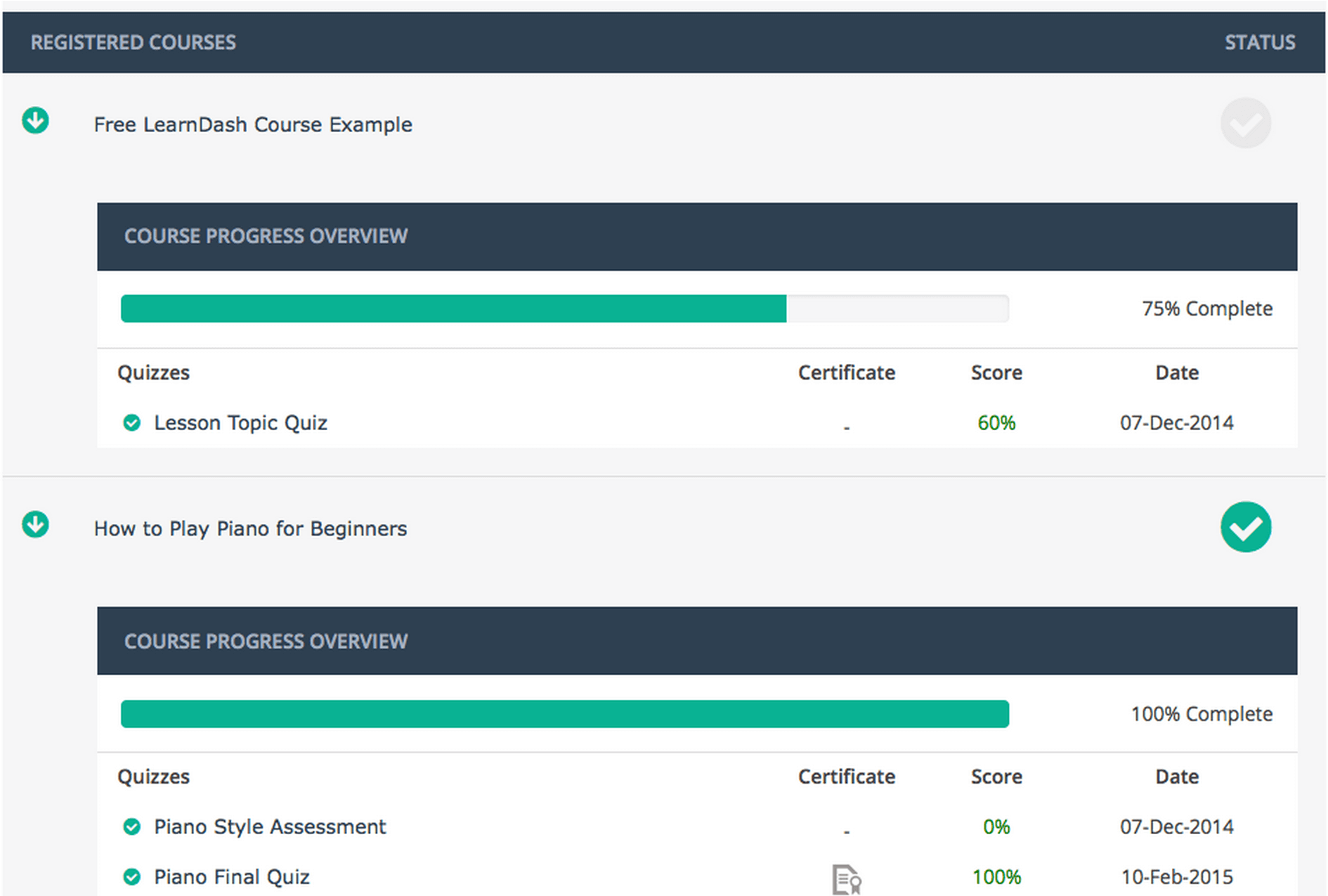
LearnDash is the most popular premium WordPress LMS plugin on the market. With it, you can design, promote, and sell online courses. Some of the best features it offers are its speed and its drag-and-drop course builder, which make the process of course creation both easy and enjoyable. LearnDash integrates seamlessly with your WordPress website, enhancing its functionality and user experience.
LearnDash has the flexibility of WordPress, allowing it to be very customizable. You can add many more functionalities that are not natively built-in. The downside is that adding too many plugins may be detrimental and break the website, requiring a developer to do the setup or keep maintaining the site and offering support.
Pros and cons
LearnDash’s pros include:
- Cheaper than cloud-based LMS
- Very flexible and customizable
- Many add-ons that add functionality
- Has an ecosystem of themes and developers building new functionalities
Cons of this digital learning platform:
- No free trial, but you can cancel within 15 days (if you don’t like the product)
- Relies heavily on the extra plugins, so the costs pile up quickly
- Every extension also comes at an additional cost
- Self-hosting on your own server comes with additional hosting & developer costs
- Ecommerce features require a third-party plugin like WooCommerce
Who is it for?
Instructors: LearnDash is suited for individuals and smaller companies, as it’s a low-cost LMS based on WordPress. It does not support most requirements for bigger, more complex organizations.
Learners: LearnDash’s interface is pretty easy to use and straightforward for learners. You will probably not realize when a course you bought is hosted on LearnDash.
Pricing
There are two ways to use LearnDash—either by getting the plugin or by launching a fully hosted course website.
LearnDash plugin’s pricing is based on the number of site licenses:
- 1 site license: $199/year
- 10 site licenses: $399/year
- Unlimited: $799/year
LearnDash Cloud (full-site) starts at $39 per month.
MemberDash (the membership plugin) starts at $199/year as a standalone plugin (does not require LearnDash).
*Information retrieved from LearnDash’s pricing page in March 2026.
💡Compare LearnWorlds vs LearnDash
💡Compare LearnWorlds vs WooCommerce
Customer verified review
Learndash is simple to set up, even complex LMS on WordPress with lovely design and a user-friendly interface.
Matija D on G2
12. Ezycourse: Best for language instructors and educators
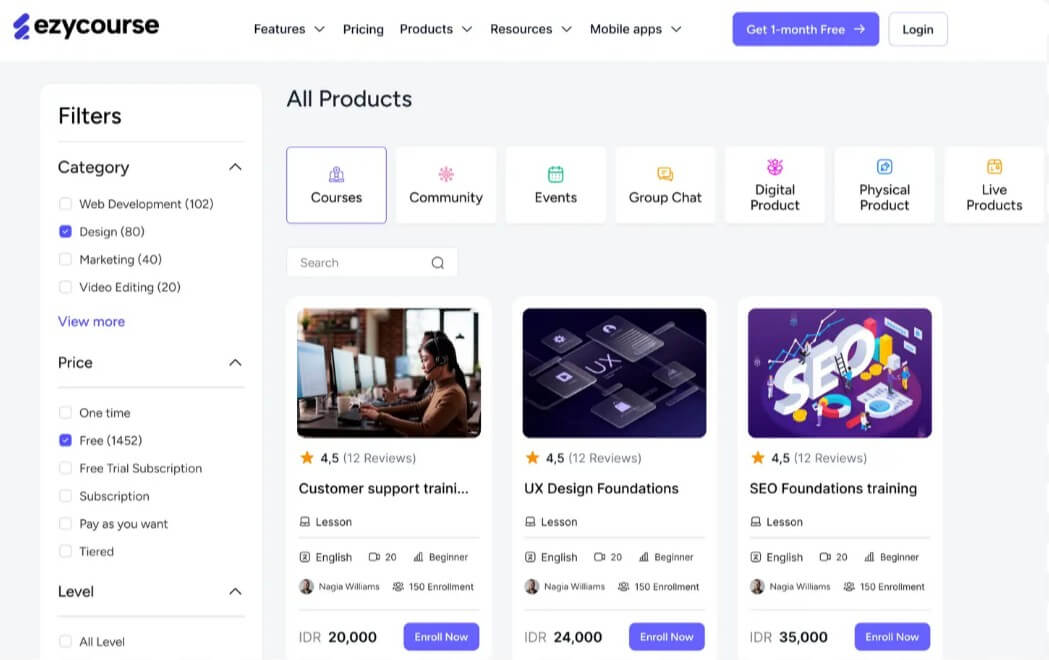
Ezycourse is an all-in-one online platform for learning designed to empower educators and businesses to create, market, and sell online courses, services, and products. With features like custom landing pages, email marketing, and the ability to build membership-style sites, Ezycourse aims to simplify the training process with its handy business management and course creation tools.
Pros and cons
Pros of Ezycourse include:
- Wide range of tools for creating courses, community building, and product sales
- User-friendly interface
- Responsive customer support
The cons of Ezycourse are:
- Steep learning curve
- Users have reported challenges in building websites, especially if they lack prior experience
Who is it for?
Ezycourse caters to a diverse range of users, including individual educators, entrepreneurs, and businesses looking to offer online courses, build communities, and sell digital or physical products.
Pricing
Ezycourse has a 14-day free trial and requires a credit card. Also, it offers the following monthly subscription plans:
- Essential: $69/month
- Pro: $159/month
- Unlimited: $279/month
- Elite: $479/month
*Information retrieved from Ezycourse’s pricing page in March 2026.
Customer verified review
If you have a problem or anything is not working, they fix it immediately. Fastest fix was within 10 Minutes. New addons who are developed on request take some days. Never had a software company working this fast, and really listening to customer needs.
Philippe H wrote on G2
13. Graphy: Best for creators and educators
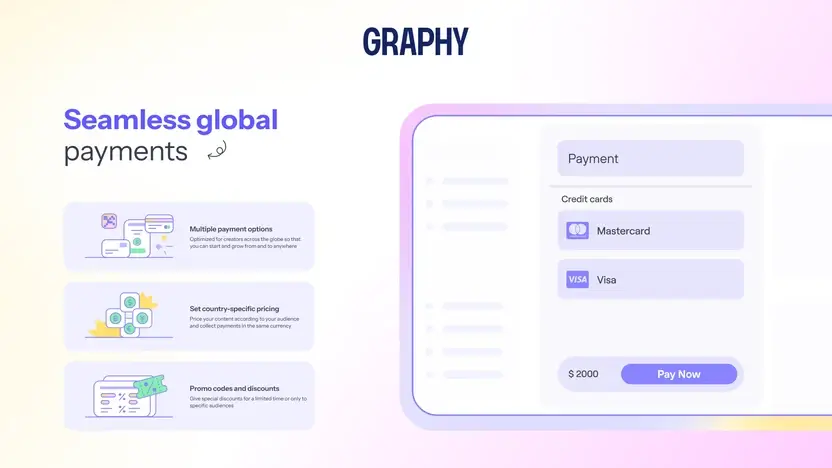
Graphy is an online teaching platform that helps creators and educators to build, market, and sell their courses and digital products. It offers multimedia tools, website and mobile app development, and integrated payment gateways.
Pros and cons
Graphy’s pros are:
- An unlimited number of courses and students
- Advanced content dripping
Graphy’s cons include:
- Limited language support
- Integration limitations, especially with certain email providers
Who is it for?
Graphy is good for content creators, educators, and businesses aiming to monetize their expertise through courses and digital products.
Pricing
Graphy offers the following subscription plans:
- Launch: $49/month
- Rise: $99/month
- Scale: $249/month
*Information retrieved from Graphy’s pricing page in March 2026.
Customer verified review
Easy to use. Its fairly easy to use. There customer support is very good and free unlike some international applications where you have to pay for customer support.
Manjari A., Founder & CEO, on G2
14. SamCart: Best for selling standalone courses and digital products
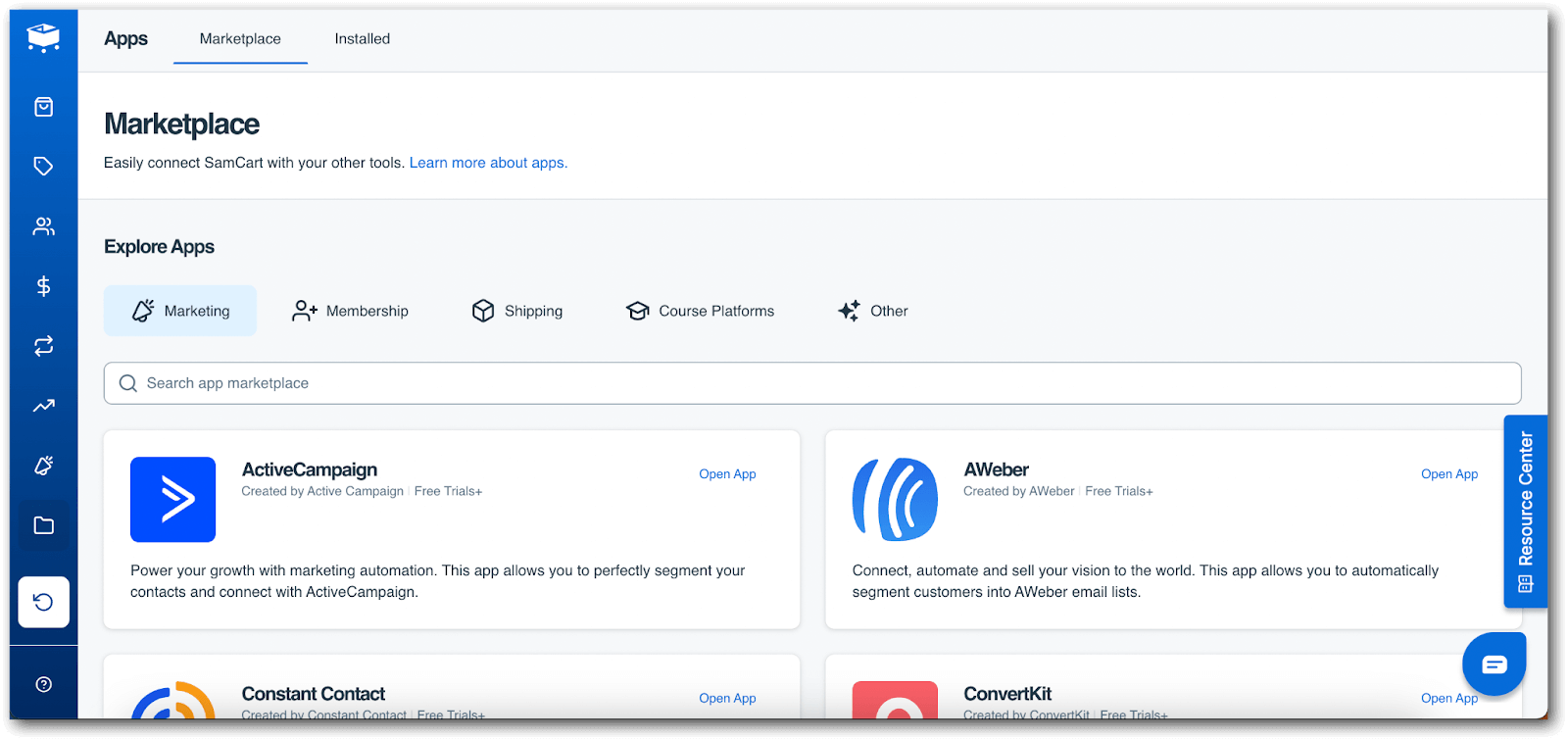
SamCart is a checkout-focused platform that provides ecommerce tools for course creators. While it’s not a full-featured online training platform, it’s a solid choice for instructors who prioritize sales funnels and conversions over detailed learning workflows.
Pros and cons
SamCart stands out for its:
- Sales-first design that emphasizes conversions
- Built-in affiliate tools that support partner-driven growth
- Simple interface tailored for course delivery through training videos
- Conversion-focused features like A/B testing and performance tracking
However, SamCart may fall short due to its:
- Limited tools for learner engagement, such as quizzes or certificates
- Narrow focus on sales over educational depth or interactivity
- Lack of features like mobile access or integrated communities
Who is it for?
Best for creators selling standalone courses or digital products who prioritize sales funnels over deep learning features.
Pricing
Pricing starts at $79/month and scales as your business grows, according to SamCart’s pricing page.
*Information retrieved from SamCart’s pricing page in March 2026.
Customer verified review
It’s easy to use, and there are a variety of different plans available to suit businesses of any size. I love the ease of integration with other systems and setting up products is simple. I also appreciate all the trainings that are available to help with just about anything you might need.
Juli A M., Founder and Coach, on G2
💡Compare LearnWorlds vs SamCart
15. Passion.io: Best for mobile-first course creators
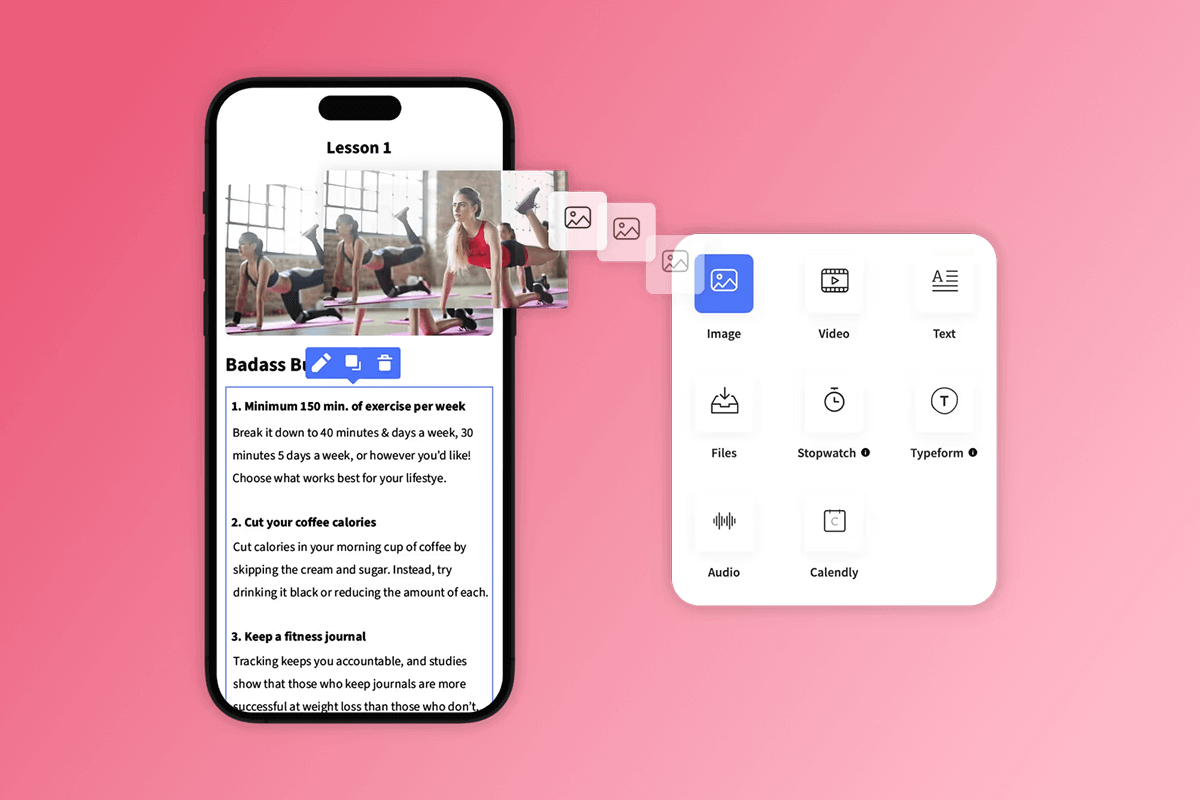
Passion.io allows you to create mobile apps for your courses without any coding. Its app-centric design supports course delivery through features like push notifications, interactive content, and built-in community tools. Among our list of elearning platforms, Passion.io stands out for its mobile user experience and rapid deployment—creators can launch an app with minimal setup.
Pros and cons
Passion.io performs well when it comes to:
- Branded, no-code mobile learning apps
- Interactive learning with drip content, challenges, and push notifications
- Mobile-first user experience
The platform’s main limitations include:
- Minimal desktop customization makes it less flexible across devices
- Basic learner analytics, with limited performance insights
- A narrower feature set for academic or enterprise training
Who is it for?
Ideal for creators in wellness, fitness, and coaching niches who need an app-based delivery model.
Pricing
Passion.io offers four pricing tiers:
- Launch: $119/month
- Scale: $299/month
- Expand: $699/month
- Passion Plus: custom pricing
A 14-day free trial is available on selected plans.
*Information retrieved from Passion.io’s pricing page in March 2026.
Customer verified review
What I love about Passion is that it’s not just a platform to create your own app – it also provides invaluable training on how to build and sell your course. It’s more than just the tech; it’s the know-how. The guidance on course creation and marketing is a game-changer.
Mathilde N., Intermittent Fasting Coach and Nutrition Expert, on G2
16. FreshLearn: Best budget-friendly platform for creators
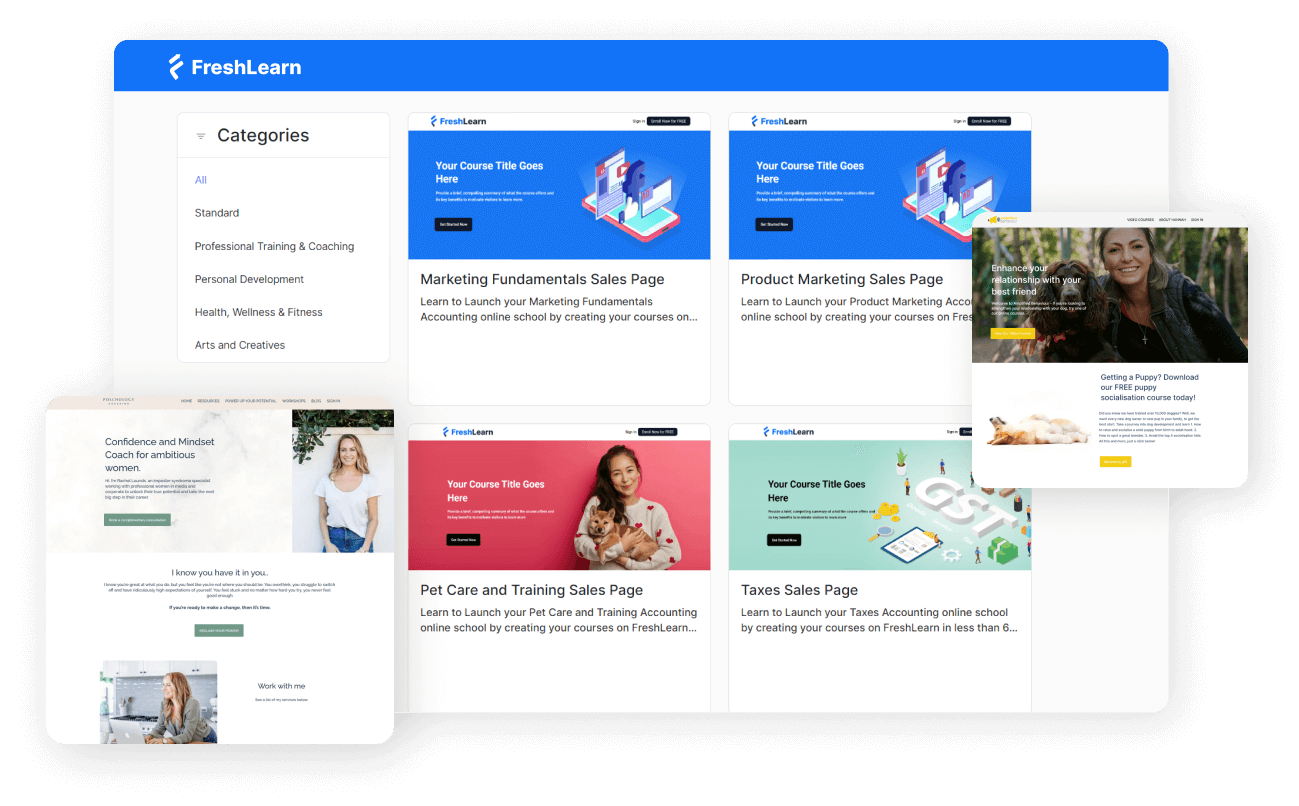
FreshLearn is an affordable course software tailored for creators and coaches who want to launch digital products, courses, and memberships without a complex setup. This digital platform includes white-labeling, community features, and multiple product types under one roof.
Pros and cons
FreshLearn appeals to creators thanks to its:
- Affordable pricing, especially for early-stage course businesses
- Support for multiple product types like digital downloads, courses, and memberships
- Built-in tools for email marketing and landing pages
- User-friendly setup that requires no technical background
FreshLearn’s cons include:
- A limited range of third-party integrations
- Fewer advanced features for assessments or learner engagement
Who is it for?
Solo creators or small businesses looking for an affordable course platform with essential tools.
Pricing
FreshLearn offers four monthly pricing plans:
- Pro: $49/month
- No Brainer: $79/month
- No Brainer+: $149/month
- Enterprise: $249/month
Free trials are available for the Pro, No Brainer, and No Brainer+ plans.
*Information retrieved from FreshLearn’s pricing page in March 2026.
💡Compare LearnWorlds vs FreshLearn.
Customer verified review
FreshLearn gives us all we need to setup our online courses. We have about 9 online courses live that are working really well. Also the use of the bundles & webinars is a real plus. FreshLearn has no limit on storage which is also a great benefit. And…yes we sometimes have to look for the right setup/configuration, therefore the great customer support is of a very valuable help. Almost all questions asked have been solved and/or put into development. We are very happy.
Ivan V., Customer Care and IT Director, on G2
17. Adobe Learning Manager: Enterprise LMS for employee, customer, and partner training
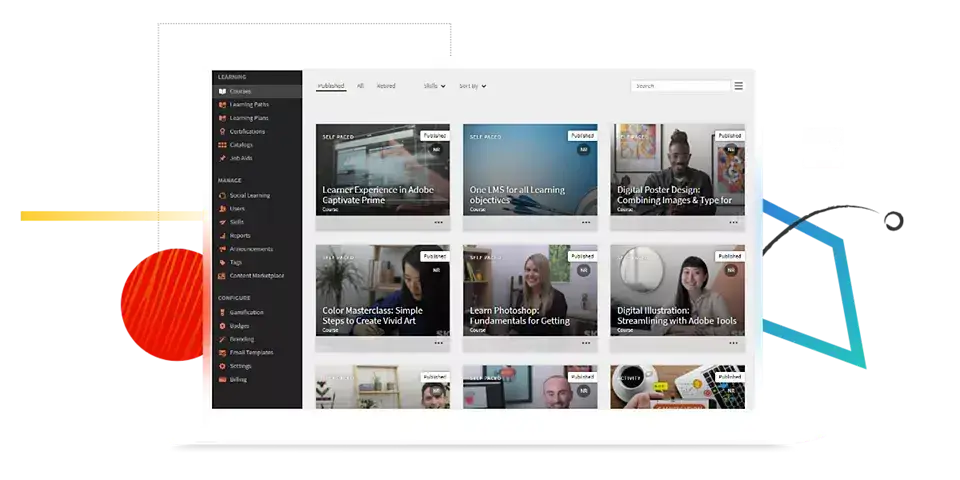
Adobe Learning Manager (formerly Adobe Captivate Prime) is an enterprise-grade online learning platform designed for employee training, customer education, partner enablement, and compliance programs. It supports blended learning and has strong learner engagement features like gamification and social learning, as well as enterprise integrations.
Pros and cons
Adobe Learning Manager is a solution that supports:
- SCORM, AICC, xAPI, video, and PDFs
- ILT and VILT management and reporting
- Microsoft Teams and Salesforce integrations (plus other connectors/APIs)
- Gamification and social learning features to drive participation
- Headless LMS option via APIs for embedding learning into portals/apps
Cons to consider:
- Pricing isn’t listed as fixed tiers (quote-based; capacity models)
- Can have a setup/administration learning curve for teams that want heavy customization
Who is it for?
Adobe Learning Manager is best for mid-market to enterprise organizations that need a scalable elearning platform for business use cases like:
- employee onboarding and compliance
- customer education academies
- partner/sales enablement and franchise training
Pricing
Adobe Learning Manager uses flexible licensing and describes two capacity approaches:
- Registered users (fixed number of learners with ongoing access)
- Monthly active users (floating/on-demand learner access)
Pricing is custom—you’re directed to “Get pricing” / request a demo rather than selecting a public monthly plan.
*Information retrieved from Adobe Learning Manager’s pricing page in March 2026.
Customer verified review
“Adobe Learning Manager provides maximum flexibility and customization to help us develop the system to integrate into our teams with success. Between the various options of learning paths, certifications and more we can more rapidly deploy user trainings successfullly. We can customize it for our industry, which is unique, and allow our internal users to be empowered with their training in a way that fits our company culture.”
Connie K. (Mid-market) – G2
Which online platform are you going to choose?
There are many options available when it comes to the best online learning platforms, and each one has its own strengths and weaknesses. Some online class platforms are more suitable for individual learners, while others are more business-friendly.
Depending on your budget, type of course, and compliance requirements (for bigger companies), you may choose a different tool or platform that fits your needs.
Our favorite option is hands-down LearnWorlds’ enterprise LMS.
It’s the easiest all-in-one course platform offering a high-end learning experience to your learners, whether you are an individual creator or a business.
Want to try out LearnWorlds? You can get a 30-day free trial today and schedule your demo.
FAQs
Which is the best platform for online learning?
The best online learning platforms depend on your needs. LearnWorlds is ideal for knowledgeable instructors looking to monetize their expertise while using an all-in-one solution. Udemy and Coursera offer large audiences but have revenue-sharing models. Thinkific and Teachable are great for independent educators, while Docebo and Litmos serve corporate elearning needs.
Are online learning platforms effective?
Yes. Online education platforms have proven highly effective for delivering elearning solutions at scale. They offer interactive tools, self-paced learning, and accessibility, making online teaching platforms more flexible and engaging for learners worldwide.
What are the benefits of elearning platforms?
These are the key benefits of using elearning platforms:
- Accessibility: Learn from anywhere at any time
- Cost-effective: Lower costs than traditional higher education programs
- Scalability: Reach a global audience without limitations
- Engagement tools: Quizzes, discussion forums, and interactive content enhance learning
- Monetization opportunities: Freemium to premium models for course sellers
What is the biggest problem with online learning?
The biggest challenge is maintaining learner engagement and retention. Without proper engagement tools like interactive content, live sessions, and learning communities, learners may lose motivation. LearnWorlds can help you address this by providing interactive learning, gamification, social learning through a built-in community, and advanced analytics.
Which are the best online learning platforms with certification?
If certification is a key factor, reliable platforms like Coursera, edX, LearnWorlds, and Udemy offer certification options that add credibility to courses and professional development programs.
What’s the difference between an online learning platform and an online learning management system (LMS)?
An online learning platform is often broader as it combines course delivery with tools like a website builder, payments, marketing, communities, and analytics—so you can sell or scale learning.
An online learning management system (LMS) is usually focused on admin and training operations like assigning learning, tracking completion, reporting, compliance, and managing users—especially for business training.
Which online learning platform is best for business training and onboarding?
For employee onboarding, the best online learning platform for business typically offers:
- role-based learning paths, automation, and reporting
- cohorts or groups (departments/regions)
- certifications, assessments, and reminders
- SSO, integrations (HRIS/CRM), and security controls
What are the best online course platforms for creators selling courses?
The best online course platforms for creators usually include:
- simple course building process and a branded site
- checkout, coupons, bundles, subscriptions
- email/CRM integrations, landing pages, upsells
- community and engagement features (quizzes, certificates)
Choose which one you need based on your preferred monetization business models (single course sales, coaching, memberships, or programs).
What features should I look for in online teaching platforms?
Strong online teaching platforms typically include:
- multimedia lessons (video, PDFs, SCORM/HTML5 if needed)
- quizzes, assignments, certificates
- live sessions (Zoom integrations) or scheduling
- discussions/community, announcements, notifications
- mobile-friendly learner experience
- analytics on learner progress and engagement
Are virtual training platforms suitable for compliance training?
Yes, many virtual training platforms work well for compliance if they support:
- completion tracking, timestamps, audit-ready reports
- assessments with pass/fail rules
- certificates with expiration and re-certification reminders
- content versioning and controlled access
For regulated industries, also look for security, data retention, and admin permissions.
How much do online education platforms cost per month?
Most online education platforms fall into these ranges:
- Creator plans: ~$30–$150/month (often limits features/admins)
- Growth/business plans: ~$200–$500/month (more automation and reporting)
- Enterprise: quote-based (SSO, advanced security, large-scale user management)
Final cost depends on add-ons (mobile app, advanced analytics), active users, and transaction fees.
Can I use one platform for both internal training and customer education?
Yes, many modern platforms can support both, if they allow:
- multiple audiences (employees vs customers) with separate portals/groups
- different branding, access rules, and custom paths per audience
- B2B features (bulk enrollments, seats, organizations) for customer training
If you need very different experiences, multi-portal/multi-school capability helps.
Do these course platforms support SCORM and video-based training?
Most course platforms support video-based training (hosted video lessons). SCORM support is less universal: it’s common in business-focused LMS/elearning tools and less common in entry-level creator platforms. If SCORM matters, you need to look for:
- SCORM version compatibility
- reporting depth (time, completion, quiz data)
- upload limits and content player behavior
What’s the best way to choose a digital learning platform for remote teams?
For remote teams, choose digital learning platforms that deliver:
- mobile-friendly learning and reliable streaming
- asynchronous paths for learning and optional live sessions
- strong reporting for managers (progress, completion, skills)
- integrations (SSO, HRIS, Slack/Teams, CRM)
- engagement tools (quizzes, nudges, community)
Then shortlist 2–3 and run a pilot with one team to validate adoption.

Kyriaki is the Organic Content Strategist at LearnWorlds, where she writes and edits content about marketing and e-learning, helping course creators build, market, and sell successful online courses. With a degree in Career Guidance and a solid background in education management and career development, she combines strategic insight with a passion for lifelong learning. Outside of work, she enjoys expressing her creativity through music.
 Back to blog
 Scroll to top
Related Articles